The best competitive alert tool isn't the one with the most data, it's the one that knows exactly which team member needs to act on a specific competitor move automatically. We know the feeling of drowning in notifications. You are juggling multiple clients, platforms, and dozens of competitors, and the "crucial" insight you actually needed was buried under a mountain of irrelevant noise. This work is chaotic, and "more data" is rarely the answer.
Most teams treat competitive intelligence as a research problem, but it is actually a coordination problem. If your data isn't arriving in the right inbox at the right time, it is invisible. For an agency, this isn't just annoying, it is a failure to provide the strategic edge your clients pay for. When alerts are unstructured, your team ends up reacting to the wrong signals or missing the big shifts entirely.
What the best tools need to handle

Most software in this space focuses on the tracking aspect: Did they post? What are their hashtags? That is baseline stuff. If your tool only alerts you that a post went live, you have built a noisy feed, not an intelligence workflow.
To be truly useful for a multi-brand agency team, your alert infrastructure must distinguish between noise and action. It needs to handle three distinct tiers:
- Immediate: Critical strategic pivots. If a competitor suddenly launches a campaign, your strategist needs that notification now, not in a summary tomorrow.
- Periodic: Trend monitoring. Weekly digests keep everyone informed on steady-state performance without clogging Slack daily.
- Long-term: Historical benchmarking. Quarterly reports ensure your client is positioned correctly against the broader landscape.
| Feature | Passive Monitoring | Active Intelligence |
|---|---|---|
| Alert Trigger | Every post/action | Only material shifts |
| Distribution | Central inbox | Route to account owner |
| Data Format | Raw notifications | Actionable insights |
| Outcome | Notification noise | Strategic pivot |
Operator rule: If your tool sends all alerts to one person, you do not have a tool, you have a bottleneck.
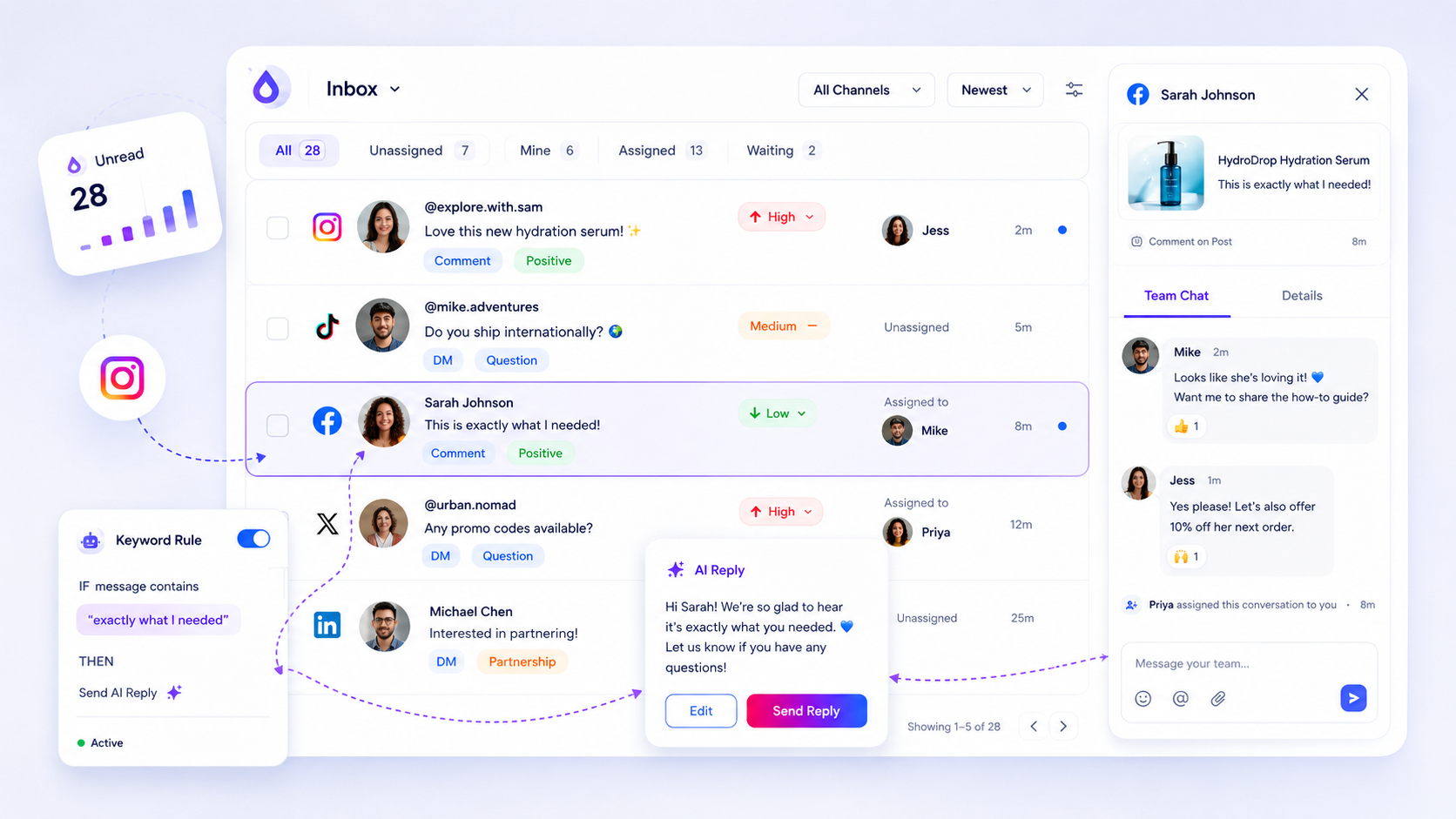
The real failure mode we see across agencies is when a major competitor trend sits in a shared inbox for days. By the time it is assigned to the right team member, the opportunity to pivot has vanished. Your tool must allow for granular routing, where specific competitor topics are mapped to account owners.
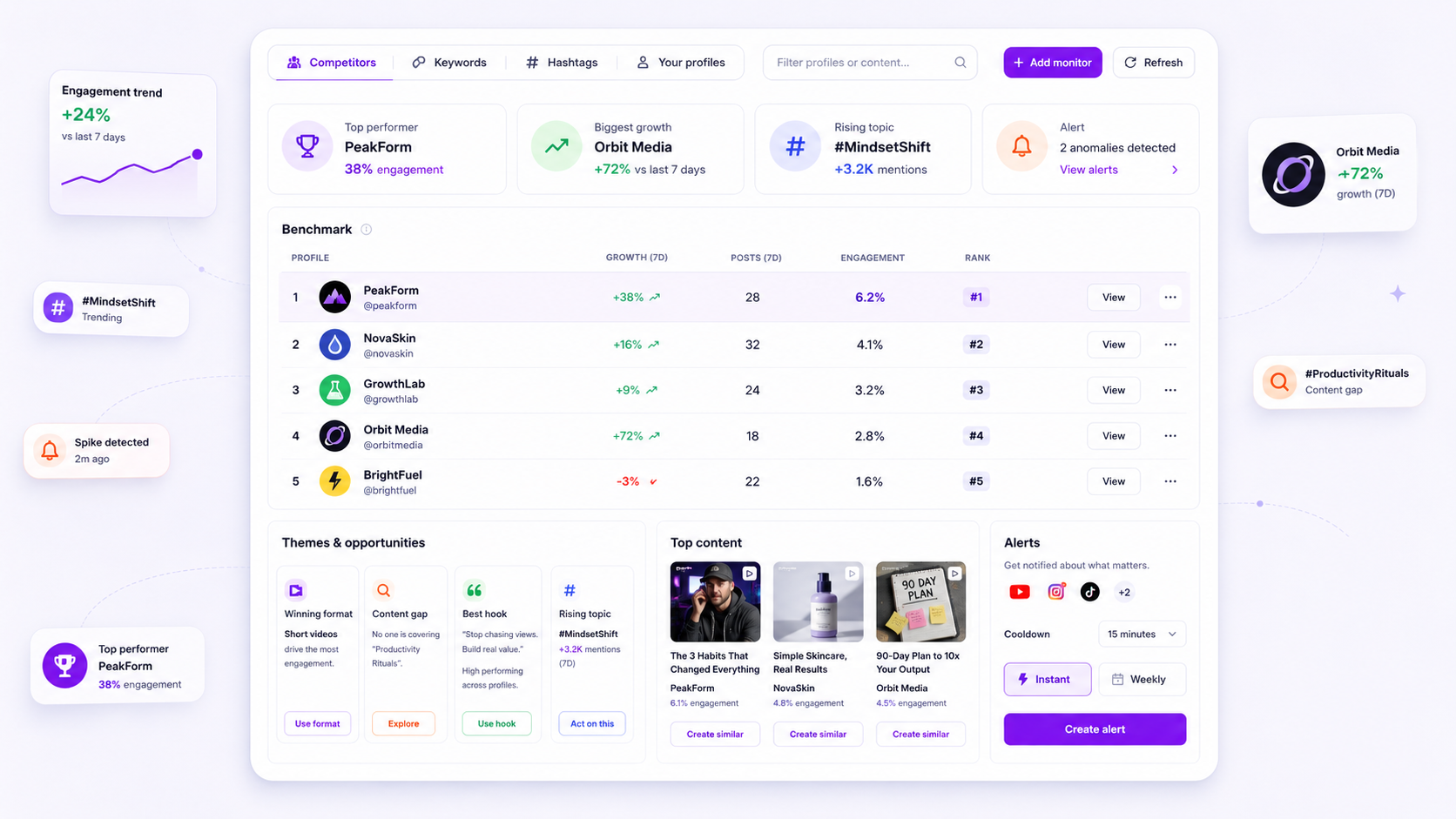
Beyond routing, look for tools that normalize data. A YouTube keyword alert should feel as actionable as an Instagram hashtag alert. When your dashboard displays benchmarks, it should automatically populate the "winning recipe" and "content gaps" so your team spends time on analysis, not data entry. At Mydrop, we see that teams thrive when they stop chasing raw data and start managing the intelligence flow. If a tool doesn't allow you to define who gets what, it is only doing half the job.
Where basic tools start to break

Most competitive monitoring tools were built for solo analysts, not agency teams. They treat intelligence as a firehose, flooding a single inbox or dashboard with everything from minor account updates to major strategic pivots. When you are managing ten clients, a firehose approach is not just inefficient-it is dangerous.
The first point of failure is data dilution. Without role-based routing, an alert about a competitor’s new Instagram hashtag campaign for Client A gets buried under a notification about a YouTube trend update for Client B. Your team stops reading the alerts because they have become noise.
Common mistake: Relying on a single, shared email alias for all competitive alerts. This turns critical intelligence into background static that gets ignored by everyone.
The second failure point is the manual distribution bottleneck. If your "intelligence" involves a person manually screenshotting a competitor's post, dropping it into a spreadsheet, and then pinging an account lead, you are not doing intelligence-you are doing administrative busywork. By the time that insight hits the right decision-maker, the window for a proactive response has likely closed.
Finally, basic tools lack contextual intelligence. They tell you that a post was made but fail to tell you why that post is relevant to your client's current content theme or benchmark performance. You do not need another alert; you need a synthesized insight.
The buying criteria that matter
When evaluating a competitive intelligence tool for an agency environment, look for features that transform raw data into a coordinated team action. Do not get distracted by platform breadth; focus on the routing logic.
Use this scorecard to pressure-test your current setup or potential vendors. If a tool does not hit at least a 'High' rating in routing and signal filtering, it will likely increase your coordination debt rather than solve it.
| Evaluation Criteria | Low (Fragmented) | High (Integrated) |
|---|---|---|
| Alert Routing | Manual; alerts go to a single inbox/dashboard. | Role-based; alerts route directly to specific team members/Slack channels. |
| Signal Filtering | Everything triggers an alert (noise). | Configurable; thresholds (e.g., trend shifts, major content gaps) filter noise. |
| Platform Scope | Single platform (e.g., only Instagram). | Cross-platform (Instagram, YouTube, X) normalized for comparison. |
| AI Synthesis | Just data; requires manual interpretation. | AI-powered themes, winning hooks, and opportunity identification. |
| Actionability | Requires external tools to act. | Integrated workflows (e.g., benchmark comparison, content opportunity planning). |
Look for platforms, like Mydrop, that treat alerts as a first-class workflow component rather than a passive notification. A solid tool should allow you to define distinct alert settings for different brands, ensuring the retail team gets the product-launch alerts, while the corporate team tracks high-level messaging pivots.
If you are currently stuck, start by auditing who actually needs to see specific competitor moves. At Mydrop, we have seen that the best teams do not look for more data-they look for tighter conduits between data and the people who can change the strategy. If your current tool is not helping you route the right insight to the right person, it is not an intelligence tool; it is a notification factory.
How Mydrop supports this workflow
Mydrop approaches intelligence as a coordination problem first. When you connect your brand profiles, our Intelligence Dashboard does not just display data points in a vacuum. It maps competitor moves against your own benchmark rankings.
If a competitor suddenly shifts their posting frequency or adopts a new content format that gets high engagement, you need to know if that matters to your client. We built Mydrop to filter that noise through role-based alerts. You define the thresholds, and our intelligence engine dispatches only the signal to the right Slack channel or email list.
This means your agency manager sees the high-level shift in a weekly digest, while the social strategist gets the immediate alert to decide if a reactive post is needed. No more digging through a shared inbox at 6 p.m. to find a buried notification from three days ago.
A simple shortlist checklist
When evaluating platforms, use this scorecard to move past feature lists and focus on operational fit.
| Requirement | Agency-Grade Need | Why it fails elsewhere |
|---|---|---|
| Routing | Automated alert delivery based on role or team. | Sends everything to a single, unmonitored inbox. |
| Noise Control | Configurable cooldowns to prevent alert fatigue. | Treats every single post as a high-priority alert. |
| Benchmarks | Maps competitor activity against owned assets. | Provides raw competitor data without context. |
| Integration | Native hooks into your existing team workflow. | Requires manual copy-pasting to update teams. |
Decision Checklist
- Who owns the alert? If you cannot assign a specific team or client to an alert, you will have ownership gaps.
- What is the action trigger? Does the tool notify you of every post (noise) or only when performance crosses a set threshold (signal)?
- How are teams notified? Avoid tools that rely exclusively on email; you need support for chat tools or direct platform hooks.
Conclusion
Most teams do not have a content problem. They have a decision bottleneck.
When you fix the routing, you fix the strategy. Stop treating competitive intelligence like a research library where information goes to be stored. Start treating it like an active command center where the right data triggers an immediate, clear response from your team.
The best tools are invisible until you need them. They take the chaos of a thousand daily posts and turn it into one, clear, actionable nudge for the person who actually needs to make the call. If you are still manually distributing screenshots of competitor posts to your team, you are not failing at research. You are paying a coordination tax that you cannot afford. Audit your flow, set up your routing, and let the data do the heavy lifting for you.