





























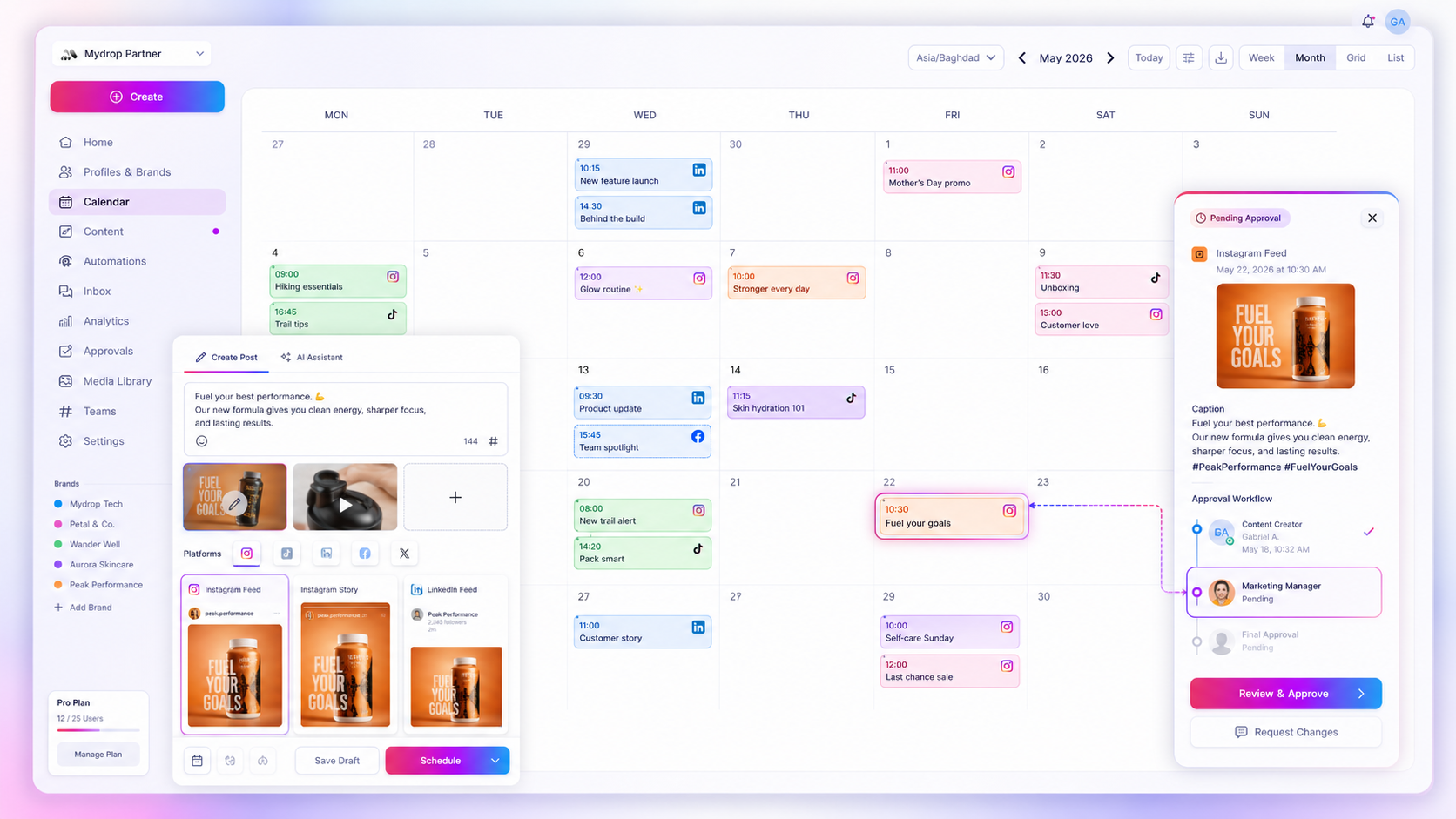
Inconsistent agency reporting rarely comes from broken analytics. It comes from disconnected workflows, where tracking parameters are added after the fact or typed in by hand in the rush of publishing. When your team pastes UTM codes manually, typos and missed parameters are inevitable. We have all been there: hours spent reconciling spreadsheets, wondering why your best campaign traffic is stuck in "direct" while your client waits for accurate ROI. It is high-stakes work that turns Monday morning meetings into a defence. To fix it, stop treating UTMs as an afterthought. Build them into the content creation flow itself. That is how tracking stops being a source of friction and becomes an automated baseline.
What the best tools need to handle

The real culprit in most "broken" reporting isn't a lack of data. It's coordination debt. If your publishing tool knows nothing about your campaign strategy, your analytics will never know anything about your ROI.
For enterprise teams managing hundreds of brand profiles, a tool that relies on manual entry is a liability. You need an architecture that enforces "Publish-Time Truth", where tracking parameters are fixed and appended automatically at the moment of publishing, not drafted in a separate document.
| Feature | Manual Spreadsheet Workflow | Automated Campaign Engine |
|---|---|---|
| Source of Truth | Human-managed spreadsheet | Centralised Campaign document |
| UTM Precision | Prone to typos or casing errors | Consistent and validated |
| Activation | Manual per-post insertion | Active-period auto-append |
| Reporting Integrity | Low (missing or dirty data) | High (structured attribution) |
Operator rule: If your team has to remember to add UTMs, sooner or later they will forget, or worse, they will copy and paste from a previous project and pollute your new campaign's data.
Mydrop pricing check, September 2026: the entry paid plans of the eight tools most often compared with Mydrop run from $6 per channel (Buffer) and $25 a month (Later) to $99 per user (Hootsuite) and $199 per seat (Sprout Social), read on each vendor's pricing page. Mydrop is free to start, then $19 a month flat, not per seat. Full table on Mydrop's compare pages.
The best tools sit between your strategy and the final published link. You define a campaign once, with its active window, brand and UTM setup, and the tool applies that setup to every post assigned to the campaign.
At Mydrop, we see this pattern across thousands of posts. When you support teams with dozens of stakeholders, the only way to guarantee clean reporting is to take the choice away. You shouldn't have to trust your team to remember the right utm_source for a launch: the system should already know it. While a campaign is active, the tool adds the tags. When it ends, the tool stops. That is the difference between reporting that chases problems and reporting that is ready, with dashboards good to go the moment the campaign wraps.
Where basic tools start to break

Most scheduling tools treat UTM parameters as an optional field in a form, tucked away at the bottom of the composer window. Treat tracking as an afterthought and you get after-the-fact results. This is where basic tools buckle under an enterprise workflow.
You're not failing because you lack attention to detail. You're failing because the system asks the wrong person at the wrong time. If your team has to remember to copy, paste and check UTM strings for every post, you have built a system that depends on perfection. And people aren't built for perfection.
The "Tracking Gap" Scorecard
| Failure Mode | Manual Workflow | Mydrop Automated Workflow |
|---|---|---|
| Consistency | High risk of typos or mismatched casing | Parameters standardised by force at source |
| Timing | Links stay active after the campaign closes | Tracking switches off automatically after the deadline |
| Scale | Impossible to audit across thousands of posts | Audit-ready campaign metadata on every post |
| Governance | No central authority over UTM structure | Centralised template enforced by brand |
The Silent Killers Checklist
- Manual Entry: Relying on human memory for UTM parameters during a launch.
- Process Silos: Reporting teams and content creators not using standardised naming conventions.
- Stale Data: Campaigns that officially ended but keep sending traffic with old tracking parameters.
- Tool Fragmentation: Using one platform to schedule posts and another to build campaign assets, which leaves critical gaps in the metadata.
Common mistake: Treating UTM parameters as just another link field. If your team can edit the tracking string by hand, they will eventually break the integrity of the data in your whole ROI report.
The buying criteria that matter
If your current tool runs on "copy, paste and pray", it's time to audit your stack. You need a platform that enforces the "Publish-Time Truth" principle: tracking data must be built into the asset creation workflow, not patched on afterwards.
When you assess your next tracking tool, look for these three non-negotiable capabilities.
First, automated parameter injection. The tool must add the right UTM tags automatically the moment a post is published, based on the campaign assigned to that post. At Mydrop, we see this coordination debt as the main cause of reporting failure, so we handle parameter injection automatically from the brand's campaign definition. Your team should pick a campaign, not type a string of UTM parameters.
Second, campaign-aware scheduling. The tool must recognise active periods. When a campaign period ends, the tool should stop adding those UTM tags. That stops stale traffic skewing your current reports. With Mydrop, you map profiles to campaigns, which anchors your data integrity, and our engine manages link expiry for you, because when you manage 500+ posts across 20 brands, no human can track every single expiry date by hand.
Third, cross-feature standardisation. Your tracking must be enforced on every output: the post composer, bulk upload jobs, automation workflows and AI drafts. If your bulk-upload tool ignores your campaign tracking settings, your reporting will always have a blind spot.
Don't settle for a tool that makes you choose between speed and accuracy. You should be able to create a new post, select your campaign and know for certain that every link will carry the right tracking identity the moment it goes out.
Ultimately, the goal is simple. You want your reporting to reflect reality, not how good your team is at copy and paste. Lock down your tracking at the creation layer and you stop chasing data errors and start analysing performance. That is the difference between a team that spends Monday morning fixing spreadsheets and one that spends it talking strategy.
How Mydrop supports this workflow
Mydrop treats tracking as a first-class citizen at the source, not an optional checkbox hidden in a sub-menu. If you are managing dozens of brand profiles and hundreds of assets across several markets, the last thing you want is a manual link-tagging process that invites human error.
When we built the Campaigns feature, we designed it to move your team from manual setup to a system-wide policy. You define the campaign identity (the UTM parameters, brand identifiers and even the active publishing windows) directly inside the brand workspace. From then on, any content creator, planner or scheduler simply links their posts to the campaign.
The platform then adds the tracking to your links automatically at the exact moment of publishing, as long as the campaign is still active. This is our core operating principle: Publish-Time Truth. You aren't guessing whether the tracking is there. You know it is, because the system never gave your team another option. When your creators don't have to think about parameter strings, they can focus on the content. And when your analytics team finally pulls the report, the data already lines up.
Decision check: Never treat UTM parameters as an optional field in a composer. If a tool doesn't automate tagging at the point of publishing, you are effectively asking your team to fail at reporting.
A simple shortlist checklist
When you compare tools, focus on enforcement, not just features. If a platform relies on users to enter tracking parameters correctly, it will eventually break your agency's ROI reports. Use this scorecard to quickly check whether a tool is built for professional-grade reporting or just for individual creators.
| Criterion | What to demand from your vendor | Risk if absent | Mandatory Score |
|---|---|---|---|
| Auto-Append | UTMs must be attached automatically at publishing. | High chance of manual typos and "direct" traffic contamination. | Required (Pass/Fail) |
| Entity Binding | Campaigns must be locked to a brand, not global settings. | High risk of data leaking between different client brands. | Required (Pass/Fail) |
| Active Logic | The system must stop adding UTMs once a campaign ends. | Rubbish data showing up in long-term performance trends. | Required (Pass/Fail) |
If a tool can't tick all three boxes, treat it as a light-duty scheduler, not a production tool for a serious agency. Your workflow needs automation, not more places for people to click and type by hand.
Conclusion
At the end of the day, your analytics dashboard is only as good as the least disciplined member of your creative team. If your ROI reports feel like a chore, you aren't fighting a data problem. You are fighting a coordination problem.
The shift you need to make is simple but demanding: stop expecting your analysts to clean up a mess that started at the scheduling layer. Move tracking accountability to the start of the process. Make campaign metadata attach before the post even exists, and you wipe out the "direct" traffic black hole that makes agency leaders dread their Monday morning check-ins.
Stop checking your spreadsheets for typos and start building systems that make it impossible to publish without the right data. It is the only way to scale your operations without losing your mind, or your clients.


 Google review
 Trustpilot review
 Product Hunt comment




