

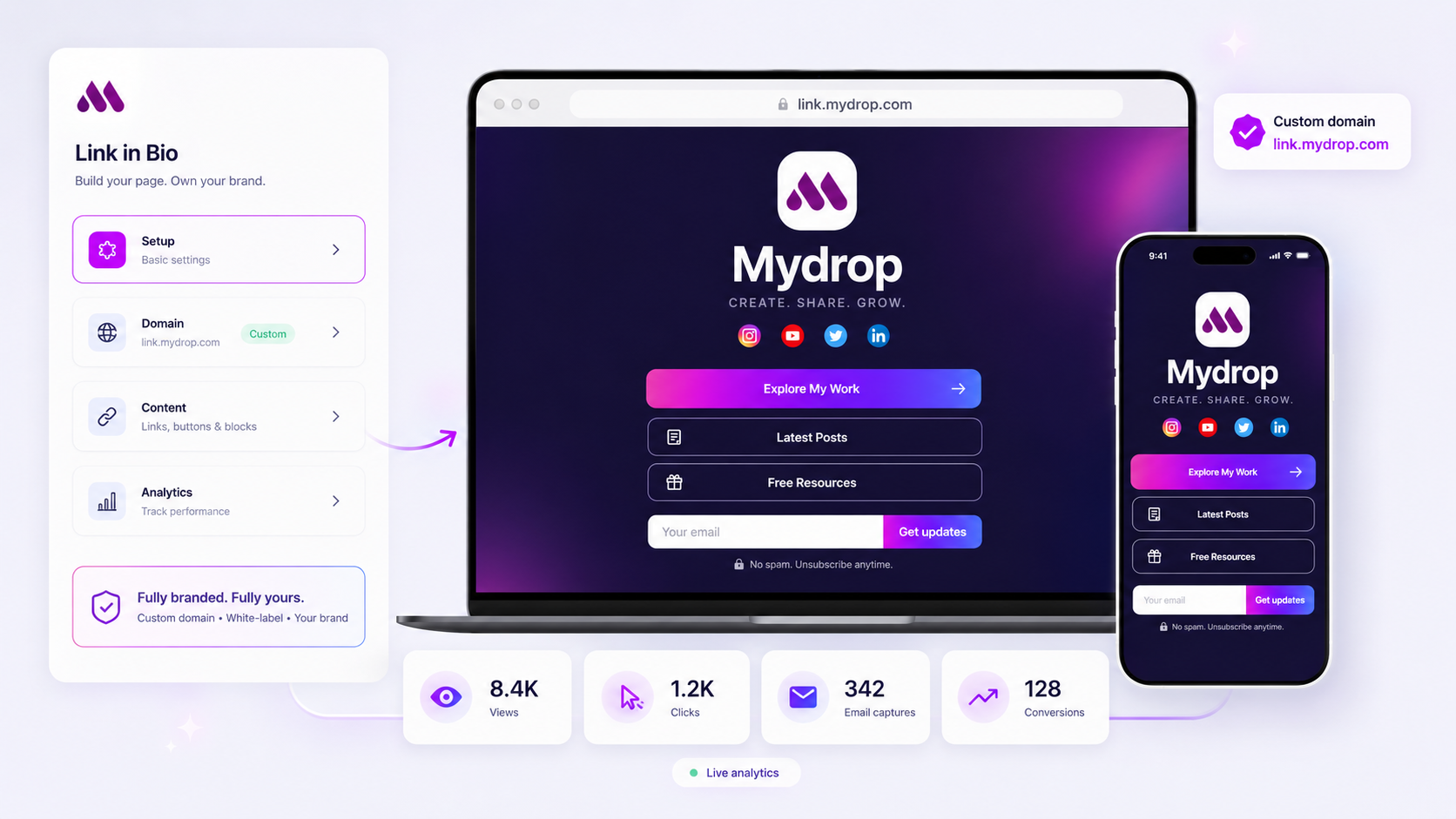
The most effective way to manage a multi-brand link-in-bio strategy is to stop treating it like a design project and start treating it like deployable infrastructure. To scale across dozens of brands without losing your mind, you have to move from "bespoke creation" to "templated deployment." This means locking your SEO, tracking, and domain settings into a fixed "Minimum Viable Profile" (MVP) checklist so that every launch follows the same blueprint, regardless of how different the visual styling might be.
We get it: at many agencies and large marketing teams, the "Links" tab is essentially a graveyard of expired seasonal promos and broken UTM parameters. Managing one brand is a creative task; managing twenty is an operations nightmare. When every brand manager picks their own button style and tracking logic, you aren't just losing brand consistency -- you're losing the ability to see what is actually working across your entire portfolio.
The operating problem this solves

The real issue isn't that your team lacks creativity. It's that they are often drowning in coordination debt. Every time a new sub-brand or podcast series launches, someone has to manually recreate the wheel. They have to remember the right hex codes, find the high-res favicon, and manually append UTM strings to every single button. It is the kind of repetitive, manual work that is destined to fail at 6 p.m. on a Friday.
At Mydrop, we often see teams hit a wall around brand number five. Up until that point, you can usually white-knuckle your way through manual updates. But once you are managing fifty brands under one parent company, manual drift becomes inevitable. One brand uses a custom domain; another stays on a default slug. One tracks lead captures; another forgets to connect the email block entirely.
This fragmentation creates what we call the Tracking Gap. If your flagship brand tracks "conversions" as button clicks and your sub-label tracks them as page loads, you can't run a meaningful cross-portfolio report. You're comparing apples to oranges, and the data eventually starts to look like a crime scene.
Standardization isn't about killing creativity; it's about making performance visible. By fixing the "Core" infrastructure -- things like your favicon, SEO metadata, and tracking schema -- you free up your team to focus on the "Fluid" parts of the page, like the actual content and storytelling that drives engagement.
Here is how you can spot if your current setup is breaking under its own weight:
| Diagnostic Signal | What it actually means |
|---|---|
| The "Link Rot" Effect | Expired promos (like a July 4th sale in October) are still live on 20% of your pages. |
| Tracking Silos | You have to log into five different tools to see a consolidated view of click-through rates. |
| Approval Bottlenecks | It takes longer to get a simple "Links" page approved than it does to write the actual social posts. |
| Visual Drift | Brand A uses rounded buttons; Brand B uses square; neither matches the latest style guide. |
The hidden cost of "flexible" management is that you lose the "Big Picture" view. When every brand is a snowflake, you can't identify which content blocks are actually converting across your entire agency or enterprise. You're just managing fifty individual fires instead of one cohesive machine.
The minimum system that works

Standardizing your setup does not mean every brand has to look like a carbon copy of the others. It means the "plumbing"--the stuff that makes the page actually work and report data--is identical across the portfolio. Think of it as building a house: the foundation and wiring are code-compliant and standard, while the paint and furniture are where the brand personality lives.
At Mydrop, we see teams succeed when they move to a Minimum Viable Profile (MVP) model. This is a baseline set of requirements that every link-in-bio must meet before a single person sees it. If a brand manager wants to launch a seasonal page, they can, as long as they check the boxes on the "Infrastructure Core" first. This prevents the "mostly broken" tracking that haunts most multi-brand portfolios.
Multi-Brand Launch Checklist
Use this audit to verify that your "infrastructure" is ready for public traffic before you start tweaking the button colors.
| Category | Standard Requirement | Why it matters | Decision Rule |
|---|---|---|---|
| Infrastructure | Custom Domain or Verified Slug | Brand trust and SEO authority. | Use brand.com/links or a consistent sub-domain. |
| SEO / Social | OpenGraph Image (1200x630) | Prevents "broken link" look when shared. | Must match the current flagship campaign hero. |
| Tracking | Global UTM Schema | Allows cross-brand performance comparison. | Append ?utm_source=social&utm_medium=linkinbio to all links. |
| Lead Gen | Validated Email Block | Captures first-party data directly. | Connect block to the primary Brand_Lead_List in your CRM. |
| Visuals | Branded Favicon | Prevents the generic platform icon in tabs. | 32x32px PNG of the brand logo mark only. |
Where teams overbuild the process
We have all seen the "Link in Bio" that looks like a CVS receipt. It is six screens long, has 14 different button styles, and includes a link to a blog post from 2022 that now returns a 404. This is what happens when teams focus on "more" instead of "standard." When you manage a dozen brands, over-engineering the creative for one page creates a maintenance nightmare for the other eleven.
The biggest mistake is treating the link-in-bio as a mini-website that needs bespoke design for every single button. If your team is manually entering hex codes for every link card or writing custom CSS for a Tuesday afternoon promo, you have overbuilt the process. You are not being creative; you are generating coordination debt that someone (usually you) will have to pay off during the next rebrand.
Another trap is the "Everything is a Priority" list. When you have twenty brands, the internal pressure to "just add this one link" is constant. Without a standard limit--say, no more than 6 primary buttons--your conversion rates will crater. Too many choices leads to zero clicks.
Operator rule: If a link hasn't been clicked in 30 days, it is not a resource; it is clutter. Prune ruthlessly or move it to a secondary "Archive" block.
Over-engineering also happens in the tracking. Some teams try to build unique, granular UTM structures for every single post that leads back to the bio. Unless you have a dedicated data science team, this usually ends with a spreadsheet that has become a crime scene. Keep your tracking standard at the button level so you can actually compare "Apparel Brand A" against "Beauty Brand B" without needing a decoder ring. The goal is to see which brand is converting, not to track every single thumb-twitch in isolation.
How to run the cadence
Setting up a system is the easy part. The real work is keeping that system from becoming a digital graveyard. We have all seen it: a Summer Flash Sale button still sitting at the top of a brand page in the middle of November. It happens because "the link" usually lives in a workflow gap between the creative team and the social managers.
To fix this, you need a Monthly Link Audit. This is not a deep dive into every pixel, but a 15-minute operational sweep across your portfolio. At Mydrop, we see that the most successful agencies treat this like a health check rather than a creative review. You are looking for link rot, expired promos, and broken tracking strings.
- Verify the "First Three": Ensure the top three buttons on every brand page are still the highest priority for the current quarter.
- Check the Lead Capture: Submit a test email on one brand to ensure the integration is still firing and the correct "Thank You" message is visible.
- Prune the Tail: If a button has not been clicked in 60 days, delete it or hide it. Clutter is the enemy of conversion.
Here is where it gets messy: someone usually forgets the tracking. When you add a new seasonal link, it is easy to forget the Global UTM parameters. If your team uses a shared document or a locked template for your Link in Bio setup, you can ensure that every brand manager follows the same "naming law" for their links. This turns a chaotic list of URLs into a clean, reportable data stream.
The proof that the habit is working
You will know the standardization habit is working when you stop getting frantic Slack messages from the web team asking why their "Direct" traffic is spiking while "Social" is flat. When every brand uses the same infrastructure, your reporting becomes comparable. You can finally answer whether Brand A's community is more likely to download a media kit than Brand B's audience.
The ultimate proof is the Link Health Scorecard. This is a simple rubric you can use to report up to leadership or clients. It proves that the "social infrastructure" is not just a bunch of links, but a high-performing landing page.
| Metric | Health Signal | Red Flag |
|---|---|---|
| Asset Consistency | 100% of brands use the approved favicon and logo variant. | High-res logo on some, blurry JPEG on others. |
| UTM Integrity | Every button contains the mandatory utm_source and utm_medium tags. |
Links pointing to raw homepages with no tracking. |
| Lead Flow | Zero failed lead submissions in the last 30 days. | Forms that lead to 404 pages or dead integrations. |
| Content Freshness | No links older than 90 days unless they are "evergreen" staples. | Christmas 2024 promos appearing in May. |
When you hit these benchmarks across 10, 20, or 50 brands, you have moved past "social media management" and into true digital operations. You aren't just posting; you are building a predictable conduit for traffic.
Conclusion
Standardization is not about making every brand look identical. It is about making sure that whether a customer lands on a luxury skincare page or a budget pet food link, the plumbing works. They can find the website, they can sign up for the newsletter, and your team can see exactly how they got there.
At Mydrop, we have seen that the teams who scale the fastest are not the ones with the most "creative" links. They are the ones who have eliminated coordination debt. They use templates to deploy new pages in minutes, they lock their tracking logic, and they treat the Link in Bio as a permanent piece of their brand infrastructure.
Stop treating your profile links like an afterthought. When you move from bespoke creation to a repeatable operating habit, you don't just save time. You finally get the visibility you need to prove that social is driving the business forward. One clean, standardized, and high-converting link at a time.




