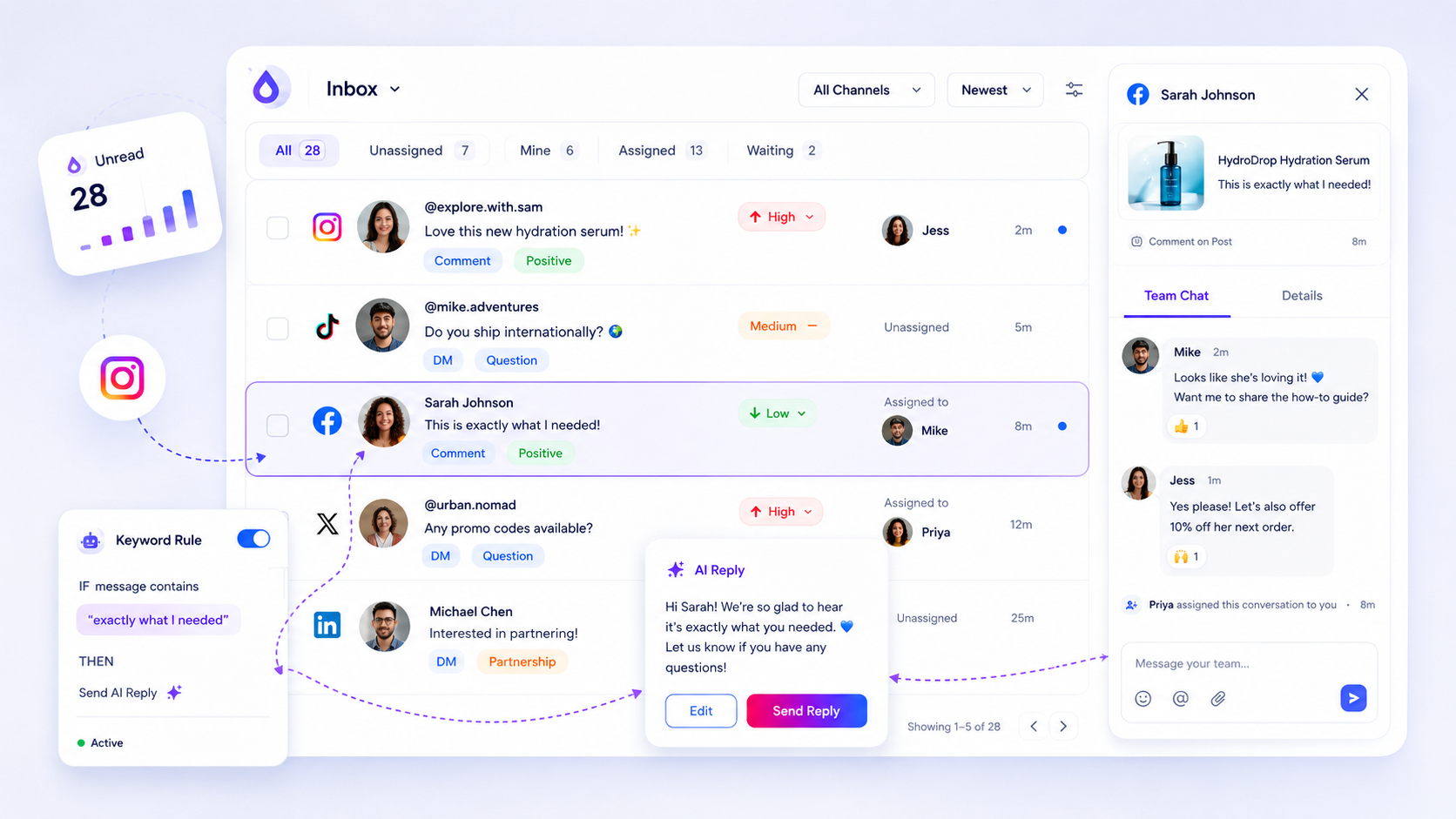
The best workspace organization tool for a multi-brand agency must function as a permission-gated blast door, completely isolating billing, team access, and data quotas per client, preventing the catastrophic cross-brand leaks common in generic, flat-structured platforms. We get it. Your team is juggling ten different brand voices, distinct client calendars, and a dozen billing cycles. The messy middle of agency life feels like a high-stakes plate-spinning act where one wrong click, posting a client’s internal draft to a competitor’s feed, could cost you the account. It’s exhausting, and you deserve a system that works as hard at protecting your reputation as you do at building it. True operational clarity comes from containment, not just organization.
What the best tools need to handle
Managing multiple brands isn’t a challenge of creativity; it’s a challenge of containment. Agencies fail not because they lack tools, but because their tools fail to build physical, not just logical, boundaries between client environments.
When you look at your tech stack, you need to ask whether a workspace is just a folder or if it’s an autonomous environment. If a member of your design team can accidentally pull up analytics for the wrong client, or if an account manager has to manually toggle through dozens of unrelated profiles in one view, you are carrying unmanaged coordination debt.
The Strong Boundary Rule is simple: A workspace must be an autonomous, permission-gated environment where billing, settings, and team access exist in total isolation from other client units. Without this, your platform is a data-leak waiting to happen.
Here is how to audit your current setup for potential failure points:
| Failure Point | Business Risk | Reality Check |
|---|---|---|
| Shared Settings | Misaligned timezones, delayed posting | Can you set unique hours per client? |
| Flat Access | Unauthorized brand visibility | Is member access strictly siloed? |
| Pooled Billing | Cross-client budget depletion | Are quotas enforced per workspace? |
| Shared State | High user fatigue, manual error | Does the app remember client context? |
If your team is constantly re-configuring settings for each brand or fighting against a default global setting, your tool isn't protecting you; it's slowing you down. At Mydrop, we see agencies scaling to hundreds of profiles without this infrastructure, and the result is always the same: a frantic, manual effort to ensure the right content hits the right feed.
True workspace isolation means that when a user switches context, everything shifts-permissions, quotas, timezones-without carrying over the risks or data of the previous client. If you cannot draw a hard line between client environments, you are not managing brands; you are managing a crisis in waiting.
Where basic tools start to break

When you run an agency, your tools should be your armor, not your biggest liability. Most teams hit a wall when their "workspace" is just a shared folder or a tag. That is not an organizational system. It is a shared liability.
Here is where teams usually get stuck: they think naming conventions or strict folder structures will stop a cross-brand leak. They won't. When the platform logic treats everything as one big bucket, one fatigued social media manager, a quick swipe, or a browser cache glitch can accidentally expose a client draft to the wrong audience.
We have seen this happen more than we would like. The "wrong client post" is not just an awkward tweet; it is a breach of contract that ruins weeks of work.
| Failure Mode | Business Risk | Real-World Cost |
|---|---|---|
| Shared Billing | Cross-client expense allocation | Client trust loss, billing audits |
| Flat Access | Unauthorized client data view | NDA breach, account termination |
| Global Settings | Inconsistent branding, wrong timezones | Missed publication windows |
| Unified Quotas | Brand A eats Brand B's assets | Campaign stalling, production friction |
The reality is that your agency’s growth is often throttled by this kind of "workspace sprawl." You are trying to move fast, but you have to check three times before every action to make sure you are in the right container. That is the definition of operational friction.
The buying criteria that matter
If you are evaluating new software, do not settle for "logical separation." You need hard, physical-level boundaries. In our experience, if a team has to manually verify permissions before every post, the system is fundamentally broken.
Here is the checklist of requirements we use to determine if a platform is actually built for agency scale:
- Permission-gated containers: Can a user be completely excluded from a client unit? Not just hidden, but invisible to the workspace entirely.
- Autonomous billing units: Does each workspace have its own billing, subscription, and usage threshold? This keeps finances clean even when the pressure is high.
- Isolated product context: Do timezone settings, content calendars, and approval workflows exist only within their designated workspace?
- Native last-workspace persistence: Does the tool remember where the user left off, or do they have to hunt for the right brand profile every morning?
- Destructive action safeguards: Are there firm, irreversible permission gates for things like workspace deletion?
Operator rule: A workspace is not a folder; it is a permission-gated blast door. If a tool treats your workspaces like mere folders, you are already one bad click away from a client disaster.
At Mydrop, we focus on this "strong boundary" principle because we see the cost of coordination debt firsthand. When teams spend more time checking settings than creating content, the tool has failed. You should not be responsible for building a firewall inside your software; the software should provide the wall.
A simple rule helps here: if you cannot completely tear down the wall between two clients, you are not working in a workspace, you are working in a shared room. Don't build your agency's reputation on that kind of foundation.
If a tool’s "workspace" settings feel like a suggestion rather than a rule, look elsewhere. Your clients expect isolation. Your team deserves it.
How Mydrop supports this workflow
At Mydrop, we built our workspace containment model specifically to solve the "who sees what" anxiety that keeps agency directors up at night. Instead of forcing you to rely on complex, fragile permission rules scattered across a single shared environment, we treat every client or brand unit as a completely distinct, permission-gated blast door.
When you set up a workspace in Mydrop, you aren't just creating a folder. You are initializing an independent operational container. This means the timezone settings for your New York retail client won’t clash with your Tokyo tech client, and-most importantly-the team members added to one workspace have zero visibility or access to the billing, assets, or draft queues of another. It’s a clean-room approach that lets your team focus on the brand in front of them without worrying about accidental cross-contamination.
Decision check: If your team has to "remember" not to post in a certain channel because the tool doesn't enforce the boundary, you have already lost. The tool must do the forgetting for you.
When you switch environments using the Mydrop workspace loader, the application doesn't just swap a label; it re-resolves the entire security context. We’ve seen this pattern-thousands of posts across hundreds of profiles-succeed precisely because the platform handles the isolation. It removes the human error factor by making it physically impossible to mix environments at the data layer.
A simple shortlist checklist
Before you commit to a long-term contract with any management platform, run your current setup through this audit. If you can’t check these five boxes, you are carrying hidden operational debt.
| Capability | Requirement | Why it matters |
|---|---|---|
| Isolation | Total billing and quota separation | Prevents cross-client budget leaks |
| Access | Permission-gated member lists | Ensures no "oops" access for freelancers |
| Context | Independent timezone/locale defaults | Eliminates scheduling errors per market |
| Security | Hard-boundary workspace switching | Kills the "wrong client" publishing risk |
| Visibility | Scoped reporting dashboards | Keeps client data for client eyes only |
Conclusion
Most teams do not have a content problem. They have a coordination bottleneck disguised as a tool problem. When you stop fighting your software and start using a system that enforces logical boundaries by default, your team suddenly gets a lot faster. They stop second-guessing their permissions and start executing.
If you're still managing multiple brands in a flat, container-less environment, stop optimizing the mess. Contain it. Move your operations into a structure that respects the reality of agency life: clear, hard walls between clients are the only way to scale without breaking something expensive.