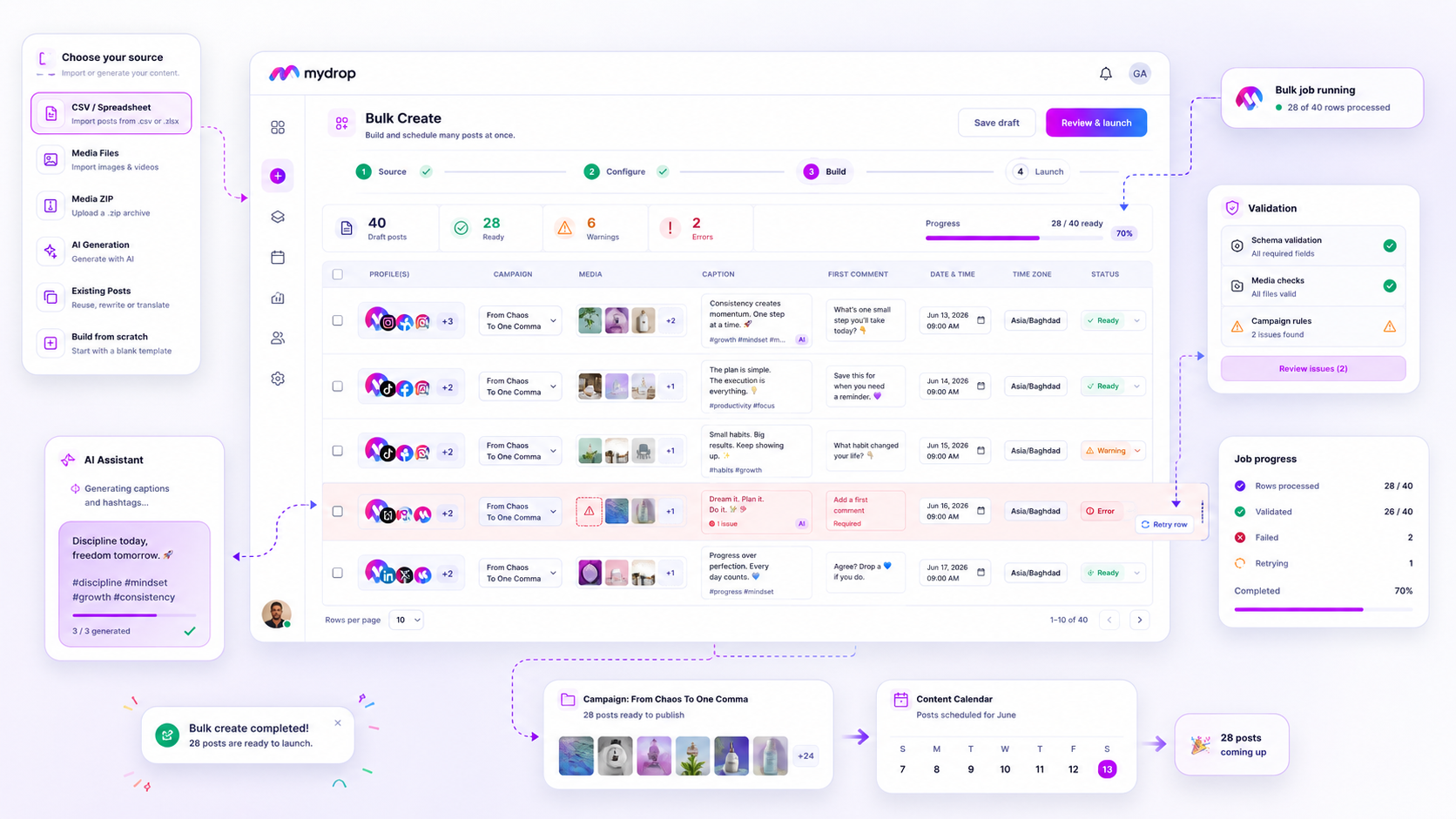
Stop chasing clients through fragmented email threads and spreadsheets. The fastest approval workflow is one that triggers instant notifications directly in their primary communication channels-specifically WhatsApp and email-allowing them to approve or suggest edits with a single tap, without ever logging into a new tool.
We know the drill: your calendar is packed, the client is swamped, and your inbox is a graveyard of "Did you see my approval request?" emails. That constant back-and-forth isn't just an annoyance; it’s a momentum-killer that turns your team into project managers chasing clicks instead of building content. Let’s change the dynamic.
What the best tools need to handle

Most approval systems are built for the person sending the request, not the person approving it. They prioritize complex admin dashboards over the reality that a client is often approving content from a smartphone between meetings. When a tool requires a password, a new tab, and a steep learning curve, it’s already dead on arrival.
The best tools treat approval as a low-friction mobile interaction. They don't demand a login; they demand a decision.
Operator rule: Approval speed is inversely proportional to the number of clicks required to reach the decision interface.
When you’re evaluating your stack, check for these non-negotiable capabilities:
| Capability | Why it matters | Enterprise Risk of Failure |
|---|---|---|
| Omnichannel Alerts | Meets clients in WhatsApp/Email | Missed deadlines/lost momentum |
| Direct Interaction | Approvals without login walls | High drop-off/ignored requests |
| Actionable Context | Shows preview + meta in the alert | Context switching/delayed review |
| Audit Trail | Logs approval time/who approved | Compliance gaps/finger-pointing |
At Mydrop, we’ve found that the tools that win are the ones that integrate into the existing communication loop. When a client gets a WhatsApp notification and can hit 'Approve' or 'Suggest Edits' without leaving the app, the approval loop shrinks from days to minutes. If your current tool isn't facilitating that kind of speed, it’s not just a software issue-it’s a hard constraint on your team’s scalability.
Where basic tools start to break

Most teams do not have a content problem. They have a decision bottleneck.
You know the scenario. You have built a beautiful campaign, set up the calendar, and sent out the approval requests. Then, silence. You are not just waiting; you are managing a crisis of communication. When you rely on traditional "collaboration platforms," you are essentially building a digital toll booth for your clients. They have to receive an email, find their credentials, log in, navigate to the specific post, and finally click approve.
It sounds simple on paper, but every click is a barrier. If your client is on the go, in a meeting, or simply overwhelmed, they will not do it. The spreadsheet becomes a crime scene, your team ends up chasing stakeholders at 6 p.m., and the campaign launch date starts to feel more like a threat than a deadline.
This is where the cracks appear:
- Login friction: The second you force an external user to authenticate, you have guaranteed a delay. They will lose their password, forget their login, or simply decide they will handle it "later."
- The email burial ground: Sending a generic link in an email is not an alert; it is an assignment. If that email does not stand out, it gets buried under fifty other messages.
- Lack of native mobile experience: Enterprise tools often focus on desktop-first dashboards, but your stakeholders are making decisions on their phones while grabbing coffee. If the approval interface is not seamless on mobile, they will close the tab and move on.
The awkward truth is that when your tools make it hard for clients to say "yes," they are actually helping them say "wait."
The buying criteria that matter
When you are evaluating how to fix your approval loop, you need to stop looking at features like "number of integrations" and start looking at "friction points." Your goal is not to find a tool that does more things; it is to find a tool that makes the important thing-getting content approved-the path of least resistance.
At Mydrop, we see thousands of workflows, and the difference between a high-performing team and one stuck in a constant loop of chasing approvals usually comes down to one principle: meet the stakeholder in their existing ecosystem.
If your clients are already using WhatsApp and email, that is where your approval requests must live. Do not try to move them; move your requests to them. Use this scorecard to audit your current stack.
Is Your Current Approval Process Enterprise-Ready?
| Criteria | High-Velocity (3 pts) | Standard (2 pts) | High Friction (1 pt) |
|---|---|---|---|
| Client Access | No login required for approval | SSO / Linked session | Requires dedicated login/PW |
| Mobile Alerting | WhatsApp + Push + Email | Email + In-app notification | Email notification only |
| Feedback Loop | One-tap approve / In-message edit | In-app comments only | Reply-all email thread |
| Reminder System | Automated / Intelligent / Persistent | Manual interval reminders | Manual chasing |
Decision Rule:
- 10-12 Points: Enterprise Ready. Your process is built for speed and stakeholder convenience.
- 7-9 Points: Needs Improvement. You are losing hours a week to manual coordination.
- Under 7 Points: High Risk. You are facing an imminent distribution bottleneck.
When you are evaluating options, prioritize tools that allow for asynchronous, channel-native interactions. You want a workflow that supports "suggest edits" directly from a WhatsApp message without needing a dedicated app, and you want email notifications that act as functional action buttons rather than just passive status updates.
If a tool forces your legal team, brand managers, or clients into a proprietary portal, it is not saving you time; it is just automating the chase.
How Mydrop supports this workflow
At Mydrop, we built our workflow around the idea that the best tool is the one your client is already using. When you are managing dozens of brand profiles and hundreds of approval requests, forcing a client to log into a specialized dashboard just to click "approve" is a fast track to missed deadlines.
Our approach centers on meeting the client in their primary communication channels. For your team, the in-app notification center provides a comprehensive view of everything needing attention. But for the client, we prioritize low-friction, high-visibility alerts.
We handle this through direct integration with email and WhatsApp. When a post is ready for review, the system automatically triggers a notification based on the client's preferences. If they prefer WhatsApp, they receive a message with the post context and direct action buttons. A client can tap "Approve" or "Suggest Edits" directly within the chat interface, and the feedback is immediately routed back to the correct campaign context.
This removes the waiting room. The client does not need a password, and they do not need to hunt through an unfamiliar interface. They see the alert, they act on the alert, and the status updates automatically. When you use Mydrop to manage these approval loops, your team stops acting as content delivery couriers and starts focusing on campaign strategy.
A simple shortlist checklist
Before you commit to a new platform or evaluate your current one, run this checklist against your approval process. If you cannot check all of these boxes, you are likely carrying more coordination debt than you realize.
- Can the client take action without logging in? If a login is required, your approval speed will always hit a ceiling.
- Are notifications delivered where the client lives? If your alerts stay inside the tool, they are invisible. Look for native WhatsApp or SMS integration.
- Is feedback contextual? Can a client suggest edits directly on the post, or do they have to send you a separate email explaining the change?
- Are reminders automated? You should not be manually chasing clients for approvals. The system should handle the nagging based on pre-set thresholds.
- Is the mobile experience first-class? Most approvals happen between meetings or during commutes. A desktop-only approval interface is a failed product.
- Can you segment notification types? Your stakeholders need to see the big picture, but your brand managers need granular alerts. Ensure your team can opt in or out of specific event categories.
Conclusion
Speed is not about working faster; it is about removing the waiting room.
Every time you send a generic email asking for approval, you are handing your client a piece of homework. By moving the approval process into the channels they already use, you are not just making their life easier--you are reclaiming the hours your team spends on administrative follow-up.
The goal is to create a seamless, high-velocity loop where the effort required to approve a post is lower than the effort required to ignore it. Once you align your toolset with the way real work gets done--through persistent, actionable, and mobile-first notifications--the bottlenecks vanish, and the content actually gets published on time. Stop chasing approvals. Start building a pipeline that manages itself.