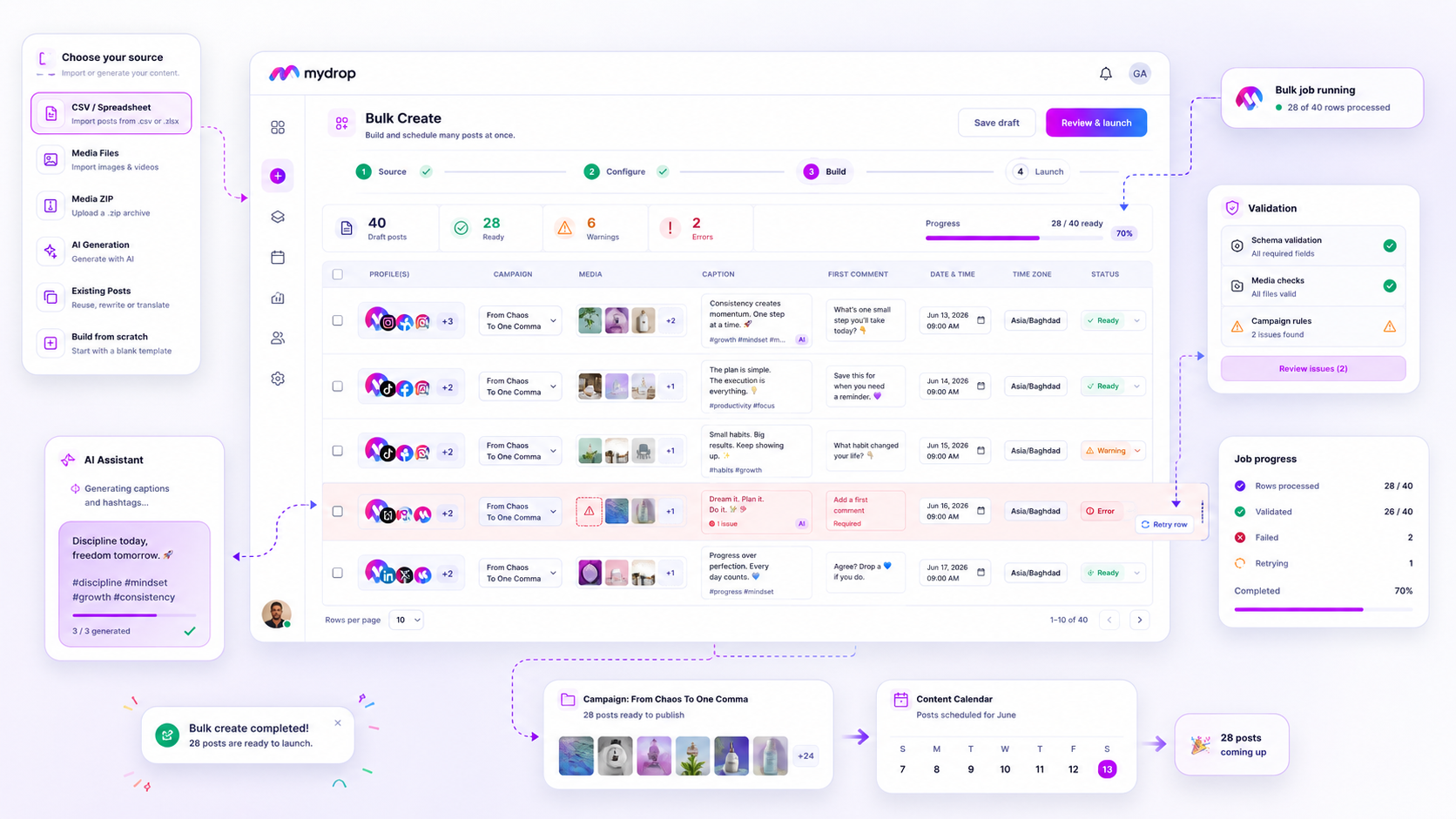
The best task management platform for your agency isn't a standalone project management app that forces you to switch tabs just to check if a post is ready. It is the platform that lets you manage creative assets and operational tasks in the same view, ensuring that every planning note is tethered to the actual content it represents.
We know the drill. You spend all week fine-tuning a content calendar, only to watch the actual production slip through the cracks because your reminders are living in a completely different, unlinked application. It is exhausting, and it is the primary reason why even the most solid plans lose momentum right at the finish line. You aren't failing; your tools are just failing to talk to each other.
What the best tools need to handle
When you are managing hundreds of brand profiles across multiple markets, you cannot afford to have your to-do list separated from your campaign assets. The best platform is one that understands that a task is only valuable if it is directly connected to the object it is serving-whether that is a specific post, a media asset, or a brand profile.
If your team spends more time manually updating spreadsheets to reflect what is currently happening in your project manager, you have already lost the battle.
To scale operations, you need to look for platforms that treat tasks as integrated, object-linked entities rather than just static text blocks in a list. Here is the scorecard for evaluating whether your current setup is built for true operational efficiency:
| Feature | Why It Matters for Scale |
|---|---|
| Object-Linking | Ensures tasks are tethered to specific posts, profiles, or assets. |
| Calendar Native | Provides a single source of truth for planning and action. |
| Done-State Sync | Keeps team members aligned on status without manual updates. |
| Recurrence Logic | Minimizes administrative overhead for repeatable campaign tasks. |
Operator rule: If a task requires you to copy-paste a link into a separate application just to remember what it refers to, your tool is not helping you-it is adding to your administrative burden.
The goal is not to have more tasks, but to have fewer, more meaningful actions that directly drive your content pipeline forward. You need to identify tools that allow you to set a reminder for a monthly audit or a specific video production and have that task live right alongside the asset itself. When a team member marks a recurrence done, it should instantly reflect across your shared calendars, ensuring that no stakeholder has to ask, "Is that done yet?"
Ultimately, the best platform acts as an operational anchor, turning loose planning notes into structured, actionable work that stays connected to the campaign, regardless of how many stakeholders are involved or how fast your publishing schedule moves.
Where basic tools start to break

You know that sinking feeling when you realize you completed the work, but forgot to tell the team? You marked the task done in your project management tool, but the post is still stuck in draft in your publishing platform, and your calendar still shows a big, looming meeting block.
That is where the friction lives. Most generic task managers treat content operations like a laundry list. They do not know the difference between buying milk and reviewing Q3 campaign assets. When your task tool is disconnected from your content objects, those actual posts, profiles, and media files, you spend half your day just explaining what you are doing, rather than actually doing it.
This is the fragmentation tax. Your team ends up managing the management tool instead of the campaign. You are constantly copying titles from your calendar into your task app, then attaching links manually, then updating the status in two or three different places. If the task is not hard-wired to the asset, the moment of execution inevitably suffers.
Decision check: If your task manager requires a manual link to a content asset, you are not managing a workflow; you are just keeping a manual record of your own exhaustion.
The buying criteria that matter
So, how do you find a platform that actually handles the complexity of agency-scale operations? You need to move beyond generic feature checklists and look for operational integrity.
When you are evaluating your next tool, use this scorecard. Does it treat tasks as first-class citizens in your content lifecycle, or are they just sticky notes glued to the side of your system?
Agency Content Tool Scorecard
| Feature | Fragmented Tracking | Contextual Operationalizing |
|---|---|---|
| Task Linkage | Manual (Copy/Paste URLs) | Native (One-click to asset or profile) |
| Done State | Manual (Requires 2+ updates) | Bidirectional (Syncs to Calendar) |
| Visibility | Siloed (Only in Task Manager) | Unified (Calendar and Project view) |
| Recurrence | Static (Generic intervals) | Asset-Aware (Linked to repeating campaigns) |
| Setup Time | High (Admin-heavy) | Low (Template-driven) |
To make the right choice, look for three specific capabilities:
- Object-Linked Tasks: Does the task live with the post or media asset? If you have to search for the post after opening the task, the tool fails. You want a system where the reminder is effectively an extension of the asset itself.
- Calendar-Native Integration: Most agencies live by their Google Calendar. If your task manager is a black box that does not sync status or timing back to your team's primary view, it will be ignored within a week.
- Smart Recurrence: Content operations are rarely one-offs. You need tasks that can handle audit cycles or weekly post-mortems without requiring manual recreation every month. The ability to override specific occurrences while keeping the root task intact is essential for handling exceptions without breaking your schedule.
At Mydrop, we see teams that manage hundreds of brands. They do not succeed because they have the most features; they succeed because they minimize the number of clicks required to move an asset from an idea to a finalized, reported post. If your current tool forces you to switch tabs just to check a done status, that is where your momentum is leaking. Most teams do not have a content problem; they have a decision bottleneck.
How Mydrop supports this workflow
When we built the Reminders feature in Mydrop, we didn’t just want to create another place for you to list to-do items. We wanted to fix that specific ache of tasks living in a vacuum, completely disconnected from the actual campaign assets they are meant to support.
In our experience, most teams struggle because their tasks are just titles on a screen. If you have a task to "Review Q3 Video Assets," and that task doesn't open the actual media file, the post draft, or the profile schedule you’re working on, you’ve created friction. You are forced to hunt through folders or switch apps just to see the context.
Mydrop handles this by making tasks object-aware. When you create a reminder, you don't just type a title; you attach the specific content objects. You attach the video file, the post draft, or the brand profile that needs attention. Now, when that reminder pops up, you are not just seeing a chore. You are seeing the actual work, ready to be reviewed, approved, or finalized.
We also know that enterprise social media doesn't stop on Friday afternoon. Recurring tasks are the heartbeat of operational consistency. Mydrop’s recurring reminders allow you to set your monthly audit, weekly status check, or quarterly campaign review to repeat as needed. And crucially, if your team lives in Google Calendar, our bidirectional sync ensures that when you mark a task as done in Mydrop, it reflects in your external calendar too. No more manually updating three different systems just to keep everyone on the same page.
A simple shortlist checklist
Before you commit to a new platform or double down on your current stack, run a quick audit against this checklist. It is designed to expose whether a tool is built for serious, high-volume operations or if it is going to eventually become another source of manual labor.
| Evaluation Point | What to Look For | Why It Matters |
|---|---|---|
| Object Linking | Does the task allow direct attachment of live assets? | Prevents context switching and search time. |
| Calendar Sync | Is it a true two-way sync with your master calendar? | Keeps your team's schedule accurate automatically. |
| Recurrence Logic | Does it support complex, persistent occurrences? | Automates repetitive operational hygiene. |
| Ownership | Can you see who is responsible for each linked asset? | Fixes accountability gaps immediately. |
| Done State | Does "done" update globally across all views? | Ensures the truth is consistent everywhere. |
Workflow check: If a task manager requires you to copy-paste URLs from your creative suite into a separate app just to make the task useful, the tool is a liability, not an asset.
Conclusion
At the end of the day, you should not be spending your limited bandwidth policing a task management system. You should be spending it on strategy, creative quality, and team guidance. The right platform should feel like an extension of your existing workflow, not a new obligation that requires its own set of management rituals.
If your current setup requires you to bridge the gap between creative planning and operational execution manually, it is time to look at tools that do the heavy lifting for you. You don’t need more tools. You need more connected tools.
Take a hard look at your team's workflow this week. Identify the top three recurring tasks that consistently fall through the cracks-the ones where someone always has to ask, "Did we actually finish that?" If you can’t answer that question instantly by looking at your calendar view, you know exactly where you need to change your approach. Start there.