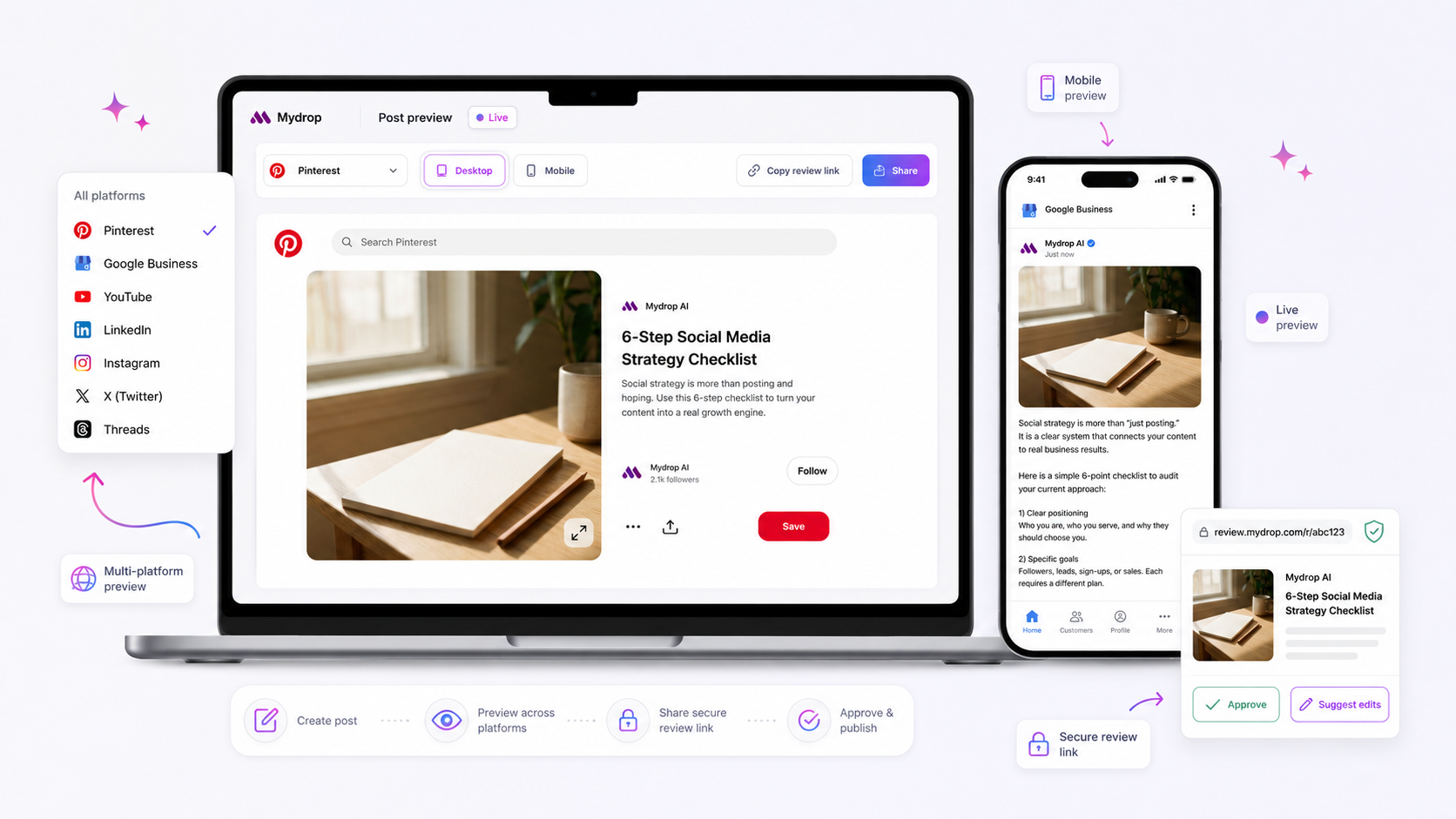
If your social media team spends more time managing email chains, Slack threads, and fragmented comment documents than they do creating content, your composer tool is actively working against you. That feeling of dread when you have to export a polished draft into a third-party review tool, only for the formatting to break or the creative context to get lost, is not just annoying-it is a massive bottleneck in your operation. We get it. You are trying to scale your output across dozens of channels, but your workflow is built for an era where teams just posted once a day. When the drafting environment and the approval environment are disconnected, coordination debt builds up. It silently eats away at your team energy, leads to compliance mistakes, and turns your creative feedback loop into a 6:00 p.m. scavenger hunt for the latest version.
What the best tools need to handle

To fix this, you have to stop thinking of a composer as a simple text editor and start looking for a unified workspace. A true composer should not just format text; it needs to understand the constraints of the platforms you are posting to before you hit send.
At a minimum, you need a tool that handles the entire creative lifecycle in one window. Here is the reality check for what constitutes a functional composer versus a fragmented one.
| Capability | The Fragmented Approach (High Debt) | The Unified Workspace (Low Debt) |
|---|---|---|
| Context | Lost in external docs or threads | Persisted via AI chat or notes |
| Preview | Static screenshot in an email | Live, platform-specific rendering |
| Validation | Manual checks during review | Automated against platform schemas |
| Approval | Link sent to external tool | In-place status update and notifications |
The biggest mistake we see teams make is underestimating the value of live platform-specific validation. If your composer does not know that an Instagram Story needs different dimensions and interactive element placements than a standard feed post, you are going to burn hours on rework. The best tools handle this schema-driven logic at the point of creation. When you select your profiles, the fields should adapt immediately. If you have to export your draft to another document to check if your caption fits or your media is compatible, your tool has already failed the audit.
You also need AI assistance that understands the post context, not just a generic prompt box. If you generate a brilliant caption using AI but then have to copy-paste it into an email to get it approved, you lose the link between the rationale and the final content. The best systems persist that chat context right alongside the draft, so if a legal or brand reviewer asks why a certain angle was taken, you do not have to dig through Slack to explain it.
Where basic tools start to break

The real bottleneck in creative production isn't a lack of ideas or slow design; it is the Export Tax. This is the manual, invisible cost of moving content between drafting, review, and scheduling environments.
You start with an AI-generated caption or a creative brief. You copy that into a document or a spreadsheet for stakeholder review. Then, you paste the approved version into a social media scheduler. In this journey, the original creative rationale gets stripped away. The legal reviewer doesn't see the AI thread that led to the final caption, and they certainly cannot see how it will actually look on a platform-specific mobile feed.
When you decouple drafting from previewing, mistakes become inevitable. You might nail the tone, but ignore the fact that the first comment needs to be formatted differently, or that your video thumbnail will be cut off on a mobile device. These aren't just minor inconveniences; they are structural failures that lead to last-minute edits, team frustration, and the dreaded "wait, why does it look like that?" moment on launch day.
At Mydrop, we often see teams dealing with this by creating ever-more complex spreadsheets. Eventually, that spreadsheet becomes a crime scene-a graveyard of copy-paste errors, broken links, and version control nightmares.
The Coordination Debt Scorecard
Use this to audit your current process. If you hit more than two of these, your tool stack is likely draining your team's energy.
| Symptom | Frequency | Impact |
|---|---|---|
| Copying content between three or more tools | Daily | High |
| Approvers ask, "Can I see how this looks?" | Often | Medium |
| Creative intent/AI rationale gets lost in review | Always | High |
| Formatting breaks between draft and schedule | Occasionally | Medium |
| Multiple Slack threads for one single post | Daily | High |
The buying criteria that matter
When you stop looking at your composer as just a scheduler and start seeing it as a creative hub, your buying criteria change. You need a platform that treats the draft, the feedback, and the final post as a single entity, not disconnected tasks.
First, prioritize AI context persistence. The most valuable insights often happen in the chat session before the caption is even written. If your tool doesn't store that chat session as part of the post metadata, you lose the "why." Look for tools that keep that conversation tied to the post, so you can reopen it months later to understand the strategic intent.
Second, look for integrated approval workflows. If a tool requires you to export a link to a separate, external approval site, you are still paying the Export Tax. Approval should be a seamless state change within the composer itself, triggered automatically when a draft is ready.
Finally, insist on schema-driven platform previews. Your team needs to see, in real-time, how a post behaves on TikTok versus LinkedIn. If a tool doesn't know the difference between a LinkedIn post and an Instagram story-and doesn't force validation against those specific platform requirements-you are going to be chasing fixes at 6:00 p.m.
Your Must-Have Composer Checklist
- AI conversation history is saved with the draft.
- Approvals occur inside the composer, not via email.
- Live previews adapt based on platform-specific constraints.
- Platform field validation (like first comments) happens during creation, not after scheduling.
- One canonical post object, regardless of channel.
The goal is simple: eliminate the handoff zone. If your composer doesn't make creation and review feel like the same activity, it's time to upgrade.
How Mydrop supports this workflow
At Mydrop, our unified composer exists to kill the export tax entirely. We saw that teams lose hours of productivity not because of a lack of talent, but because the drafting environment and the review environment are separate silos.
When you draft inside a dedicated composer that also serves as the final preview and approval hub, you stop losing the creative rationale. This is why the Mydrop approach to AI chat persistence matters. When a content creator uses AI to brainstorm a caption or iterate on a hook, that entire chat session is saved alongside the draft.
When a manager or legal reviewer opens that post for approval, they see the why behind the copy. They are not staring at a raw text block in a spreadsheet; they see the original creative intent. By keeping the AI chat, the draft, the media, and the approval routing in one unified composer, the handoff becomes a non-event. It is just a status change.
A simple shortlist checklist
If you are auditing tools this week, use this 5-point checklist. If a tool fails more than two of these, it will eventually generate coordination debt for your team.
The 5-Point Composer Audit
- In-tool review: Can your creators submit a draft for approval without ever exporting the content to a secondary app or shared document?
- Schema-driven validation: Does the composer warn you about platform-specific limits (like character counts or media aspect ratios) as you type, or do you find out about errors during the review?
- Creative context: Can your approvers see the original AI prompts and creative notes alongside the final draft?
- Automated routing: Does the tool automatically notify the right stakeholder based on the brand or campaign, or does your team have to ping people on Slack?
- Pixel-accurate preview: Is the preview rendered in the composer an exact representation of how the post will look on the live platform, or is it an approximation?
If you find yourself saying "no" to these points, you are likely maintaining a complex web of manual processes just to keep the lights on.
Conclusion
The biggest mistake in social media operations is assuming that drafting and approving are separate realities. They are the same reality. The moment you separate them, you create a gap where energy, intent, and platform-specific nuance leak out.
The 1:1 rule remains the best way to scale: every creative draft must be born, reviewed, and finalized in the exact same environment. If you follow this rule, you stop chasing approvals and start focusing on content strategy.
Stop trying to fix your approval bottleneck by turning your shared spreadsheet into a crime scene, and look for a tool that removes the need for those layers entirely. Your creative team is already busy enough. They do not need to be administrative assistants for their own drafts.