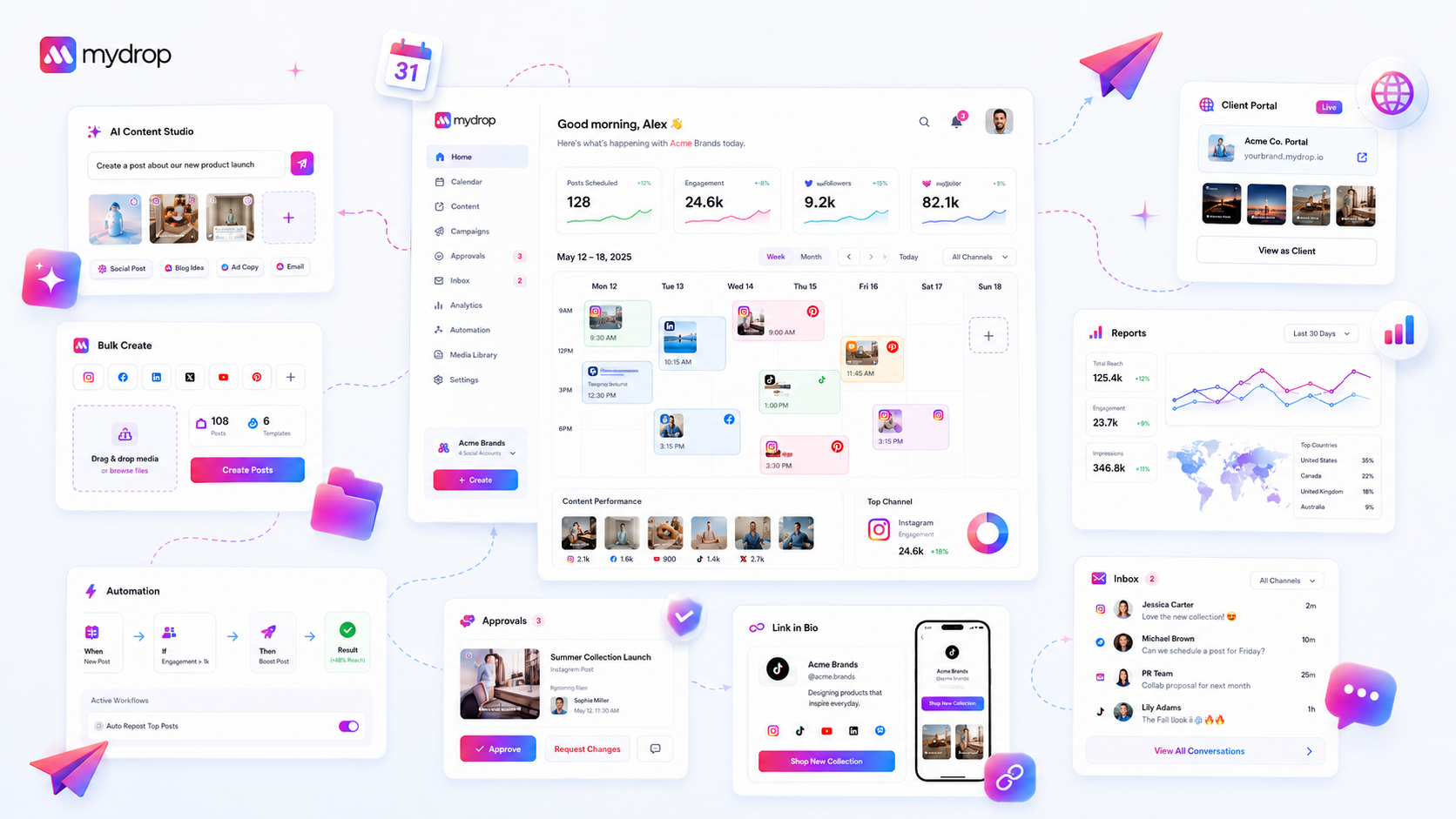
The best social media collaboration software isn't about adding another project management tool to your stack; it is about building a frictionless feedback bridge that keeps your creative momentum intact. You need a platform that lets clients and stakeholders leave feedback directly on the content, without forcing them to create an account, hunt for a forgotten password, or dig through a thread of fifty emails to find the latest version.
We have all been there. It is 4:55 PM on a Friday. You get an email from a client with a vague "can we tweak the copy?" request. You hunt for the right Slack channel, check your spreadsheets, cross-reference the original design file, and try to remember if that version was the one with the approved hashtag or the one with the placeholder. It is copy-paste purgatory. This "review tax"-the time spent manually transferring feedback from one silo to another-is the single biggest killer of agency productivity.
The reality is that your team isn't suffering from a lack of creativity; you are suffering from coordination debt. When your feedback loops are fragmented, you lose visibility, increase compliance risk, and inevitably, someone misses a critical edit. If your clients have to log into a separate, clunky portal just to leave a comment, they won't do it. They will keep sending emails, and your team will keep paying the tax.
What the best tools need to handle

Effective collaboration requires software that treats external feedback as a first-class citizen of the workspace. If the feedback doesn't manifest instantly as an actionable item where the content lives, the tool is just a filing cabinet, not a collaboration hub.
To audit whether your current setup is helping or hurting, look at how it handles the friction of external review.
| Bottleneck | The "Review Tax" Reality | The Solution |
|---|---|---|
| Feedback Entry | Client emails feedback; you manually copy/paste it into your project. | Direct comments on the asset. |
| Authentication | Client needs an account/login to see the work. | One-click, no-login access via secure links. |
| Context | "Fix the image" (which image?). | Comments pinned to specific visual markers. |
| Visibility | Team doesn't know feedback arrived until you ping them. | Instant notifications linked to the specific thread. |
Operator rule: If you are spending more than 10 minutes consolidating feedback for a single post, your tooling is failing you. The goal is to move from chasing comments to addressing them.
At Mydrop, we have seen this across thousands of campaigns. The teams that scale are the ones that kill the email loop. By using no-login portal conversations, you allow your clients to interact with your workspace as easily as they would with a text message. Their comments land directly inside your project, creating a bridge that turns external feedback into internal work without ever requiring a formal account. This isn't just about speed; it is about creating a single, immutable source of truth where the creative process actually happens.
Where basic tools start to break

Most teams start with what they have. A shared folder, an email thread, and a spreadsheet for tracking status. This works-until you hit a certain velocity. Once you are managing dozens of assets across multiple brands, the "Review Tax" turns from a minor annoyance into a total operational block.
Generic project management tools often fail here because they treat feedback as a task to be assigned rather than a conversation to be had. You end up with a fragmented reality: the creative file lives in a design tool, the feedback lives in a Jira ticket, and the final approval happens in a frantic email chain.
Common mistake: Using a ticketing system for creative review. Tickets require rigid status updates. Creative work requires fluid, iterative conversation. When you force a nuanced design critique into a "Resolved/Unresolved" checkbox, you kill the nuance.
The biggest failure mode we see is the Authentication Wall. If your software forces an external stakeholder or a busy client to log in, create a profile, and verify their identity just to leave a note on a post, you are effectively paying them to go find another way to talk to you. They will pivot to Slack, email, or a quick phone call. Your "system of record" becomes a ghost town, and the real project history is lost in a series of DMs that no one else on the team can access.
The buying criteria that matter
When evaluating your next move, do not just look at the feature list. Look at where the friction lives. You need to identify if a platform acts as a genuine bridge or just another silo.
Use the following scorecard to audit if a tool is built for agency-scale collaboration or if it is just a glorified task list.
| Criteria | Why it matters | The "Agency-Grade" Threshold |
|---|---|---|
| Feedback Accessibility | Can clients comment without friction? | Zero-login, direct-on-content feedback required. |
| Notification Context | Does the team know why they are pinged? | Alerts must link to the specific message, not just the project. |
| Collaboration Scope | Is the conversation isolated from the asset? | Feedback must be pinned to the visual surface/post draft. |
| External/Internal Bridge | Do client comments appear as workspace chats? | Public inputs should manifest as internal conversation threads. |
| Audit Trail | Can you trace the approval path? | All reactions and edits must persist with the asset. |
Decision check: If the client has to ask "Where do I find that?" you have already lost the efficiency gains of the platform.
A truly capable tool allows for asynchronous, client-safe collaboration. You want a system where a client can leave a suggestion on a draft, and your creative team receives an instant notification-without someone having to manually copy-paste that feedback into a new internal thread.
At Mydrop, we designed our Conversations and Collaboration feature specifically to solve this. Instead of separate silos for "client chat" and "internal project management," we treat the conversation as a bridge. Whether feedback comes from a link shared with a client or from an internal team member, it lands in one place. Your team gets notified, the client doesn't need a seat or a password, and the context of the feedback is never separated from the creative work.
The goal isn't to get everyone using your tool; it is to make your tool the easiest place for everyone to work. If you have to choose between a "secure" tool that people hate using and a "simple" tool that everyone actually uses, the simple tool wins every time. Your job is to find the platform that makes simplicity secure enough for your brand standards.
How Mydrop supports this workflow
At Mydrop, we have seen this play out across thousands of brand profiles: the moment you move conversation inside the content workflow, the "review tax" vanishes. Our Conversations and Collaboration feature was built specifically to bridge that gap between your workspace and your external stakeholders.
Instead of hunting for feedback across email, Slack, and DMs, you get a clean, centralized feed. When you need approval from a client who doesn't live in your daily stack, you simply generate a portal or approval link. They land on a client-safe interface, leave their feedback, and that message manifests instantly inside your Mydrop workspace. It is a live bridge, not a static copy-paste relay.
Our notifications fan out automatically to the right people, so the creative team knows the second feedback arrives, while project managers can track the conversation state without needing a spreadsheet. It turns fragmented feedback into a structured, visible conversation that stays attached to the specific asset it addresses.
A simple shortlist checklist
Before you commit to a new platform, run your current setup against this scorecard. If you cannot check off at least four of these, you are likely paying a heavy hidden cost in manual coordination.
| Feature Check | Requirement for Scaling Teams |
|---|---|
| No-Login Feedback | Can external clients provide input without creating a password-protected account? |
| Contextual Linking | Is the conversation tied directly to the specific visual or text asset? |
| Real-Time Bridging | Does external portal feedback appear instantly in your internal workspace? |
| Smart Notifications | Do team members receive updates based on project roles rather than all-or-nothing noise? |
| Collaborative State | Can you track status (e.g., pending, approved, changes requested) within the chat? |
Workflow check: If your collaboration tool requires a "training session" just to get a client to leave a comment, you have already lost. The best software is the one your client figures out in ten seconds or less.
Conclusion
The bottleneck is rarely your creative output; it is your coordination debt. When you treat client feedback as an external event-something to be captured, translated, and then re-entered into your system-you are essentially manually processing your own work. That is an expensive, error-prone way to run an agency.
The goal is to get to a state where feedback is just another form of content. When it arrives, it should be in the right place, attached to the right asset, and ready for your team to act on it. By centralizing these conversations, you stop managing the process and start managing the output. Find a tool that respects the reality of your external relationships, bridge the gap, and watch your team's creative velocity finally match their actual effort.