If you have ever felt your stomach drop after realizing a beauty campaign post just hit the corporate finance account, you are not alone. That sinking feeling is not a sign that your team is careless; it is a signal that your software is working against you. Most social media tools treat every brand connection as one giant, undifferentiated bucket. When you are toggling between ten different brand voices in a single browser tab, you are essentially playing a high-stakes game of Tetris. Eventually, the blocks will land in the wrong place.
We have seen this across dozens of agencies and multi-brand teams: the error is rarely about a lack of training. It is an architecture problem. If your software lets you see every account you manage at all times, it is actively designing you to make mistakes. You need a way to build a virtual wall around your current work so that "other" profiles simply cease to exist while you are in the zone.
What the best tools need to handle

The most common failure we see in large social media operations is context overload. When a team member has access to fifty profiles, they do not need to see all fifty simultaneously-they need to be laser-focused on the three that matter for the campaign currently sitting on their desk.
To stop cross-posting errors, you need to demand more than just "permissions" from your platform. You need Constraint-First Context. Software should not show you what you could post to; it should only show you what you should post to, based on a locked brand context.
Here is how to audit whether your current tool actually keeps your brand context safe:
| Audit Criteria | Why it matters | The "Error" Signal |
|---|---|---|
| Unified Scope | Does the UI show all accounts by default? | High risk of accidental selection. |
| Persistence | Can a user lock their view without affecting others? | Forcing global settings causes friction. |
| Dynamic Updates | If you add a new profile to a brand, is it auto-included? | Stale snapshots lead to missed channels. |
| Focus Boundary | Does the lock hide everything outside the target? | Partial filters still allow "leakage." |
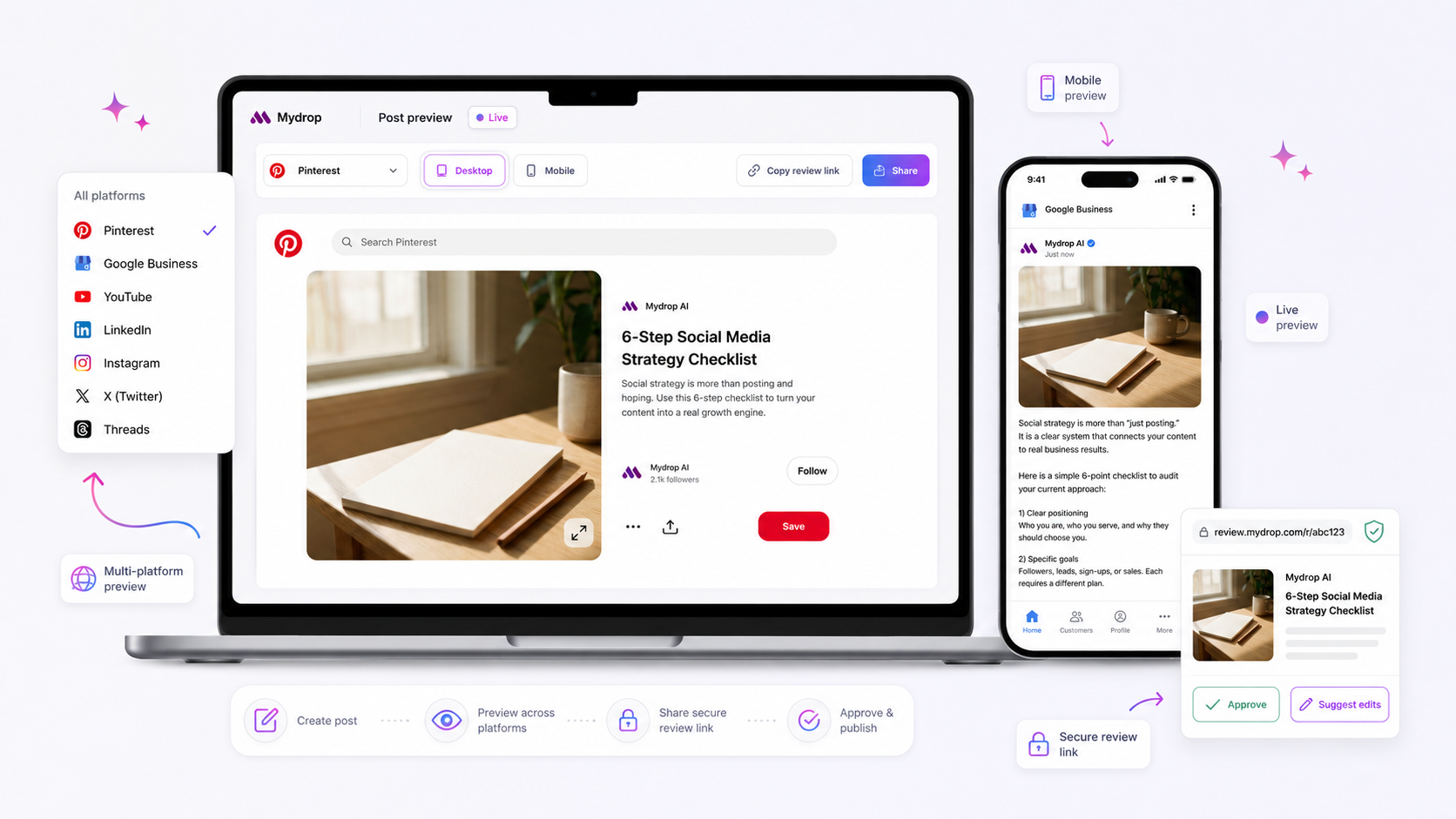
At Mydrop, we approach this through a feature we call Brand Lock. Instead of forcing you to mentally filter your own dashboard every time you click "Publish," you enable a workspace-wide focus mode. Once active, a sidebar brand selector drives a single brand-context filter. Every profile selector, report, and schedule page immediately hides everything outside your current selection.
Operator rule: If your team has to "remember" to select the right brand every time they open the dashboard, you have a design debt, not a personnel problem.
The real power here is that this is personal. If your community manager needs to focus on the luxury skincare line while the corporate communications team handles a PR crisis for the parent company, they can both have their own brand-locked view open in different tabs. They are not fighting over a global filter; they are simply working within the boundaries they need to stay safe.
If your current software still forces you to "check the dropdown" every time you create a post, you are waiting for an inevitable error. The best tools act as a guardrail, removing the possibility of a mistake before the button is even clicked.
Where basic tools start to break
The real trouble begins when your software treats everything as a globally visible bucket. When you open your dashboard and see every account you manage-from your premium corporate flagship to that experimental boutique sub-brand-you are effectively playing a high-stakes game of memory. You are relying on your brain to manually filter the noise before every single action.
At Mydrop, we see this coordination debt cripple even the best teams. The cognitive load isn't just about finding the right icon; it is## Where basic tools start to break
The real trouble begins when your software treats every brand account as a giant, undifferentiated bucket. Most platforms are built for the solitary creator model: one login, one persona, and an infinite scroll of accounts. When you apply that to a multi-brand agency or a large enterprise, the UI becomes a minefield.
You end up with a global profiles list that is essentially a "Choose Your Own Adventure" game where the wrong choice leads to a public relations mess. Your team is forced to rely on mental filtering-the exhausting, error-prone habit of visually scanning a list for the right icon before every click. It works fine on Tuesday morning when everyone is focused, but it fails completely during a Friday afternoon deadline crunch.
Here is how the "Global Visibility" approach consistently creates friction:
| Failure Category | The Underlying Workflow Gap | The "Oops" Scenario |
|---|---|---|
| Cognitive Load | UI displays all 50+ profiles in a single, un-grouped dropdown. | Selecting "Corporate Finance" instead of "Boutique Brand" during a high-speed update. |
| Static Snapshots | Profile lists are hard-coded; adding a new channel requires manual updates. | New TikTok channel launches, gets missed in the filter, and goes unmanaged for three days. |
| Tab Fatigue | Forcing context switches by workspace rather than by brand focus. | Jumping between browser tabs to copy/paste assets, losing the thread of the content calendar. |
| Permission Drift | Everyone sees everything, assuming visibility equals responsibility. | A junior team member accidentally comments on an executive draft for the wrong division. |
Decision check: If your team has to "remember" which brand they are posting to, your software has already failed. Good architecture makes the right choice the only choice.
The buying criteria that matter
When you are ready to stop treating cross-posting as a "training issue" and start treating it as a design challenge, you need to audit your tools with a harder lens. Forget the feature checklists that prioritize vanity metrics; focus on how the platform manages the boundaries of your work.
If you are currently evaluating a platform, demand these three "Safety Guardrail" markers:
- Context-Locked Selectors: Can the tool effectively hide every single profile outside of a specific brand group? If you can still see the CEO's account while you are building a campaign for a secondary product, the tool isn't built for your scale.
- Dynamic Brand Membership: Does the system understand that a brand is a collection of channels, not a static list of IDs? When you add a new profile to a brand, it should automatically enter the "focus view" without requiring an admin to go in and manually update the platform's settings.
- Personalized Focus Modes: Can your team members lock their own workspaces to different brands simultaneously? If a tool forces a workspace-wide setting that locks everyone to the same view, you’ve just replaced one bottleneck with another.
At Mydrop, we built Brand Lock specifically to solve this. It’s not just a filter; it’s a workspace-wide focus mode. When you enable it in your Settings, the platform stops pretending it’s a generic megaphone. The sidebar brand selector becomes your navigation anchor. Everything-from the profiles page to your analytics reports-effectively vanishes if it doesn't belong to the brand you are currently focused on.
This is the shift from "passive access" to "active intent." You don't need more training for your team; you need a system that removes the noise so they can hit the right target every single time. Stop trying to outrun your software's design flaws and start demanding an architecture that protects your brand identity by default.
How Mydrop supports this workflow
At Mydrop, we spent a lot of time watching teams struggle with the "Global Bucket" problem-that overwhelming dashboard where a single click separates a brilliant viral post from a career-ending mishap. We decided to solve this by building Brand Lock, an intentional focus-mode that flips the script on how you interact with your profiles.
Instead of presenting you with a master list of everything you could potentially touch, Brand Lock functions as a physical safety guardrail. When you enable the feature in Settings > Workspace > General, a dedicated brand selector pops up in your sidebar. Once you lock your workspace to a specific brand or group, the entire platform-from your content calendar to your analytics reports-instantly filters out the noise.
Workflow check: Brand Lock is your "do not disturb" sign for high-stakes account management. It doesn't change your server-side permissions; it changes your reality by hiding everything irrelevant to the brand you are currently building for.
Because we know teams scale, we made this dynamic. You don't have to manually update your selection every time you add a new profile to a brand. Brand Lock tracks the group itself. If you add a new regional account to your "Global Tech" brand, that profile is automatically included in your existing lock. No stale snapshots, no "whoops, I forgot to add the new profile" errors, and no manual re-selection cycles.
A simple shortlist checklist
Before you commit your team to a new platform, run this quick audit against your current setup. If your software can't tick these four boxes, you are operating with an expensive, unshielded risk.
| Requirement | Why it matters | Decision Check |
|---|---|---|
| Workspace-Wide Focus | Stops context switching errors at the UI level. | Does selecting a brand hide all other profiles globally? |
| Dynamic Membership | Prevents "stale profile" management gaps. | Are profiles added to a brand automatically included in the lock? |
| Personal Persistence | Allows team-wide autonomy without conflict. | Can I lock my view to Brand A while my teammate focuses on Brand B? |
| Predictable UI | Removes "discovery fatigue" from creators. | Does every selector (create, report, calendar) respect the active lock? |
If you are ticking "No" to more than one of these, you are essentially relying on human memory to prevent brand damage. That is a game you will eventually lose.
Conclusion
The truth is, most teams do not have a content problem. They have a coordination bottleneck. Every time you force a creator or manager to mentally "filter" their account list before they can safely hit publish, you are spending precious cognitive energy on maintenance instead of strategy.
The best social teams don't work harder to avoid cross-posting; they architect their environment to make it impossible. If your current tool forces you to keep five tabs open just to keep your brands separated, it is time to move your workflow into a workspace that actually understands how multi-brand management works. Stop playing Tetris with your account lists and start working in a system that assumes you have a brand to protect.