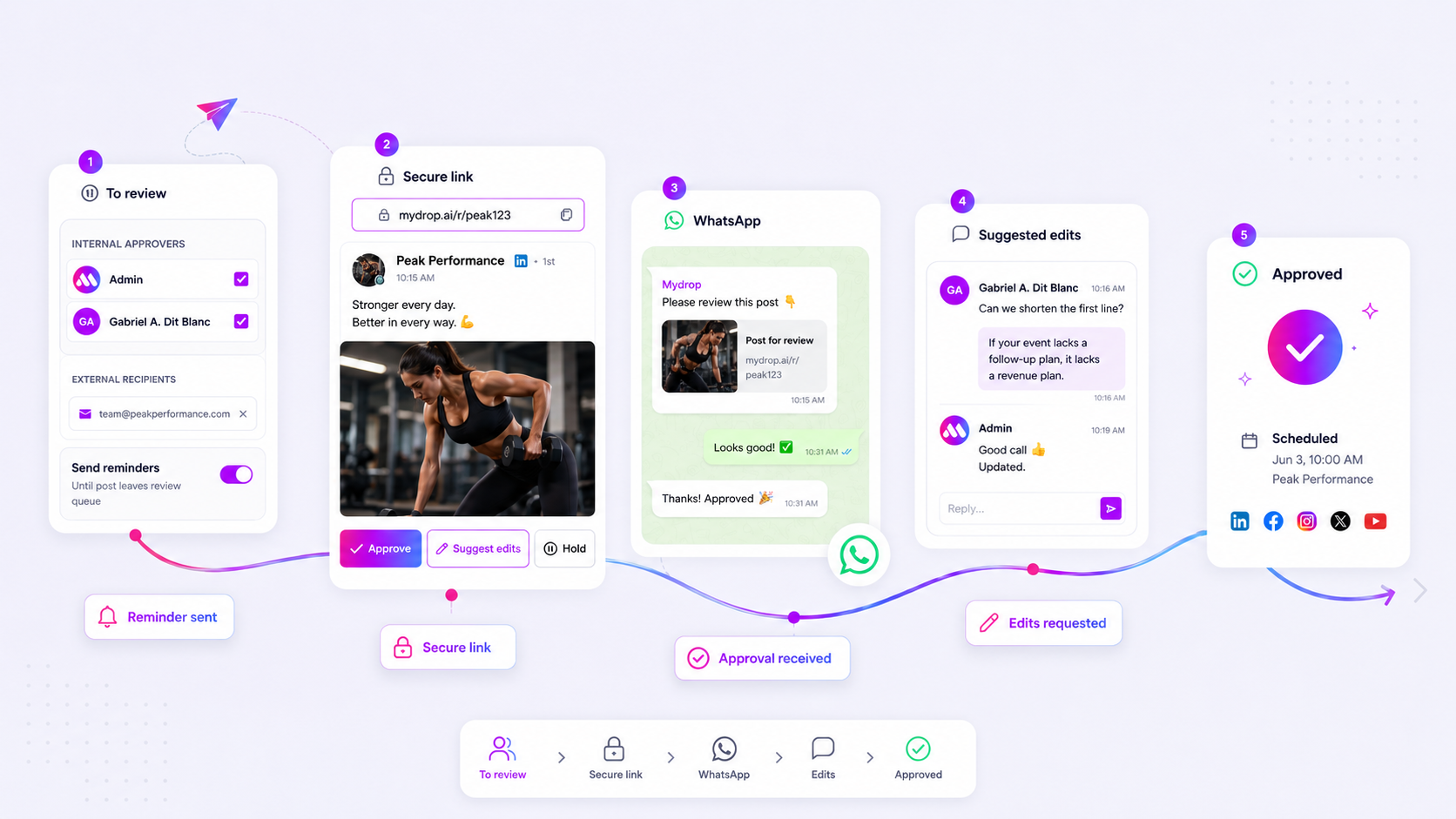
If your clients are ghosting your analytics reports, they are not uninterested; they are overwhelmed. When a report is trapped in email attachments or requires a password, it stops being a strategic asset and becomes a chore. We get it: you have poured hours into actionable data, only to have it sit unopened. Chasing clients for feedback on work they have not seen is exhausting, and back-and-forth emails kill your momentum. Stalled reviews are rarely an engagement issue; they are a delivery friction issue caused by forcing clients to navigate complex authentication or opaque channels. This audit will help you identify the hidden friction points and select a portal that actually gets your reports reviewed on time.
What the best tools need to handle

The goal of a client portal should not be to build a new silo, but to create a direct conduit for transparency. If your tool adds more login steps, it is failing. The best platforms act as a seamless extension of your agency, not a barrier to your own work.
Here is how you can score your current setup against modern standards:
| Friction Factor | Traditional Delivery (Email/Drive) | Modern Portal Delivery |
|---|---|---|
| Access | Multi-step/Password required | One-click/No-login |
| Context | Buried in long threads | Report-specific chat |
| Speed | 24-48 hour lag | Real-time feedback |
| Governance | Unclear versioning | Single source of truth |
When you look at this table, it is obvious why reviews stall. Traditional methods require the client to stop their current workflow, find your email, authenticate, and then re-orient themselves to the data. That is too much mental overhead for a 10-minute review.
The best tools prioritize frictionless access. This means enabling password-protected, direct-access URLs where the data lives clearly, without forcing the client to manage another account. At Mydrop, we designed Brand Portals exactly for this reason: you can share a link directly with your client, and they instantly see sanitized, relevant analytics without ever needing to touch a login screen.
Beyond access, you need in-context collaboration. A PDF sent via email is a conversation ender. A report within a portal-where the client can comment, ask questions, or click approve-is a conversation starter. If your tool does not bridge that gap, you are just sending data into a vacuum.
Finally, look for granular permissions. You should not have to expose your entire backend just to share a monthly report. You need to control exactly which sections a client can access, from analytics and campaigns to specific file shares. That kind of control is the difference between a tool that builds trust and one that adds to your security anxiety.
Operator rule: If your client needs to ask you for their password, your delivery process has already failed.
Where basic tools start to break

Most teams start by cobbling together a solution using what they already have: shared cloud folders, email threads, or even spreadsheets to track reporting links. It feels organized for the first three brands. By brand number ten, you are drowning in a spreadsheet that has become a crime scene.
The breakdown happens because these tools prioritize storage over collaboration. When a report lives in a secure cloud folder, it is technically "accessible," but it is effectively invisible. Your client has to remember they have access, navigate to the right folder, find the newest PDF, and then remember to actually look at it-all while fighting their own inbox for survival.
Common mistake: Treating storage platforms like collaboration hubs. If a client has to click three times and navigate a file tree to find their data, they have already checked out.
Basic tools also lack the in-context feedback loop required for enterprise pace. You send a report, they view it, and then they have to start a new email thread to ask a question. That context swap is where momentum dies. The best tools bridge the gap between "viewing the data" and "discussing the strategy" by keeping both actions in the same interface.
The buying criteria that matter
Stop shopping for features and start shopping for friction reduction. When you evaluate portal tools, you need to look past the branding and focus on the mechanics of the client experience.
Here is a practical rubric to help your team audit potential solutions against your actual, day-to-day pain points.
| Criterion | Why it matters | Enterprise threshold |
|---|---|---|
| Authentication | Eliminates the single biggest cause of stalled reviews. | Zero-login or one-click access required. |
| Permissions | Gives you granular control over what gets exposed. | Field-level or section-level toggle control. |
| Unified Context | Keeps report viewing and feedback loops together. | Integrated chat or comment threads attached to objects. |
| OAuth Handling | Bypasses the security nightmare of password sharing. | Native, secure token exchange per brand. |
| White-labeling | Ensures the portal reflects the agency or brand identity. | Custom domains and branding assets. |
If you are currently managing dozens of brands, a portal that forces every client to create a dedicated account is a non-starter. It turns your team into an IT helpdesk for password resets. Instead, prioritize platforms that offer secure, password-protected, direct-access URLs.
At Mydrop, we see this coordination debt derail even the most sophisticated teams. They spend their limited hours troubleshooting access rights rather than identifying the next big campaign opportunity.
Decision check: If a client spends more than 30 seconds getting from their email notification to the actionable insight, your portal tool has failed.
When assessing these platforms, do not just ask if they have a "client portal." Ask: Can the client access this on their phone without a login? Can they provide feedback directly on a specific report? Does this replace the "where is the file" email entirely? The goal is a seamless, white-labeled experience that treats report delivery as a strategic engagement point, not just another administrative task.
How Mydrop supports this workflow
We built Mydrop Brand Portals to solve exactly this kind of coordination friction. We noticed that teams managing dozens of brands were spending more time on password-reset tickets and email threads than on actual strategy. It’s a classic case of coordination debt killing your output.
Instead of treating the client like an external entity that needs a full account to see a report, the Brand Portal gives them a dedicated, password-protected home base. They hit a single, consistent URL, enter their portal-level password, and everything they need-analytics reports, pending posts for approval, or even file uploads-is right there.
It cuts out the entire "wait for access" loop. Because we handle the authentication via the portal itself, your clients get immediate, secure access to the data you want them to see, without your team needing to manage individual user permissions for every stakeholder. You just curate which sections (like analytics, campaigns, or posts) are visible. When you update a report in Mydrop, it’s instantly available to them in the portal. No more "did you get my email?" pings; just a reliable, always-on resource.
A simple shortlist checklist
If you are out in the market evaluating tools, don't just look for "analytics sharing." Demand a workflow that respects your time and your client’s patience. Use this checklist during your next vendor demo.
| Feature Check | Why it matters |
|---|---|
| No-Login Access | Can a stakeholder view reports without creating an account or managing a password? |
| Custom Branding | Does the portal feel like an extension of your agency or brand, or does it scream "third-party vendor"? |
| Permissions Granularity | Can you restrict access to only reports, or must you give full workspace access? |
| Integrated Action | Does the portal allow for in-context feedback or approval, or just passive viewing? |
| Asset Centralization | Can clients download their own PDFs or access brand files directly? |
Workflow check: If a tool forces your client to create an account and verify an email just to see a PDF report, walk away. That is a 10-minute task for them, which means they will put it off for three days.
Conclusion
The bottleneck in your reporting workflow isn't the data itself; it is the friction inherent in how you deliver it. When you strip away the authentication barriers and provide a centralized, white-labeled space for your stakeholders, the dynamic changes instantly. You stop being a "chaser" of feedback and become a strategic partner providing clear, on-demand insights.
The transition from "emailing files" to "providing a portal" is one of the highest-leverage shifts an agency can make. It builds trust, speeds up decision-making, and frees your team to focus on the work that actually moves the needle, rather than managing the logistics of report delivery. Stop fighting the delivery process and start optimizing for accessibility. Your clients will appreciate the clarity, and your team will appreciate the extra hours back in their week.