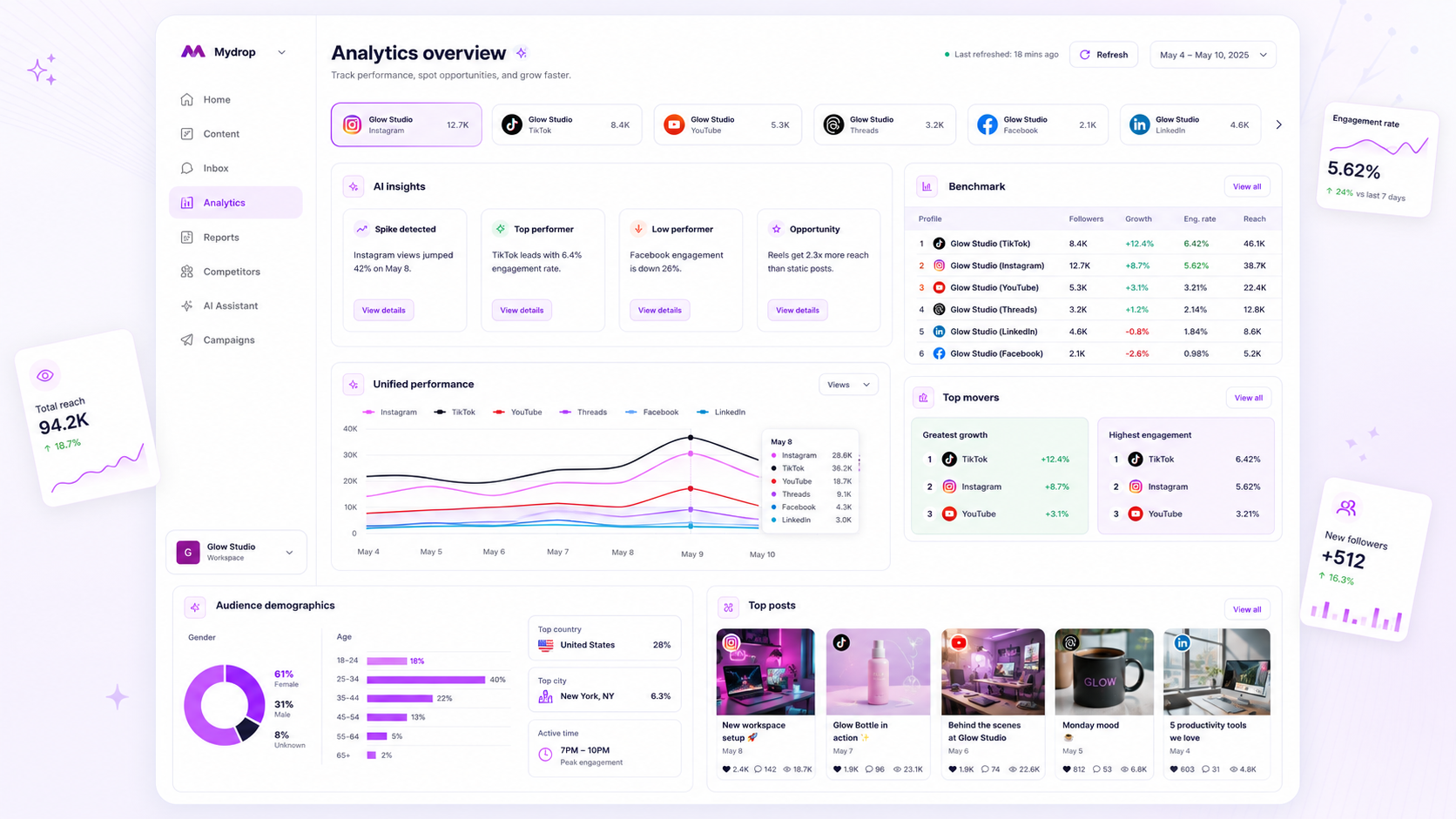
The secret to scaling agency reporting is simple: stop treating every report as a unique creative project and start treating them as automated utility services. If your Monday mornings are spent manually exporting CSVs, pasting screenshots into slide decks, and chasing down team members to hit send, you aren't managing social media. You are managing a printing press.
We have all been there. The Sunday night realization that you forgot to pull analytics for a key client is a morale killer that turns high-level strategists into professional copy-pasters. The good news is that high-performing agencies have largely moved past this. They have replaced the manual grind with a hands-off, recurring run-and-forget workflow that guarantees client alignment without requiring constant human intervention.
What the best tools need to handle

When you are ready to stop managing a printing press and start scaling your operations, you need to demand more than just a pretty dashboard. You need a reporting infrastructure that functions like a reliable piece of enterprise software. If the platform you are using does not allow you to decouple data generation from delivery, you are still stuck in the bottleneck.
Here is what your workflow must account for if you want to eliminate manual overhead:
| Capability | Why It Is Mandatory for Scaling |
|---|---|
| Recurring Recurrence | Daily, weekly, or monthly cadences that run without human trigger. |
| Delivery Flexibility | The option to send a PDF, a public link, or an app-specific link based on the client stakeholder's preference. |
| Failure Visibility | Automated alerts that tell you immediately if a report run failed, rather than leaving you in the dark. |
| Immutable Snapshotting | The ability to save a report template's state so historical data remains accurate even if you modify your current dashboard filters. |
| Control Interface | The ability to run-now, pause, or duplicate any report schedule without needing developer access. |
A common trap we see across agencies is relying on manual trigger points. If a human has to remember to click "send," your agency is still carrying massive coordination debt. Even with the best intentions, team members eventually get sick, take leave, or simply forget, leading to the worst possible outcome: the client noticing your reporting gap before you do.
Common mistake: Relying on standard email-based reporting where the data is generated live at the moment of sending. If your filters or account connections change, your historical reports can become inaccurate or unreadable.
The most resilient systems use Immutable Snapshotting. This approach locks in the configuration and data view at the moment the schedule is defined, ensuring that the reports sitting in your client's inbox next year look exactly like they did the day they were sent. This turns your reporting from a volatile "live look" into a reliable, verifiable record of performance.
Where basic tools start to break

The real trouble begins the moment your agency grows past a handful of clients or adds a second platform to the mix. Most teams start with a standard spreadsheet-and-email combo, and for a while, it feels scrappy and manageable. But that "manual trigger" is actually a silent time-bomb. Relying on someone to remember to run a report at 9:00 AM on Monday is not a strategy; it is a point of inevitable failure.
When you rely on basic tools, you are effectively tethered to the desk. If the account manager is out sick, the report just does not happen. If the intern forgets to update the date range in the template, you end up sending last month’s data to a client who is paying for current insights. These aren't just minor hiccups; they are trust-eroding moments that make you look unorganized.
Even worse is the "data drift" trap. If your reporting tool requires manual exports, you are often looking at a static document that loses value the second it leaves your outbox. If the client asks a follow-up question two days later, you have to go back to the source, re-export, and re-format just to provide an answer. This creates a reactive loop where your team is constantly re-working the same data instead of moving on to the next strategy.
The buying criteria that matter
When you are ready to stop managing a printing press and start scaling an operation, your software needs to do more than just make pretty charts. It needs to handle the logistics of the delivery itself. Before you sign another contract, run your current tool or your shortlist through this decision matrix.
Agency Reporting Scorecard
| Capability | Manual/Entry-Level | Scalable (Mydrop-Style) | Why it matters |
|---|---|---|---|
| Recurrence | Ad-hoc or manual | Automated (daily/weekly/monthly) | Eliminates the "did I send that?" mental overhead. |
| Delivery Mode | Email attachment only | PDF, Public Link, & App Link | Gives clients the format they actually prefer. |
| Error Handling | None (silent failure) | Failure logs & automated alerts | You know it failed before the client does. |
| Workflow State | Static | Pause/Resume, Run-now | Allows for pivots without breaking the schedule. |
| Snapshotting | Real-time (risky) | Config-snapshot (immutable) | Ensures the report stays accurate to the intent. |
The "Run-Now" Non-Negotiable: Never accept a tool that doesn't let you trigger a report right now. If a client calls you in a panic, you need to be able to fire off the latest version of their report immediately without waiting for the next cron job.
The Resilience Audit: Does the tool notify you when a report fails to send? Basic tools are often blind here; they just silently fail to generate the email. Look for a system that logs every run and alerts your team if a connection to a social profile drops or a data export hits a snag. At Mydrop, we treat these failure logs as operational data-they tell you exactly which integration needs attention before the client ever notices a gap in their history.
The "Immutable Snapshot" Rule: This is the most underrated feature in enterprise reporting. If you save a report schedule, it should preserve the configuration at that moment. If you later decide to reorganize your internal channel groupings or filter out organic posts for a different client, it shouldn't accidentally strip the data from your recurring executive summary. Your reports should be a historical record of what was promised and what was seen, not a dynamic dashboard that changes its past every time you change a future setting.
Operator rule: If your reporting workflow requires you to "remember" to do anything, it is not automated-it is just delayed manual labor. Every touchpoint you can move to a pre-configured, immutable schedule is an hour of billable time you can spend on actual strategy.
How Mydrop supports this workflow
At Mydrop, we built the analytics scheduler to solve exactly what you are feeling right now: the "Sunday night scramble." When you have dozens of brands and hundreds of channels to monitor, you cannot rely on human memory. We approach this through a strategy of Immutable Snapshotting.
Instead of generating a report live every time a client clicks a link, Mydrop captures a configured template as a snapshot. You build your view once-selecting the metrics that actually matter to your client’s bottom line-and the system locks it in. Even if you shuffle your global brand filters or add new profiles to your workspace next month, that historical report remains a faithful record of what was delivered.
We give you full control over the lifecycle of these reports:
- Recurrence that sticks: Whether your client needs a daily pulse check or a monthly deep dive, the automated engine handles the heavy lifting, logging every run so you have an audit trail.
- Flexible delivery: You can attach PDFs for those stakeholders who live in their inbox, or send a secure public link for a live-data view that looks sharp on any device.
- Immediate feedback: We surface failure logs directly in your dashboard. If a sync issue with a social platform prevents a report from sending, you are the first to know-not your client.
- Pause and play: Easily pause reports during an off-season or bridge-period without deleting the configuration, ensuring you are ready to resume the second the next campaign hits.
A simple shortlist checklist
Before you flip the switch on your new automated reporting engine, run your setup through this 5-point audit. It ensures that your automation actually delivers value rather than just cluttering your client's inbox.
| Audit Point | Why it matters |
|---|---|
| Recipient Hygiene | Does every person on the CC list still need this data, or are they just fueling noise? |
| KPI Relevance | Have you included business metrics (conversions, site traffic) alongside vanity metrics (likes, impressions)? |
| Format Preference | Does this specific client stakeholder actually want a PDF attachment, or do they prefer a clean link? |
| Schedule Cadence | Is monthly reporting too infrequent for a fast-moving crisis-management campaign? |
| Feedback Loop | Have you designated an internal owner to review the "run success" logs once a week? |
Decision check: If a report hasn't been opened by the client in three months, delete the schedule. Unread reports are just another form of noise that diminishes the authority of the reports they do actually read.
Conclusion
The goal of automating your reporting isn't to wash your hands of client communication; it is to shift your energy from the labor of compiling data to the value of interpreting it. When you take the manual "copy-paste-email" loop off your plate, you finally have the bandwidth to answer the question your clients are actually paying for: "So, what does this mean for our business?"
Stop managing the printer, and start managing the strategy. Your Monday mornings, and your team's sanity, will thank you.