





























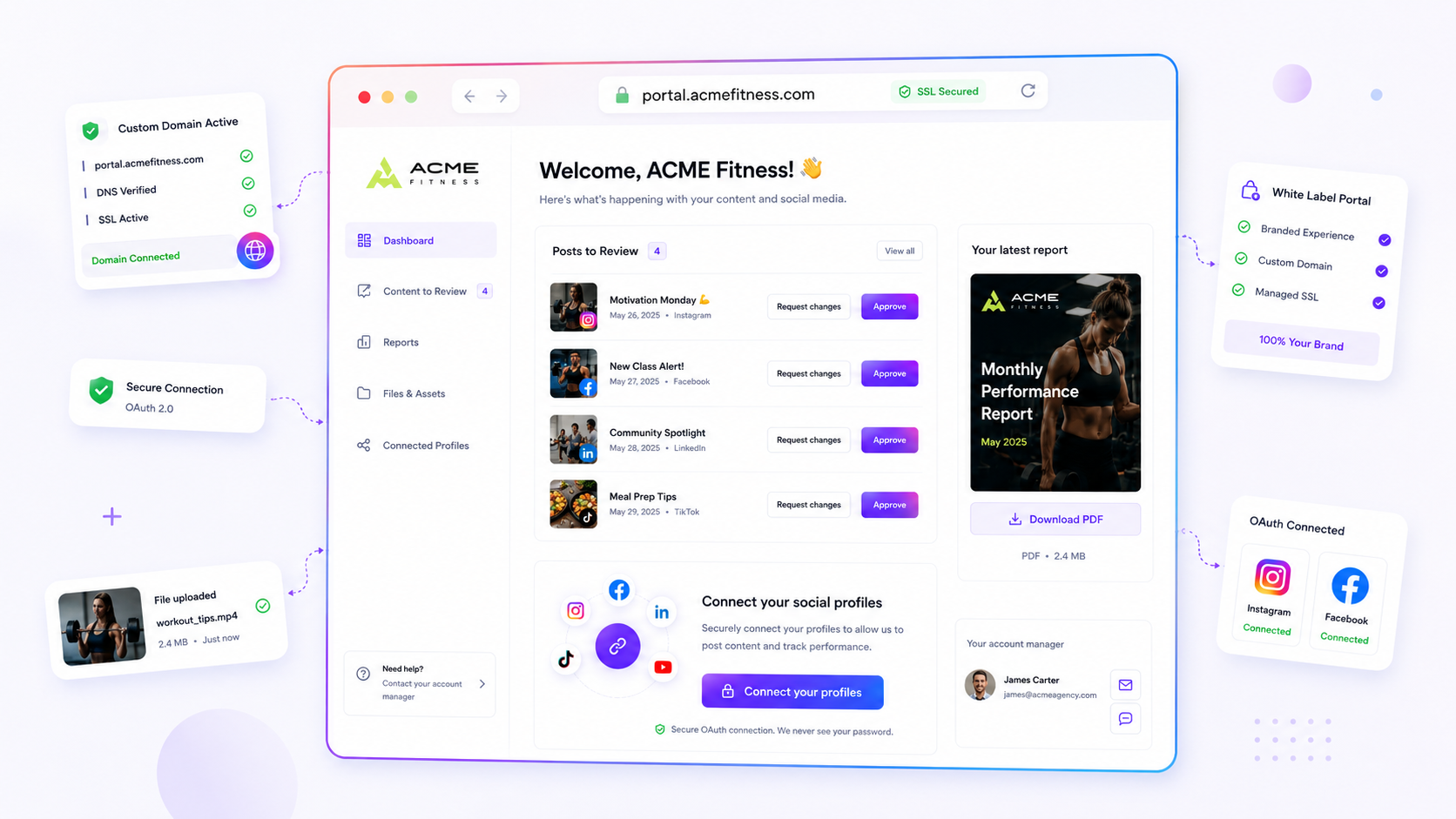
For agencies, the gap between a client-friendly tool and a professional, client-owned platform is exactly one DNS record. Stop settling for branded subdomains and start owning the delivery path, and your tool stack stops being a middleman and becomes a secure, permanent asset for your agency. Most "white label" tools are glorified redirects. If your client's link-in-bio or portal lives on client.tool.com, you are advertising your software vendor every time you share a client link.
We have all been there. You spend weeks on strategy and assets, and then the client experience falls apart at the last hurdle: a clunky, generic URL that screams "third-party software". It is messy, it undermines your authority, and it makes you look like a reseller rather than a strategic consultant. Your team deserves better. And your clients shouldn't have to host their professional brand identity on your vendor's domain infrastructure.
What the best tools need to handle

True white labelling is not a logo swap in the settings menu. It is about controlling the domain infrastructure. If you are serious about managing brands at scale, look past the interface and check how the tool handles the "host dispatch" layer.
The best tools get three technical pillars right, so your client's presence stays independent of your software vendor:
- DNS verification: The platform should give you a clear, reliable way to confirm that a client-owned domain points at the right target before it accepts the connection. If a tool never asks you to prove ownership through DNS, it is probably using a shared, less secure way of routing traffic.
- Managed SSL lifecycle: A professional portal isn't finished without a secure connection. The best tools look after the whole certificate lifecycle (provisioning, storage and renewal) in the background. You should never have to upload a certificate file or chase down an expired connection. As soon as DNS is verified, the tool takes care of it.
- Target dispatch: This is the secret sauce of enterprise-grade tools. The system should send a single custom host to different surfaces, such as a link-in-bio page or a client portal, with no manual work and no broken redirects.
Operator rule: If a tool makes you use its domain for your client's main touchpoints, or forces a redirect that adds a hop, you aren't offering a professional portal. You are offering a temporary utility.
Mydrop pricing check, September 2026: the entry paid plans of the eight tools most often compared with Mydrop run from $6 per channel (Buffer) and $25 a month (Later) to $99 per user (Hootsuite) and $199 per seat (Sprout Social), read on each vendor's pricing page. Mydrop is free to start, then $19 a month flat, not per seat. Full table on Mydrop's compare pages.
When these pieces work together, the platform more or less disappears. Your client's branded surface is just another asset on their own infrastructure, fully protected and entirely independent of your vendor's public URL. At Mydrop, we treat custom domains as first-class, verifiable assets. Teams map a domain straight to a surface, and managed SSL keeps the connection secure and up to date with no ongoing maintenance.
Where basic tools start to break

The real headache starts when your "white label" tool makes you rely on a generic subdomain, like your-agency.tool.com or client.tool-portal.com. It sounds like a minor detail, but it undermines the story you are telling your enterprise clients.
When a CMO clicks a link in a proposal or a portal, they expect to land on marketing.client-brand.com. Anything else feels like being steered through a third-party gatekeeper. The underlying problem is coordination debt. Every time someone on your team has to say, "Oh, ignore that URL, it's just the software we use," you lose a little professional credibility.
Basic tools often paper over this with clever redirects, but they rarely give you control of the DNS infrastructure. You end up tied to their uptime, their SSL certificate management and their branding. Want to move the portal or change the domain? You are back at square one, waiting on support tickets or fighting platform restrictions.
Common mistake: Choosing a platform from its interface preview without asking how it handles DNS propagation and SSL renewal. If you can't point your own domain at their surface, you are renting, not owning.
The buying criteria that matter
Stop judging tools by their "brandable" marketing pages and look at the plumbing instead. When you are managing dozens of brand profiles and hundreds of stakeholders, the technical overhead of a badly built tool will cripple your workflow.
The scorecard below helps you spot whether a platform is ready for enterprise-grade white labelling.
Agency Infrastructure Scorecard
| Capability | What to look for | Why it matters |
|---|---|---|
| DNS Mapping | Direct mapping of CNAME/A records to your chosen host. | Keeps the URL yours, whatever the tool does behind the scenes. |
| Managed SSL | Automatic provisioning and lifecycle management of certificates. | Prevents manual renewal errors that trigger browser security warnings. |
| Host Dispatch | Routing of requests to specific surfaces (portal vs. bio link). | Keeps your domain set-up tidy and avoids "link sprawl". |
| Async Provisioning | SSL status that keeps processing without your intervention. | Takes a manual step out of setting up new client portals. |
If a tool fails more than two of these, it is a utility, not a platform. The Authority Threshold is clear: you should never have to give up your client's domain ownership for the sake of a "feature-rich" social media tool.
To cut through the noise when you compare platforms, use this simple Decision Rule:
- Can I map it to a top-level domain or a main subdomain that I own? If not, move on.
- Does it generate a valid SSL certificate without me uploading files? If not, the upkeep will eventually cost more than the tool is worth.
- Can I re-assign domains to different surfaces (for example, from a bio link to a portal)? If not, you will end up with dozens of redundant domains just to serve different parts of the same client site.
In our experience, teams running high-volume social operations often start with a "good enough" tool and hit a wall within six months. Once you realise you don't own the domain path, migrating every client is the biggest "hidden" expense in agency software stacks.
At Mydrop, we see this all the time. Our approach to domain infrastructure keeps your team out of the DNS settings once the first connection is made. We handle the managed SSL lifecycle and host dispatch natively, so you can switch between a public link-in-bio page and a private brand portal on the same client-owned domain. Your infrastructure becomes a lasting asset instead of a recurring point of failure.
Remember, the aim is for your agency to look like the hero of the delivery, not a reseller of someone else's software. When your domain infrastructure is rock solid, the tools fade into the background and all that is left is your work and your strategy.
How Mydrop supports this workflow
At Mydrop, we see domain infrastructure as the foundation of your authority, not just a configuration task. Add a client-owned domain to a link-in-bio page or a brand portal, and the system does the heavy lifting of DNS verification and managed SSL provisioning in the background. There are no certificate files to hunt for and no renewal cycles to manage: the platform handles the handshake with the infrastructure services and reports status updates straight to your dashboard.
The "host dispatch" layer is where the real value kicks in. Once your custom domain is assigned to a target, whether that is a portal for internal review or a public bio page, traffic is routed seamlessly. Mydrop looks after the assignment and the clean-up, so you can reuse the same white-label domain for different client experiences without breaking live links or leaving stale records behind.
Decision check: If your tool won't let you unbind a domain and reassign it to a new target within seconds, you are locked into your current vendor's routing logic. That becomes a massive headache when branding pivots or campaigns change.
A simple shortlist checklist
Before you commit to a platform, run this quick audit. If a vendor can't give a clear yes to all four points, you are probably buying a temporary utility, not permanent agency infrastructure.
| Capability | Requirement | Why it matters |
|---|---|---|
| Custom DNS | Map domains directly (no subdomains). | Own the URL. Removes "via [Tool]" labels. |
| Managed SSL | Automated provisioning and renewal. | Security is non-negotiable for enterprise brands. |
| Host Dispatch | One domain, multiple targets. | Lets you reuse client-owned assets dynamically. |
| Surface Control | White-label portal and link pages. | Keeps the whole experience inside your ecosystem. |
The 15-Minute Infrastructure Audit:
- Read the documentation: Is "custom domain" or "white label" clearly named as a core product feature, or buried in an obscure "pro" settings menu?
- Verify SSL ownership: Can you confirm who controls the certificate lifecycle? If it isn't automated, move on.
- Test the path: Ask for a live URL from a current client. If it redirects through the vendor's domain at any point, the experience is compromised.
- Confirm what happens when you leave: If you leave the platform, do your links break for good? High-quality tools offer clear ways to migrate a domain.
Conclusion
Most agencies don't have a branding problem; they have an infrastructure bottleneck. When your tools are cut off from your clients' own domains, you are forced to choose between the vendor's brand and yours. Pick a platform that treats custom domains as a first-class citizen and you remove the friction that separates an amateur set-up from an enterprise-grade operation.
Stop settling for logo swapping. Demand full control of your delivery path, secure your infrastructure, and win back the client experience your strategy deserves.

 Google review
 Trustpilot review
 Product Hunt comment




