






























If you run social media on your own, choosing between AI-assisted and human-first content can feel like choosing between speed and soul. Both promise wins. AI gives you speed, templates and the chance to publish more in less time. A human-first approach gives you nuance, a proper brand voice and relationships that feel real. This article answers a question solo social managers face every week: when do you lean on AI, when do you protect human judgement, and how do you combine the two so your output grows without losing what makes your brand matter?
Mydrop pricing check, September 2026: the entry paid plans of the eight tools most often compared with Mydrop run from $6 per channel (Buffer) and $25 a month (Later) to $99 per user (Hootsuite) and $199 per seat (Sprout Social), read on each vendor's pricing page. Mydrop is free to start, then $19 a month flat, not per seat. Full table on Mydrop's compare pages.
This is a practical guide, not a verdict. It does not claim one approach beats the other everywhere. It lays out the trade-offs and gives you workflows you can start using today, with clear rules for launching a campaign, repurposing a podcast episode, handling reactive trend posts and keeping evergreen pillars alive. The aim is simple: save time and keep your audience engaged.
If you are worn out from copying and pasting captions between platforms, this is for you. If you are proud of your brand voice and worried automation will water it down, it is for you too. The advice is written for people who manage between 3 and 15 accounts, work with a very small team and need tools and routines that fit a busy week. Read on for a practical comparison, six focused sections and a short conclusion with a decision checklist you can use straight away.
What AI-assisted and human-first content actually mean for solo social managers

Let's define the terms first. AI-assisted content means using generative tools to draft captions, suggest images, create short videos or propose posting schedules. A person stays in the loop to edit, approve and add the brand-specific touches. The tools range from simple caption generators to full post builders that produce visuals and copy in one go. Human-first content means the person running the accounts writes the copy, picks or creates the visuals, and decides on timing and tone. In the strictest sense, nothing is handed to automation except basic scheduling.
For a solo manager, the difference is not academic. It changes your day. With AI, a morning might look like this: generate 10 caption drafts for the week, tweak them in a batch, schedule across platforms and move on to client messages. With a human-first workflow, the same morning goes on writing each post, resizing or editing images and crafting platform-specific versions by hand. One path buys you time and consistency. The other protects craft and voice.
One important point: it is not either/or. Most successful managers use a hybrid model. The real decision is which parts of the content process you let AI handle. The possible slices are ideation, drafting, editing, resizing, A/B testing variations and scheduling. Each carries a different mix of risk and reward, so use that as your guide to what you automate and where you keep a human touch.
There are three quick benefits when you adopt AI sensibly. First, speed: jobs that took hours shrink to minutes. Second, volume: you can post more consistently without burning out. Third, ideas: when you run out of topics, AI can fill the gap with prompts and formats. The risks are real too. Generative output can drift from your brand voice, repeat clichés or miss sensitive context. What you decide today determines whether these tools help or hurt your growth in the long run.
The next sections compare where AI wins, where humans win and how to combine both so your voice stays intact and you win back time in your week.
Speed, scale and consistency: where AI wins

AI shines when the goal is speed and repeatability. A solo manager is always under pressure to post regularly across several platforms. AI cuts the time spent on repetitive writing, like turning a blog post into five captions, cutting a long video into short clips or creating platform-specific versions. These are workhorse jobs that rarely need heavy creative thinking, and handing them to a reliable system frees up your head for work that is worth more.
Here is an example. Take a 1,200-word blog post and turn it into a week of posts. AI can pull out the key points, write a caption for each, suggest a hook and propose hashtags. What used to take two hours becomes a 20-minute session of review and approval. If you juggle several clients, that saving adds up fast over weeks and months. The result is steadier posting and better coverage of your main content pillars.
AI also wins at testing on a bigger scale. Want to try three different angles for a product launch? It can suggest variations and generate alternative copy in minutes. Schedule all three in a controlled way, then see which performs best. Speed matters here because trends move quickly, and manual creation often misses the short window when a topic is relevant.
Consistency is not only about volume. It is also about format and structure. AI can standardise post structure across accounts, making sure templates are followed and the essential information is always there. That matters for client work, where brand guidelines must be respected and you are still expected to work efficiently. A reliable template means fewer errors and predictable quality.
AI helps with accessibility and localisation too. Quick translations, simpler captions that are easier to read and automatic alt text suggestions for images take ages by hand. Automation does the heavy lifting and you focus on the final check. If you work across time zones or markets, AI drafts can be a baseline that a person then localises.
Finally, AI is an ideas engine. When the well runs dry, a well-kept prompt library will give you hooks, content angles and video scripts to refine. That cuts decision fatigue and speeds up batching sessions. In short, when the priority is to publish more often, test more versions or adapt content at scale, AI-assisted workflows win.
Brand voice, nuance and trust: where humans win

Human judgement still wins when nuance and trust are on the line. A brand voice is not a list of words. It is a personality with a history. Someone who knows the brand can tell when to lean into irony, when to soften the tone and when to leave a joke out. AI can imitate voice patterns, but it struggles to stay consistent over time and to catch the tiny cues that make communication feel authentic.
Take crisis communication. When a moment calls for sensitivity, a person's emotional intelligence is essential. A reactive post about a controversy or a customer complaint needs judgement that goes well beyond grammar and formatting. Hand that job to automation without oversight and you risk a tone that sounds dismissive or tone-deaf.
Trust also builds slowly, through small, consistent signals. People are good at weaving in community references, remembering past comments and replying in ways that deepen relationships. That conversational memory is hard for AI to reproduce so it feels genuine over time. And audiences soon notice when the same machine style turns up in replies and comments across different brands.
Creative originality stays a human advantage. AI can remix and recombine existing patterns, but people still make the surprising connections and cultural references that make content memorable. Original ideas usually come from lived experience, happy accidents and a deep understanding of the audience. If your edge is distinctive brand storytelling, keep people involved in ideation and final approval.
Authenticity in creator partnerships favours humans as well. When you work with influencers or community members, a hands-on approach builds stronger relationships. Agreeing the tone, setting clear expectations and fitting partner content into one coherent story are social tasks, and they need empathy and flexibility.
Ethical judgement, legal limits and brand safety are also areas where human oversight has to stay. AI hallucinations, inaccurate claims or poorly sourced facts can damage your credibility. A human manager is responsible for checking claims, verifying citations and making sure posts do not expose the brand to risk. In regulated industries, or whenever accuracy matters, human-first is the safer baseline.
Beyond those hard limits, there are subtler places where a human touch adds value. Small personal details, like referring to a follower's earlier comment, mentioning a local event or celebrating a small win, take memory and context. They are not filler. They are what builds loyalty. When a follower sees that the account remembers them, they are more likely to engage and to recommend the brand.
Another human strength is knowing when to hold back. Knowing when not to post is as valuable as knowing what to publish. A person can pause a scheduled campaign when sensitive news breaks, or swap a light-hearted post for a message of solidarity. AI systems rarely make that call unless you tell them to watch the news, and even then they miss nuance and timing. That restraint prevents reputational damage and shows your audience the brand is listening.
Humans are also better at long-term narrative planning. Building a brand story across months means choosing which moments to highlight and which threads to run through several posts. AI can help draft individual posts, but designing the story arc, lining it up with product timelines and keeping stakeholders informed are coordination jobs. They are best handled by someone who can balance short-term performance against long-term positioning.
Hybrid workflows: best practices for blending AI and human judgement
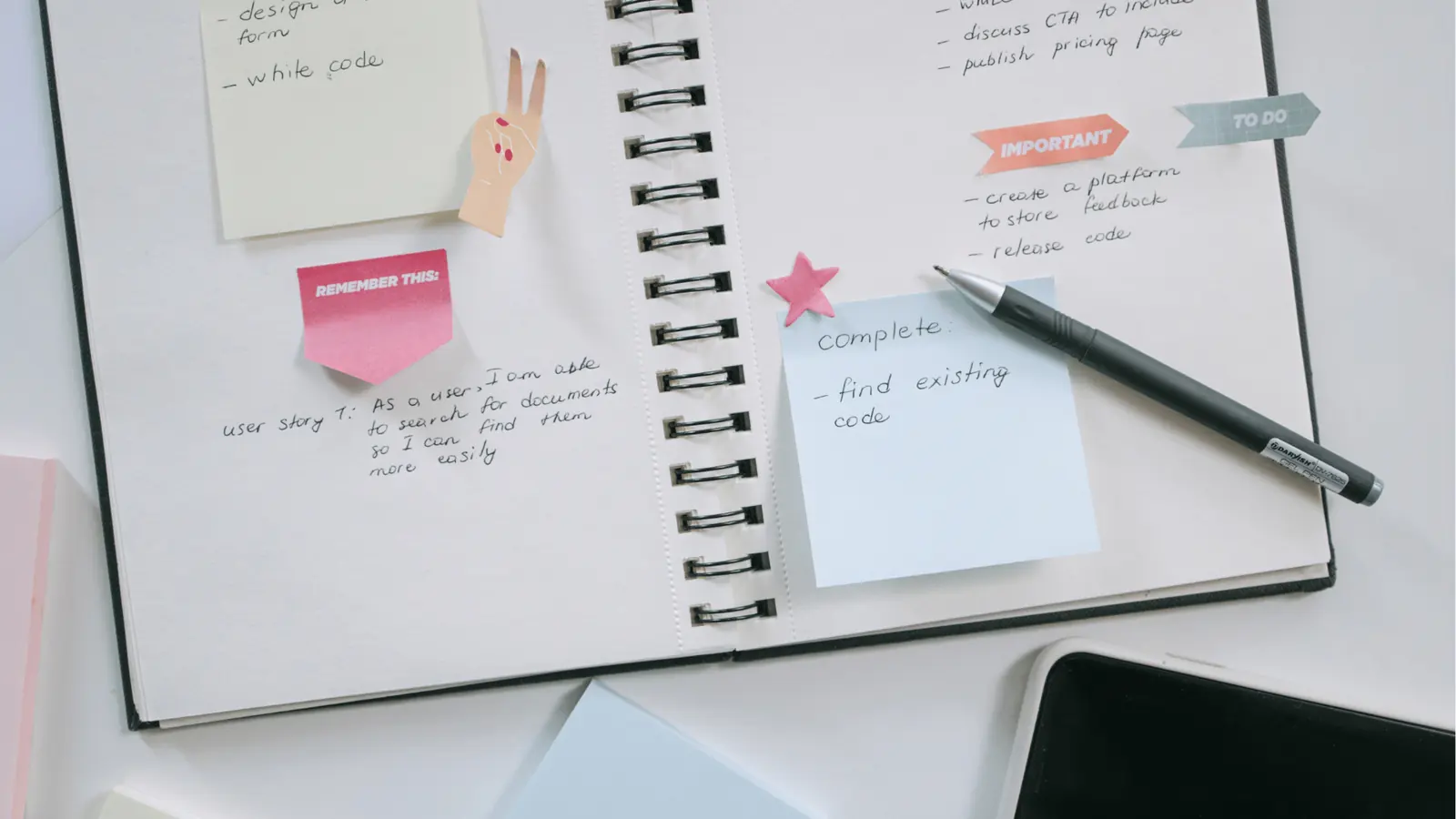
For most solo managers, the best path is a hybrid one. Use AI where it clearly saves effort, and keep people in control where nuance matters. A simple rule of thumb: automate structure and repeatable tasks, and keep creative judgement and sensitive tasks human.
Start by mapping the content process for each account. Break the work into stages: ideation, drafting, editing, visual creation, scheduling, publishing and community response. For each stage, set a default owner: AI, human, or AI with human review. For example, ideation could be AI plus human review, drafting AI, editing human, visuals AI-assisted, scheduling AI, publishing a human final check, and community response human. That map shows you where automation should live.
Guardrails are vital. Use templates, prompt libraries and quality checklists. For captions, build a template with a hook, the value, a call to action and hashtags, and train your prompts to follow it. Then run a pre-publish checklist every time, covering brand voice, accuracy and legal checks. Make it a quick habit: a few minutes per post, but it cuts risky output dramatically.
Batching works well with hybrid workflows. Run an ideas prompt, export 20 drafts, then spend a focused block editing and tailoring them. You keep the speed of AI and add human polish. For reactive posts or sensitive replies, send them down a human-only lane, so nothing can publish without a person's approval.
Version control and change tracking help too. Use a simple naming convention for drafts and keep a changelog or notes on why you made edits. It stops you repeating mistakes and helps when you bring on a client or teammate. It also gives you an audit trail that explains how content evolved if you ever need to defend a decision.
Measure your human effort as well. Track how much time AI saves at each stage and put that time into higher-impact work, like building community or planning strategy. The point is not to remove human work but to move it towards what really makes a difference.
A few habits make hybrids practical. First, set decision rules for common situations. For example, allow AI-only posts for evergreen tips with a human spot check, but require human sign-off for product announcements and client proposals. Put those rules in a shared doc so you do not have to think about them on a stressful day.
Second, automate triage. Use a simple tag or label in your content calendar, such as "AI draft", "Needs edit" and "Ready to schedule". It creates a visual queue that keeps work moving without micromanagement. Third, limit automation per account. Newer or higher-risk accounts should start with tighter human controls, while mature accounts with a stable voice can safely use more automation.
Training the model is another practical step. Improve results by showing the AI examples of high-performing posts and the kinds to avoid. Keep a short list of dos and don'ts. Over time, your prompt library becomes a living style guide that captures brand preferences in a form the AI can follow reliably.
Finally, plan checkpoints. Review scheduled posts weekly and performance and voice monthly. These rituals keep the system honest. They are the human moments that keep automation a tool for efficiency rather than a source of drift.
Tooling and process: practical workflows and templates

Picking tools is a practical, personal choice, so start simple. Choose one AI writing tool, one visual assistant and one scheduler that works with the platforms you use most. The fewer moving parts the better. Too many tools create friction and cancel out the time AI promises to save.
A minimal stack could look like this. An AI writing assistant for drafts and ideas. A short-form video tool for cutting long videos into clips that suit each platform. A single scheduler to queue posts to several networks. Add a lightweight content calendar, in a spreadsheet or a Trello board, where you keep final drafts and publishing status. That combination covers most needs without the complexity.
Templates speed up adoption. Here are three to try. Caption template: a hook line, one or two sentences of value, a single call to action, 3-6 hashtags and one line for cross-posting notes. Repurposing template: a link to the source content, 3 clips to extract, 5 caption angles and suggested thumbnails. Crisis response template: show empathy, explain the next steps, give contact details and offer a follow-up. Keep templates short and repeatable so they are easy to use in a batch.
A prompt library is your secret weapon. Create a small folder of prompts tuned to your brand voice. Examples include "Rewrite this caption to sound friendly and professional without emojis" or "Create three short hooks for a product launch aimed at small business owners." Always version your prompts when you change them, so you can go back to the old behaviour if a new prompt drifts.
Here is an example week. On Monday morning, run an ideas prompt for the week's theme. On Monday afternoon, generate drafts and tag them in your calendar. Tuesday, edit and assign images. Wednesday, schedule posts and set reminders for community follow-ups. Keep one day a week for community replies and the story posts you do live. A predictable rhythm cuts decision fatigue and keeps content fresh.
Automate quality checks wherever you can. Use tools that flag possible policy violations or check for broken links. Set up light automations that remind you to review scheduled content 24 hours before it goes out. These small defences prevent embarrassing mistakes and keep human review meaningful rather than frantic.
Beyond the basics, focus on integrations that cut manual steps. Choose tools that connect through simple exports or native integrations. For example, export AI drafts straight into your calendar, or use a scheduler that accepts CSV imports so batch scheduling is painless. Connect your video editor to cloud storage so trimmed clips reach your scheduler without manual downloads.
Onboarding and documentation matter. Keep a one-page playbook for each account listing brand voice points, banned words, core hashtags and preferred image styles. Add your most reliable prompts and a short changelog of major prompt updates. When you take on a new client or hand over an account, the playbook prevents costly missteps and speeds up the start.
Last, keep a short monitoring plan. Automate alerts for sudden drops in engagement and set up a quick response routine. Small automations can collect weekly performance summaries and flag posts that stray from average engagement. Those signals become the slow feedback loop that shapes prompt tuning and editing priorities. In practice, automation handles the routine tasks while human oversight focuses on exceptions and strategy.
Measuring success: metrics, testing and iteration

Measuring what matters tells you whether your AI or human-first choices are working. For solo managers the obvious metrics are reach, impressions, engagement rate and saves or clicks. But also track time saved, drafts created and approval time. If AI is saving hours but engagement is dropping, adjust the workflow.
A simple testing plan works well. Use A/B testing for captions or thumbnails. Publish two variants to similar audiences or at similar times, then compare engagement and clicks after a fixed window. Keep tests small and change one variable at a time. AI is great at producing variants, but a person should design the test and interpret the results.
Qualitative feedback counts too. Note the comments that mention your brand voice, or customer feedback that refers to tone. Save examples of replies that performed well and link them to the draft workflow that produced them. Over time you will learn which prompt styles produce stronger drafts and which need heavier human editing.
Time tracking is underrated. Use a simple timer to record how long ideation, drafting and editing take before and after you bring in AI. If total weekly hours fall and engagement stays flat or improves, AI is helping. If hours fall but key metrics drop too, put human time back into editing and community work, where it matters most.
Review your prompts and templates every month. Small tweaks add up. Keep a short list of prompts that reliably produce good drafts and prune the ones that create extra editing. Make prompt versioning part of your routine, so that when something stops working you can roll back quickly.
Finally, keep a regular human review. Even when automation runs most of the day, book a weekly session. Look for patterns, check brand consistency and plan the high-impact content that automation is not suited to create. This steady review protects your voice and keeps automation a tool, not a replacement for strategic thinking.
Conclusion
There is no universal winner in the AI-assisted versus human-first debate. For solo social managers, the right approach is pragmatic and hybrid. Use AI for speed, scale and repeatable tasks. Keep people in charge of nuance, crisis handling, relationship building and creative originality. Map your content process, put guardrails in place and adopt templates, so automation takes the grunt work while you focus on what has the biggest impact.
Start small. Automate one stage, measure the result and expand. Over time you will build a workflow that saves hours without costing you the brand character that makes your content memorable. Use the decision checklist below to pick a starting point.
Decision checklist
- Is the task repetitive and rule-based? If yes, automate it.
- Does the task need emotional judgement or knowledge of the brand? If yes, keep it human.
- Can a quick checklist catch the common AI errors? If yes, allow AI drafts plus human review.
- Is speed more important than perfection this time? If yes, favour AI and iterate.
Choose the balance that gives you your time back and protects your brand. The right blend lets you publish more and still sound like you.



 Google review
 Trustpilot review
 Product Hunt comment




