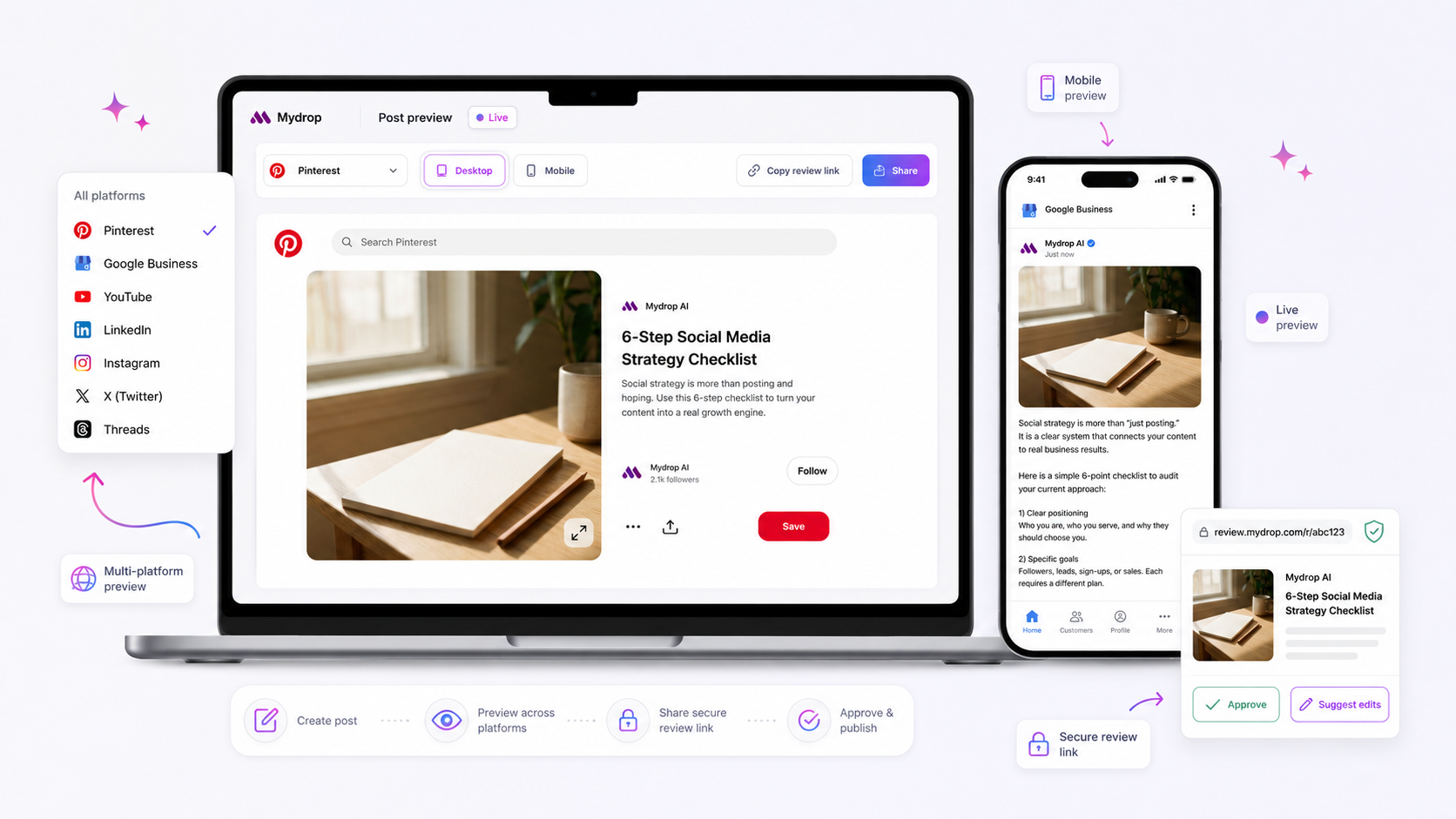
That red error notification in your composer isn't punishing you; it is a safety mechanism protecting your brand from a silent publishing failure. When your post composer blocks a bulk publish, it is almost always because the metadata, aspect ratios, or field requirements of your content do not map cleanly to the specific technical schemas of the platforms you have selected.
We get it. You are trying to move fast, and having a "save" button dead-end because of a cryptic field requirement feels like the software is actively fighting your workflow. It is the classic friction point in modern social operations: the moment your grand creative vision for a cross-platform campaign crashes into the rigid, platform-specific reality of public APIs.
The good news is that these errors are not random glitches. They are diagnostic signals. If you learn to read them, you can stop fighting the UI and start building content that is natively compatible from the jump.
Where the handoff is actually breaking
Most validation bottlenecks originate from the "unified" fallacy-the assumption that a single piece of media or a master caption can be dropped into every channel without modification. When you select Instagram, LinkedIn, and TikTok simultaneously, you are asking a single post object to satisfy three completely different technical environments.
Think of it as a coordination debt. Every time you bundle platforms, you increase the surface area for a schema conflict.
Here is why your team likely encounters these breaks:
- Asset Incompatibility: You have attached a 9:16 video intended for TikTok, but you forgot that LinkedIn often requires specific thumbnail aspect ratios or title metadata to avoid being cropped awkwardly.
- Schema Mismatches: A platform might require a "first comment" field or a specific tag format (like Threads) that does not exist on another. If the composer cannot map your input to the required destination field, it hits a hard stop.
- Constraint Violations: Your perfectly crafted, multi-paragraph caption might hit a character limit on one platform, even if it fits perfectly on another.
When you try to "one-size-fits-all" your assets, you aren't just dealing with a UI error; you are hitting a wall built by the platforms themselves.
At Mydrop, we see this across thousands of posts. Teams that fail consistently are those that write the caption first and choose the profiles last. The teams that win use Schema-First Mapping.
Operator rule: Don’t write your caption in a vacuum. Always select your platform bundle first. This forces the composer to render the specific required fields for those channels-like thumbnail previews or visibility settings-so you see exactly where your content needs to adapt before you ever try to save.
By forcing yourself to acknowledge the unique schema requirements of each channel at the start, you move the decision-making closer to the creative work. You stop fixing errors at 6 p.m. during a frantic publishing window and start planning for the specific constraints of each destination while the strategy is still fluid.
The coordination debt checklist

Most validation errors are not technical bugs; they are physical symptoms of coordination debt. You are trying to force content through a pipeline designed for one environment into a destination that speaks a completely different language. When your composer lights up with red alerts, it is effectively saying that your "unified" asset is missing the translation layer required for those specific channels.
If your team is constantly troubleshooting metadata or field requirements, use this diagnostic audit to find where the debt is accruing.
| Trigger | Diagnostic Question | Why it fails validation |
|---|---|---|
| Media mismatch | Are you mixing video with static-only boards? | Platform schemas reject unsupported file types or missing aspect ratios. |
| Metadata drift | Did you add a link or mention after selecting platforms? | Different platforms require custom tag formats or URL parsing rules. |
| Compliance gap | Are mandatory fields (like location or ALT text) ignored? | API schemas will block any submission lacking required governance data. |
| Workflow clash | Are you mixing draft-only and direct-publish profiles? | Mixing user-permission levels often invalidates the entire bulk-schedule request. |
Common mistake: Treating your "Primary Platform" (usually the one where you write the first draft) as the master template for every other channel. It never maps perfectly.
How to move decisions closer to the work
The most effective teams stop treating post-creation as a final assembly line and start treating it as a parallel configuration process. Instead of writing a perfect caption in a document and hoping it pastes well into your composer, you need to bake platform constraints into the earliest planning stages.
At Mydrop, we see the most successful operators switch to a "Schema-First" workflow.
- Profile Bundling: Before typing a single word, select your entire platform destination set. This forces the composer to render the specific, required fields for that exact combination-like TikTok’s visibility toggles or LinkedIn’s specific title requirements.
- Constraint-Mapping: Use the composer’s preview mode while writing. If you see a field empty, that is not just a UI design choice; it is a hard platform requirement that will cause a 403 or 400 error later.
- Platform-Specific Refinement: Do not "bulk apply" captions. Use AI assistant tools to adapt the master message for each channel’s unique tone and character limit.
Decision check: If a field is required by the platform API, do not let your team skip it during the intake phase.
When you shift these decisions to the creation step, you transform those frustrating "last-minute validation errors" into simple, proactive checks. You aren't fixing bugs anymore; you are finalizing a broadcast-ready package. It turns a chaotic end-of-day scramble into a repeatable, automated habit that your team can actually rely on. Stop fighting the platform schemas and start planning for them-it is the only way to scale without breaking the machine.
The roles and rules that reduce rework
The reason your team keeps hitting validation walls is that someone is trying to play editor, scheduler, and platform-compliance officer all at once. In our experience, teams managing dozens of brand profiles start to drown the moment they treat the Composer as a blank canvas rather than a set of guardrails.
To break this cycle, move away from individual hero-work and toward defined operational roles.
Workflow check: If the creator is also the one fighting the final validation errors, your process has already failed.
Separate the roles of Content Architect and Compliance Lead. The Architect builds the creative vision-the core caption, the primary media, the campaign goals. The Compliance Lead (or the system itself, properly configured) handles the last-mile tweaks-the specific first comment for Threads, the thumbnail aspect ratio for LinkedIn, or the specific visibility toggles for TikTok.
By treating the "Composer" as a shared handoff point rather than an individual to-do list, you eliminate the constant ping-ponging of "why did this fail to schedule?" It transforms a technical block into a clear, assignable task.
The weekly habit that keeps the system honest
Validation errors are often just the visible scar tissue of a broken weekly planning cycle. If you are rushing to publish on Thursday what was planned on Wednesday, you are guaranteed to hit schema conflicts that stop you in your tracks.
A healthy social operation requires a mid-week audit of your content pipeline. We suggest a 30-minute "Schema Sync" with your core team.
| Step | Focus Area | Goal |
|---|---|---|
| 1. Asset Check | Media dimensions & file types | Validate against platform limits for all targets |
| 2. Field Review | Required tags, comments, & links | Ensure mandatory metadata is pre-populated |
| 3. Approval Loop | Stakeholder availability | Identify potential bottlenecks for high-risk posts |
| 4. Validation Run | Bulk simulation | Run the Mydrop composer check to flag errors early |
Doing this on Tuesday or Wednesday gives you a 48-hour buffer to swap an incompatible asset or rewrite a caption before the deadline arrives. It turns a "panic at 6 p.m." into a quiet, 10-minute adjustment.
Conclusion
At the end of the day, most teams do not have a content problem-they have a decision bottleneck. That red error notification in your composer isn't a bug; it is an invitation to be more intentional about how your brand shows up across different platforms.
Stop viewing schema requirements as a technical annoyance. Start viewing them as a framework for better distribution. When you map your creative to the unique constraints of each platform early in the process, the software stops blocking you and starts enabling you. Your team is capable of massive output; they just need an operating habit that respects the technical reality of the channels they serve. Keep the system clean, the roles clear, and the validation checks frequent. You will be surprised how quickly those "technical bugs" disappear when they are no longer being rushed through the door at the last possible second.