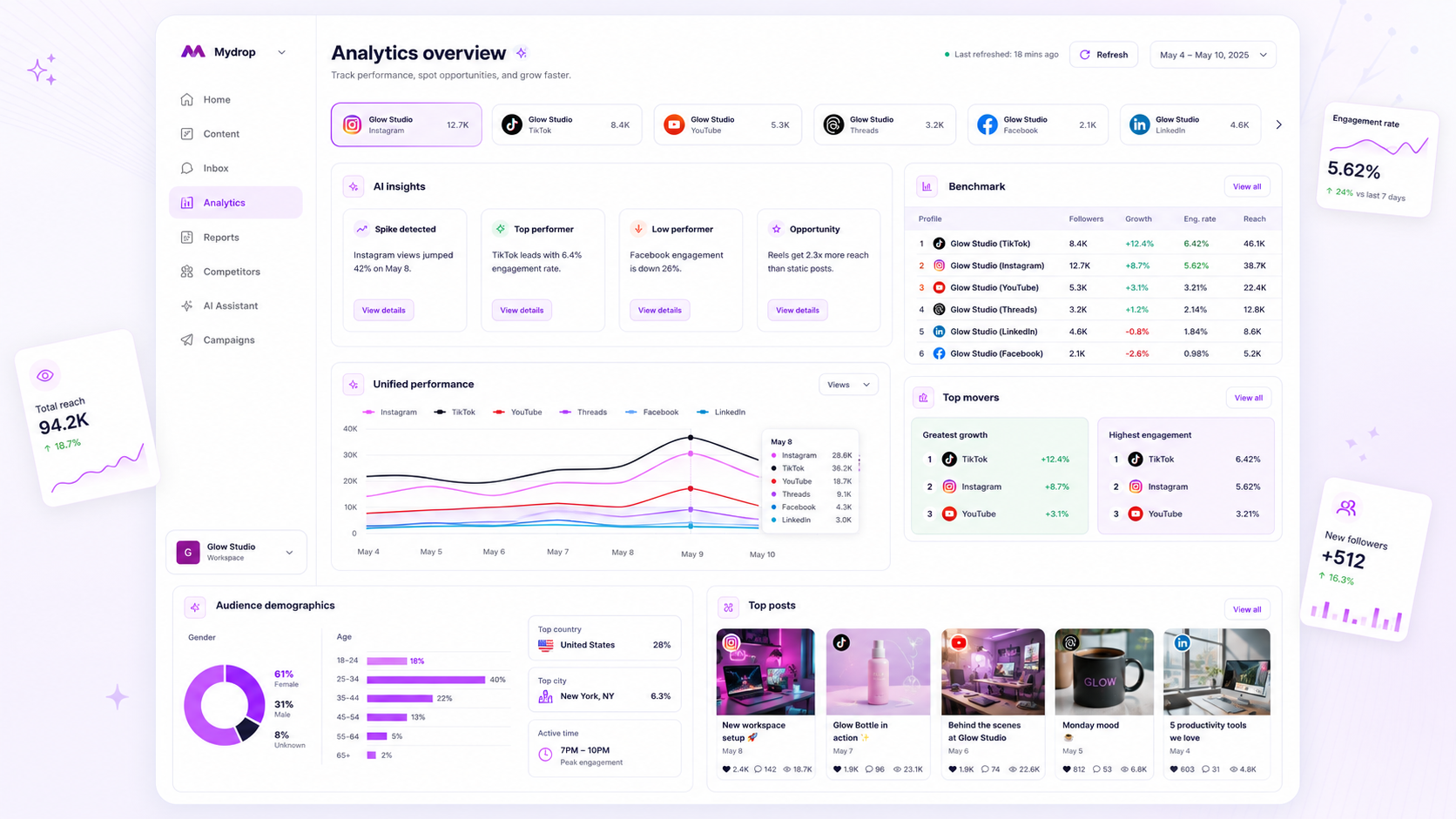
Stop hitting "Refresh" on your analytics dashboard every time you want a dopamine hit from a post launch. Instead, set your cadence to match the velocity of your campaign, and let your automated daily maintenance handle the baseline health checks for evergreen content. We have all been there, hovering over that refresh button, hoping to see a viral spike that might be hours away from actually registering in the API. It is exhausting, and quite frankly, it is the kind of busywork that drains your team's energy while leaving your actual strategy unchanged.
You are not alone in this; we see it across teams managing hundreds of brand profiles. The urge to chase real-time numbers is understandable, but treating your analytical dashboard as a live ticker is a trap that leads to reactionary decisions based on incomplete platform signals.
The decision each metric should trigger

Data is only useful if it forces a change in your next move. If you are checking reach or engagement without a clear "if-then" plan, you are not performing analysis, you are just looking at numbers. A healthy refresh cadence relies on mapping specific metrics to operational actions, ensuring you only pull fresh data when it informs a tangible pivot.
| Metric Family | Decision Trigger | Refresh Frequency |
|---|---|---|
| Conversion / Clicks | High-variance, budget-impacted; move ad spend or pause creative. | 2x Daily |
| Reach / Impressions | Baseline health check; calibrate future organic posting times. | Daily Automated |
| Sentiment / Comments | High-velocity response needed; flag potential PR or community risks. | Hourly (As Needed) |
| Follower Growth | Long-term brand health; rarely actionable within a 24-hour window. | Weekly (System) |
At Mydrop, we often see teams burning through manual refresh cooldowns to check metrics like total followers or aggregate monthly views-metrics that are, by definition, slow-moving. If your team is refreshing the dashboard to check follower counts every hour, you have a coordination debt problem, not a data freshness problem.
Operator rule: Only trigger a manual refresh if you are prepared to kill, scale, or edit a campaign within the next hour. If the data is just for "feeling good" about a post, wait for the daily system sync.
By aligning your dashboard refreshes to the actual speed at which your platform data matures, you stop chasing ghosts and start using analytics to manage your workload effectively. This is where moving away from manual obsession saves real time; you aren't just saving clicks, you are protecting your team's focus for the decisions that actually move the needle.
The scorecard that keeps reporting useful

The most common trap for enterprise teams is treating the analytics dashboard as a "catch-all" document. You end up with a wall of data that tells you nothing about the health of your strategy because every metric is treated as equally important. When you support dozens of stakeholders across different markets, a raw data dump is not a report; it is noise.
To fix this, strip your reporting down to a Priority Scorecard. The goal is to move from "checking everything" to "monitoring the indicators that signal a need for action." In Mydrop, we see the most successful teams organize their dashboard around a core set of benchmarks-like 30-day reach and engagement velocity-while moving granular noise into secondary subcollections.
Sample Priority Scorecard (Illustrative)
| Metric | Business Intent | Action Trigger | Threshold for Review |
|---|---|---|---|
| Reach (30-day) | Awareness | Brand health check | >15% variance from 90-day mean |
| Engagement Rate | Content Resonance | Creative pivot | <2% on high-priority campaigns |
| GBP Call/Dir. Clicks | Lead Intent | Local ops feedback | 10% dip week-over-week |
| Video Completion | Quality Control | Edit optimization | <20% drop-off at 5-second mark |
The key is the Action Trigger. If a metric doesn't lead to a specific "do this" or "stop that" decision, it doesn't belong on the primary dashboard. If it's a vanity metric that makes you feel good but doesn't change your creative roadmap, delete it.
What to stop measuring by default
We have all seen the "everything-plus-the-kitchen-sink" dashboard. It is a crime scene of scattered intent. When you measure too much, you lose the ability to see the signal through the noise, and your team wastes hours debating whether a 1% shift in a low-intent metric warrants a strategy pivot.
Stop tracking these metrics by default to reduce your cognitive load:
- Raw Follower Count Fluctuations: Unless you are mid-crisis or in the middle of a massive paid acquisition push, daily follower counts are vanity. They trigger unnecessary "refresh" anxiety without providing actionable creative insights.
- Impression Volume in Isolation: Impressions tell you if the content was served, not if it was effective. Without pairing it against clicks or conversion intent, it is just a budget-burn signal.
- Generic Sentiment Scores: Most automated sentiment analysis is too broad to be useful. If the software says a comment is "neutral," but your community manager knows it is a customer support ticket in disguise, the score is actively misleading.
- Multi-Platform Aggregate "Total Likes": Combining Likes from LinkedIn, X, and TikTok is mathematically useless because the value of a Like varies wildly by platform. It hides the specific performance wins or losses of your individual channel strategies.
Decision check: If you cannot explain the specific business decision this metric will drive within the next 48 hours, remove it from your primary view.
When you simplify your dashboard, you stop asking the system to "refresh" just to see if a line moved. You start using your analytics to ask: "Is our creative approach actually resonating with the audience, or are we just shouting into the wind?" That is where real strategy begins.
How to connect metrics to next actions
The biggest mistake we see isn't the data itself; it's the "so what?" void after you stare at it. If a metric doesn't lead to a tangible, repeatable action, it’s just noise that eats your team's mental bandwidth. You need to map every primary performance signal to a specific operational pivot.
When your Mydrop dashboard shows a dip in Reach, don't just add it to a "to-do" list. Decide: is this a content quality issue (hook failure) or a distribution issue (wrong timing)? If the metrics are stale, you are diagnosing a problem that might have already self-corrected, leading to reactive meddling that actually hurts performance.
Workflow check: If you cannot define the action required when a metric drops by 15%, stop tracking that metric. Your dashboard is not a storage unit; it is a cockpit.
Here is how to map your signals:
| Metric | Threshold | Tactical Action |
|---|---|---|
| Reach/Impressions | < 80% of 30-day Avg | Refresh creative or adjust posting time for next batch. |
| Engagement Rate | < 2% drop | Increase community management time on active posts. |
| GBP Call/Direction Clicks | Unchanged | No action; these are high-intent but low-frequency. |
| Video Completion | < 50% threshold | Audit the first 3 seconds of your next 5 video assets. |
The review cadence that makes the model stick
You need a rhythm that mirrors how your stakeholders actually consume information. If you force a daily "deep dive" meeting, your team will eventually stop showing up because there isn't enough change in the numbers to justify the hour.
Instead, build a tiered reporting habit.
- Daily (System): The automated Mydrop dashboard refresh handles the heavy lifting. This is for health checks-making sure no account is disconnected and that baseline trends aren't trending toward zero.
- Weekly (Diagnostic): One 20-minute meeting to look at the 30-day window. This is where you spot trends that weren't obvious on Tuesday.
- Campaign-Linked (Triggered): Only when launching a high-velocity project do you break the routine with manual refreshes to monitor sentiment and conversion speed.
Common mistake: Treating a 30-day cached average as a daily target. You are effectively trying to read a thermometer in a blizzard; you will get cold, but you won't know why.
Conclusion
The truth is, most teams do not have an analytics problem. They have a coordination bottleneck. By standardizing your refresh cadence and mapping metrics to specific next actions, you stop chasing phantom spikes and start managing your brand footprint with actual intent.
When you stop treating the dashboard like a live stock ticker, you reclaim the hours previously wasted on "check-ins." You’ll find that when you do finally hit that manual refresh button in Mydrop, it’s because you have a real, data-backed hypothesis to test, not because you’re hoping the numbers finally look better. Keep your cadence disciplined, your dashboard clean, and your actions intentional. Your team-and your sanity-will thank you.