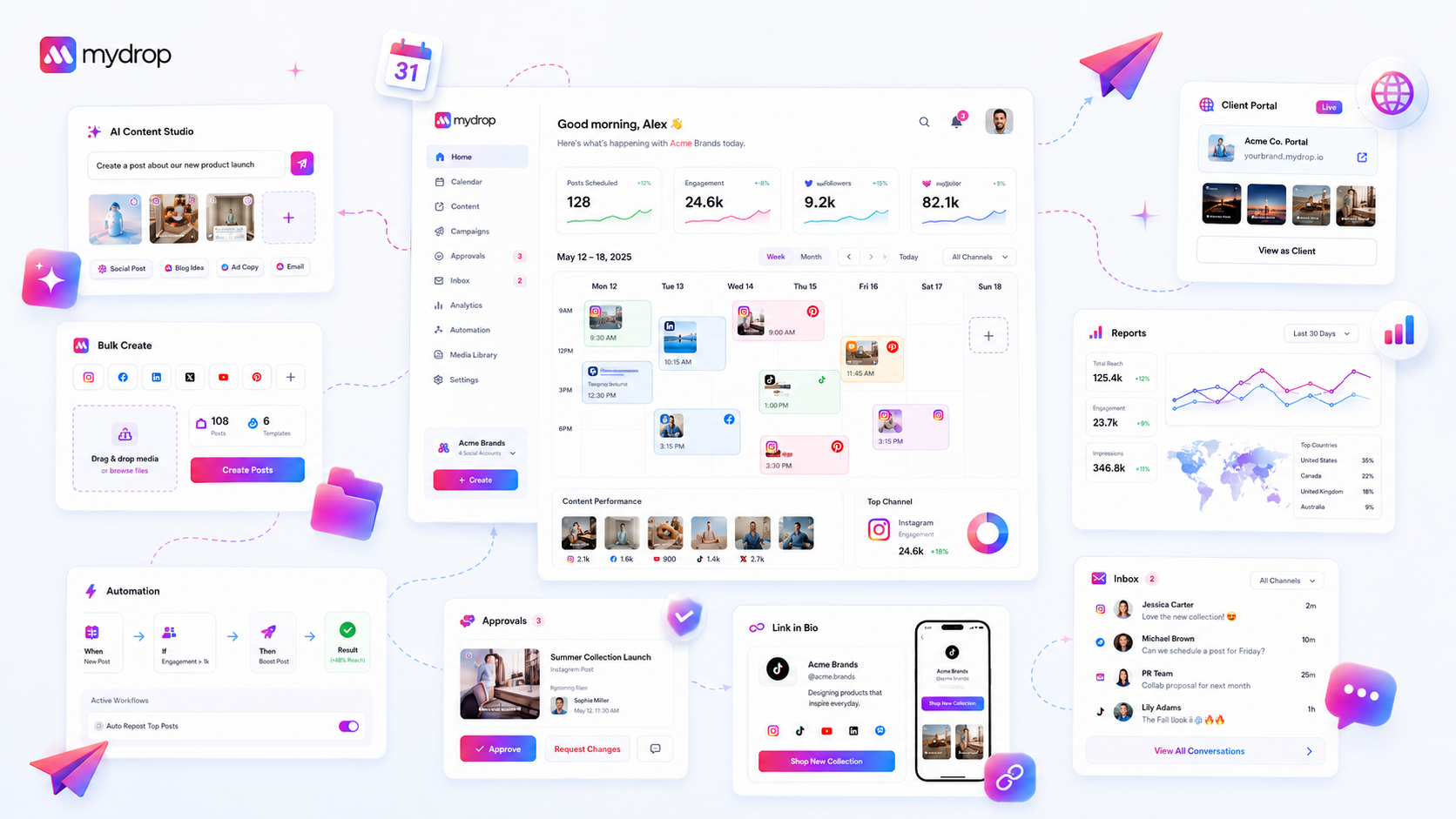
New social media managers or clients stall during onboarding because your platform lacks visible, data-driven milestones, turning a critical first-week experience into a guessing game. They aren't stalling because they lack motivation; they stall because they cannot see what "successfully configured" actually looks like. If they don't know exactly which profile connections, brand assets, or automations constitute a ready-to-run workspace, they will default to hesitation rather than asking for help.
We have all seen that "Day 1" energy-the fresh enthusiasm of a new hire or a new client onboarding-quickly evaporate the moment they hit a blank, overwhelming dashboard. It is exhausting to watch high-potential talent spend their first week trying to figure out if they have actually set everything up correctly. This audit will help you identify the precise friction points in your agency onboarding, replace manual checklists with data-backed progress tracking, and ensure your team starts producing content instead of just troubleshooting their environment.
The hidden cost of bad onboarding is not just lost time; it is the permanent "setup anxiety" it installs in your team, causing them to treat the platform as a technical hurdle rather than a creative engine for the rest of their tenure.
What the best tools need to handle

The most effective onboarding systems do not rely on static documentation or manual "report back" requests. If setup progress isn't inferred directly from live product data, it effectively does not exist. Your infrastructure needs to actively recognize the current state of a workspace-whether profiles are fully connected, media is uploaded, or brands are defined-and surface guidance based on that reality, not on a generic linear tour.
| Failure Mode | Symptom | Root Cause |
|---|---|---|
| Workflow Fragmentation | User jumps between config menus and docs | Siloed setup steps without a unified checklist |
| Contextual Blindness | User is shown redundant tutorials | Platform ignores completed setup milestones |
| Ambiguous Milestones | User asks "am I ready to post?" | No validation of profile/media readiness |
| Static Guidance | Irrelevant "Show Me" tours surface | Guidance is not triggered by workspace state |
At Mydrop, we see teams fail when they rely on users to manually check off a list. Instead, high-performing enterprise teams require a system that validates setup milestones in real-time. When a user connects a profile, the platform should know it instantly, update the progress percentage, and pivot the next recommended step automatically. This keeps the momentum moving forward without forcing the user to re-read documentation they have already mastered.
Operator rule: If your onboarding tool cannot detect that a profile is connected or a brand asset is uploaded, it is not a tool; it is a distraction. Your setup surface must be a live mirror of the workspace state.
The most common failure isn't technical; it's psychological. When your onboarding relies on static, generic checklists-the kind that send new hires to a knowledge base far away from their actual workspace-you’re setting them up for a classic "Ghost Link" scenario.
They think they’ve connected a brand, but they didn’t configure the permissions. Now, they are stuck in a dead zone, afraid to break anything, and their "Day 1" energy just cratered. Basic tools simply don’t know what the user has already achieved. They treat a power user and a total novice the same, spamming them with the same "Show Me" tours they don't need, while failing to guide them through the configuration steps that actually matter for your specific agency workflow.
At Mydrop, we’ve found that when onboarding isn't tied to live product data, the process effectively doesn't exist. If the tool can't see that your profiles are linked, media is uploaded, or your first automation is live, it’s just guessing. This lack of visibility is why new team members stall; they aren't lazy, they are just paralyzed by ambiguity.
The buying criteria that matter
When you’re evaluating a new platform, move past the "easy-to-use" claims. Look specifically for how the tool manages setup state and whether it treats onboarding as a dynamic, data-backed process rather than a static documentation exercise.
Use this scorecard to audit your current vendor or evaluate a new one:
| Criterion | What "Basic" Tools Do | What Enterprise-Ready Tools Do |
|---|---|---|
| Progress Tracking | Manual check-off of tasks | Inferred status from live data |
| Guidance Surfacing | Static help center links | Context-aware tours and prompts |
| Milestone Logic | Generic "complete" flag | Action-specific setup completion |
| State Awareness | Ignores existing config | Dynamically hides finished steps |
| Integration Path | Siloed help pages | Embedded in the core workflow |
The core principle here is visibility. You need a platform that treats your team’s setup progress as an operational metric. In Mydrop, the Quick Start panel tracks live milestones-like whether a user has actually attempted AI post generation or configured their first brand group-rather than relying on them to manually acknowledge a help article.
If the tool can’t validate the setup state for you, you become the tool that does the validation. You end up chasing down new hires, asking for screenshots, and playing IT support instead of letting your team focus on strategy. Stop buying software that requires you to manage its own implementation. Look for systems that know when they are ready to run, and that can show your team exactly where to go next.
This is usually where teams realize their biggest bottleneck isn't the software itself, but how much time they are spending "training" new hires on things the platform should be guiding them through automatically. If you’re manually tracking onboarding, you’re paying for it twice.
How Mydrop supports this workflow
We built Mydrop on a simple premise: if your platform doesn't know where you are in your setup, it shouldn't bother you with "tips" you don't need, or worse, ignore the fact that you’re stuck. We move away from static onboarding guides that live in a separate tab, favoring a state-driven approach that recognizes your actual progress.
When you land in a Mydrop workspace, our Quick Start panel isn't just a list; it’s a direct reflection of your live product data. If you’ve connected a profile, it registers. If you haven't tried AI post generation, it gently surfaces that as a "next best action" rather than leaving you to guess what you should do next. We use intelligent triggers to surface onboarding overlays only when relevant, like when you’re first attempting to create a brand or link your primary enterprise channels.
This means your new team members aren't just reading about how to work-they’re being guided through the actual work, with "Show Me" tours that run right in the interface. They gain confidence by doing, not by studying.
A simple shortlist checklist
If you want to audit your current onboarding process this week, look for these markers. If you can't check these off, your team is likely experiencing unnecessary "setup anxiety" that will bleed into their performance for months.
| Milestone | Diagnostic Question | Red Flag |
|---|---|---|
| Visibility | Can a new hire see their exact setup % on the dashboard? | "See knowledge base for steps." |
| Data-Driven | Does the onboarding auto-complete when tasks are finished? | Manual check-off required. |
| Context | Are guided tours triggered by current workspace state? | Static "Intro" tours for everyone. |
| Assets | Is the media library ready before the first post attempt? | Asset upload is an afterthought. |
| Training | Is there a clear path to human support or virtual training? | No way to signal "I'm stuck." |
Decision check: If your onboarding doesn't know what the user has already done, you aren't onboarding them-you are just giving them homework.
Conclusion
The bottleneck in your agency’s onboarding isn't a lack of talent or effort; it's a lack of clarity. When you force new hires to map out their own workspace setup, you’re asking them to solve a puzzle before they’ve even started the job. Stop treating setup as a hurdle and start treating it as the foundation of your team's success.
By shifting from generic, static checklists to data-driven milestones that celebrate actual progress, you turn that high-energy first week into a period of genuine output. Your team shouldn’t have to guess if they’ve done it right; they should be able to see it, feel it, and move immediately to the work that actually builds your brand. If the platform isn't showing them the way, you’re just paying for coordination debt. Get the setup right, and the content velocity follows.