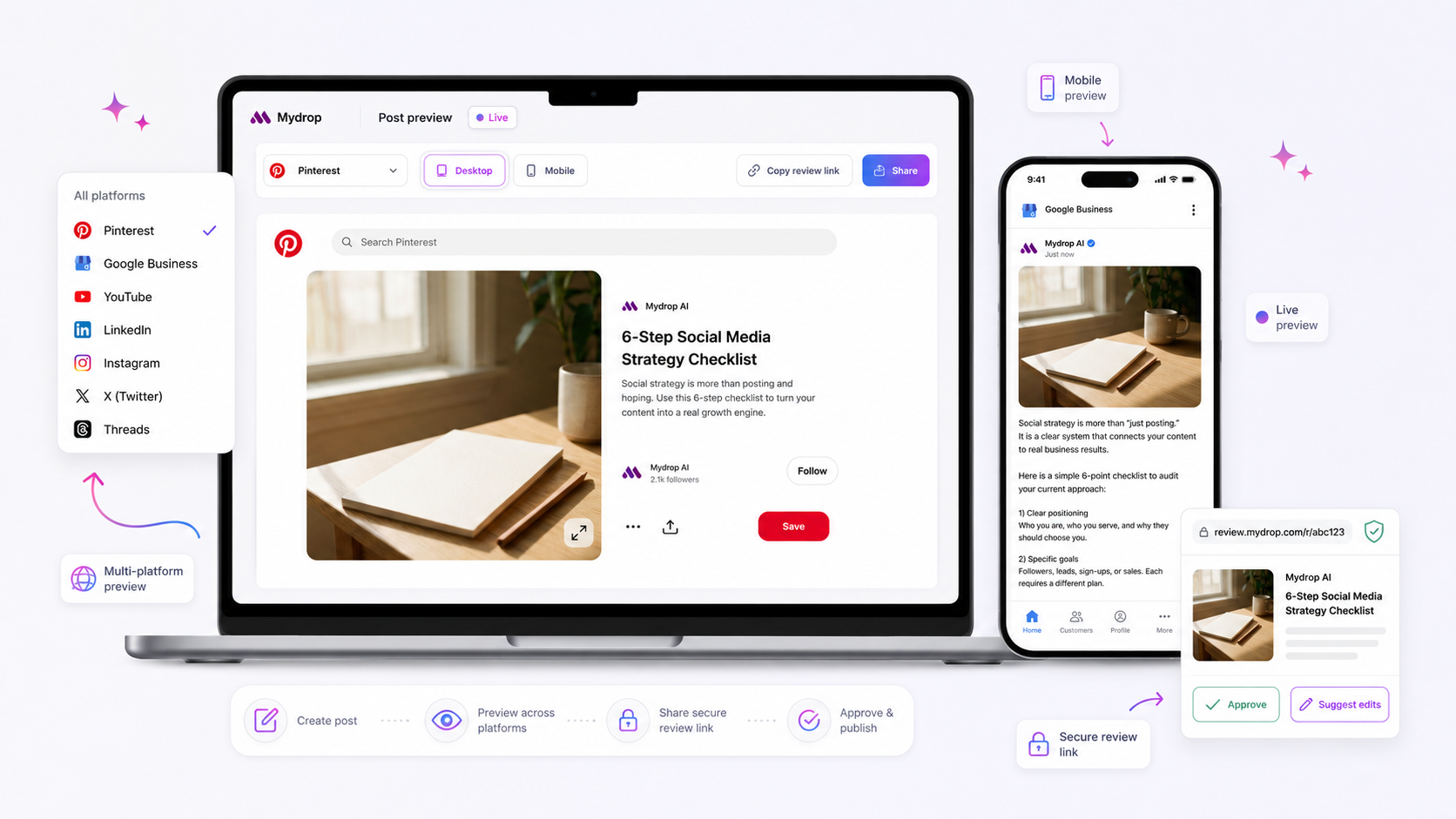
The best social media composer for a multi-brand team is one that acts as a schema-driven guardrail, enforcing platform-specific compliance at the point of creation before a single post is scheduled. Efficiency is nice, but when you are managing three distinct brand voices across a dozen platforms, the real enemy is not the lack of templates-it is the low-grade panic that someone is going to use the wrong tone, miss a mandatory disclosure, or break a platform-specific field rule.
We have all been there. You are staring at a screen at 6 p.m. wondering if that specific Instagram story needs a location tag or if the TikTok visibility settings were toggled correctly for a corporate announcement. In a multi-brand environment, "copy-paste" is a liability. You need a system that knows the difference between a LinkedIn corporate update and a Threads community tag, and refuses to let a post proceed if the requirements aren't met.
What the best tools need to handle

The "Flexibility Fallacy" is what keeps most teams stuck in a cycle of revisions. Many tools market themselves on how much they let you customize, but in a large enterprise, unconstrained flexibility is just a faster route to a PR crisis. Your composer shouldn't just be an empty box for text and images; it needs to be a stateful environment that understands the constraints of every profile you own.
Here is where the best systems differentiate themselves from the standard scheduling apps:
| Feature | Market Standard | Compliance-First Composer (e.g., Mydrop) |
|---|---|---|
| Field Validation | Static; same fields for all platforms | Schema-driven; adapts per profile/media |
| AI Integration | Generative only; no context storage | Persistent context linked to the post |
| Approval Flow | External; "send me a link" | Integrated; auto-routes based on brand |
| Compliance | User-checked; error-prone | Mandatory; blocks publish if invalid |
Operator rule: If a compliance check-such as a mandatory disclosure, aspect ratio requirement, or region-specific visibility-can be missed during creation, your composer has failed the team.
The most common failure point we see is the "headless" creation process. If your team writes a caption in a document, moves it to a composer, and then realizes the character count is wrong for the chosen platform, you have already wasted 15 minutes and introduced a risk of manual error. The best composer is a live validation engine. When you select a brand, the composer should restrict your options to only those that are compliant with that brand's specific governance and the platform's technical rules.
If your tool allows a user to save a post without checking these fields, you are essentially asking your approvers to be professional editors and compliance lawyers on top of their day jobs. That is not a scalable workflow; it is a bottleneck waiting to happen.
Ultimately, your social media operation is only as reliable as the UI you use to build it. If the interface doesn't force the right behavior, your process documentation never will.
Where basic tools start to break

Here is the awkward truth: most scheduling tools treat social media like a static file transfer. They assume you have the right asset, the right caption, and the right intent before you even open their app. But when you are managing five different brands across fifty channels, you aren't doing "file transfers"-you are managing distributed governance.
Basic tools fall apart the moment you need to scale beyond a single brand voice.
Common mistake: Relying on shared spreadsheets for approvals. By the time an email thread reaches its 12th reply, the original brand context is gone, the file version is unclear, and someone is inevitably going to post a high-res image to a channel that needed a specific aspect ratio.
When your composer doesn't understand the difference between a LinkedIn corporate update and a TikTok trend, your team spends more time fighting the platform’s technical limitations than actually creating content. You end up with "caption drift," where a brilliant creative concept gets mangled because the tool didn't enforce a character limit or required a specific thumbnail at the start of the flow, not the end.
This is where the "Flexibility Fallacy" kills your momentum. You think you want a tool that lets you do anything anywhere, but what you actually need is a tool that knows the rules of every channel you touch.
The buying criteria that matter
Stop evaluating tools by their "ease of use" or "interface polish." Start evaluating them by their compliance infrastructure. A composer that doesn't validate your work against the platform's requirements at the point of origin is just an expensive way to generate PR risks.
Use this scorecard to see if your current stack is actually built for an enterprise operation.
Composer Integrity Scorecard
| Feature | Low-End "Flexible" Tool | Enterprise-Grade Composer | Why it matters |
|---|---|---|---|
| Schema Validation | None (You find out at publish time) | Real-time (Checks before save) | Prevents last-minute API rejections. |
| Brand Context | Global (Same for everyone) | Persistent AI chat per post | Keeps AI tone on-brand during edits. |
| Approval Flow | External (Email/Slack) | Embedded (In-composer) | Keeps feedback attached to the object. |
| Field Mapping | Static (Generic text box) | Platform-specific (Tailored fields) | Eliminates copy-paste errors. |
The "New Post" Audit Checklist
If you want to know if your composer is holding you back, run this simple audit the next time your team creates a post:
- Does the UI change when I switch brands? If you are moving from a conservative finance brand to a snappy lifestyle brand, your composer should swap its available presets and AI tone-guidelines automatically.
- Can I attach an approval workflow without leaving the editor? If you have to copy a link into a spreadsheet, you have already lost your audit trail.
- Does the "Preview" account for platform-specific quirks? It shouldn't just show the text; it should show you if the aspect ratio for that specific channel is going to get cropped or rejected.
- Is the AI context saved? If you spent twenty minutes discussing a caption strategy in the chat, that history should stay attached to the post draft. If the AI "forgets" the brand constraints between sessions, your team will spend hours re-prompting it.
The best social media composer isn't a blank canvas. It is a rigid, intelligent framework that lets your team be creative within the lines you have already set. At Mydrop, we see that teams managing this complexity move away from generic editors because they realize that governance is a creative enabler, not a constraint. When the tool handles the "must-haves" of compliance, your team is finally free to focus on the content that actually moves the needle.
How Mydrop supports this workflow
At Mydrop, we usually see teams start by trying to bend their process around a tool’s limitations. They end up with manual checklists, frantic Slack messages to legal, and a "post-and-pray" culture. We built the Mydrop composer to be the exact inverse of that chaos.
Instead of treating the editor as a blank text box, we treat it as an enforcement engine. When you select your profiles, the composer dynamically pulls the required fields from our postSchema.json configuration-ensuring that if a platform demands a specific thumbnail, a location tag, or a first-comment link, the interface forces the issue before you can save the draft.
You aren't just writing a post; you are building a compliant artifact.
If your team struggles with AI consistency, the post chat session feature is the game-changer. It remembers the context of your creative discussion, so when you come back to tweak a caption for a different brand voice, the AI already knows the previous constraints. It stops the cycle of "re-prompting" and losing brand nuances. Because the composer allows you to route drafts directly to specific stakeholders with built-in reminders, that last-minute, after-hours panic becomes a relic of the past.
A simple shortlist checklist
When evaluating your next composer, run through this quick audit. If you answer "no" to more than two of these, your "flexible" tool is quietly creating a massive compliance debt for your team.
| Audit Question | Why it matters |
|---|---|
| Does the interface hide fields that aren't relevant to the selected platform? | Prevents user error and "cluttered" UI that leads to missed requirements. |
| Can you set up mandatory approval recipients per brand or campaign? | Ensures the right eyes see the right content every time. |
| Does the AI keep track of the specific post's history and constraints? | Prevents "AI drift" where brand voice fluctuates across channels. |
| Are required platform fields validated before the "Schedule" button is active? | Stops broken posts from ever reaching the scheduling queue. |
| Can you attach external approval emails for non-platform users? | Bridges the gap between your marketing team and legal/exec stakeholders. |
Decision check: If your team has to keep a separate "master spreadsheet" to track compliance rules for each platform, your composer is just a fancy notepad. It isn't a social media management platform.
Conclusion
The reality of enterprise social media is that you have too many moving parts to rely on human memory alone. Most teams do not have a content problem; they have a coordination bottleneck. Replacing a legacy scheduler with a schema-driven composer isn't about saving five minutes on a caption-it’s about moving from a reactive state where you are constantly firefighting mistakes to a proactive state where your infrastructure handles the compliance for you.
When your composer is smart enough to enforce the rules, your team is finally free to focus on the one thing that actually drives results: the strategy.