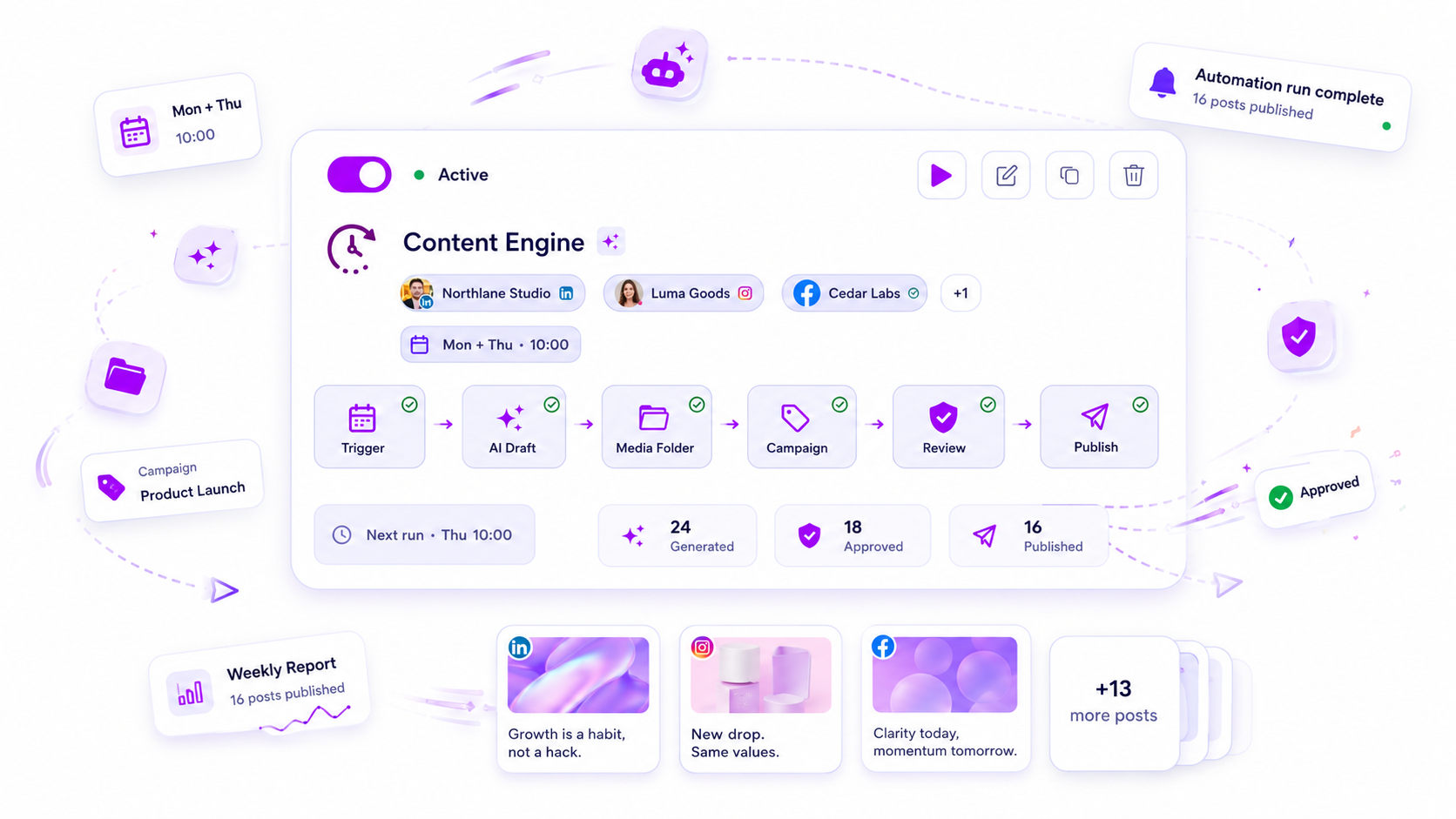
The best social media automation tool for agencies is not the one with the flashiest calendar UI, but the one that treats your intake process as a data source rather than an email chain. If your current workflow requires someone to manually move a file from a client Dropbox into a scheduler, you are not scaling; you are just paying a premium to digitize your own bottlenecks.
We get it. You are likely staring at a massive, color-coded spreadsheet that has become a crime scene. Your team spends more time copy-pasting client approvals into various dashboard fields than actually refining the strategy. It is not just exhausting; it is the silent drain on your team's creative capacity. The goal is to move beyond mere scheduling and build a system where the input-a client form, a strategic prompt, or a shared media folder-travels a straight, deterministic line to the queue, with automated stops for approval along the way.
What the best tools need to handle

When you move from managing a few accounts to supporting dozens of brands across multiple markets, your requirements shift. You stop looking for a "content calendar" and start looking for an end-to-end production engine.
A truly capable tool handles the entire lifecycle of a post without forcing your team to act as manual file-shuttles. Here is the operational rubric for what your platform must handle to justify the subscription.
| Capability | Standard Scheduler | Agency-Grade Engine |
|---|---|---|
| Intake Logic | Manual copy-paste | Form-triggered, mapped fields |
| Media Sourcing | Upload from local disk | Dynamic folders, slots, AI assets |
| Approval Gates | Email notifications only | Context-aware, state-locked queues |
| Campaign Linkage | None / Tagging | Auto-apply brand & campaign rules |
| Human Touch | Every single post | Exception-based (only for issues) |
Operator rule: If a piece of content requires more than one human touchpoint between the initial creative brief and the final publish-ready state, you have not automated the workflow; you have simply moved the friction to a different screen.
The best tools act as a deterministic conduit. You should be able to define the rules-which brand gets which campaign, what folder holds the assets, and who needs to approve the final draft-and then let the system handle the heavy lifting. When a client submits a form, the best tools don't just dump that into a "new message" box. They should map those specific fields directly into your pre-configured brand templates, apply the correct approval route, and park the post in the draft queue, waiting for a human eye to confirm.
This is where the difference between a simple tool and a real operating system becomes obvious. If your team is still chasing stakeholders for sign-offs at 6 p.m. because the tool cannot trigger an automated reminder or pause a post when a deadline is missed, the technology is failing you. True automation provides the guardrails that allow your team to publish at scale without the constant fear of a compliance error or an off-brand caption slipping through.
Where basic tools start to break

Most standard schedulers hit a hard ceiling the moment you move beyond simple, one-off posts. They are designed for a solo creator who has time to manually upload an image, type a caption, and hit "Schedule." When you are managing dozens of brand profiles and hundreds of stakeholders, that manual loop becomes a massive anchor.
The cracks usually appear in three specific areas:
- Static Data Entry: If your tool forces a human to manually move data from a client email or form into a scheduling interface, you are just performing expensive data entry, not marketing.
- Approval Gridlock: When your tool treats "approval" as an afterthought or a secondary notification, it forces your senior team to act as high-paid administrative clerks instead of strategists.
- Context Loss: Basic tools don't understand your brand constraints. They allow anyone to schedule anything, anywhere, which eventually leads to the inevitable "oops" moment when a wrong file gets posted to a high-profile account.
If your team is spending more time managing the tool than actually strategizing, you are paying for a glorified digital calendar, not an operations engine.
The buying criteria that matter
To stop the leak, you need to stop asking "does this tool have a calendar view?" and start asking "how does this tool handle production at scale?" When you evaluate your next platform, focus on these four operational pillars.
Agency Operations Scorecard
Use this to rank your current stack. If you score under 10, your tool is actively slowing you down.
| Capability | Weight | Requirement for Agency-Grade Workflow |
|---|---|---|
| Trigger Logic | 3 pts | Supports form-based or event-driven ingestion, not just manual entry. |
| Dynamic Mapping | 3 pts | Can automatically insert form fields into post templates without human intervention. |
| Approval Gates | 3 pts | Allows configurable, multi-step review for specific client accounts or profiles. |
| Media Logic | 1 pt | Can source media dynamically from folders or intake instead of requiring local upload. |
Decision check: If your tool requires a manual login to move a draft to the queue, it is not an automation. It is a digital to-do list.
What to prioritize in your next audit
- Trigger-to-Transit Ratio: Look for tools that allow you to define a deterministic path. Can a client submit a request via a form that automatically lands in your review queue with the correct campaign tag and branding applied? If not, the tool isn't built for your volume.
- Separation of Production and Approval: Enterprise teams need to produce content in bulk without risking accidental publishing. You need a system that supports "Draft" or "Review" states as the default for all automated jobs.
- Dynamic Field Mapping: Your tool should be smart enough to know that a specific form field (like "Client Name" or "Offer URL") maps directly to a caption template. If you are still doing this with copy-paste, you are losing hours every single week.
At Mydrop, we see agencies constantly struggle with the "spreadsheet trap." They manage everything in a master sheet because they don't trust their scheduling tool to handle the complexity. You should be looking for a platform that replaces that spreadsheet with a repeatable, governance-safe production flow.
The reality is that your team doesn't have a content problem; you have a coordination debt. The right tool shouldn't just schedule your work-it should eliminate the manual touchpoints that keep your team from doing the work that actually moves the needle.
How Mydrop supports this workflow
If you are tired of the constant manual friction, Mydrop was built specifically to close that gap. We designed our automation system to treat your content operations as a predictable, repeatable process rather than a series of manual heroic efforts.
At Mydrop, we see teams move from scattered spreadsheets to a unified intake-and-output model using a few core mechanisms:
- Intake-Driven Triggers: Instead of manually building posts, you can link client intake forms directly to draft creation. When a client submits a brief, Mydrop automatically maps those fields into a pre-configured template, creates the post payload, and routes it to the correct approval queue.
- Approval-Aware Production: You can set up automation to generate posts while keeping the final green-light behind a human gate. The system handles the heavy lifting of media assembly and caption mapping, then pauses at the
reviewstate until your lead strategist hits approve. - Media Slotting: If you manage high-volume visual feeds, our folder-slot system automatically pulls from approved brand assets. You don't have to worry about selecting the same image twice; the system tracks what has been used, ensuring your output stays fresh without you needing to play file manager.
When you configure an automation once, it handles the daily grind of assembling post components-text, media, and campaign tagging-across any number of profiles. Your team stops being a group of manual data-entry specialists and starts acting like operations architects.
A simple shortlist checklist
Before you commit to a new platform, run this quick audit against your current process. If your team cannot confidently check these four boxes, you are likely looking at a high-maintenance tool that will eventually cost you more in time than it saves in subscription fees.
| Capability | Check | Why it matters for your agency |
|---|---|---|
| Direct Mapping | [ ] | Can it pull form/prompt data directly into post fields without manual copy-paste? |
| Conditional Approval | [ ] | Does it allow you to set specific approval gates based on client sensitivity? |
| Asset Logic | [ ] | Can it pick media from shared folders or slots to avoid duplicate assets? |
| Cadence Control | [ ] | Does it handle complex recurrence (e.g., monthly day-of-week) without drift? |
Workflow check: If a platform requires you to open the dashboard to "finalize" a post that was already defined in a brief, it is not helping you scale. It is just adding a mandatory daily login to your workload.
Conclusion
The reality of agency life is that your biggest threat is not a lack of creative ideas, but a lack of coordination bandwidth. When you are balancing dozens of clients across hundreds of channels, success isn't about working harder; it is about building a system that keeps the creative work flowing without needing you to manually shepherd every single asset.
Stop treating your tools like digital scrapbooks. Find the ones that handle the heavy lifting of mapping, triggering, and gating your output. When the operational burden is handled by a system, your team is finally free to focus on the one thing that actually drives client growth: the strategy.