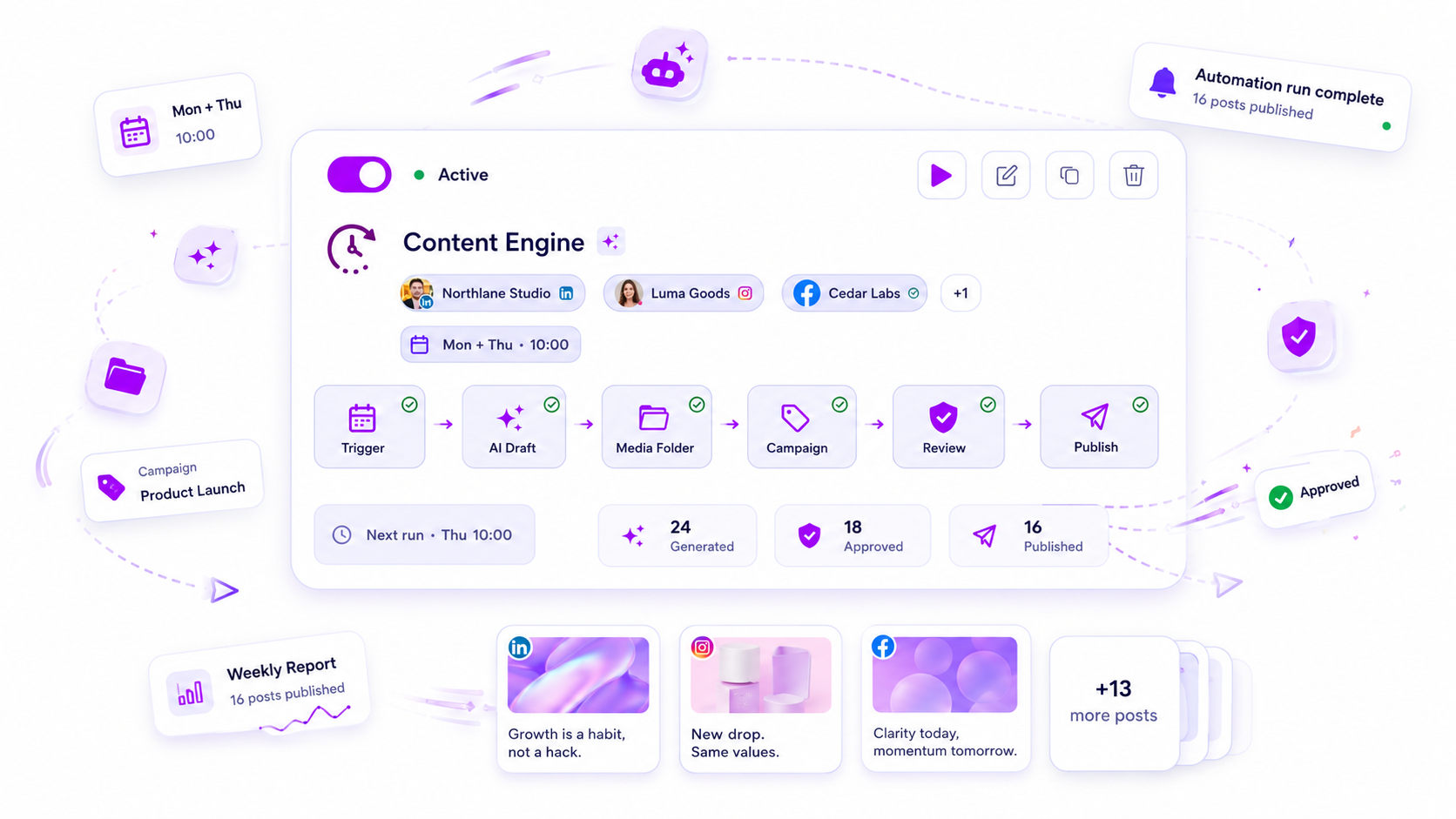
Enterprise teams fail to scale AI media because they treat it as an individual creative shortcut rather than a shared operational asset. If your content teams are generating images in silos, they are effectively bypassing your budget controls, brand guidelines, and compliance requirements. Scaling AI media across a dozen brand personas is not a prompt engineering challenge. It is a coordination challenge. You need to treat AI generation as an asynchronous, quota-tracked pipeline, not a free-for-all button.
We get it. You are juggling glass bottles in a windstorm. Managing multiple brand voices while under pressure to pump out high-quality visuals feels impossible. It is messy, prone to error, and one wrong asset can break a month of strategic positioning. The Shadow AI problem is the real culprit here: your teams are likely generating thousands of images in isolation, blowing past hidden usage quotas, and creating a fractured brand aesthetic that no one audits until the invoice arrives.
What the best tools need to handle

Your AI media toolkit must stop acting like a simple converter and start acting like a managed service for your enterprise. When you operate across hundreds of profiles, you cannot afford tools that simply fire and forget. You need a platform that treats every generation request as a verifiable, auditable task. This is where most teams get stuck. They buy into the promise of speed but ignore the operational necessity of control.
If a tool does not provide asynchronous job management, your team will spend hours refreshing browser tabs waiting for renders, or worse, re-running failed jobs because a callback missed a signal.
Operator rule: If your tool does not track media job status, it does not fit an enterprise workflow.
Beyond stability, you need visibility. Every generation should be tied to a workspace quota. If your agency partners or regional leads are churning through image generation without centralized oversight, your budget will hemorrhage. At Mydrop, we have seen this pattern too often: a sudden, massive overage charge appearing from a decentralized marketing team that never knew a budget cap existed.
To manage this effectively, look for these three capabilities in any platform you evaluate:
| Capability | Enterprise Value |
|---|---|
| Asynchronous Polling | Prevents workflow deadlocks when external providers delay completion. |
| Centralized Quota Accounting | Enforces budget discipline by workspace-level tracking for every image or video. |
| Media Plan Verification | Guards brand integrity by forcing a human check before an AI asset hits a post. |
When you integrate these safeguards, you shift from chaotic, uncontrolled generation to a predictable, governed pipeline. You stop guessing if the asset is compliant and start trusting that it is approved. This is the difference between a creative toy and an operational engine.
Where basic tools start to break

When your team starts generating images across ten different brand profiles, your simple standalone AI tools become a major liability. They lack the context of who is spending the budget and whether the final output actually fits the brand guidelines. You end up with a team that has unlimited access to generation tools but zero visibility into the resulting costs or quality control. This is the moment your operational structure starts to buckle under the weight of unmanaged assets.
The spreadsheet often becomes a crime scene when team members are pulling assets in silos, ignoring quota limits, and assuming someone else is tracking the invoice. You are not just dealing with creative inconsistency; you are dealing with coordination debt. If you cannot trace an asset back to the job, the user, or the budget, it is not an asset-it is a compliance risk waiting to happen.
The table below outlines the difference between relying on basic, standalone tools and adopting an enterprise-ready workflow.
| Requirement | Basic Tool Performance | Enterprise Workflow Need |
|---|---|---|
| Budget Controls | None; open-ended usage | Per-workspace quota tracking |
| Brand Integrity | None; prompt-based only | Template and plan verification |
| Verification | Manual, off-platform | Integrated check-and-post flow |
| Audit Trails | Invisible; lost in chat | Centralized logs for stakeholders |
| Job Management | Synchronous, blocks workflow | Asynchronous; tracks job status |
Most teams do not have a content problem. They have a decision bottleneck. If your workflow relies on someone manually downloading, checking, and then re-uploading an image, you have already lost the time you were hoping to save.
The buying criteria that matter
Stop looking for tools that just prompt better. You need tools that manage better. When evaluating new software, look for an architecture that treats every media request as an asynchronous job, not a hanging web request that locks up your browser. Your team needs to see the status, know the cost, and have a clear path to approve or reject that asset before it ever hits your public channels.
Decision check: Never approve an AI generation tool if it does not enforce budget quotas before the generation begins.
Your procurement and legal teams will thank you for this one. You need to identify tools that offer a centralized audit trail, showing exactly which team member generated which asset, when, and for which brand project. This is the only way to protect your brand integrity at scale.
At Mydrop, we see that the best teams treat AI media generation as part of a larger plan-not a disconnected creative spark. You should look for systems that allow you to verify a media plan before generating a single pixel.
When using tools like the Mydrop AI Media Panel, you get that critical verification step built into the flow. The tool manages the polling, handles the callbacks when the job finishes, and ensures the output is ready for your team to review without manual intervention.
Here is what you should check during your next demo:
- Quota visibility: Can I see the remaining usage limit for my brand workspace?
- Job status: Does the interface handle timeouts gracefully, or does it just freeze?
- Governance: Is there a clear path to reject generated media before it touches our media library?
The goal is to move from "hope-based generation" to "governed output." When you support hundreds of brand profiles, the system must act as a filter, not just a faucet. By focusing on these criteria, you stop chasing approvals at six in the evening and start treating AI media as the scalable operational asset it was meant to be.
How Mydrop supports this workflow
When we designed the Mydrop AI Media Panel, the primary goal was to bring the creative process directly into the operational flow. It is not about giving your designers a fancy prompt box. It is about making sure every generated asset is accounted for, brand-appropriate, and ready for deployment.
When your team requests an image or video, Mydrop does not just pass the prompt to a black box. It starts a structured job, tracks the status, and, crucially, updates your workspace quota in real-time. You are not flying blind, waiting for an invoice at the end of the month to understand your consumption.
A key part of our approach is the Media Plan Review. Before any generated media gets attached to a post, the platform requires a verification step. This is where you catch the generic, off-brand, or just plain weird outputs before they go public. It acts as a safety bridge between the AI model and your brand's actual standards.
You want to focus on strategy, not chasing down why an asset does not match the brand palette. By centralizing the generation, tracking, and review steps, you remove the guesswork and the risk of unmanaged AI media.
A simple shortlist checklist
If you are evaluating how your current stack handles AI media, run this audit. If you answer no to more than two of these, your current process is likely costing you more than just time.
- Quota Transparency: Can a user see the remaining monthly AI generation quota before they start a new task?
- Mandatory Verification: Is there a non-bypassable step between generating an asset and adding it to a scheduled post?
- Brand Awareness: Do your generation templates automatically apply color palettes and visual styles, or are you forcing designers to edit everything manually?
- Audit Trail: Does your platform store the original prompt, the job status, and the final asset in a way that links back to the post or campaign?
- Centralized Storage: Are all generated assets automatically moved from the AI provider to your own managed media storage, or are they living in a temporary provider folder?
Conclusion
Scaling AI media is not about how fast you can churn out images. It is about how effectively you can coordinate and govern that output across a dozen different brands. When you remove the friction of unmanaged workflows, you are not just saving time. You are protecting your brand's integrity.
Stop treating AI media as an individual experiment. It is a shared operational asset that demands the same rigor as any other part of your content supply chain. Start by centralizing the visibility, and the rest-the brand consistency, the budget control, the reduced risk-will follow.
Most teams do not have a content problem. They have a decision bottleneck. Your team wants to create, but they also want to know they are building on a foundation that will not break under pressure. Give them that, and watch the quality of your output change.