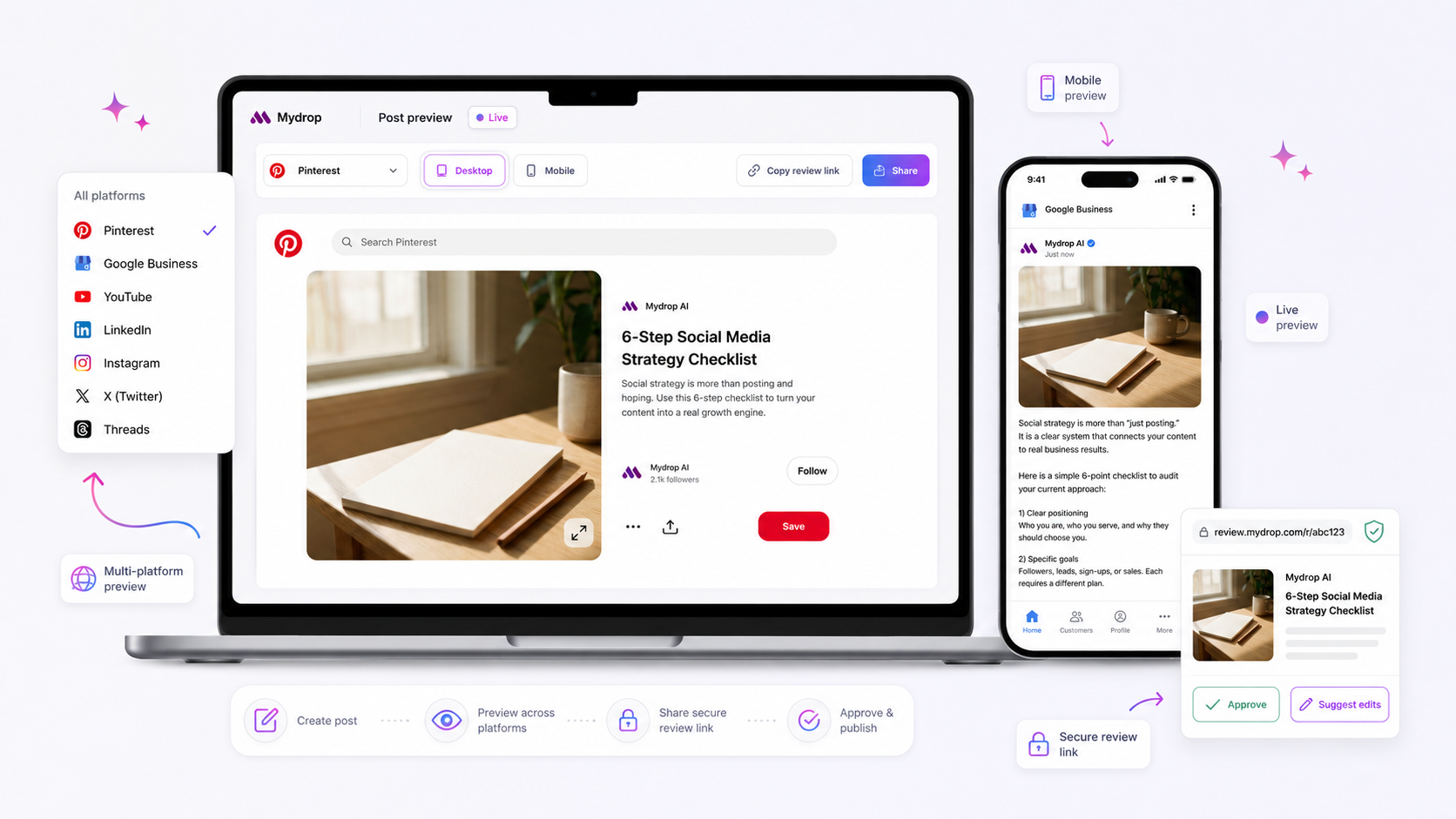
The most reliable way to stop your approval threads from stalling is to shift your platform-specific field validation to the very beginning of your draft process. If you treat metadata like location tags, first comments, or thumbnail selections as a final checkbox, you will always be chasing corrections in the eleventh hour.
We get it. You are juggling a dozen accounts, chasing stakeholders across time zones, and trying to keep your creative vision intact. It is tempting to look at a master preview in your composer and decide everything is ready for the world. But that "perfect" preview often masks a silent mismatch between what you see and what the platforms actually require to go live. When you send a draft that is missing a required platform field, you are not waiting on an approval; you are waiting on a fix.
Where the handoff is actually breaking

The breakdown happens because of a fundamental disconnect between your team's visual workflow and the rigid technical schema of the social platforms. Your team sees a post as a single entity-the creative, the caption, and the target date. The platforms, however, see a collection of distinct, non-negotiable data packets.
In our experience, teams managing hundreds of profiles encounter this friction daily. A post looks perfect in the unified view, so it gets pushed into the review pipeline. But as soon as the approver opens the draft, the reality hits: the Instagram location tag is missing, the TikTok visibility toggle is unselected, or the LinkedIn page type is misaligned.
The approver cannot approve a half-configured post, so the feedback loop starts. You lose hours-sometimes days-playing ping-pong over metadata that could have been locked down before the request was ever sent.
This is where the process grinds to a halt. When these field-level requirements remain "suggestions" rather than mandatory input steps in your composer, you are essentially shipping technical debt into your review cycle.
Operator rule: A draft is not ready for review if it has not passed the platform-specific schema requirements. If you have to ask an approver to "just ignore the missing tag," you have already lost the efficiency battle.
To visualize the difference, look at how the validation state dictates the flow:
| Stage | Standard "Unified" Workflow | Schema-First Workflow |
|---|---|---|
| Drafting | Focuses only on caption and media. | Enforces all fields (tags, comments, visibility) at creation. |
| Review | Stakeholder flags missing platform data. | Stakeholder validates content and strategy only. |
| Correction | Back-and-forth email/chat cycles. | No corrections needed; post is ready to schedule. |
| Outcome | Delayed publishing and wasted effort. | Immediate approval and confidence. |
In Mydrop, we see the most successful teams treat the Post Composer as a gatekeeper. By requiring these fields to be completed while the user is still in the creative flow, the system ensures that by the time you click "Send to Approval," the draft is already compliant. You aren't just sending a file; you are sending a finished, platform-ready asset.
The goal is to stop treating the review stage as a "catch-all" for basic configuration errors. When you force the decision to happen earlier, you stop managing the mess and start scaling your output.
The coordination debt checklist

Most approval loops stall because we treat metadata as an optional afterthought, something to be tidied up right before clicking publish. We call it cleanup, but it is actually a form of operational drag that forces your legal or brand team to hunt for missing pieces of the puzzle. If the post looks great in the master preview, they assume it is ready. When they realize the Instagram location tag is missing or the Threads tag is misaligned, they stop the process to ask for a fix. Now you are in a round-robin of email or chat notifications, and your publishing calendar is bleeding time.
Before you ever hit that request button, run your post through this simple audit. If you cannot check every box, expect a delay.
| Checklist Item | Why it matters | Decision Threshold |
|---|---|---|
| Platform Schema | Does each platform have its specific field (e.g., location, thumbnail) correctly set? | If yes, proceed. If no, flag as "incomplete". |
| Media Aspect | Is the media cropped or sized to meet platform-specific requirements? | Must match the destination platform spec. |
| Visibility Toggle | Is the visibility (public, private, or brand-hidden) explicitly defined for this profile? | Defaults often fail enterprise compliance. |
| First Comment | Is the engagement driver (or link) included for platforms that support it? | If missing, engagement will drop by 30-50%. |
This isn't about being picky; it is about respecting the time of the people who hold the keys to your account. When you hand them a post that isn't schema-compliant, you are essentially asking them to be your copy editor rather than your strategic approver.
How to move decisions closer to the work
The most effective teams we work with have stopped treating the approval stage as a diagnostic phase. Instead, they treat it as a final sign-off. The key shift is moving those small, granular decisions-the ones that usually trigger the back-and-forth-into the initial creation window.
At Mydrop, we see the most successful operators using the Composer as a mandatory pre-req gate. This means the person building the draft must complete all platform-specific fields before the system even allows them to nominate an approver. You are not just writing a caption; you are building a platform-ready object. By forcing these decisions into the composer, you eliminate the guesswork for the stakeholder.
Decision check: If a platform-specific field is empty, the post draft should not enter the "pending" status. It remains in "draft" mode until the metadata matches the required schema.
When you use your composer to enforce these constraints, you stop the silent stall. The legal team reviews the content, the brand manager reviews the tone, and the platform expert reviews the metadata-all at the same time. This turns a staggered, unpredictable process into a single, clean handoff.
The goal is to get to a point where "Approved" means "Ready to go," not "Approved, pending a few minor metadata fixes." Once you shift the work upstream, the bottleneck vanishes. You aren't just saving minutes on one post; you are reclaiming hours every week from the chaos of chasing feedback on details that should have been locked in from the start.
The roles and rules that reduce rework
The best way to stop the back-and-forth is to treat your post-composer settings as a non-negotiable contract between the creator and the approver. If you leave a platform-specific field like a location tag or a first comment blank, you are essentially asking your stakeholders to act as unpaid proofreaders for technical minutiae. That is how a simple request turns into a day-long saga.
Assigning clear ownership is the only way to avoid this. We suggest using a simple "Owner of Record" model for every draft that enters your queue:
- The Creator is responsible for the full schema. If they choose three platforms, they must fill in every required field for each one.
- The Approver acts as the brand guardian. They look at the strategy, the tone, and the legal safety. They should not be hunting for a missing thumbnail or checking if the Threads tag is applied correctly.
If an approver has to send a post back because of a missing field, the system has failed. At Mydrop, we see teams struggle most when the "Creator" role is split across three people who all assume someone else checked the platform-specific boxes. A simple rule helps here: whoever opens the post to attach the media owns the configuration until it moves to "Pending."
Workflow check: If a field is required by the platform to publish, it is required by your team to approve. Treat empty fields as incomplete work, not as placeholders to be filled later.
The weekly habit that keeps the system honest
You can stop the constant fire-drills with a quick "composer audit" held once a week. This isn't a long meeting; it’s a 15-minute sync where you pull up your recent "Rejected" or "Revised" threads in the app and look for the patterns. Are the same two platforms always causing issues? Is the Instagram location field consistently being missed?
Use this simple scorecard to track where your process is leaking time.
| Audit Category | Indicator of Friction | Fix |
|---|---|---|
| Field Compliance | Comments on "missing metadata" | Update your internal postSchema checklist |
| Media Alignment | Aspect ratio rejections | Standardize assets before opening the composer |
| Handoff Delay | Requests sitting in "Pending" | Set explicit approvalRecipient roles per brand |
| Chat Context | "What was this for?" queries | Save the post chat session as part of the draft |
By reviewing these metrics, you turn a vague sense of "things are slow" into a concrete set of habits. If you notice Threads posts are always stalling, you know exactly what to address: the specific platform controls for that channel. You don't need to rebuild your whole operation, just refine how your team touches those fields.
Conclusion
Operational friction is almost never a creative failure. It is a technical oversight caused by assuming that "unified" means "identical." When you use a professional tool, you have the power to define the rules for each channel before the work ever hits a stakeholder's desk.
Stop waiting for your team to get better at remembering details and start baking those details into the process. When you shift the validation burden to the start of the draft-and keep the approver focused on the big picture-you stop being a bottleneck manager and start being a publisher. Clear the desk, clean up the metadata, and move on to the next win.