You should force a guided product tour the moment you spot a recurring gap between your team's actual output and the capabilities you built for them. Stop viewing these tours as a polite, one-time welcome ritual for new hires. For seasoned social media teams, a forced "show-me" session acts as an immediate diagnostic intervention. When your telemetry suggests your team is ignoring the AI assistant or bypassing your brand asset library because the old, manual way feels safer, you pull the trigger on a tour to bridge that competency gap instantly.
We get it. Social media operations are messy. You spend weeks building out brand groups and automation rules, only to realize the team is still copy-pasting content or ignoring the AI draft tools because it feels familiar. It is frustrating to watch your carefully designed setup gather dust while your team burns out on repetitive tasks.
This guide helps you treat your platform's onboarding surface as an active diagnostic tool. We will show you how to spot when the team is stuck and how to force the right interactive tour to get them back on track without a long, painful meeting.
The decision each metric should trigger
Most teams manage their growth by tracking high-level results like total follower count or aggregate engagement. These are lagging indicators that tell you how you performed last week, but they do not tell you why your team is struggling today. To fix broken habits, you need to monitor the operational signals that reveal how your team interacts with the tools on their screen.
If your data-such as triedAiPost === false or automations.active.length === 0-contradicts the way you designed your workflow, assume the team has hit a mental wall, not a technical one. A simple rule helps: If they are not using the feature, they do not trust the process. Force the tour to demonstrate the value in the context of their current workload.
| Behavioral Signal | Operational Barrier | Corrective Tour |
|---|---|---|
| High manual post count | Fear of AI output quality | Force "Create with AI" tour |
| Disjointed brand voice | Unknown asset availability | Force "Asset Library" tour |
| Zero recurring posts | Misunderstanding automation | Force "Automation Setup" tour |
| Stagnated profile setup | Authentication confusion | Force "Profile Sync" tour |
Use these signals to move from passive oversight to active coaching. When you force a tour, you are not just teaching software; you are clarifying the standard of work you expect. This is the difference between a team that "just posts" and a team that operates at scale. The hidden cost of letting inefficient habits persist is the slow decay of your workflow standards, which becomes nearly impossible to reverse once the team settles into their comfort zone.
The scorecard that keeps reporting useful

Most managers fall into the trap of tracking output volume alone. You end up with a spreadsheet full of "posts published" but zero insight into whether your team is actually using the tools you spent months deploying. To fix this, move your focus from raw production numbers to adoption health.
When we look at high-performing teams managing dozens of brand profiles, we see a recurring pattern: they track the quality of their workflow setup. They use a simple scorecard to spot when a team is working harder, not smarter.
| Metric | Target Status | If Below Threshold | Intervention |
|---|---|---|---|
| AI Post Drafts | > 60% of total | Triggered false | Force AI Assistant Tour |
| Automated Workflows | > 3 active | 0 active | Force Automation Setup |
| Brand Asset Usage | > 80% usage | Manual uploads | Force Library Tour |
| Profile Sync State | 100% connected | Missing tokens | Force OAuth Refresh |
This isn't about micromanagement. It is about removing the friction that makes people revert to old, manual habits. When you see a team falling behind, you have a concrete signal that they are missing a capability, not that they are lazy. You bring up the relevant guided tour, walk through the "show-me" steps, and watch the process friction vanish.
Operator rule: If your team's weekly report only counts published posts, you are blind to why they are burning out. Switch to tracking setup completion percentage instead.
What to stop measuring by default
Stop staring at "total logins." It is the most useless metric in social media operations. A team member can log in five times a day, spend three hours manually formatting images, and still fail to hit their goals. High login counts often mask a broken process, not a productive one.
Likewise, stop obsessing over "first-post latency." It tells you that they are slow, but it won't tell you why. You already know why: they are likely skipping the brand asset library, ignoring the AI drafting tools, or trying to manage approvals through a chaotic email chain instead of the platform.
Here is the shift you need to make:
- Stop measuring: Total daily logins.
- Start measuring: Active setup milestones (e.g.,
triedAiPostorautomations.active). - Stop measuring: Manual file upload volume.
- Start measuring: Asset library usage frequency.
- Stop measuring: Total time spent in the composer.
- Start measuring: Template versus ad-hoc creation ratio.
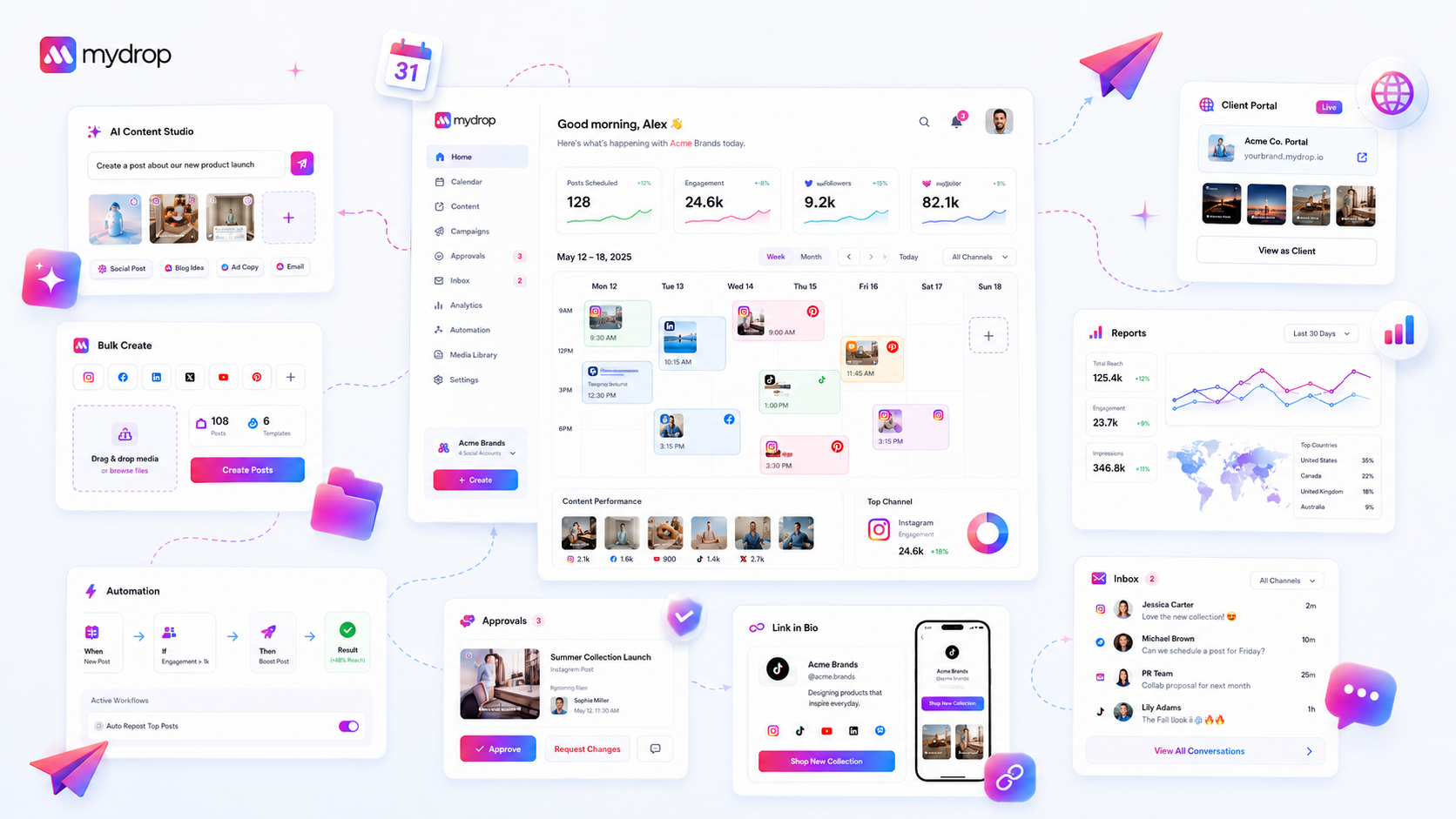
At Mydrop, we see teams struggle because they measure the symptoms of a busy desk rather than the health of the machine. When you stop reporting on activity and start reporting on workflow adoption, you stop being a traffic controller and start being a process architect. You stop chasing the "why is this late" question and start seeing the gaps in the setup before they cause a bottleneck.
The goal isn't more data. It is the right data to know exactly when to step in with a guided tour, clear a path, and let the team get back to the actual creative work.
How to connect metrics to next actions
The numbers you track only matter if they trigger a specific, human decision. If you stare at a dashboard showing low engagement without a clear "do this next" instruction, you have a visualization problem, not a performance one.
We suggest mapping every dip in your data to one of three Response Levels. This prevents analysis paralysis and keeps your team moving.
| Data Indicator | Response Level | Action |
|---|---|---|
| Metric flat for 14 days | Level 1: Review | Check content guidelines and existing asset usage. |
| Workflow milestone missed | Level 2: Refresh | Force a guided tour to reset the mental model. |
| Critical process error | Level 3: Rebuild | Audit the entire team permission and approval loop. |
Most of the time, teams do not need a three-hour meeting to fix a broken process. They need a five-minute "show-me" session. At Mydrop, we see teams that treat these guided tours as a "re-sync" event. When a team member skips the AI assistant for a week, forcing a quick tour of the post composer acts as a gentle, non-punitive nudge. It resets their frame of reference to the current, more efficient way of working.
Decision check: Never assign a new tool without a corresponding "show-me" trigger. If you expect them to use it, show them how to use it in the exact context where they currently feel stuck.
The review cadence that makes the model stick
Rigid monthly reviews often turn into "blame sessions" because the events being discussed are too far in the past to fix. Shift your focus to a weekly operational sprint where you review the actual tools being used, not just the final output numbers.
- Monday (Setup): Check which team members are hitting their
Quick Startmilestones. - Wednesday (Course-Correction): Identify gaps in capability usage (e.g., who stopped using the media library?).
- Friday (Reset): Trigger targeted "show-me" sessions for anyone stuck in a manual, inefficient workflow.
This rhythm turns the platform from a static dashboard into a living workspace. It helps you catch the moment someone reverts to an old, slow habit before it becomes a team-wide standard. You want to identify the "manual work creep" early. It is much easier to coach a behavior on a Wednesday than it is to reorganize an entire workflow on a quarterly planning day.
Conclusion
The goal is not to have a team that masters every feature in the first hour. It is to build a team that knows how to adapt their habits the moment their current process stops scaling.
If you find yourself manually checking every single post or chasing team members for status updates, you are likely missing the opportunity to use these guided product tours as a corrective diagnostic. Stop fighting the tools and start using them to enforce the operational habits that actually drive results. When you align your team's daily actions with the capabilities built into your workspace, the "scale" part of your job starts feeling a lot less like manual labor and a lot more like a repeatable system.