You don’t need more accounts; you need tighter boundaries. If your social media team is spending more time navigating permission conflicts and billing confusion than publishing content, you’ve outgrown your current structure. You should move to separate workspaces the moment your operating units require distinct billing cycles, non-overlapping team permissions, or absolute data isolation.
We get it. Managing multiple brands under one roof feels like efficiency until the moment a client sees a private campaign or a billing cycle gets tangled between two different departments. It is an operational bottleneck that stops your team from moving at the speed of social. The awkward truth is that simplification through a single workspace is often a vanity metric that hides massive operational debt. Consolidating everything into one container is not always efficient; it is often a liability that forces you to manage unnecessary complexity.
The decision teams usually frame too broadly
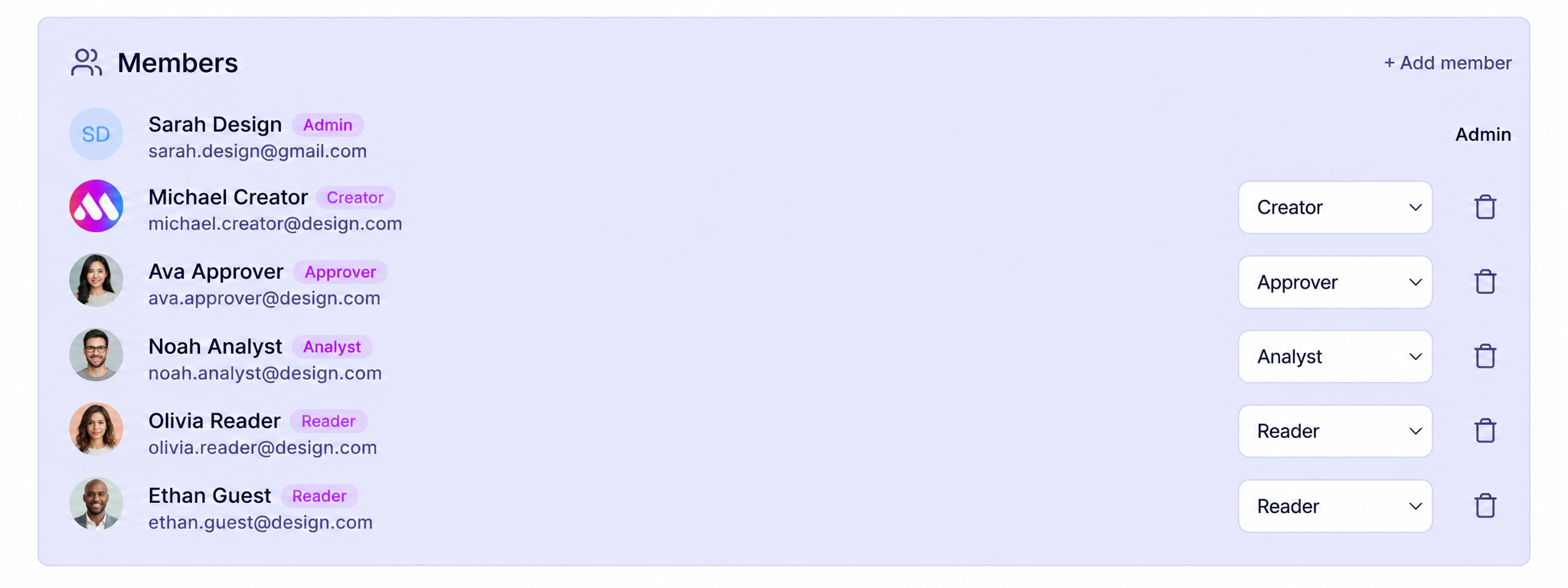
The mistake most leaders make is viewing the decision to split as a matter of "personal preference" or "organization size." They assume that as long as everyone works for the same parent company, it is easier to keep them in one place. But this assumes your social operations are perfectly uniform. In reality, once you manage more than a few brands or service lines, that uniformity breaks down.
At Mydrop, we have seen this across hundreds of brands and agencies: as soon as you have teams with different reporting requirements, distinct compliance needs, or separate P&L responsibilities, a single container stops being a home and starts being a prison.
Operator rule: If a brand or operating unit requires its own billing quota or a completely different team roster, keeping them in a shared workspace is just a way to generate more internal support tickets.
Teams often try to solve this with creative permission mapping, trying to slice a single workspace into virtual segments. This rarely survives contact with reality. You end up with "admin sprawl" where too many people have access to too many things just to keep the workflow moving.
Instead, ask yourself if your current structure is creating coordination debt. If you are constantly manually filtering analytics reports to strip out irrelevant brand data for a client, or if you are juggling complex roles to prevent a junior hire in the EMEA office from accidentally seeing a North American campaign draft, you are paying a hidden tax on your daily output.
A simple test: Could one of your teams leave tomorrow and take their assets, permissions, and billing history with them without breaking the rest of your organization? If the answer is yes, they should already be in their own workspace. Isolation isn't just about security; it is about giving your teams the autonomy to operate without checking over their shoulder to see if they are breaking someone else's workflow.
What should stay manual and what can move faster
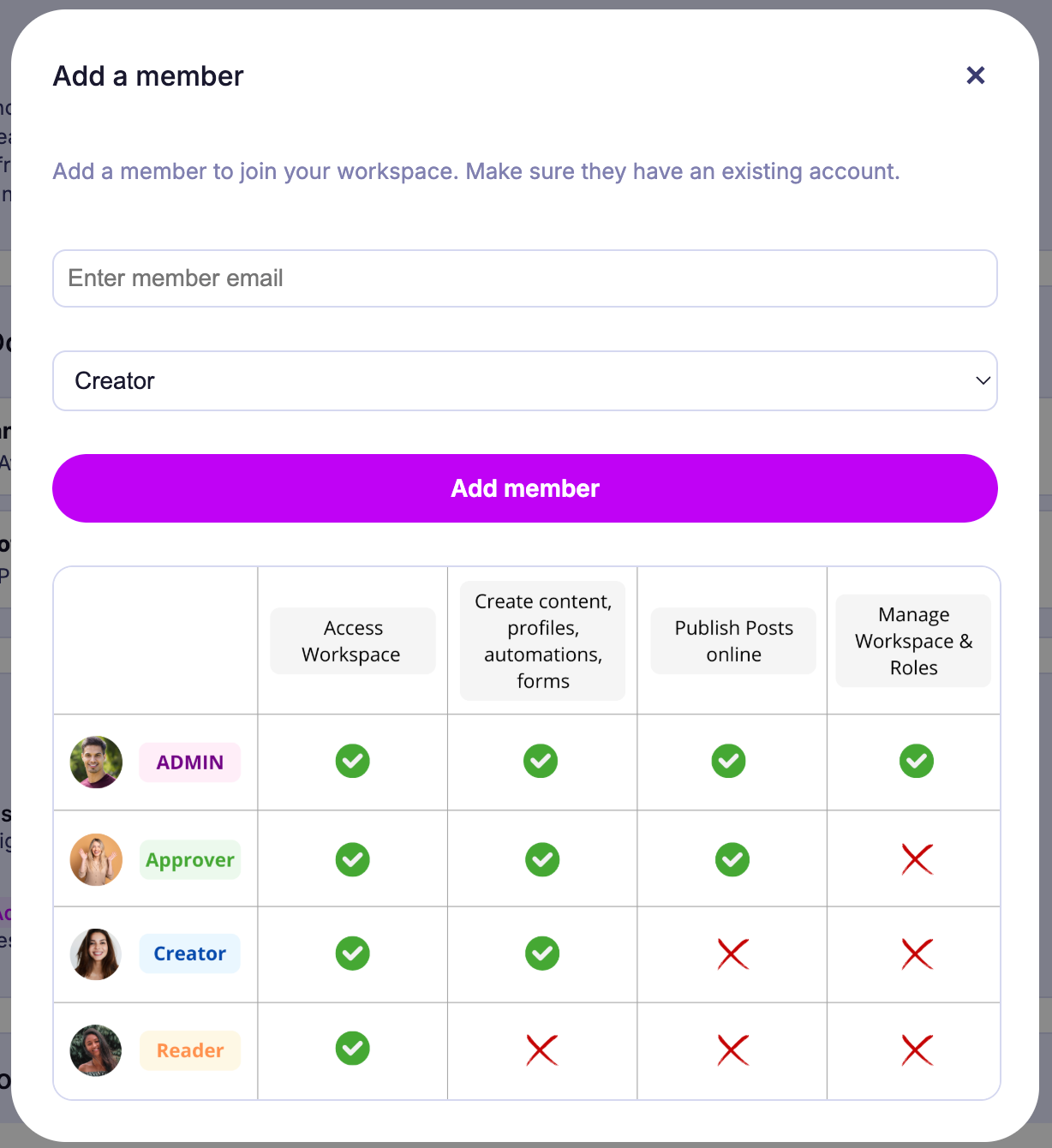
The biggest mistake teams make is trying to automate the nuance of human accountability. You should never try to automate the final sign-off for a high-risk brand announcement, a sensitive crisis response, or anything that could turn into a PR disaster if the tone is just one percent off. Those need the friction of a human brain.
Conversely, everything else-the asset staging, the platform-specific formatting, the scheduling for routine community updates, and the routine data tagging-should be streamlined through your workspace configuration. If your team is still manually moving spreadsheets around to track who approved which post for which region, you have created a coordination bottleneck that is slowly killing your output.
At Mydrop, we often see teams trying to force-fit these distinct speeds into one container. When you mix high-friction, manual approval workflows with high-velocity, automated publishing, you inevitably get process collisions. One team’s "urgency" becomes another team’s "compliance nightmare." By isolating these functions into separate workspaces, you allow the automated workflows to move at top speed without accidentally bypassing the human-gated steps required for the high-risk campaigns.
The tradeoff matrix
It is tempting to keep everything in one bucket to "keep it simple." But simplicity is often just a fancy word for visibility debt. When your team can see everything, they often lose track of what actually matters for their specific unit. This scorecard helps you diagnose when the cost of consolidation finally outweighs the convenience.
Workspace Segmentation Scorecard
| Factor | Unified Workspace (The "Big Bucket") | Isolated Workspaces (The "Unit Model") |
|---|---|---|
| Permission Complexity | Low (Everyone sees most things) | High (Strict role-based access) |
| Billing/Quota Usage | Shared (One team eats the limit) | Dedicated (Budget-protected) |
| Data Visibility | Open (Search returns everything) | Scoped (Search is brand-specific) |
| Operational Speed | Slowed by cross-unit approvals | Fast (Unit-level autonomy) |
| Governance Risk | High (Human error in visibility) | Low (Hard walls between units) |
Decision Rule: If your organization requires more than two distinct approval loops for a single piece of content, you have officially outgrown the "Big Bucket."
The real tension isn't about technology; it is about cognitive load. When a team member has to sift through three brands' worth of drafts, assets, and analytics just to find their own, you are forcing them to pay a constant "distraction tax." It might feel like you are centralizing control, but you are actually just diluting your team's focus.
Ultimately, the best structure is the one that lets your people stop worrying about access and start focusing on impact. If you find yourself apologizing for "permission glitches" during a campaign kickoff, it is time to build a wall.
How to pilot the workflow safely
You do not need to blow up your entire account architecture to test if a new workspace is the right move. In fact, doing so is a great way to invite unnecessary panic. The smartest teams we work with treat a new workspace like a controlled experiment, not a rebrand.
Start by moving a single, lower-stakes brand or a single regional unit into a pilot workspace. This allows you to calibrate your permission settings and check that your billing workflows aren't suddenly producing "mystery" invoices without disrupting your primary high-velocity channels.
Here is the quick-start sequence for your pilot:
- Define the Boundary: Identify one distinct unit-like a secondary product line or a specific market-that currently consumes too much "administrative oxygen" in your main workspace.
- Audit the Access: Manually map who actually needs access to that unit versus who has it currently. Over-permissioning is the number one cause of "accidental" edits.
- Create the Container: Build the new workspace in Mydrop Settings.
- Invite and Test: Add only the core stakeholders required for that unit. Do not mass-invite your whole department.
- Review the Flow: Run a standard campaign cycle-intake to final publish-entirely within that new environment.
If your team can complete a full publishing loop without needing to switch back to the main workspace for assets, approvals, or questions, you have found your baseline.
Decision check: If a user has to switch workspaces more than three times a day to complete their primary job, your boundaries are too tight. A workspace should be a destination, not a revolving door.
The operating rule to keep
The most common trap is forgetting that workspaces are not just data buckets; they are management environments. If you create a workspace but keep the same messy, unified-team permission structure, you have just created two silos instead of one-and you are now stuck managing twice as many permissions.
Always align your workspace boundaries with your actual decision-making hierarchy. If you have a dedicated brand manager who owns the "European Market" P&L, that person should own the Workspace permissions for the European operations. If you split the workspace but centralize the approval bottleneck in a different, overloaded office, you have gained nothing.
When in doubt, default to Operational Autonomy. If a team cannot ship a post from start to finish without asking a stakeholder in another workspace for help, the barrier is wrong.
Conclusion
At the end of the day, you are not managing workspaces; you are managing the friction that prevents your team from doing the work. If your current setup feels like driving a car while constantly checking the rearview mirror for permission errors or billing alerts, it is time to shift.
Separating your workspaces is not a sign of failure or "decentralization." It is a sign that you have reached a level of scale where clarity matters more than convenience. Your brand integrity and your team's sanity will thank you for the extra room to breathe. When you finally stop the constant context-switching and permission-chasing, you will find that you are not just working faster-you are finally in control of the machine again.