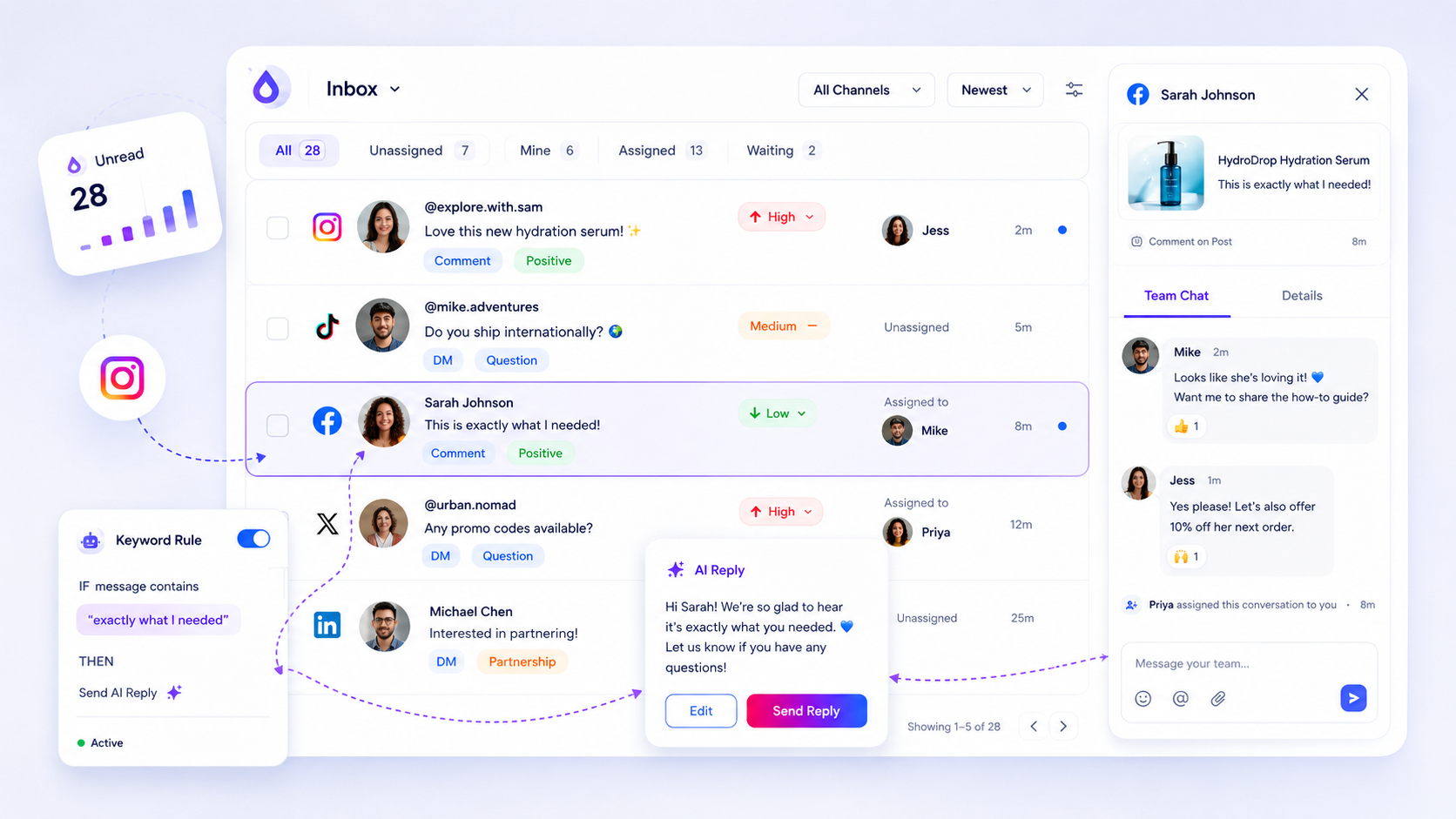
When your average response time creeps up, stop blaming your writers and start looking at your workflow debt. If your team is spending most of their time filtering noise instead of drafting high-value replies, you do not have a content problem; you have a capacity bottleneck.
We know the feeling. The inbox is a bottomless pit of DMs and comments, and leadership is asking why engagement feels slow. It is messy, it is reactive, and it feels like you are constantly fighting fires instead of building a community. You are not alone-this is the reality for most enterprise teams juggling dozens of profiles across markets. The hidden cost of chasing "good enough" response times is the erosion of trust. When brands treat every inbound message as equal, they fail to prioritize the interactions that drive loyalty, leading to burnout for the team and silence for the customer.
The decision each metric should trigger

Most teams make the mistake of auditing response time in a vacuum. They treat a 10-hour delay on a customer support DM the same way they treat a 10-hour delay on a generic "love this" emoji reaction. This is where the spreadsheet becomes a crime scene. To get a clear picture of your team's health, you need to classify your inbound volume before you calculate a single latency metric.
Use this scorecard to audit your volume and decide where your team is actually getting stuck:
| Tier | Thread Type | Target Latency | Action |
|---|---|---|---|
| P1 | High-Intent (Purchase, Support) | < 2 Hours | Immediate Assignment |
| P2 | Engagement (Questions, Feedback) | < 6 Hours | Tag & Batch Reply |
| P3 | Passive (Mentions, Reactions) | < 24 Hours | Periodic Review |
When you apply these tiers, you stop chasing vanity metrics and start seeing your operational reality. If your P1 threads are missing their target, it is not a lack of effort-it is a lack of clear triage. At Mydrop, we often see teams trying to process everything in a single, unprioritized queue. That is a recipe for missing the messages that actually impact revenue.
Operator rule: If your average response time is slipping but your P3 volume is skyrocketing, do not hire more people. Build a better triage rule.
The real metric that matters is not Total Response Time-it is Priority-Addressed Rate. If you are hitting your P1 targets consistently, the rest of the noise is manageable. If you are failing your P1 targets, your inbox is not just slow; it is a liability. Focus your audit on the P1 bucket first. If those threads are buried under P3 fluff, you have a process failure that no amount of staff will fix.
The scorecard that keeps reporting useful

Stop dumping every single inbound message into a giant bucket and calling it "inbox volume." That data is useless because it masks the chaos. When you treat a product feedback DM the same way you treat a "nice post!" comment, you lose the ability to see where your team is actually drowning.
Instead, we use a simple Inbox Health Scorecard. This helps you and your stakeholders see exactly where the response time is slipping-and more importantly, why.
| Tier | Thread Type | Target Latency | Action |
|---|---|---|---|
| P1 | High-Intent (Purchase, Support) | < 2 Hours | Immediate Assignment |
| P2 | Engagement (Questions, Feedback) | < 6 Hours | Tag & Batch Reply |
| P3 | Passive (Mentions, Reactions) | < 24 Hours | Periodic Review |
When we see response times spike at Mydrop, we look at the P1 column first. If P1 latencies are high, it is a resource allocation failure-you need more hands on deck. If P1 is fine, but P2 is dragging, you have a workflow bottleneck. Your team is likely stuck manually categorizing threads that should be handled in batches.
Decision check: If your team spends more than an hour a day just manually assigning tags to comments, you are paying for data entry, not engagement. Automate the triage or simplify the taxonomy.
What to stop measuring by default
The fastest way to burn out a social team is to hold them to a single "Average Response Time" metric across every channel. It is a trap. It forces your team to chase low-value interactions just to bring the "average" down, while the complex, high-value DMs that actually move the needle on loyalty sit ignored.
Here is the dead weight you should stop tracking immediately:
- Total Message Volume: It is a vanity metric. It tells you how loud the internet is, not how effective your team is.
- Total Likes/Reactions: Stop counting these in your support reports. Unless your team’s job is to sit there clicking "heart" on thousands of comments, it is noise.
- "Average" Response Time: This is the most dangerous metric of all. It hides the P1 threads (the ones that lose you customers) behind a mountain of P3 threads (the ones that don't matter).
Instead of chasing averages, measure your Priority-Addressed Rate.
This is simply the percentage of P1 and P2 threads answered within your target window. If you hit 95% on P1 but only 60% on P2, you know exactly what the problem is. You don't need to "hire more people" or "fix your tone of voice." You need to change the workflow that handles the P2 queue.
Most teams do not have a content problem. They have a decision bottleneck. If you stop measuring the noise, you finally get the visibility you need to fix the actual operational debt.
How to connect metrics to next actions
Data is just noise until you force it to trigger a specific behavior. If your audit shows that your P1 response times are slipping, the next action should not be a "team meeting about quality"-it should be a change in how you structure the queue.
At Mydrop, we see teams struggle because they treat every inbound message as a request for a human to write a bespoke reply. They aren't just managing social; they are trapped in a manual, high-friction loop. When you connect your metrics to these three specific levers, you stop chasing averages and start fixing the pipe:
- If P1 Latency > 2 Hours: Your assignment logic is broken. Audit your current inbox assignment rules. Are you waiting for a single lead to wake up? You need to move to a round-robin assignment or enable role-based triage so that whoever is online can claim the thread.
- If P2 Latency > 6 Hours: You have a bottleneck in context. Your team is likely spending too much time searching for brand guidelines or past thread history. This is where you should pilot AI-assisted drafts to pre-populate replies based on your brand's voice and the specific thread context.
- If P3 Volume is > 50% of Total: You have a filtering debt. You are forcing humans to read and ignore passive mentions that should be handled by automated rules. Move these to a "low priority" folder where you only perform a periodic sweep.
Workflow check: Never add more headcount before you have automated the triage. If your team spends more than 20% of their day manually tagging or routing threads, you are paying human salaries for spreadsheet work.
The review cadence that makes the model stick
A scorecard is only useful if it becomes part of the weekly rhythm. If you only look at your health metrics during quarterly business reviews, you are just performing an autopsy on your community.
To keep the momentum, keep the review window tight and focused:
- Monday Morning (The P1 Health Check): Spend 10 minutes reviewing the P1 latency from the previous week. Did we miss our 2-hour window? If yes, look at the
inboxactivity logs to see where the threads stalled. - Wednesday (The Tooling Fix): Take 30 minutes to clean up your tags and automation rules. If you find yourself manually flagging the same type of "oops" comments over and over, turn that manual action into a rule.
- Friday (The Resourcing Pulse): Ask the team: "Which threads felt like they took forever this week?" Use their feedback to identify if a specific platform integration is feeling sluggish or if a particular type of message requires too many internal approvals.
Conclusion
The goal of auditing your response times is not to squeeze more speed out of your team. It is to protect their focus. When you stop treating your social inbox as a chaotic firehose and start managing it like an operational queue, you reclaim the hours previously lost to context switching and manual sorting.
True social maturity isn't about being "always-on" for every single notification. It is about being reliably fast for the conversations that actually matter. Start with your P1 threads, clean up your triage process, and watch the frustration levels drop. Your team-and your community-will notice the difference.