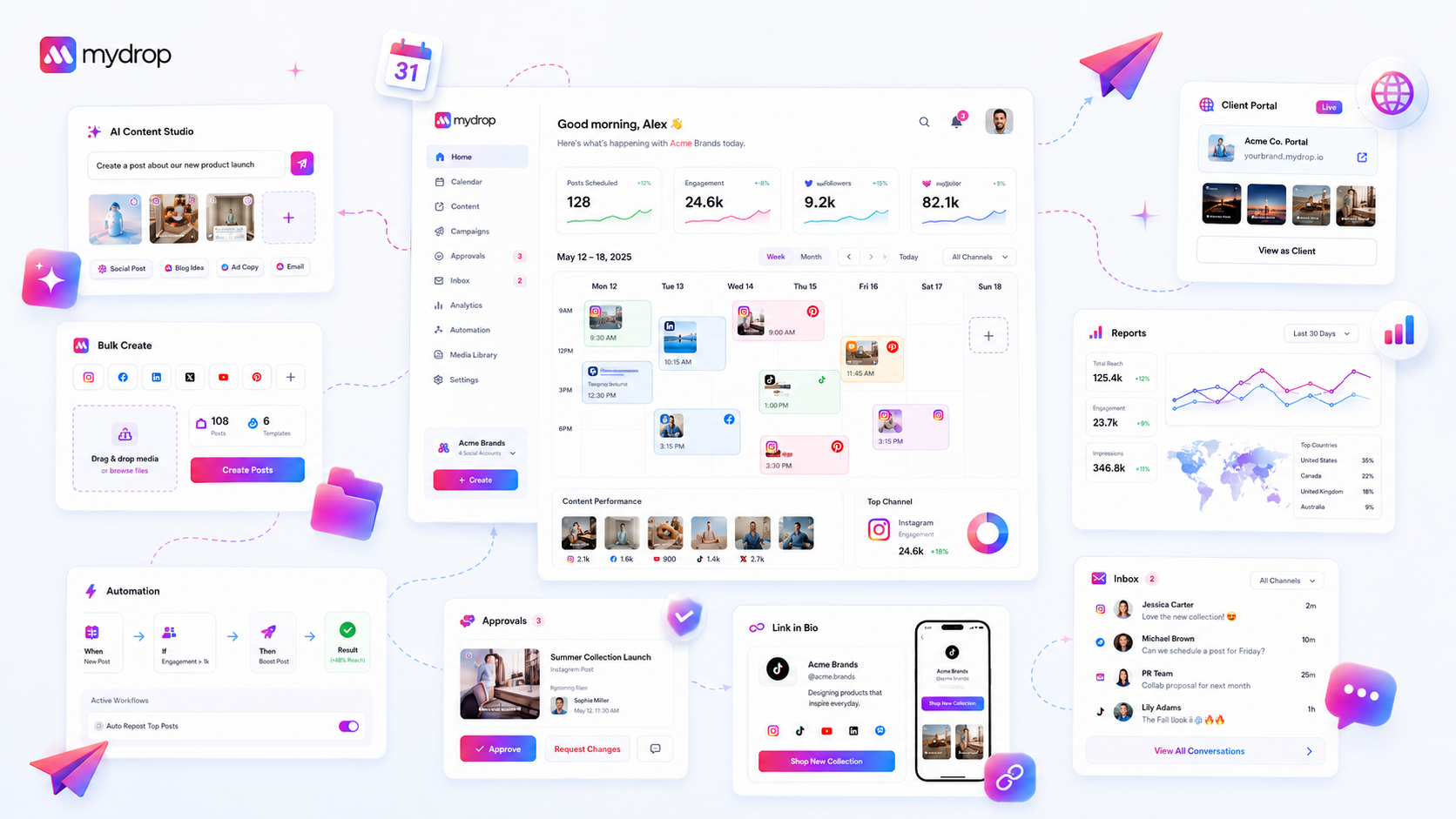
The secret to resuming complex social campaigns isn't better memory; it is a systematic "re-entry point" that collapses the distance between your last notification, your active AI chat, and your scheduled queue. We get it. Your day is a frantic sequence of platform-hopping and fire-fighting. By the time you return to a campaign after a stakeholder meeting or a production emergency, you have lost the narrative thread. That "mental reload" cost is stealing hours from your week.
At Mydrop, we have seen this across hundreds of high-volume marketing teams. You are not alone, and this is harder than it looks-but you can stop the cycle by treating your Home dashboard as a command-and-control bridge rather than a simple landing page.
The decision teams usually frame too broadly

Most managers mistake "getting things done" for "organizing their workflow." They think their browser history is their command center, but it is actually a graveyard of abandoned tabs and half-finished thoughts. When you have a dozen brand profiles to monitor, three regional markets to sync, and multiple stakeholders weighing in on a single creative asset, you are fighting a losing battle against context fragmentation.
Here is where teams usually get stuck: they view the platform (Instagram, LinkedIn, or TikTok) as their workspace. When you shift your focus to the decision space instead, everything changes. Your real work doesn't happen in the post-composer-it happens in the chat threads about strategy, the approval notes, and the reminders to check in with compliance.
The biggest bottleneck in agency-scale operations isn't the creative itself; it is the coordination debt accrued every time you navigate away from a project and have to hunt through folders or notification lists to find your place again.
Operator rule: If you spend more than 30 seconds locating the context for your next task, you are not working-you are searching. A successful re-entry habit should take less time than brewing a cup of coffee.
Instead of hunting for a specific post URL or digging through deep-linked menus, you should anchor your re-entry on the type of work you were performing. Whether you were refining AI-generated copy, syncing up a multi-brand calendar, or prepping a compliance report, your Home history board acts as a persistent map of your intent. By pivoting to the recency of your actual decisions rather than the chronology of your posts, you bypass the browser tab fatigue entirely.
What should stay manual and what can move faster
The biggest mistake we see teams make is trying to automate the thought process along with the logistics. Automation is for the heavy lifting, not the creative intuition or the final pulse-check.
If you try to automate the "Go/No-Go" decision on a sensitive campaign, you will inevitably end up with a tone-deaf post that costs your brand more in reputation than the efficiency was worth.
Keep the high-stakes editorial review and brand-voice alignment manual. Those belong to your lead strategists. But let the system handle the data-gathering, context-retrieval, and cross-platform formatting. You want your team spending their limited mental bandwidth on "Is this message right for our current audience?" rather than "Where is the latest version of that graphic?" or "Did legal sign off on these hashtags?"
At Mydrop, we see teams fail when they prioritize speed over alignment. The right way to work is to let the platform bridge the gap, bringing the correct threads, history, and assets into your view automatically, so you can spend your time making the actual decisions.
The tradeoff matrix
To build a sustainable habit, you need to decide which parts of your workflow to protect and which to streamline. This matrix helps you audit your current process.
| Task Category | Manual Control (Keep) | System Acceleration (Move) |
|---|---|---|
| Strategy & Tone | Final sign-off on narrative arc | Pulling recent thread history for context |
| Asset Management | Creative direction and feedback | Auto-linking approved assets to drafts |
| Compliance | Legal or stakeholder approval | Tracking audit trails and version logs |
| Scheduling | Determining publish cadence | Syncing calendars across multiple timezones |
| Context | Identifying emerging brand risks | Surfacing recent chats and team notes |
Decision check: If a task requires empathy, cultural context, or deep brand knowledge, it stays manual. If it requires finding, sorting, or moving information between tools, it belongs in your Home dashboard.
When you look at this table, be honest about where you are spending your "hidden" hours. Most teams think they are busy with Strategy, but when we audit their actual day, they are drowning in Logistics-manually hunting for files, chasing down missing status updates in chat, or copying and pasting metrics from one dashboard to another.
By letting the Home history board serve as your command center, you offload the logistics. The platform keeps the context alive, allowing you to return to a complex, multi-brand campaign without having to reconstruct the entire web of conversations that led to today's post. You shouldn't have to keep a dozen browser tabs open just to remember why a campaign was launched in the first place. That is the definition of a fragmented, high-friction workflow.
When you master this pivot, you stop feeling like you are "starting over" every time you switch brands. You are simply stepping back into a narrative you already helped build. That is the difference between surviving your calendar and actually owning your brand's presence.
How to pilot the workflow safely
You cannot force this overnight. If you try to overhaul how your team manages their entire queue on a Monday morning, you will spend your whole day answering "Where did this file go?" instead of actually shipping content. Instead, treat the Home history board like a high-speed lane that you only merge into once you are comfortable.
Start by practicing during your "low-stakes" hours. Pick one brand group that is currently in a steady-state cycle, not one launching a massive campaign with ten stakeholders and tight deadlines. For one week, resolve to never use your browser's back button or history to find a project. If you were working on a draft, go to Home. If you were checking an approval, go to Home.
If you find yourself searching through emails or Slack threads to find a link, that is your signal to stop. That is where you create a "quick-link" or a note inside Mydrop's workspace. By tethering those external conversations to the actual object-the post, the report, or the AI chat thread-you stop treating the tool like a storage locker and start treating it like a cockpit.
Workflow check: If a campaign task takes more than three clicks to reach from your Home dashboard, the workflow is broken. Either pin the object, set a reminder on the asset, or move the relevant chat thread into the project workspace.
The operating rule to keep
The most successful teams we work with treat their dashboard as a living record of their "current state of play." They do not just look at it; they prune it.
When you return to your desk, scan the Recent History not as a list of everything you have done, but as a list of what you need to finish. If you see an AI chat thread about a campaign concept that is already live, close it. If you see a reminder about a pending approval, handle it or delegate it.
The goal is to keep the "Recent" board focused on the next 24 hours of execution. If your Home history looks like a junk drawer, you will treat it like one. When you treat the interface as a clean bridge between your last decision and your next output, the cognitive load of resuming a complex project drops from a "where do I even start" panic to a "right, let's finish this" flow.
| Action | Frequency | Purpose |
|---|---|---|
| Morning Scan | Daily (First 5 mins) | Identify open loops and stalled approvals |
| Mid-Day Pivot | As needed | Switch context between reporting and creation |
| Evening Clean | Daily (Last 5 mins) | Clear finished tasks to prioritize tomorrow |
Conclusion
Most social media management failures aren't about lacking a creative spark or failing to post. They are about the slow, silent accumulation of coordination debt. When your team spends more energy tracking down the "latest version" of an asset or remembering which chat thread held the strategy decision, you have already lost the competitive edge that speed provides.
You don't need a perfect memory to manage complex campaigns at scale. You just need a predictable, reliable way to pick up the thread where you last dropped it. By shifting from reactive tab-hopping to proactive Home-bridging, you give your team the space to focus on the work that actually moves the needle, rather than the work required just to find the tools to do it.
Next time you feel that familiar itch to open a new tab because you lost your place in a campaign, resist it. Refresh your Home view, look at your recent history, and just jump back in.