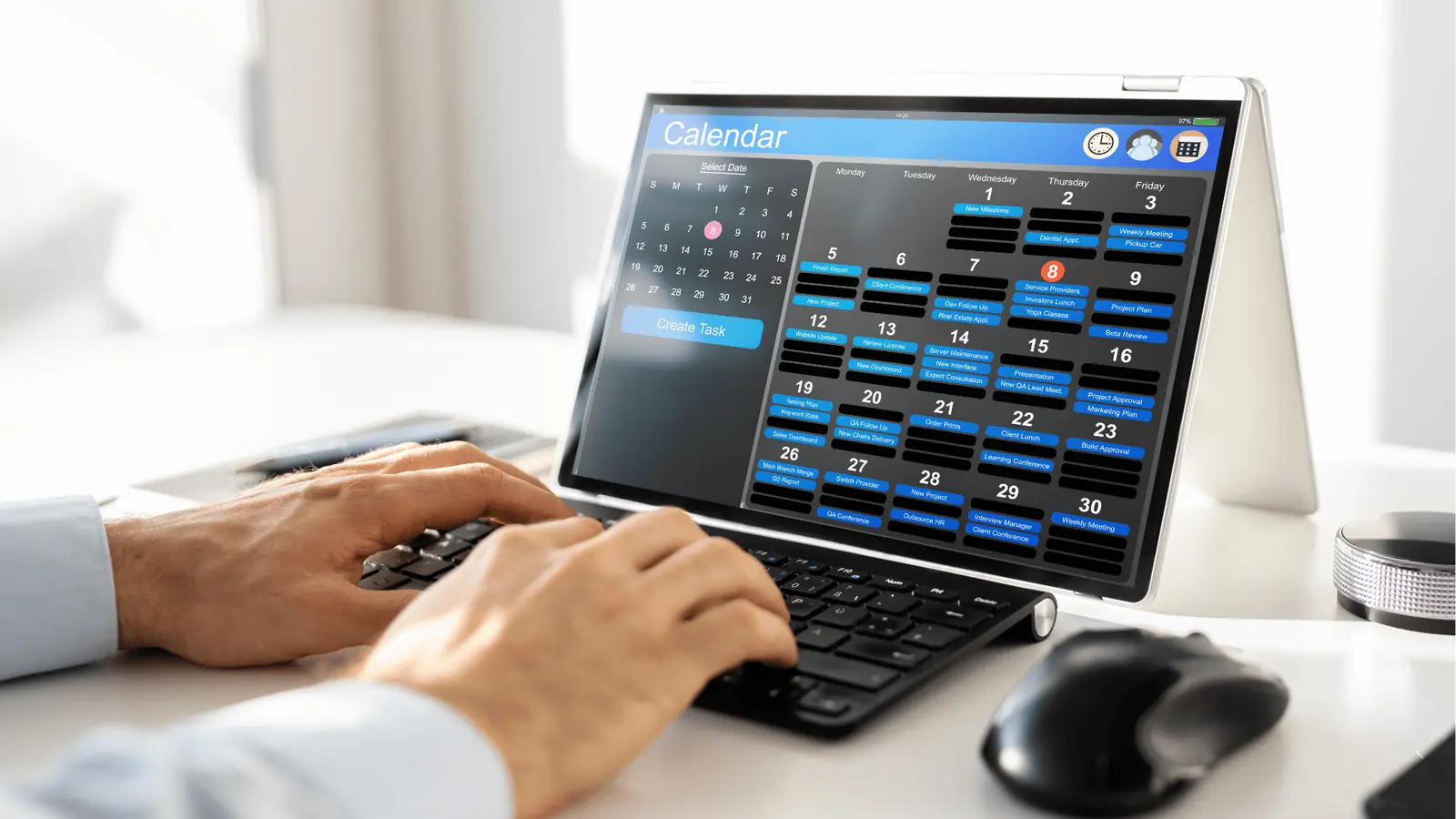
You turn calendar notes into your central nervous system for content by physically anchoring every campaign idea to the date it is meant to ship, rather than drafting in a separate document. When you move the "thinking" stage out of static files and directly into the timeline where work happens, you stop the bleeding of lost context and fragmented feedback.
The constant churn of enterprise content often feels like running on a treadmill because you are constantly reaching back into folders, searching for emails, and re-stitching the story behind a post before it even goes live. The relief comes from finally seeing your best intentions arrive at the finish line intact, transforming chaotic brainstorming into a predictable, high-value cadence.
If your best ideas are not sitting on your calendar, they are not part of your strategy.
TLDR: Stop documenting in isolation. Move your campaign brain directly to your publishing calendar to ensure your best ideas actually become your best posts.
The real problem hiding under the surface

The "Planning Silo" is an expensive lie. Most teams think they are organized because they use enterprise project management tools, but they have actually just built a digital wall between thinking about content and publishing it. When you rely on disconnected docs for your campaign planning, you are essentially betting that the original intent will survive the journey through multiple tabs, Slack channels, and revision rounds. It rarely does.
Here is why that approach fails as soon as you have more than one brand or market to manage:
- Contextual Drift: The "why" behind a campaign gets lost the moment a teammate copies a bullet point from a Google Doc into a scheduling tool.
- The Search Cost: If an asset looks "off" two weeks before launch, nobody wants to spend fifteen minutes hunting for the original strategy brief.
- Feedback Fragmentation: Comments left in a document rarely make it to the post draft, leaving reviewers to guess at the original intent.
Operator rule: Ideas must be born where they are executed. If the goal is a published post, the planning note should be physically attached to that calendar entry from day one.
You are likely juggling three different kinds of overhead without realizing it:
- Administrative Debt: Updating docs to reflect current status.
- Coordination Debt: Reminding stakeholders where the current brief lives.
- Compliance Risk: Managing sensitive brand notes in unmonitored external files.
When you use features like Mydrop Calendar Notes, you bypass the "document search" entirely. Instead of creating a new file, you open the day in your calendar, drop a note, and it stays there-visible to anyone planning that slot, connected to the assets, and ready for discussion the moment the work starts.
The distance between an idea and a post should not be a search bar. It should be a single click on your calendar. If your team is spending more time organizing the work than actually improving it, you are not scaling; you are just working harder to keep the same ideas from disappearing. The goal is to move from "documenting" to "deciding," keeping the strategy and the execution in the same orbit so that nothing falls through the cracks of your workflow.
Why the old way breaks once volume rises

Scaling is the silent killer of good ideas. When your team manages five posts a month, a scattered mess of Google Docs, Slack threads, and email attachments is merely an annoyance. You can track the status of an idea by asking a colleague or searching your inbox for twenty minutes. But once you move into a high-volume cadence-managing multiple brands, markets, and constant platform updates-that same approach creates a coordination debt that stalls your entire operation.
You start to lose the "why" behind the work. A brilliant campaign hook drafted in a brainstorming document gets separated from the final visual asset. By the time it hits the calendar, the nuance is gone, the context is stripped, and your creative team is guessing why the original concept mattered.
Most teams underestimate: The cost of cognitive switching between apps. Every time a team member jumps from your calendar to a separate document to recall a strategic requirement, you lose focus and invite human error.
The friction is not just annoying; it is dangerous. Without a single, shared source of truth, you end up with version control nightmares. A stakeholder approves a copy version that is two weeks out of date because the latest notes are hidden in a sub-folder only the social team can see. You are effectively playing a high-stakes game of telephone where every handoff increases the risk of a compliance miss or a brand-voice inconsistency.
| Pain Point | Disconnected Docs Approach | Calendar-Anchored Planning |
|---|---|---|
| Strategy Alignment | Buried in long-form drafts | Visible on the publishing date |
| Handoff Friction | High (search, copy, paste) | Minimal (integrated notes) |
| Version History | Fragmented and confusing | Unified within the asset record |
| Accountability | Lost in email chains | Clear owner per post |
The simpler operating model

The secret to breaking this cycle is treating your calendar as the ground wire for your ideas. Instead of maintaining a separate "brain" for planning, move your campaign thinking directly into your publishing schedule. When you anchor your notes where the actual execution happens, you collapse the distance between a concept and its live output.
Think of it as moving your campaign management into a live environment. You stop chasing documents and start reviewing the work itself. In Mydrop, for instance, you can use calendar notes to hold the strategic context right alongside the post preview. Whether it is a quick theme, a link to an external asset, or a reminder about a specific market compliance rule, it stays pinned to the date.
- Capture: Drop the raw idea into a note on the target date.
- Contextualize: Add threads, feedback, and requirements directly in the note.
- Convert: Apply a template to turn that context into a high-fidelity draft.
- Schedule: Finalize the timing once the asset is ready.
- Analyze: Reference the original note after the post goes live to compare results.
Operator rule: If your best ideas are not sitting on your calendar, they are not part of your strategy. They are just wishful thinking.
This model changes the rhythm of your week. Your morning check-in is no longer a scavenger hunt across four different tools to see what is happening. You look at the calendar, open the note, and see the full history of the campaign-the "why," the "who," and the "what"-in one view.
By centralizing, you stop wasting energy on the logistics of collaboration and start putting it into the content itself. You are no longer managing a chaotic document folder; you are curating a predictable, high-value output. It is the difference between running a frantic race and leading a well-oiled machine.
When your planning is grounded in the same space as your publishing, you aren't just shipping posts faster. You are building an institutional memory that actually stays accurate. Every note attached to a calendar date is a data point for your next campaign, turning fleeting brainstorming into a repeatable, scalable asset.
Where AI and automation actually help

The goal of automation isn't to replace your creative spark, but to handle the soul-crushing admin that usually kills it. When you anchor campaign ideas as notes directly on your publishing calendar, you stop wasting time copy-pasting specs or hunting for lost feedback strings. Instead, you let the system do the heavy lifting for recurring formats.
Think of Post Templates as the infrastructure for your best intentions. If your team runs a recurring "Industry Insight" series every Tuesday, you aren't just scheduling a post; you are executing a repeatable process. By applying a template that pre-fills your campaign context, tagging requirements, and approval loops, you eliminate the "blank page" tax. You stop spending thirty minutes configuring the setup and start spending that time refining the actual hook.
Operator rule: If you find yourself manually typing the same campaign details twice, stop and build a template. The time you save on the first five minutes of planning is the time you get back for high-level creative direction.
Automation also shines when it clears the path for cross-departmental collaboration. When you move away from siloed documents and into a shared calendar space, you replace "Where is the current version?" emails with a single source of truth. Features like Workspace Conversations mean that the discussion about why a post matters is pinned exactly where the work is happening. This is where you actually save money: by reducing the cognitive load of shifting between your strategy document, your spreadsheet, and your actual publishing tool.
Common mistake: Treating automation as a set-and-forget fix. The real value isn't in automating the publishing-it is in automating the coordination. If your automated workflow doesn't explicitly include the human who needs to see the work, you haven't automated a process; you've just automated an oversight.
To keep your workflow lean, run this quick audit before your next campaign cycle:
- Consolidate recurring meeting brainstorms into a single master calendar note.
- Save your most common post structures as reusable templates to cut setup time.
- Set clear @mention rules within your calendar notes to notify stakeholders immediately.
- Archive outdated "planning" docs to prevent team confusion and version drift.
- Test a 15-minute "no-doc" planning session, using only the calendar interface.
The metrics that prove the system is working

When you shift to an anchored planning model, your reporting stops looking like a collection of vanity metrics and starts reflecting your actual operational health. You aren't just looking at engagement; you are looking at how efficiently your team converts a strategy into a live, high-performing asset.
KPI box:
- Idea-to-Draft Velocity: The time elapsed from creating a calendar note to a finalized draft.
- Template Utilization Rate: Percentage of total volume generated through standardized campaign templates.
- Stakeholder Feedback Loop: Average time spent in conversations per post before approval.
- Idea Survival Rate: Ratio of planned calendar notes that actually reach a live state versus those that expire in the draft folder.
The most telling metric is Idea Survival Rate. In the old, siloed document model, a startling number of "great ideas" simply evaporate because they become unmoored from the shipping date. When you pull these ideas onto your calendar, you gain instant visibility into what is actually moving toward the finish line. If you see a cluster of high-priority notes that never convert into posts, you have uncovered a bottleneck in your approval process, not a lack of creativity.
Use Analytics > Posts to cross-reference your planning success with actual performance data. If your team notices that "Template A" posts are consistently outperforming others, you don't just guess why-you can look at the original calendar note, review the team's internal discussion in the thread, and see exactly what context was provided.
The transition from disconnected planning to calendar-anchored strategy is rarely about changing your team's software; it is about changing your team's discipline. When you stop treating your calendar as a simple scheduling wall and start treating it as the primary interface for your strategy, you stop feeling the pressure to "do more" and start feeling the relief of actually executing your best work. The distance between a winning idea and a published post should never be a search bar-it should just be a click.
The operating habit that makes the change stick

The biggest hurdle isn't changing your software; it's changing your collective reflex. You need to stop asking "Where should I write this?" and start defaulting to "Where does this live on the calendar?"
When a new idea lands during a sync, the person taking notes shouldn't open a blank document. They should open the specific date or slot on your publishing calendar and drop a note there. If the timing is still fuzzy, drop it on a "parking lot" date in the near future. The goal is to move the conversation from abstract potential to temporal reality.
Framework: The 3-Step Anchor
- Capture: Note the core hook directly on the calendar date.
- Context: Link the raw assets or stakeholder feedback inside that same calendar note.
- Convert: Turn the note into a draft with one click when the time comes to execute.
This simple habit creates a continuous feedback loop. Instead of hunting for the "final" version of an idea, your team sees the idea, the evolution of the comments, and the current status all in one view. It stops the "I thought we were doing X" conversations because the calendar itself serves as the source of truth for the intent behind every post.
Here are three steps you can take this week to break the dependency on external documents:
- The Monday Audit: Review your upcoming week's calendar. For every post without a linked note, create a brief outline of the goal right in the entry.
- The Meeting Migration: At your next campaign sync, mandate that any new idea must be created as a calendar note in Mydrop before the meeting ends.
- Template Your Thinking: If you have recurring content types like weekly digests or monthly recaps, save the structure as a template. When you apply the template, the note structure is there waiting, so you aren't starting from a blank page.
Common mistake: Treating calendar notes as a permanent archive. They are meant to be temporary staging areas for active work, not a filing cabinet for historical data. Once a post is live, the value is in the execution, not the note itself.
If you don't anchor your ideas, you're just paying for software to track what you've already done, rather than managing the strategic value of what you're about to do.
Conclusion

Teams that win aren't just faster; they are more synchronized. They have eliminated the friction between "what we think" and "what we ship." Every time you jump to another tool to draft, discuss, or plan, you aren't just losing time-you're losing context that never quite makes it back to the post.
The healthiest marketing operations don't live in a web of disconnected tabs. They live in a system where the planning is the execution. When you anchor your campaign ideas directly in your calendar, you stop treating social as a series of isolated tasks and start running it as a cohesive, high-impact business operation.
Coordination debt is the silent budget-killer for every enterprise social team. If you find your best intentions buried in meeting notes or floating in email threads, it's time to bring that brain power into Mydrop, where your ideas can actually reach the feed.