The blank page is a luxury you can no longer afford. When your brand manages five channels and a dozen campaigns, the gap between a great idea and a scheduled post shouldn't be a three-hour creative session-it should be a single, continuous flow. You stop chasing content the moment you stop treating planning as a separate, manual tax and start using your AI home assistant as a persistent teammate that converts raw context into ready-to-publish assets.
You are tired of the constant context switching between documents, design tools, and publishing queues. Imagine closing your laptop knowing every idea you had this morning is already mapped to the calendar, tagged with assets, and ready for review. This is the difference between reactive content chaos and proactive execution.
TLDR: Reclaim your day in three steps:
- Capture: Brainstorm directly in your Home assistant.
- Refine: Connect your assets to the assistant's output.
- Commit: Drop the finalized plan directly into the calendar.
Verified Operator
The real problem hiding under the surface

The industry treats AI as a sophisticated typewriter for drafting copy, but the real cost of content isn't the writing-it’s the coordination. If you aren’t using AI to manage the workflow, you’re just using it to produce noise faster.
Here is where teams usually get stuck: they keep their ideas in a document, their design assets in a folder, and their publication dates in a separate calendar. This "Administrative Drift" is the silent killer of enterprise social strategy. When tools don't talk to each other, you spend 60 percent of your time playing project manager instead of actually shipping content.
The real issue: Administrative Drift occurs when your creative output is divorced from your operational calendar. A brilliant post that isn't on the calendar is just an expensive thought experiment.
Most teams underestimate the friction caused by these disconnected tools. You finish a great draft with an AI tool, but then you have to manually copy it, find the right Canva file, check if the legal team has signed off, and then finally get it into the scheduling queue. Each of these steps is a place where a task can stall, a file can get lost, or a date can be missed.
Operator rule: If the note isn't on the calendar, the content doesn't exist.
The shift we are talking about is moving from treating AI as a consultant that suggests ideas to treating it as an operator that manages your state. Instead of just asking for a list of topics, you feed your workspace context into the Home assistant and ask it to structure that output into actionable tasks. When you do this, you aren't just getting text-you are getting a project plan that maps directly to your calendar commitments.
Consider the difference in how you work today versus how you could work tomorrow:
| Feature | Old School Agency Workflow | Mydrop AI-Integrated Model |
|---|---|---|
| Ideation | Scattered docs and emails | Centralized Home assistant |
| Planning | Manual spreadsheet updates | Calendar-linked reminders |
| Execution | Reactive, manual copying | Automated content flow |
| Governance | Audit-heavy, slow process | Real-time status tracking |
When you stop treating planning as a manual chore, you gain back the mental space to actually innovate. This isn't about working harder; it’s about ensuring that your intent, your assets, and your schedule are always in perfect sync. If the plan lives in the same place as the execution, you remove the "coordination tax" entirely.
Why the old way breaks once volume rises

Most teams try to solve scale by buying more tools, but this only creates administrative drift. You start with a great campaign idea in a document, move it to a project management board for tracking, upload the assets to a cloud drive, and eventually copy-paste the final text into a publishing queue.
When you manage five channels, this isn't just inefficient; it is a compliance## Why the old way breaks once volume rises
The moment you move from two channels to five, the "ad-hoc" method stops being a creative process and becomes an administrative prison. Most teams manage this by layering on more spreadsheets, more Slack channels, and more email threads, assuming that if they just communicate harder, the content will stay on track. But you aren't fighting a communication problem; you are fighting coordination debt. Every time you manually copy a prompt from a document, paste it into an AI tool, download the result, and then move it to a Trello card or a Google Sheet, you are paying a "planning tax." At scale, this tax is so high that your team spends more time managing the metadata of content than actually crafting the message.
The cracks appear in predictable places: approvals loop for days because the context was lost in an email chain, or a perfectly good draft dies in a folder because it lacked a calendar commitment.
| Feature | Old School Agency Workflow | Mydrop AI-Integrated Model |
|---|---|---|
| Ideation | Scattered docs and verbal huddles | Centralized Home assistant |
| Asset Handoff | Email attachments & link soup | Native gallery service import |
| Planning | Separate spreadsheet trackers | In-context calendar notes |
| Execution | Manual copying/pasting | Automated workflow triggers |
Most teams underestimate: The invisible friction caused by switching between five different tabs to verify one post. If your team spends 20 minutes "getting ready" to work for 40 minutes, you have a broken operational loop, not a content problem.
When your planning lives in a vacuum, the AI is effectively blind. If you ask a generic tool to "write a LinkedIn post," you get generic noise. If you ask an assistant that already understands your brand voice, current campaign status, and upcoming milestones, you get a draft that is 90% ready to ship. The old way forces the human to be the integration layer, manually stitching together the strategy and the execution. Once volume rises, that human layer inevitably misses a detail, a brand guideline is ignored, or a deadline slips.
The simpler operating model
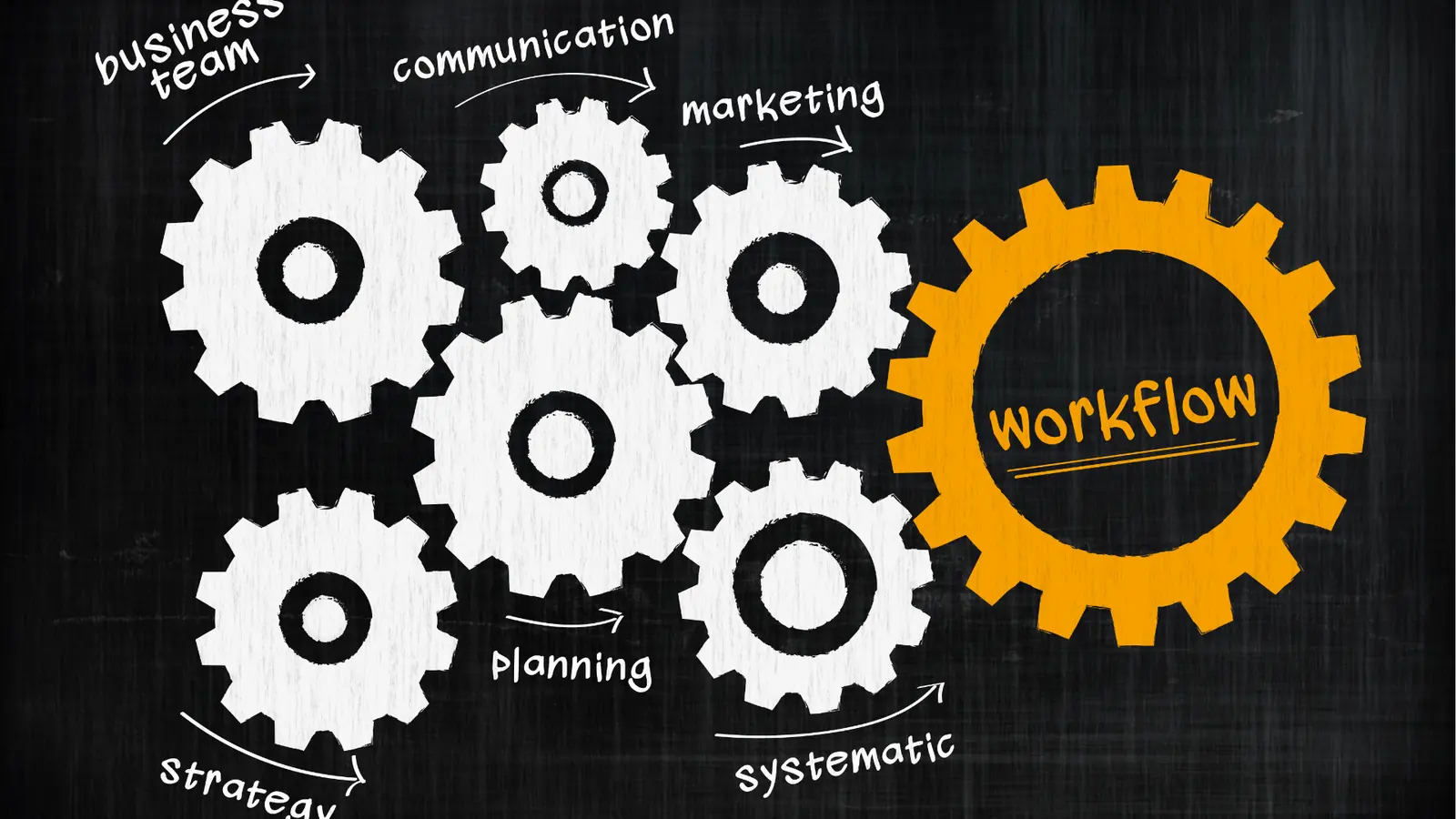
If you want to stop chasing content, you have to invert the relationship: the calendar is the source of truth, and the AI is the persistent teammate that keeps it clean. Instead of starting with a blank document, you start with a calendar commitment. You define the "when" and the "what" first, then let the assistant fill in the "how" based on the context sitting right there in your workspace. This transforms the AI from a one-off writing prompt into an operational engine.
- Context Intake: Use Home notes to dump raw ideas, stakeholder feedback, or campaign goals as they happen.
- Refinement: The AI accesses these notes to draft assets without you needing to re-explain the project.
- Validation: Review the draft against your brand assets, which are already linked in the gallery.
- Commitment: Pin the final output as a calendar note, effectively "locking" the content to a slot.
- Automation: Use a pre-configured automation to push the content to the queue, status, and alerts.
Operator rule: A brilliant post that isn't on the calendar is just an expensive thought experiment.
This model removes the "where did we leave that?" conversation entirely. By embedding planning context directly into the same view as your publishing schedule, you turn your workspace into a command center. You aren't just drafting posts; you are managing a pipeline. This is where the Mydrop approach changes the math: by keeping the AI focused on the entire lifecycle-from the initial thought in Home to the final status update in the calendar-you reclaim the hours previously wasted on "administrative housekeeping." When you stop treating planning as a separate chore and start treating it as the primary pulse of the team, the content actually starts working for you, rather than the other way around.
Where AI and automation actually help

Most teams treat AI like a high-end brainstorming partner, but that is where they lose the game. You do not need another chatbot to suggest catchier hooks for your LinkedIn posts. You need a teammate that actually understands your calendar, your team's current bandwidth, and the specific compliance hurdles of your brand.
This is the shift from AI as a consultant to AI as an operator. When you stop asking your assistant to just "write better" and start asking it to "manage better," the entire bottleneck of your content operations begins to dissolve.
Common mistake: Treating your AI home assistant as a static text editor. If you are copying and pasting from a separate window, you are essentially just manual-laboring your way through a digital upgrade. The goal is to keep the output in the ecosystem so it never loses its link to the schedule.
The friction in most marketing teams isn't about the quality of the creative; it is about the coordination debt. Every time you have to move a task from a note, to a project tracker, to an email for approval, and finally to a calendar, you are inviting error.
Here is how you actually use that intelligence to close the loop:
- Context-first ideation: Use your home assistant to pull in existing campaign notes or previous performance data from your workspace.
- Automation-ready drafting: Instead of a generic document, prompt the AI to generate content that fits your existing automation triggers, ensuring the media and copy align with your preset distribution workflows.
- Calendar-anchored commitments: Never finish an AI session without a direct call to the calendar. If you have a solid idea, use the assistant to convert it into a draft reminder that keeps the duration and stakeholders visible.
Framework: The 3-Step Sync Ideate (Home) -> Refine (Automations) -> Commit (Calendar)
When this loop is tight, you stop "chasing" content. You are no longer managing a list of things to do; you are managing a living pulse of output that is already scheduled and waiting for final approval.
The metrics that prove the system is working

When you move from a fragmented setup-where notes, design tools, and publishing queues barely speak to each other-to a synchronized model, the results show up in the places that matter to leadership. The most immediate shift is not just in how much you publish, but in how much time your team stops wasting on administrative busywork.
If your team is currently spending more than 30 percent of their week on "coordination chores"-scheduling meetings to discuss posts, manually checking asset formats, or chasing down approvals via email-you have a clear target for improvement.
KPI box: The Efficiency Dividend
- Time-to-publish: Target a 40% reduction by eliminating manual status updates.
- Admin-to-Creative Ratio: Move from 50/50 to 80% creative focus.
- Compliance Rate: Aim for zero manual oversight errors through automated trigger validation.
To stay on track, treat your workflow like a living audit. If you are still feeling the friction, it is usually because one of the links in your chain has gone cold. Run this check every week to keep the engine running smoothly.
- Asset alignment: Are all creative exports currently mapped to their respective platform requirements?
- Calendar parity: Does every planned campaign have a corresponding calendar entry with an active status?
- Automation health: Are your triggers firing correctly, or has a stakeholder change broken the notification path?
- Reviewer loop: Have you confirmed that the right stakeholders are tagged for every pending item?
A brilliant post that isn't on the calendar is just an expensive thought experiment. You are not just aiming for more volume; you are aiming for control. When your planning is anchored to your calendar and your execution is handled by your automation triggers, the "blank page" fear disappears because you are no longer staring at a void-you are staring at a pipeline.
The real secret to high-output teams is not hiring more people or buying more creative software. It is simply ensuring that every piece of intelligence you capture actually makes it into the machine without hitting the floor.
The operating habit that makes the change stick

The biggest reason content plans fail isn't a lack of creativity; it is a lack of calendar gravity. You can have the most insightful AI-drafted campaign, but if it stays in a document, it has zero chance of moving the needle. You need to enforce a rigid rule: the content does not exist until it is scheduled.
Here is how you turn this into a habit that actually holds:
- Start in Home: Never open a blank doc. Open your AI assistant in Mydrop, provide the campaign context, and generate the draft directly in the interface.
- Sync the Context: Immediately attach that draft to a calendar reminder. If your team uses specific templates or requires a legal review, link those assets within the calendar note right now.
- Commit the Date: The moment the plan looks solid, commit it to the live calendar. If it is not on the grid, it is not a project; it is just a suggestion.
Operator rule: A brilliant post that isn't on the calendar is just an expensive thought experiment.
This habit creates a feedback loop. When you see your week mapped out, you stop feeling like you are constantly behind and start feeling like you are running a production line. You will notice that by the time Friday rolls around, your calendar is not just a list of deadlines, but a clear map of what your team has already finished.
Quick win: Next time you have a brainstorming session, stop after 10 minutes and force your team to put the three best ideas into the Mydrop calendar as "Draft" status reminders. You will instantly see which ideas actually have the resources to move forward.
Conclusion

We are moving away from an era where "planning" meant dumping ideas into a spreadsheet and hoping for the best. The real work-and the real stress-usually comes from trying to stitch those disjointed pieces back together when the deadline is two hours away.
When you treat your AI assistant as a member of your operations team rather than just a smart typewriter, you stop chasing content and start managing it. You shift the burden from human memory to an automated, observable flow. You gain the ability to see exactly where a campaign is stuck, who needs to review it, and which assets are still missing.
Complexity is the natural state of enterprise social media. It only becomes manageable when you stop relying on individual willpower and start relying on a system that keeps everything visible, linked, and locked to a date. Efficiency isn't about working harder; it is about building a workflow where the right content happens at the right time, almost automatically. Mydrop is built to turn that goal into your daily reality.