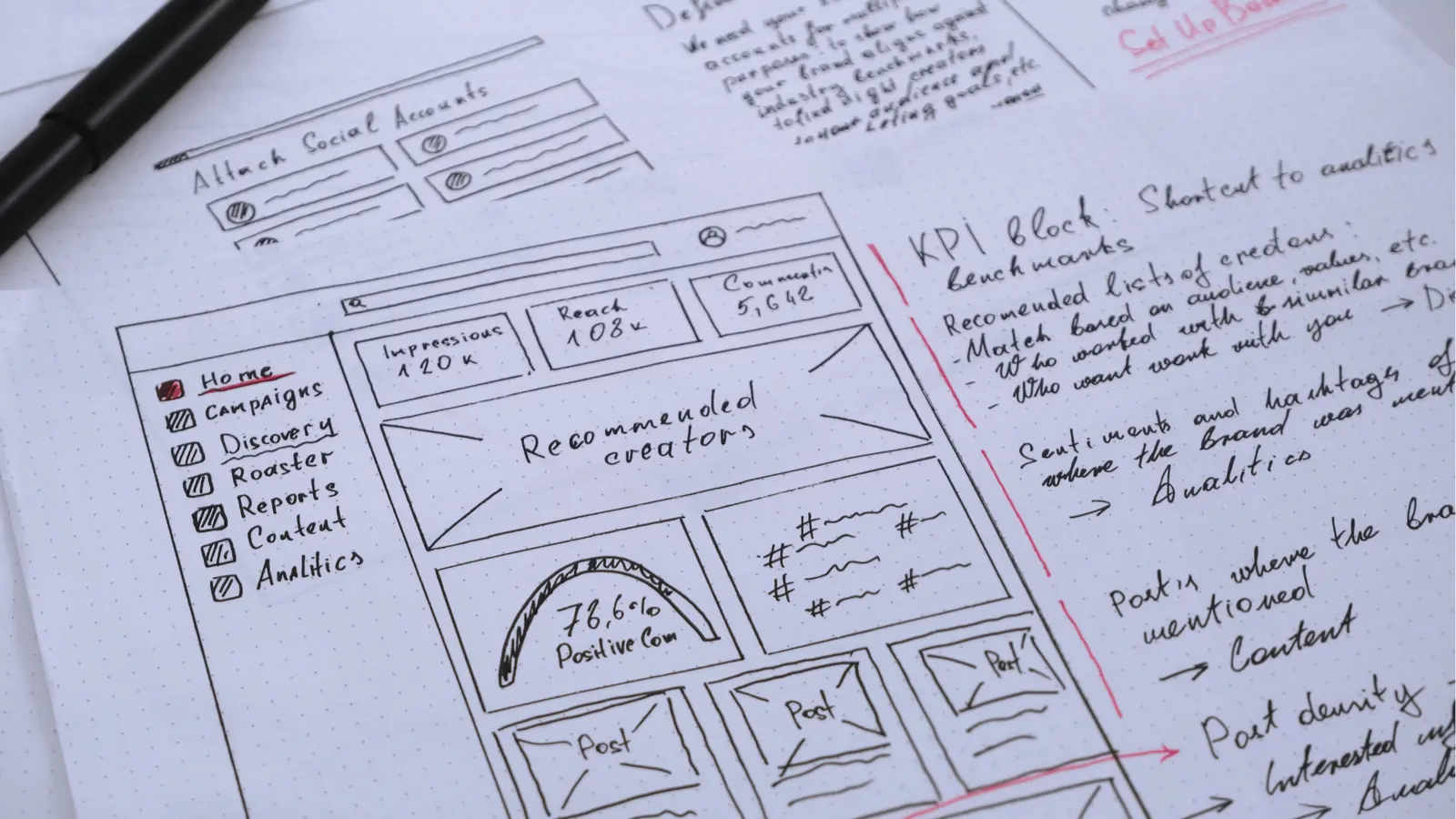
Mydrop replaces slow, legacy Social Studio workflows by giving teams a single place to plan, validate, and publish without the constant copy-paste, missing media, and lost approvals that eat days from campaign timelines. If you manage lots of brands or an agency roster, you know the pattern: creative lands in Drive, a post gets drafted in a spreadsheet or chat thread, someone forgets the right thumbnail or the caption length for a specific network, and the legal reviewer gets buried. Mydrop puts planning, platform rules, asset importing, approvals, and automations next to each other so the work moves from idea to published in fewer handoffs and fewer surprises.
That does not mean every org should rip out every existing system. Social Studio still has strengths that earned it enterprise footprints: deep integrations, mature audit trails, and the ability to scale in environments with heavy custom ops already built around it. But the modern demand is different. Teams need faster cycles, fewer manual validations, and tighter creative handoffs with Drive and Canva. For many agencies and multi-brand teams, Mydrop feels less like a bolt-on and more like a production line: AI-assisted planning at the front end, template-driven posts in the middle, and pre-publish QA gates before anything goes live.
Why teams start looking for a switch
Content volume grows faster than any single workflow can scale. A typical agency juggling a dozen client calendars finds itself composing the same campaign repeatedly for Instagram, LinkedIn, X, TikTok, and Google Business Profile, manually tweaking captions, thumbnails, and post types to fit each platform. Here is where teams usually get stuck: the social calendar drifts, attachments sit in Drive with no link to a post, and an account manager scrambles to find the latest approved creative. Social Studio covers a lot, but it often still requires separate systems for ideation, asset storage, and designer handoffs. That produces duplicate steps and delayed publishing windows when speed matters.
Approval friction is the second trigger. When legal, client, or brand review sits in email or Slack, context gets lost. The reviewer sees a caption in a thread, a separate doc in Drive, and an approval request somewhere else. This is the part people underestimate: even when approvals exist, the attachment or context is missing and a post returns with requests to rework media or metadata. Mydrop keeps approvals attached to the actual post draft and preserves the exact preview, metadata, and media the reviewer saw. For teams that require sign-off before publishing, that single point of truth reduces back-and-forth and gives compliance teams a clear audit trail without forcing creative to slow down.
A third, practical reason is the creative handoff from Drive and Canva. Designers and agencies use Drive or Canva because they are fast for creation; but moving approved creative into a publishing tool often means download, transcode, reorient, rename, reupload. It sounds small until you multiply it across dozens of posts per week. Mydrop removes that friction with direct Drive imports and Canva export options that preserve orientation, format choices, and thumbnails. That saves time and reduces failure modes like wrong aspect ratio or missing subtitles. When teams start tracking time lost to re-uploads and last-minute format fixes, the case to move toward a tool that speaks Drive and Canva natively becomes obvious.
Deciding to evaluate or migrate is still a governance decision, not just a software one. Start by agreeing the first three decisions the team must make:
- Which profiles and brands are mission critical to connect first - pick 1 or 2 to pilot, not the whole portfolio.
- What approval roles and legal checkpoints must remain intact - map them before migrating templates.
- Which automations or recurring campaigns are essential to run from day one - identify templates to recreate in the new system.
Those choices reveal common tensions. Creative teams want speed and flexible editing; compliance wants locked previews and documented sign-offs. Ops wants automations and bulk scheduling; account teams want granular control per client. Migrating without mapping these tensions causes several failure modes: templates rebuilt incorrectly, approver lists missing people, or automations firing in the wrong timezone. A simple rule helps: document the current end-to-end for one repeatable campaign and recreate it in the sandbox before you migrate anything else. That small exercise surfaces gaps in profile connectivity, template fields, and pre-publish checks.
Finally, teams start looking for a switch because the business case becomes measurable. Faster scheduling cycles mean you can turn around reactive or trend-driven posts in hours instead of days. Fewer failed publishes and platform errors reduce brand risk and the time spent troubleshooting. If your agency or brand measures utilization by campaigns per week, removing manual handoffs and adding validation gates will move that needle. Mydrop is built around those exact bottlenecks: a Home assistant to get drafts and briefs started with context, a calendar and composer that build platform-ready variants, pre-publish validation to catch missing thumbnails or wrong durations, and Drive/Canva connectors so the approved creative arrives ready to post. For teams balancing speed and governance, that combination is often the turning point between managing chaos and running a predictable production line.
Where the old workflow starts to break

Here is where teams usually get stuck: content volume grows, the number of profiles multiplies, and manual steps multiply faster than the calendar fills. A creative brief drops into Google Drive, a draft caption lives in a spreadsheet, a designer exports a square and a story version from Canva, and legal reviews happen in a separate email thread. Every network has a different thumbnail, character limit, media size, or post type, so someone ends up copying the same campaign into multiple places and manually adjusting each variant. That copy paste loop is low-skill work that costs time, introduces typos, and creates a high chance a platform-specific field gets missed. The result is calendar drift, late approvals, and at least one panic "fix" the week a major campaign should go live.
This is the part people underestimate: approvals and media handoffs are not optional overhead, they are the bottleneck that turns a predictable schedule into chaos. When reviewers live in chat threads, attachments get lost, context disappears, and comments about "use the approved version" are hard to verify against the asset the publisher actually attached. Add multi-brand work and timezones, and you get duplicated governance where each client or region demands its own checks. The failure modes are mundane but brutal: wrong thumbnail on Instagram, missing captions for LinkedIn articles, or a video that exceeds a network's duration and refuses to publish. Those mistakes are visible, embarrassing, and sometimes compliance risks.
Legacy tools like Social Studio earned their place by scaling enterprise integrations and audit trails, but they can feel like a printing press: reliable if you set it up carefully, slow if you need to change the run. For teams that need nimble campaigns, last-minute creative swaps, and fast crisis responses, the old workflow breaks on four predictable axes: ideation speed, multi-platform composition, media handoffs, and approval visibility. When any of those axes bend, the whole schedule bends with them. If your team is managing many brands, numerous platforms, or legal sign-off on every asset, this is where the old flow reveals its limits.
How Mydrop solves the daily bottlenecks

Mydrop treats these choke points as first-class parts of the publishing workflow, not optional add-ons. Start with planning: the Home AI assistant gives teams a running context so ideas don't start on a blank page. Instead of asking a team member to create ten separate drafts, somebody opens Home, continues an AI session built on the workspace context, and turns the best outputs into saved prompts or campaign artifacts. That moves ideation from "one person scribbles" to "a repeatable, team-aware draft process." For agencies, this means fewer late-night rewrites and a clearer handoff from strategy to creative.
The Calendar and composer replace the copy paste grind. From one campaign idea you build platform-ready posts, customize captions for each network, set thumbnails, choose post types, and validate platform-specific requirements before scheduling. Pre-publish validation is a practical gate: it flags missing captions, wrong file types, oversized videos, missing thumbnails, and other platform quirks before the post hits the queue. This is not a hope-based checklist; it is a concrete QA step that reduces failed publishes and last-minute fixes. Combine that with post templates and you get standardized campaigns that preserve brand safety while saving the repetitive setup work everyone hates.
Media handoffs stop being a separate chore. Mydrop pulls approved creative directly from Google Drive with a Drive picker and imports Canva exports with format options so the file you designed arrives in a usable orientation and quality. No downloads, no re-uploads, no version uncertainty. On approvals, posts keep review context inside the publishing flow: send a post for review, choose approvers, and keep the approval chain attached to the post rather than scattered across email or chat. Automations let you formalize repeatable operations with visible status and permissions, so routine campaigns run without manual orchestration but still respect governance. The practical result: faster scheduling cycles, fewer platform errors, and clear audit trails that legal and clients can rely on.
A short checklist helps map the practical choices teams should make when swapping workflows. Use this to decide who does what and when during a migration:
- Connect and validate each social profile first so publishing parity is verified before switching.
- Map approvers by role, not name: legal, client PM, creative lead, and publisher are distinct checkpoints.
- Save 3 to 5 post templates for recurring campaign types before moving live calendars.
- Configure Drive and Canva import settings so media arrives in the right format, orientation, and quality.
- Build one automation for a high-volume repeatable task and test it end-to-end in a sandbox.
There are tradeoffs and implementation details to call out. First, instrumenting a modern production line requires upfront mapping: profiles need to be connected, API permissions checked, and automations tested. That takes time, but the time is front-loaded and once the setup exists it pays back every day. Second, teams must train reviewers to use the in-platform approval flow instead of replying to chat threads; this is where a simple rule helps: all external approvals must occur in the approval workflow and include an asset link. Third, edge cases exist: extremely bespoke platform features or heavy historical reporting needs may require parallel processes during the cutover. Anticipate those exceptions and keep Social Studio or a reporting extract read-only until you confirm parity.
Real-world examples show how these choices matter. A multi-brand agency juggling 12 client calendars used to spend the first three days of every month reconciling thumbnails and missing captions; after creating templates, connecting Drive import, and enabling pre-publish checks, they moved to a cadence where campaign planning and scheduling happened in the same day, and the approvals that used to take two business days were handled the same morning. In a crisis scenario, legal reviewers could see the post preview, add context, and approve inside the post workflow; the team published across channels in under an hour instead of routing files and waiting on email threads. Those are operational wins that add up to client trust.
Finally, expect some cultural shifts: creative teams will like fewer mundane tasks, legal will like clearer context and attached approvals, and operations will like fewer publish failures. Mydrop does not eliminate the need for governance; it centralizes it into the production line so teams can move faster without losing control. If you plan the migration around profiles, templates, and a focused pilot, the change is more iterative than disruptive. That is the practical promise: the printing press keeps producing if you need it, but the new assembly line makes parallel runs, automatic QA, and quicker turnarounds the default.
What to compare before you migrate

Start with a clear inventory. List every profile, post type, and connected service you use today, then test them end to end. A platform that looks equivalent on paper can hide differences: some tools treat Instagram carousels differently from Stories, others limit thumbnails or first-comment support, and a few vendor APIs only surface partial analytics history. For enterprise teams the obvious checks are account connectivity, posting parity, and audit trails, but the less obvious ones matter more: how previews render for each network, whether scheduled posts keep their original media metadata, and how easily designers can push final exports from Drive or Canva straight into a publishing workflow. Spot those gaps up front and you avoid surprises that derail a launch or trip legal signoffs.
Here is a short, practical checklist to run through with stakeholders before committing to a cutover:
- Profiles and post types: Verify publish/read permissions on a sample of 3 high-volume profiles per brand and publish one post of each type you rely on (carousel, story, native video, product tag).
- Approval and roles: Map the existing approver matrix, then run a live approval test (create → request review → comment → approve → publish) and time each handoff.
- Media handoffs: Import two Drive items and one Canva export to check format, orientation, and metadata; measure elapsed time from import to scheduled post.
- Automation parity: Recreate one repeatable automation and run it in sandbox to confirm triggers, user notifications, and audit logs behave as expected.
- Analytics and retention: Sync 6 months of history and export a report to validate that key KPIs, timestamps, and post-level ids match your governance needs.
Expect tradeoffs and call them out. Some legacy platforms come with deep bespoke integrations or a mature audit log that a newer product may replicate only partially. That is not necessarily a deal breaker, but it is a negotiation point: do you need full historical event-level exports for compliance, or are aggregated weekly reports enough? Do your legal and finance stakeholders require immutable logs and SSO session tracing? If the answer is yes, make that a gating requirement. For operational wins, measure what matters: reduce failed publishes, shorten the time from brief to scheduled post, and shrink the number of manual uploads per campaign. Mydrop’s pre-publish validation, Drive and Canva imports, and profile sync are the specific features to test against those goals-run the same scenarios in both systems and compare the delta in minutes, errors, and approval cycles.
Finally, define success criteria that are measurable and bite-sized. Stakeholder tension often comes from vague promises; fix that by agreeing upfront on three acceptance metrics for your pilot (for example: average time from creative arrival to scheduled post drops by 40 percent, publish failures fall below 1 percent, and legal approval turnaround is under 24 hours). Include rollback criteria too: if a critical integration fails or an automation misfires more than twice in a week, revert the brand to the old workflow and troubleshoot. This is the part people underestimate: a migration is not just feature parity, it is operational risk management. Treat it like a release with a runbook, not a simple account switch.
How to move without disrupting the team
Phased rollout beats big-bang every time. Start with a sandbox workspace that mirrors production: same timezone, same sample profiles, and a seeded calendar of upcoming posts. Invite a compact cross-functional pilot group-a social operator, a creative lead, a legal reviewer, and an IT owner-and give them one brand to own for 4 to 6 weeks. Use that pilot to validate templates, automations, and approval steps with real briefs and real assets. This setup reveals timezone and daylight saving edge cases, shows whether pre-publish validation actually catches problems you care about, and surfaces the human gaps such as unclear approver responsibilities. Keep the rest of the org on the old system during this phase; make Social Studio read-only for publishing so you avoid double-posts.
This is the tactical playbook to run during the pilot. First, export existing templates and common post configurations and import or recreate them as Mydrop Templates; focus on the top three recurring campaign formats that consume most of your ops time. Second, connect Google Drive and run the Drive import flow with live creative-confirm file types, orientation, and any required transcoding. Third, set up a simple automation to handle a frequent repeated task, like converting a saved template into a scheduled post when a Drive folder receives a new approved asset. Fourth, stress-test approvals: simulate a crisis post where legal needs to approve within minutes and time the end-to-end flow. Train two power users from each team; they become the first responders when something unusual happens. This is also the moment to document handoffs: who moves a scheduled post back to draft, who escalates an approval delay, and what to do when a profile token needs refreshing.
Anticipate common failure modes and put mitigations in place before going wide. Automations misfiring is the usual suspect; mitigate by running them in "manual review" mode for the first 10 runs. Approval loops happen when approver lists are outdated; fix this by mapping roles to people and to backups, and by enforcing that approver lists are updated in Profiles during onboarding. Timezone mistakes will sneak in when work spans markets; use workspace timezone controls and require that every scheduled post shows both origin and destination timezone on the calendar preview. For measurement and signoff, run a two-week pilot and gather both quantitative and qualitative feedback: publish success rate, time-to-schedule, number of manual uploads avoided, and a short survey of reviewers and creatives about friction points. If those signals improve and your rollback metrics remain green, proceed to staged brand migration: migrate templates and automations first, then schedule a hard cutover window for publishing. Keep a simple rollback plan: make Social Studio read-only, allow a 48-hour dual-observe window where both systems are monitored, and have power users on call for quick token refreshes or permission fixes.
Practical first steps for a low-friction migration are small, concrete actions you can do this week. Create a sandbox workspace and connect one low-risk profile; import a Drive folder and run a compose-to-publish test. Build a single template that matches your most common campaign and save it. Draft an Automations flow that handles one repeatable handoff, and configure approvals on a single post so legal can test review via the UI rather than email. Communicate the plan to stakeholders: publish the migration timeline, name the pilot owners, and set the acceptance criteria you agreed earlier. A simple rule helps: never switch more than two brands in the same 72-hour window. That keeps stress manageable and gives your ops team space to tune automations and approval routes. When the pilot proves out, scale: replicate templates, clone automations between workspaces, invite the remaining approvers, and schedule a staggered cutover. By the time the last brand moves, your team will have a tested playbook, fewer surprise approvals, and a measurable drop in manual re-uploads. If speed, fewer platform errors, and governance matter to your clients, this phased approach gets you there without waking the legal reviewer at 2 a.m.
When Mydrop is the better fit

Mydrop becomes the clearer choice when speed and governance need to coexist, not compete. If your team runs many brands or client rosters, and the calendar looks like a tangle of spreadsheets, Drive folders, and chat threads, the cost of each manual handoff adds up fast. In that situation Mydrop's Home AI short-circuits the usual slow part of creative work: instead of starting every campaign from a blank doc or a chat transcript, teams get a working AI teammate that holds context, remembers brand rules, and surfaces reusable prompts. That matters in practice: a single saved prompt or template can cut the first-draft cycle from hours to minutes, and when Calendar and the composer are set up correctly you turn one campaign idea into platform-ready posts without losing captions, thumbnails, or post-type specifics. For agencies that juggle overlapping deadlines, frequent creative swaps, and last-minute client asks, Mydrop reduces back-and-forth and stops "missing media" from becoming a crisis.
There are tradeoffs and failure modes to plan for, and being honest about them matters. Mydrop speeds routine publishing through Automations and templates, but automation is only as safe as the guardrails you configure. If automations are set with broad permissions, they can amplify mistakes - for example, a misconfigured template could post the wrong thumbnail across several profiles. The same goes for AI-assisted drafting: teams must train reviewers to treat AI outputs as drafts, not final legal copy. Role tension is real - creatives want speed and flexibility, legal wants traceability and control, and account teams want client-facing previews. Mydrop's approval workflows, post-level context, and audit logs are built to hold those tensions, but they require explicit mapping from your current ops: map approvers, set per-workspace permissions, and run a pilot before you flip the switch. Expect a short training window - the part people underestimate is change management, not feature parity.
Look for these signals before you commit. If you answer yes to most of the following, Mydrop will probably be a better operational fit than continuing on a legacy publish-only path: you manage more than a handful of brands, your creatives live primarily in Google Drive and Canva, you need legal or client sign-off on most posts, and publishing failures matter in dollars or reputation. Three practical next steps that teams can run today:
- Create a sandbox workspace and connect one high-priority brand and its Drive/Canva accounts to test end-to-end flows.
- Save three real post templates in Calendar - one campaign, one evergreen post, and one crisis template - then run a mock approval and publish sequence.
- Build a single Automation to handle a repeatable task, for example turning Drive uploads into gallery assets and creating a Calendar placeholder with reminders. These moves help reveal the gaps - timezone handling, thumbnail rules, first comment options - before you migrate full client rosters. They also expose whether any bespoke Social Studio integrations you rely on need a specialist mapping or custom webhook during cutover.
Mydrop is also the better fit when reporting and post-level insight need to feed planning directly. Rather than stitching platform exports into spreadsheets, teams that want to close the loop between performance and planning benefit from Mydrop's Analytics and Posts view. You can run a week-to-week comparison across brands, find which creative formats consistently outperform, and feed that back into Home AI sessions and Calendar templates. The practical advantage here is not novelty, it is alignment: planners, paid media, and community teams working from the same performance signals reduce wasted creative runs. For enterprise ops, that means fewer repeated experiments and faster iterations. That said, if your compliance regime requires long-form archival export in a specific format or you depend on legacy deep integrations only Social Studio provides, factor those needs into the migration plan - Mydrop supports data retention and audit trails, but you should validate specific export formats and API histories in a pilot.
Finally, consider the human side: who will run the new system day to day, and how will you keep the clients reassured? Mydrop shines when there is a nominated ops owner who can own templates, approvals and Automations - a "production lead" who translates brand rules into templates and trains approvers. Without that role the promise of faster publishing can fragment: creatives will keep drafting outside the system, approvers will revert to email, and the calendar will drift back into spreadsheets. The cost of setting up that role is real, but modest compared with the time savings for multiple brands. For teams that need rapid crisis response, Mydrop's validation checks and approval flows make it possible to get legal eyes on a post and still publish in minutes, not hours. For very large orgs with extensive custom integrations already built around Social Studio, the decision is less binary - measure the time savings per brand and weigh them against integration costs. For most agencies and in-house teams juggling several brands, the balance tends to favor switching.
Conclusion

Mydrop is not a magic bullet, but it is a practical next step for teams tired of manual passes, missing media, and approvals that disappear into chat. It replaces repetitive setup with templates, reduces publish failures with pre-publish validation, and keeps creative workflows connected to the places designers already work - Drive and Canva. The tradeoffs are familiar: a short migration and training phase, and careful automation governance. Those are manageable when you pilot a brand, map approvers, and treat templates as living documents.
If the calendar chaos, repeated re-uploads, and slow legal reviews are the real blockers to your publishing velocity, try the sandbox-and-pilot approach above. Start small, measure the time saved and the drop in post failures, then scale templates and Automations workspace by workspace. Done right, Mydrop gives teams faster cycles, fewer surprises, and the control enterprise stakeholders demand.