
Managing social media effectively requires careful planning and consistent posting, but manually publishing posts every day can quickly become overwhelming. Scheduling posts in advance is an essential technique that saves time, ensures consistency, and allows you to focus on strategy instead of daily publication tasks.
Here is a step-by-step guide to scheduling posts on social media, and how to simplify the process using Mydrop AI, an innovative social media management tool.

Benefits of Scheduling Social Media Posts
Before we get started, here are a few reasons why scheduling your posts is a game-changer:
- Time-saving: Plan days, weeks, or even months of content in one session.
- Consistency: Maintain a steady posting schedule that aligns with peak engagement times.
- Improved strategy: Focus on analyzing metrics and designing better campaigns.
- Multi-platform boosts: Coordinate posting across platforms without duplicating effort.
By scheduling your posts, you set up your channels for consistent engagement and leave room to focus on content quality.
Step-by-Step Guide to Scheduling Posts
Here is how you can schedule social media posts efficiently.
1. Choose a Scheduling Tool
To make the process effortless, you need a reliable scheduling tool. Enter Mydrop AI, a robust platform designed to simplify social media management with cross-posting, media editing, and AI-powered automation. It works across 14 social platforms and is free to start.

2. Plan Your Content Calendar
Before scheduling, map out your content calendar:
- Define your objectives, such as brand awareness, product promotion, or community engagement.
- Choose which platforms to post on, such as Instagram, LinkedIn, and X.
- Identify optimal posting times for your audience on each platform.
Mydrop AI makes this part smooth. With automations, you can pre-plan personalized posts optimized for different social media platforms.

3. Use Mydrop AI to Schedule Posts
Here is how to use Mydrop AI scheduling effectively:
Step 1: Log into your Mydrop AI account and connect your social media platforms.
Step 2: Choose the Scheduling feature from the dashboard to queue content for days, weeks, or months in advance.
Step 3: Upload your photos, videos, and captions. Mydrop AI can also generate text and images if you need help with ideation.
Step 4: Set the date and time for each post and customize timing by platform based on peak engagement windows.
With a few clicks, your content is scheduled and ready to go live automatically.
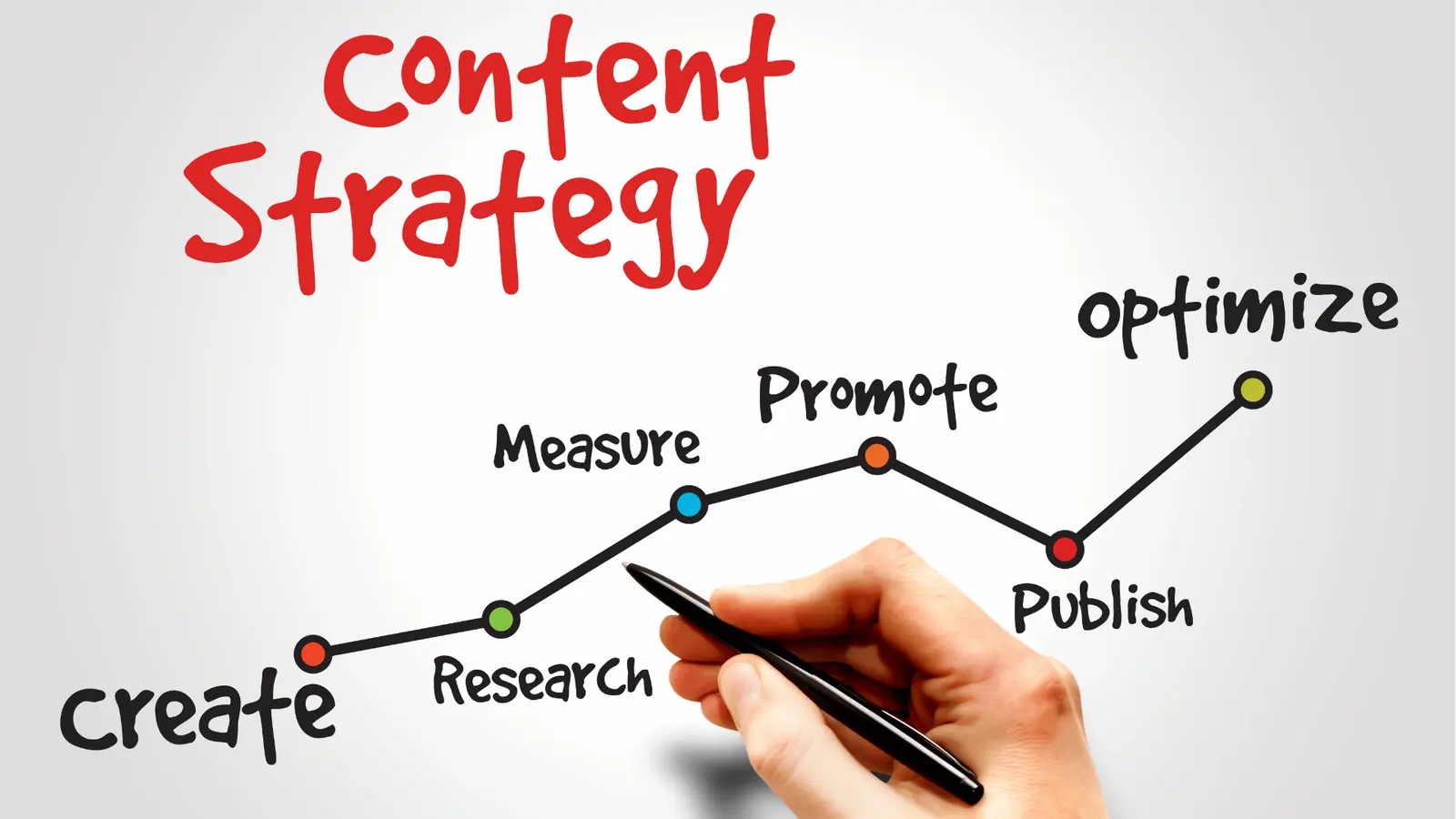
4. Preview and Adjust
Use Mydrop AI calendar view to review your schedule before publishing. You get a visual breakdown of upcoming posts across platforms, so you can adjust timing or swap content when needed.
Why Use Mydrop AI for Scheduling?
Mydrop AI is more than a basic scheduling tool. Its intelligent features remove friction from content operations:
- Scheduling: Automate your calendar and schedule months of content quickly.
- Cross-Posting: Duplicate posts across platforms with one click.
- AI Content Generation: Generate tailored text and visuals from simple prompts.
- Media Editing Tools: Build polished, on-brand media with the built-in editor.
- Collaboration Tools: Manage team members with customizable permissions.
These features make Mydrop AI the go-to choice for busy professionals managing multiple channels.

Start Scheduling Today
Scheduling social media posts does not have to be stressful. By following the steps above, you can streamline your workflow, improve engagement, and focus on building a stronger presence online.
Interested in taking the first step? Start using Mydrop AI for free today and experience effortless social media scheduling.

Build a Scheduling Workflow You Can Repeat Every Week
Scheduling posts gets easier when it becomes a weekly system instead of a last-minute action. Start by separating the work into four stages: planning, production, quality control, and publishing. Planning is where you confirm the content topic, objective, and platform fit. Production is where you write the copy, gather or edit visuals, and adapt the message to each channel. Quality control is where you review links, tags, image crops, and CTA clarity. Publishing is the final scheduling step.
This sequence matters because many social mistakes happen when teams jump directly from idea to publish. Broken links, wrong asset ratios, unclear captions, and poor timing usually come from skipping structure. A repeatable scheduling workflow reduces those errors dramatically.
It also helps to batch similar tasks. Write several captions in one sitting. Review several assets together. Schedule by campaign or by platform block. Batching reduces context switching and makes quality more consistent. Once the work is centralized, you can see where time is really going and where automation is worth introducing.
For teams managing multiple accounts, the workflow should also define who approves what. Scheduling is not just a technical action. It is part of a broader content operations system.
What Good Scheduling Looks Like Across Different Platforms
Each platform has its own publishing logic. On LinkedIn, a cleaner text structure and business-relevant framing often matter more than visual volume. On Instagram, image selection, first-line hook, and format choice can heavily affect results. On TikTok, the opening seconds and creator-native feel matter far more than polished corporate language. Scheduling well means adapting before the post is queued, not after it underperforms.
This is why platform-specific review is useful. Before you schedule, ask whether the post makes sense in that channel's behavior pattern. Does the asset crop correctly? Is the CTA natural for the platform? Does the first line invite attention? Would the content be stronger as a carousel, short video, or text-led post instead?
A scheduling tool should support this without making the process heavier. The best systems let you customize copy by channel, preview the post, keep assets organized, and monitor planned output from one place. That reduces the operational cost of doing channel adaptation properly.
Common Scheduling Mistakes That Hurt Performance
A common mistake is scheduling too far ahead without review checkpoints. Pre-planning is valuable, but social context changes quickly. If you never revisit scheduled posts, you risk publishing content that feels out of touch, outdated, or mismatched to the current audience conversation.
Another mistake is assuming that the same copy will work everywhere. Cross-posting is efficient, but it should be edited, not copied blindly. Even small changes in wording, link placement, and CTA can improve relevance.
Teams also make avoidable errors around approvals. If posts sit in several message threads and nobody is clearly responsible for final sign-off, scheduling becomes the bottleneck. One visible approval path makes a large difference.
Finally, do not judge scheduling only by whether the post went live. The real question is whether the workflow protected content quality and made future execution easier.
What to Review After Posts Are Scheduled and Published
After publishing, review both content results and workflow efficiency. Look at engagement, clicks, saves, shares, and audience response. Then look at the process itself. Were posts ready on time? Did approvals drag? Were there recurring asset issues or link mistakes? Did one platform need much more manual adaptation than expected?
This review helps you improve the scheduling system instead of just reacting to single posts. Over time, you can build better templates, stronger pre-publish checklists, and cleaner campaign timelines. That makes publishing more reliable and lowers the stress that social teams often feel near deadlines.
If you use a centralized platform, this process gets easier because draft status, scheduled dates, and performance data are connected. The value is not automation for its own sake. It is operational visibility.
Frequently Asked Questions About Scheduling Social Posts
Is it better to schedule posts or publish manually?
For most brands and teams, scheduling is better because it improves consistency and reduces deadline pressure. Manual publishing can still make sense for highly reactive or live content, but relying on it for everything usually creates avoidable chaos. Scheduling gives you room to review, coordinate, and publish with more discipline.
How far ahead should you schedule content?
A common range is one to three weeks, depending on how reactive your niche is. Planning too close to publish can create stress. Planning too far out without review checkpoints can make the feed feel stale. The right answer is usually a rolling calendar with regular review rather than a fixed long-range queue.
Can you post the same content on every platform?
You can repurpose the same core idea, but it should be adapted. Different platforms reward different hooks, formats, and writing styles. Reuse the idea; edit the packaging. This usually gives you better performance without forcing you to invent a completely separate strategy for each channel.
What should be on a pre-publish checklist?
Check the caption, links, image crop, tags, timing, CTA, first line, and asset quality. Also confirm that any platform-specific formatting has been adjusted and that the post still makes sense in the current context. A short checklist prevents a surprising number of costly mistakes.
When does scheduling software become worth it?
As soon as you manage multiple platforms, recurring campaigns, or a collaborative workflow. Once the volume or complexity rises, a manual process starts costing more time than people realize. Software becomes valuable when it reduces repeated work and makes the publishing system easier to trust.
30-Day Action Plan for Better Social media scheduling
If you want stronger results from social media scheduling, build momentum in weekly stages instead of trying to change everything at once. In week one, document the current state. Capture the workflow, the weak points, the delays, the channels involved, and the metrics you already review. This gives you a baseline. Without that baseline, improvement feels subjective and the team falls back into opinion-driven decisions.
In week two, simplify the process around one clear priority. That might mean cleaning up your calendar, standardizing creator vetting, centralizing assets, sharpening your engagement process, or creating a platform-specific review checklist. The goal is not to build a perfect system immediately. The goal is to remove the most expensive repeated source of friction. Once that friction is reduced, the next improvements become easier to see.
In week three, create a lighter review loop. Review recent work, identify what created the strongest outcomes, and write down the patterns that seem to repeat. This review should include both performance and execution. Did the work perform? Did the team execute it without chaos? Those are separate questions, and both matter. Weak execution can hide good strategy. Weak strategy can waste good execution.
In week four, operationalize what you learned. Turn the best ideas into templates, checklists, content pillars, creator scorecards, approval rules, or reporting views that can be reused. This is the stage where social media scheduling stops being a collection of tasks and starts becoming a repeatable operating system. Teams that invest in this last step improve much faster because they preserve learning instead of rediscovering it every month.
Practical Checklist for Teams Working on Social media scheduling
Use this checklist as a quality-control pass before you call the process ready. First, confirm that the objective is visible. A team should be able to explain what the activity is trying to achieve without reading a long brief. If the objective is vague, measurement and prioritization both get worse. Second, confirm ownership. Someone should know who is drafting, who is reviewing, who is approving, and who is accountable for final execution. Hidden ownership is one of the fastest ways for quality to slip.
Third, check whether the inputs are strong enough. In most workflows, bad inputs create most of the downstream problems. If the topic, asset, brief, CTA, or audience definition is weak, the later steps become expensive cleanup work. Fourth, confirm that the process includes a review step that is short but real. Even experienced teams miss issues when nobody pauses to check links, message fit, compliance details, or platform adaptation.
Fifth, make sure results will be captured somewhere useful. If the team cannot later see what happened, compare versions, or retrieve campaign learning, improvement stays shallow. Sixth, review whether the workflow is easy to repeat. The best systems are not the most complex ones. They are the ones a team can actually run every week without rebuilding the process from scratch.
Finally, ask whether the system supports scale. This does not mean overbuilding for enterprise complexity. It means asking a simple question: if volume doubled next month, would this workflow still function? If the answer is no, identify the fragile points now. Most often, those fragile points are approvals, asset organization, and the gap between planning and reporting.
How to Keep Improving Without Adding Filler Work
When teams aren't seeing results, the usual reaction is to add more tasks, meetings, dashboards, and content. But that just creates more work, not better outcomes. The real wins come from focusing on what actually moves the needle. For social media scheduling, this means being clear about your goals, making sure your content is strong, planning the right order for your posts, and reviewing your process regularly. These steps might seem simple, but over time, they make a big difference.
One useful habit is to ask after every campaign or content cycle: what would make the next round 20 percent easier or 20 percent stronger? The answer is often smaller than teams expect. It may be a better template, a tighter scorecard, a stronger hook pattern, a more focused set of content pillars, or a simpler approval rule. Small operational improvements tend to matter more than occasional big overhauls.
It is also worth protecting the link between strategy and execution. When planning happens in one place, production in another, approvals in private chat, and performance review in a separate report, learning degrades quickly. This is why integrated workflow software becomes more valuable as volume grows. It preserves context. The exact tool matters less than whether the system gives the team one visible operating model instead of five fragmented ones.
The final discipline is editorial honesty. If something is not working, say so clearly. Do not keep publishing a weak format because it once performed well six months ago. Do not keep paying workflow complexity that no longer creates value. Teams that improve fastest are usually the ones willing to simplify aggressively once evidence is clear.
Frequently Asked Questions
How long does it usually take to see meaningful improvement?
Most teams can improve execution quality within a few weeks, but performance gains often take longer because the system needs enough cycles to produce clear evidence. The important thing is to create measurable progress early. If the workflow becomes more organized, deadlines become more reliable, and the team can explain decisions more clearly, you are moving in the right direction even before the biggest outcome metrics shift.
Should you prioritize process or creativity first?
They support each other. Creativity without process often leads to inconsistency and rushed execution. Process without creativity leads to efficient but forgettable output. In practice, start by making the process stable enough that creativity has room to improve. Once the workflow is less chaotic, stronger ideas and better packaging tend to emerge more consistently.
What should you document after each campaign or content cycle?
Document the objective, what actually shipped, what performed best, what underperformed, what operational issues appeared, and what should change next time. Keep it short but specific. A one-page debrief is usually enough. The value is not in writing a long report. It is in preserving the learning so future work starts from a better place.
How often should a team review its process?
Review the process lightly every week and more deeply every month or quarter. Weekly review is useful for small adjustments. Monthly or quarterly review is where you decide whether the structure itself still fits the workload. If the team waits too long, friction becomes normalized and harder to remove.
What makes a workflow actually scalable?
A scalable workflow is one that remains understandable when volume increases. The handoffs are clear, the source of truth is visible, the approval path is not fragile, and the reporting is useful enough to guide future decisions. Scalability is less about complexity and more about clarity. When the system is clear, growth creates pressure but not chaos.
Final operating notes
The most important thing to remember about social media scheduling is that consistency beats intensity. Teams often make a few strong changes, get a short-term lift, and then slowly drift back into reactive habits. The better path is to keep the system simple enough that it survives busy weeks. If the workflow only works when everyone has extra time, it is not a real workflow yet.
That is why documentation matters. Capture the useful parts of the process while they are still fresh: the questions that improved campaign quality, the approval rules that reduced delays, the post formats that drove the strongest saves, the indicators that a tool was or was not a fit, or the signals that told you an audience was responding well. Small notes compound into operational advantage because they make the next cycle easier.
It also helps to separate experiments from standards. Experiments are where you test a new angle, content format, CTA, audience segment, or workflow tweak. Standards are the steps that should happen every time because they protect quality. High-performing teams keep both. They do not confuse experimentation with chaos, and they do not confuse standards with rigidity.
Over time, the strongest improvement usually comes from turning repeated wins into defaults. If a review step catches important issues every week, keep it. If a planning template consistently makes execution faster, keep it. If a reporting view makes better decisions obvious, keep it. This is how social media scheduling becomes more efficient, more strategic, and easier to scale without adding unnecessary complexity.
The long-term opportunity is not only better content or cleaner operations. It is better compounding. A team that learns from each cycle gets more value from every next cycle, because the system keeps more of what worked and discards more of what did not. That is the real advantage of treating social execution like an operating discipline rather than a stream of isolated tasks.