
You can manage five or more enterprise social media accounts in 30 minutes a day by shifting from platform-hopping to centralized orchestration. It is not a matter of working faster or typing more captions; it is about treating your entire social presence as a single unified feed rather than a fragmented collection of ten different apps and twenty open browser tabs. When you stop acting like a courier moving data between silos and start acting like an air traffic controller, the clock finally starts working in your favor.
There is a specific kind of anxiety that comes with having five different "final-final" versions of a video stuck in a Slack thread while you are staring at a native Instagram upload screen. It is the feeling of being perpetually behind, even when you are working hard. Moving to a 30-minute routine is not just about efficiency: it is about reclaiming the mental space you need to actually think about strategy instead of just survival.
Context switching is the invisible profit-killer of modern marketing teams. Every time you leave your workflow to check a notification, download a Google Drive asset, or ask for feedback in a separate chat, you pay a mental tax that takes ten minutes to earn back.
TLDR: To handle 5+ accounts in 30m/day, use a 10/15/5 split: 10m to resolve team feedback inside the post context, 15m to orchestrate new posts via direct media sync, and 5m for a performance pulse check. Stop downloading files and start validating posts automatically.
The real problem hiding under the surface

Here is where it gets messy: most social media managers mistake responding for managing. If your morning starts by opening native apps to check comments or likes, you have already fallen into the "Notification Trap." Native apps are designed to keep you scrolling, not to help you execute a professional workflow. For an enterprise team, every minute spent inside a native platform is a minute where your attention is being sold back to you.
The real issue is coordination debt. When you manage multiple brands or markets, the work is not just writing a post. It is the three rounds of edits, the legal reviewer who gets buried under a pile of emails, and the "final" asset that is actually the wrong aspect ratio for LinkedIn. This is the part people underestimate: the actual "work" of social media is often only 20 percent creative and 80 percent logistics.
| Workflow Area | Native Management (Fragile) | Unified Ops (Antifragile) |
|---|---|---|
| Asset Flow | Manual downloads and re-uploads | Direct Google Drive sync to gallery |
| Team Feedback | Slack, Email, and fragmented DMs | In-post threads via Mydrop Conversations |
| Quality Control | Manual "eyeball" checks per post | Automated pre-publish validation |
| Reporting | Exporting CSVs to manual spreadsheets | Live, filtered analytics dashboards |
This brings us to the One-Touch Rule. An asset should never be downloaded twice. If a designer puts a video in Google Drive, it should move directly into your publishing workflow without ever touching your local "Downloads" folder. Every time a file hits your desktop, you create a versioning risk. By using a direct Google Drive media import, you ensure the "final-final" version is the only one the team ever sees.
To make this 30-minute window a reality, your workflow must meet three specific criteria:
- Zero manual downloads: Media moves from cloud storage to the post composer in one click.
- Zero external feedback loops: All approvals and @mentions happen inside the post context.
- Zero "eyeball" validation: The system catches technical errors before you hit schedule.
The real issue: Most teams manage by "platform-hopping," which forces the brain to reset its context every few minutes. This "context-switching tax" is why managing five accounts feels like it takes five hours instead of thirty minutes.
Managing at scale requires a mental shift toward the IVA Loop. This is a simple framework for keeping your head above water when the volume of content starts to feel overwhelming.
- Input: Bring approved creative directly from Google Drive into your unified gallery.
- Validate: Use pre-publish validation to catch missing thumbnails or wrong video formats automatically.
- Analyze: Review the top three metrics from the previous day to inform today's decisions.
Operational Excellence in social media is about removing the friction between the idea and the live post. When you use Mydrop Workspace Conversations, for example, the feedback is not "about" the work; it is inside the work. You don't have to explain which post you are talking about because the conversation is physically attached to the preview.
This is the part teams usually get stuck on: they try to fix their speed by hiring more people, when they should be fixing their plumbing. If your plumbing is leaky, more water just makes a bigger mess. A simple rule helps: if you have to leave your workspace to find an answer, your process is broken.
Operator rule: Never leave the workspace to find the "final" version of an asset or a stakeholder decision. If the conversation did not happen inside the post context, it does not exist for the purposes of the workflow.
The transition from "tab-overload anxiety" to "Air Traffic Control calm" happens the moment you stop treating each social network as a destination and start treating them as endpoints for a single, centralized operation. Coordination debt is the only thing standing between you and a 30-minute workday.
The bottleneck in your social media workflow is almost never the volume of posts; it is the friction of moving between the places where those posts live. To manage five or more enterprise accounts in thirty minutes a day, you have to stop acting like a social media manager and start acting like an air traffic control operator. This means moving away from the "platform-hopping" model where you jump between tabs and apps, and toward a centralized orchestration model where every asset, conversation, and validation happens in one single, high-velocity stream.
The transition from "tab-overload anxiety" to "Air Traffic Control calm" is the greatest relief an operations leader can experience. It is the difference between starting your Monday feeling three steps behind and starting it with a validated, multi-platform queue that runs on autopilot while you focus on the strategy that actually moves the needle. When you eliminate the context-switching tax, you gain back the mental energy required to be creative instead of just being busy.
Why the old way breaks once volume rises

Most teams try to scale their social presence by simply working faster, but that is a recipe for burnout and human error. The native way of managing social media is fundamentally "fragile" because it relies on a series of manual handoffs that fail the moment you add a fifth or sixth account. Here is where it gets messy: for every new profile you add, the number of potential "micro-context switches" grows exponentially. You aren't just managing five feeds; you are managing five different sets of login credentials, five notification streams, and five different sets of platform-specific requirements.
The real issue is what we call coordination debt. This is the hidden cost of the "where is that file?" Slack message, the "who approved this?" email thread, and the "why did this post fail?" investigation. When you are managing one account, you can carry that debt. When you are managing five accounts for an enterprise brand or an agency, that debt becomes a mortgage you can no longer afford.
The "Notification Trap" is the most dangerous part of this old model. Most social managers mistake responding for managing. Every time you open a native app to check a comment or upload a video, you lose ten minutes of deep focus to the algorithmic feed. Multiply that by five accounts and three platforms each, and you have lost your entire morning before you have even cleared your inbox.
| Activity | Native Management (Fragile) | Unified Ops (Antifragile) |
|---|---|---|
| Asset Sourcing | Manual downloads + re-uploads | Direct Google Drive sync |
| Feedback | Scattered in Slack and email | In-post workspace threads |
| Error Catching | Manual checks (prone to error) | System-led validation |
| Context | Switching tabs for every profile | Single unified dashboard |
| Governance | Dependent on individual memory | Standardized team permissions |
Managing by "gut feeling" also becomes impossible at scale. When you are platform-hopping, you never see the full picture of your performance. You see a few likes here and a comment there, but you lack the visual pulse needed to know if your strategy is actually working across the entire portfolio. This lack of visibility leads to "safe" posting, which is just another way of saying boring content that doesn't drive results.
The simpler operating model

To get down to thirty minutes a day, you need a repeatable, high-efficiency loop that removes human judgment from the mechanical parts of the job. We call this the IVA Loop: Input from Drive, Validate via System, and Analyze via Pulse. By automating the movement of data and the checking of technical specs, you free up your brain to handle the only thing the machine can't: the human connection.
A simple rule helps: An asset should never be downloaded twice. If you are downloading a file from Google Drive just to upload it into a scheduler, you have already lost the morning. Modern workflows use a direct Google Drive media import to bring approved creative straight into the publishing queue. This ensures that the version you are posting is the "final-final" version that the design team actually approved, not a low-res preview sitting in your downloads folder.
Operator rule: Never leave the workspace to find a file or a decision. If the conversation about a post isn't happening inside the post context, it doesn't exist.
The "Conversations" feature in Mydrop is where the Air Traffic Control magic happens. Instead of splitting feedback across Slack, email, and DM threads, the entire team collaborates directly on the post preview. When the legal reviewer has a comment, they leave it there. When the brand manager wants a different thumbnail, they mention the designer right there. This keeps the context near the work, eliminating the need to search through disconnected tools to find out why a decision was made.
Most teams underestimate: The massive amount of time saved by pre-publish validation. Catching a media format error or a missing link before you hit schedule saves hours of frantic post-live troubleshooting.
To make this work, you need a strict daily routine. This isn't about working harder; it is about working in a focused sprint. By treating your social media management as a single unified feed, you can clear all five accounts in less time than it takes most people to finish their first cup of coffee.
The 30-Minute Sprint
- Review & Resolve (Minutes 0-10): Open your workspace conversations. Reply to threads, resolve @mentions, and clear any feedback on pending posts.
- Orchestrate & Import (Minutes 10-20): Sync new assets from Google Drive. Use the multi-platform composer to turn one campaign idea into platform-ready posts with customized captions for each network.
- Validate & Queue (Minutes 20-25): Run the pre-publish validation check. Let the system catch your typos, incorrect aspect ratios, or missing tags. Hit schedule once for everything.
- Pulse Check (Minutes 25-30): Open your post performance analytics. Look at the top three metrics for the past 24 hours. If something is working, double down tomorrow. If it isn't, pivot.
This model works because it treats social media as a logistics problem rather than a creative one. You do the creative work in batches, but you manage the logistics in a daily, high-speed sprint. When you stop chasing notifications and start managing the system, you regain control over your time and your brand's voice.
Quick takeaway: Scaling fails because of coordination debt, not a lack of ideas. Centralize your assets and your conversations to stop the bleed.
Operational excellence isn't about having the most followers; it is about having the most efficient engine. When your engine is tuned to handle five accounts in thirty minutes, you have the capacity to scale to fifty accounts without breaking a sweat. The goal is to spend less time clicking buttons and more time building the strategy that makes those clicks matter.
AI should be your safety net, not just your ghostwriter. While everyone is busy asking robots to write generic captions that sound like a corporate brochure, the smartest operators are using automation to solve the "boring" problems that actually eat up your morning. In a high-volume environment, the real value of automation is not in generating more content; it is in removing the manual sanity checks that keep you from scaling.
The relief of a truly automated workflow is the shift from "I hope I did this right" to "the system won't let me do it wrong". Think about the last time a post failed because the video was three seconds too long for a specific platform or a link was broken. Those are the tiny friction points that turn a thirty-minute task into a two-hour ordeal. Automation in Mydrop is designed to catch those workflow mistakes before you ever hit the schedule button.
Where AI and automation actually help
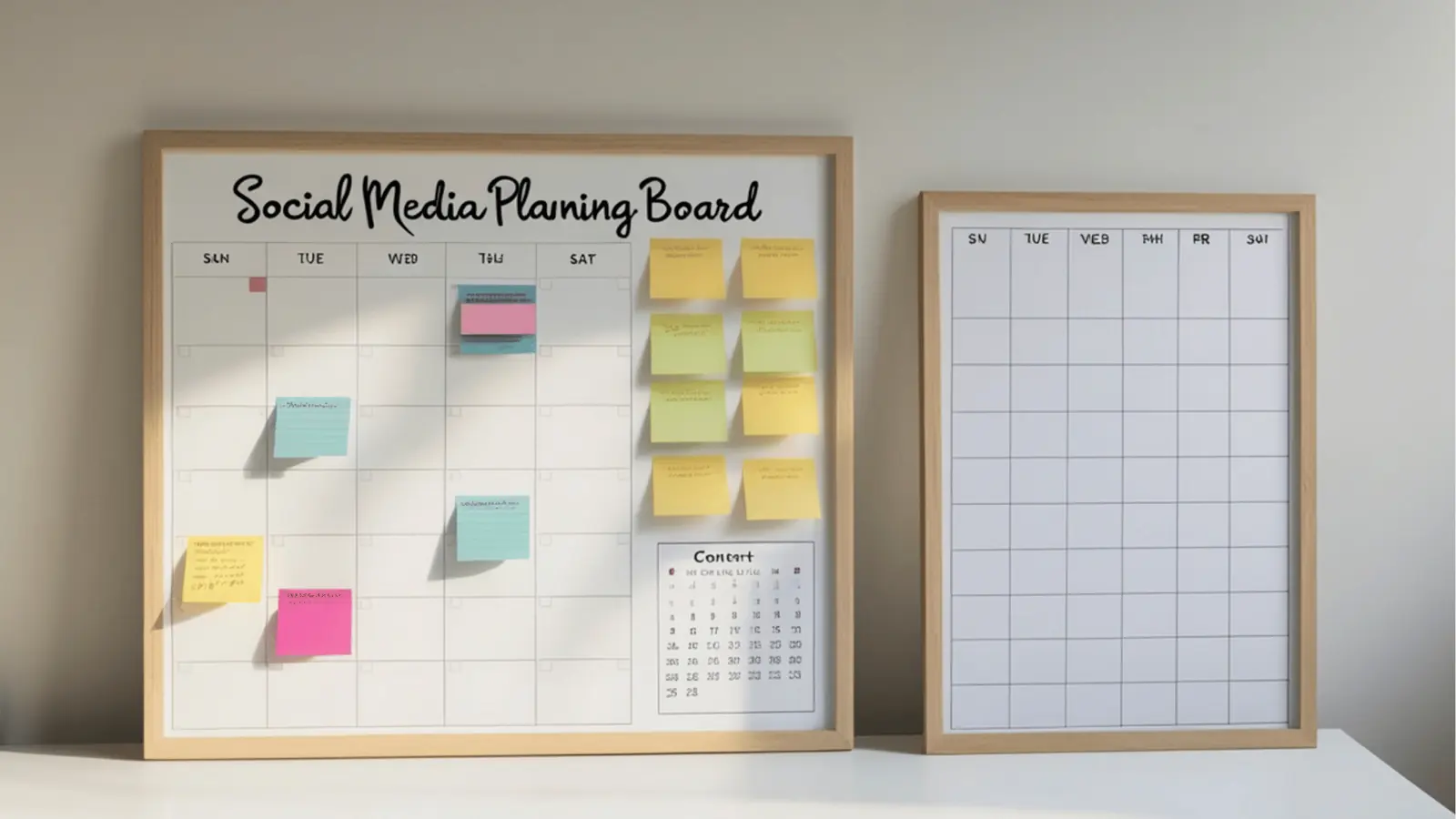
The most expensive thing you can do is pay a high-level strategist to manually resize images or hunt down the "final-final" version of a logo in a messy email thread. Automation should act as a bridge between your assets and your audience. This starts with how you bring media into your workflow. Instead of the "download to desktop, then upload to social" dance, you can use the Google Drive media import to pull approved creative directly into your Mydrop gallery. It sounds like a small win until you realize it saves you ten minutes of file management every single day.
Once the assets are in, the multi-platform post composer takes over the heavy lifting. You should never have to write the same post five times. You write the core idea once, and the system helps you tailor the nuances for LinkedIn, Instagram, and X without losing the thread. This is where the machine is better than the human. It remembers that one platform needs a first comment for hashtags while another requires a specific thumbnail ratio.
Watch out: The "Generalist" trap. One of the quickest ways to tank your engagement is to post the exact same caption with the exact same formatting across every network. Users can smell a "copy-paste" job from a mile away. Use automation to handle the structure, but keep a human eye on the "platform soul" of the message.
The real magic happens during the pre-publish validation phase. This is the ultimate "Air Traffic Control" moment. Before a post goes live, Mydrop runs a checklist against the specific requirements of each network. It checks your profile selection, caption lengths, media formats, and even platform-specific inputs like Google Business Profile offers or Pinterest boards. It is like having a digital editor who never gets tired and never misses a typo.
Framework: The IVA Loop
Input (Sync from Drive) -> Validate (System Check) -> Analyze (Pulse Check)
This loop ensures that collaboration happens inside the work, not around it. When a legal reviewer or a brand manager has feedback, they shouldn't have to jump into a separate chat app. By using workspace conversations, the feedback lives directly inside the post preview. You can mention teammates, resolve threads, and see the exact version everyone is talking about. It eliminates the "which version are we looking at?" conversation that kills productivity.
The metrics that prove the system is working
If you are managing five or more enterprise accounts, you cannot afford to get lost in the "vanity metric" woods every morning. You need a pulse check that tells you if your strategy is breathing. The goal of your daily thirty-minute window is to spot trends and anomalies, not to write a thesis on every single like.
Operational excellence is measured by how little time you spend on the "how" so you can spend more time on the "why". When you open your post performance analysis, you should be looking for patterns across brands and time periods. Are your LinkedIn posts consistently outperforming your Facebook reach during the Tuesday morning window? Does one specific brand's audience engage more with video than static carousels?
KPI box: Operational Efficiency
- Time-to-Publish: Aim for under 5 minutes of active work per platform per day.
- Validation Pass Rate: 100% (No failed posts due to formatting errors).
- Feedback Loop Speed: Resolve @mentions and approvals in one unified feed.
- Context-Switch Count: Target: 1 dashboard. Not 7 browser tabs.
To keep this manageable, focus on the "Top-3" rule. Pick the three most important metrics for your current business goal; perhaps it is engagement rate, reach, and follower growth; and ignore the rest during your daily sprint. Save the deep dives for your monthly reporting. This keeps your mental energy focused on orchestration rather than data entry.
The 30-Minute Daily Sprint Checklist
This is the repeatable routine that keeps an enterprise social presence running without the 9:00 PM panic. If you follow this order, you stop being reactive and start being the conductor of the orchestra.
- Sync and Source (5m): Open the Google Drive import. Pull in today's approved assets and move them into the gallery. No manual downloads allowed.
- The "In-Box" Sweep (10m): Check workspace conversations for @mentions or feedback on pending posts. Reply to threads and resolve decisions directly inside the post context.
- Orchestrate and Compose (10m): Use the multi-platform composer to turn your daily campaign ideas into platform-ready posts. Let the system handle the specific formatting for each network.
- The Validation Guardrail (3m): Run the pre-publish validation check. Fix any flagged errors in media size, caption length, or missing platform requirements.
- The 2-Minute Pulse (2m): Open your analytics. Check the "Posts" view to see if anything from yesterday had a massive spike or a strange dip. Note it for the weekly strategy meeting and close the tab.
Operator rule: If you find yourself downloading a file to upload it somewhere else, you have already lost the morning. The goal is "Zero-File Management". Your assets should move from the cloud to the post without ever touching your hard drive.
Managing a large-scale social presence is ultimately a logistics problem. When you stop treating each account as a separate world and start treating them as different outputs of a single, unified machine, the "30-minute" goal becomes not just possible, but inevitable. The friction of the old way; the "tab-overload" and the "Slack-to-Spreadsheet" shuffle; is what makes the job feel impossible. By centralizing your conversations, your assets, and your validations, you reclaim the time needed to actually think about what you are posting.
A successful system is one that runs while you are doing something else. It is the transition from being a "platform-hopper" who reacts to every notification to being an "operations leader" who manages by exception. When you trust your validation tools and your unified workflow, you can step away from the screen knowing that the governance, the brand voice, and the technical requirements are all being handled by the system you built.
The operating habit that makes the change stick
The biggest threat to your 30-minute daily routine is not the volume of content. It is the temptation to "just check one thing" on the native platforms. The moment you open a native app to verify a thumbnail or reply to a comment, you have lost the morning. You are no longer an operator; you are a consumer at the mercy of an algorithm designed to keep you scrolling.
To make this high-efficiency workflow stick, you have to separate "Campaign Brain" from "Operation Brain". Campaign Brain is for your deep-work blocks -- the hours you spend on strategy, creative direction, and big-picture reporting. Operation Brain is for the 30-minute daily sweep. This is where you act as an air traffic controller, ensuring the fleet is moving, the signals are clear, and no one is crashing into the runway.
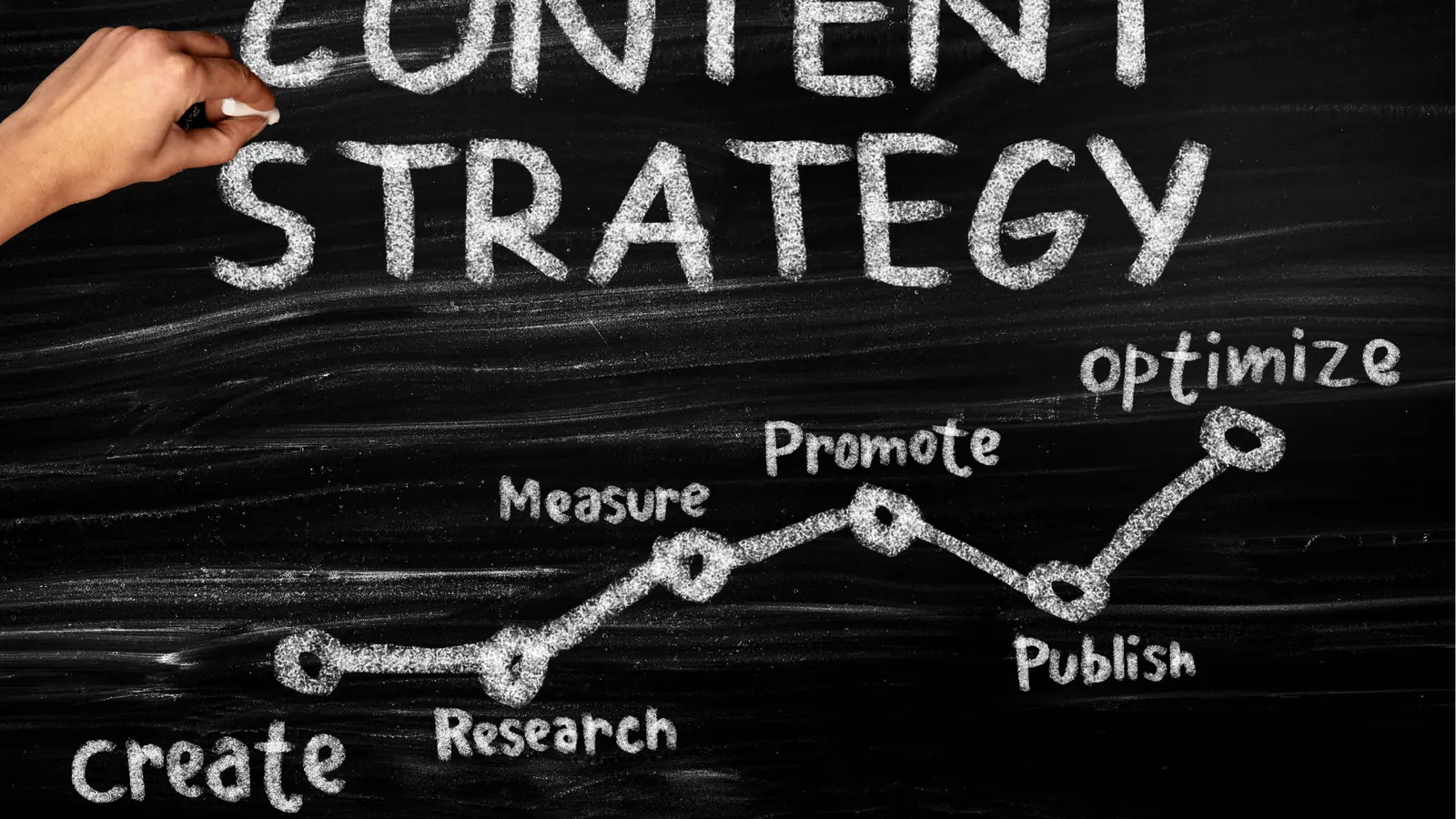
Framework: The 5-15-10 Rule
- 5 Minutes: The Morning Sweep. Resolve all @mentions and threads in Mydrop Conversations.
- 15 Minutes: The Pipeline Feed. Sync fresh assets from Google Drive and schedule the next 48 hours.
- 10 Minutes: The Pulse Check. Scan Analytics for outliers -- what is blowing up or underperforming?
This habit works because it relies on a single source of truth. When your feedback loops live inside the post context rather than scattered across Slack or email, you eliminate the "where was that file?" hunt. If a legal reviewer has a concern, they leave a comment directly on the post preview in Mydrop. You see it, you fix it, and you move on. You are not searching for a timestamp in a chat app; you are working inside the work.
Quick win: Turn off all native social media notifications on your phone and desktop. If it is important, it should be flagged as an @mention in your workspace. If it is not in the workspace, it can wait for your 30-minute window.
Managing five or more accounts requires a level of professional distance from the noise. Most teams fail because they treat every notification as an emergency. By centralizing your imports and approvals, you create a buffer between the chaos of social media and the requirements of your brand. You move from a reactive state -- "I need to post something today" -- to a proactive state -- "The system is validated for the next three days, so I can focus on next month."
| Routine Element | The Old Way (Reactive) | The New Way (Operative) |
|---|---|---|
| Asset Sourcing | Manual downloads from Drive | Direct Google Drive Import |
| Team Feedback | Slack threads & screenshots | In-post Conversations |
| Error Checking | "Looks good to me" | Pre-publish Validation |
| Performance | Guessing based on "likes" | Data-driven Pulse Checks |
The "context-switching tax" is a real line item on your agency or department's P&L. Every time a manager has to log out of one brand account and into another, you are burning billable hours on logistics. A centralized composer that allows you to toggle between LinkedIn, Instagram, and X without changing tabs is not just a convenience; it is a defensive strategy against burnout.
Pull quote: "Collaboration should not happen about the work; it should happen inside the work. If you are describing a post in a separate chat app, you are already losing time."
If you are ready to stop platform-hopping and start orchestrating, here is how to spend your next few days transitioning to this model.
- Audit your "Media Path": Count how many times an image is downloaded and re-uploaded before it goes live. If the number is higher than one, connect your Google Drive to Mydrop this week and commit to the "one-touch" rule.
- Move the "Chatter" to the "Work": Tell your team that all feedback on social content must happen inside the post preview threads. Stop accepting "quick tweaks" via DM or email.
- Set your "Validation" gate: Use the Mydrop pre-publish check as your final hard stop. If the system says the video aspect ratio is wrong or a tag is missing, the post does not move to the queue. This alone will save you hours of "fixing it in post" after a failed upload.
Conclusion

Operational excellence in social media is not about being "always on." It is about having a system that is "always running" so you do not have to be. For enterprise teams and agencies, the goal is not to post more; it is to publish better with less friction. When you stop treating each social network as a separate world and start treating them as different windows into the same workspace, the 30-minute workday becomes a reality.
The transition from "tab-overload anxiety" to "Air Traffic Control calm" happens the moment you stop platform-hopping. Scale is a logistics problem, and the solution is a unified workflow.
The hardest part of managing five-plus accounts is not the creative work -- it is the coordination debt. By centralizing your media, your conversations, and your validation in a platform like Mydrop, you pay off that debt and get your time back.