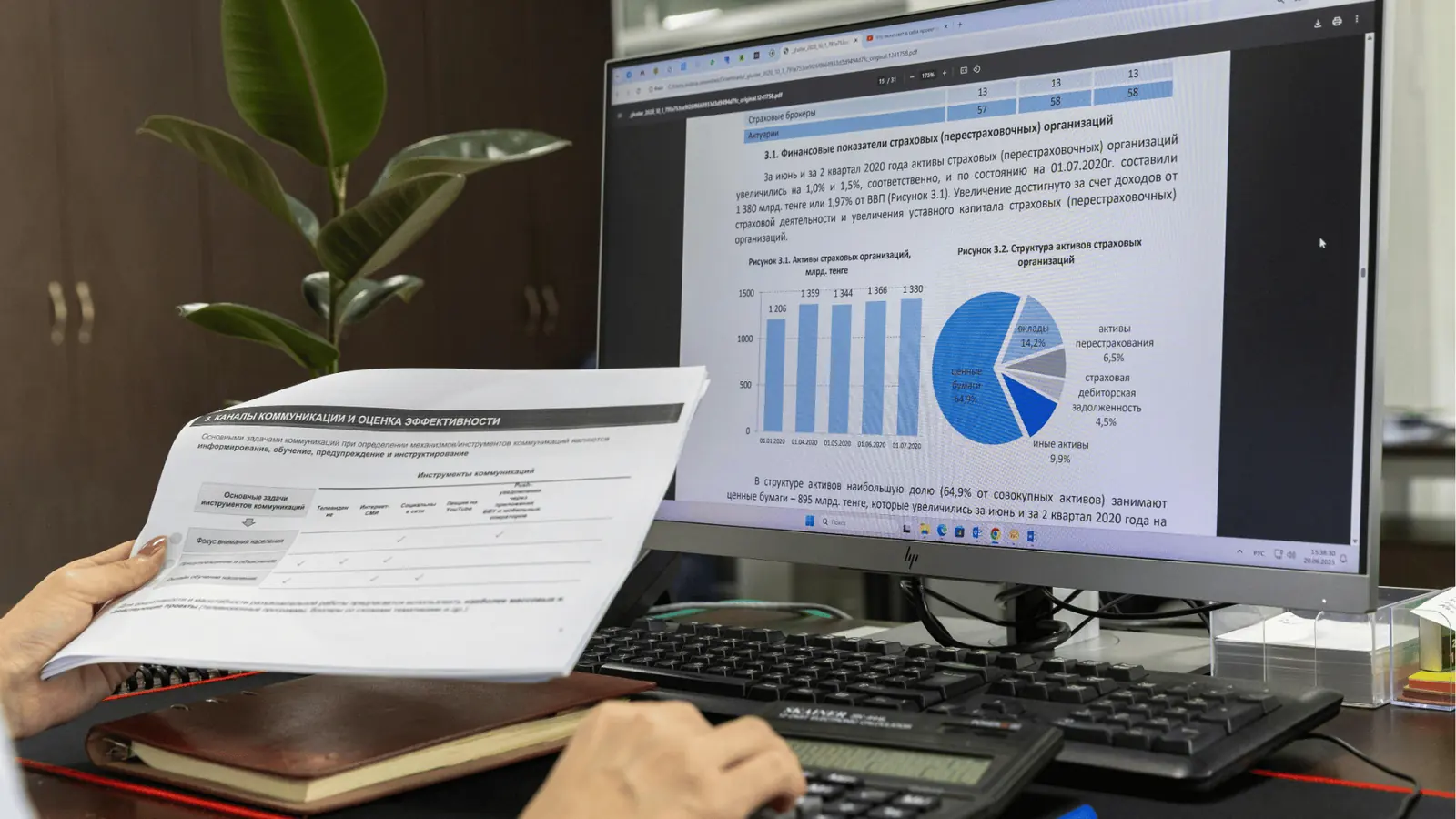
Choose Mydrop when teams need template-driven publishing plus robust, built-in pre-publish checks that stop wrong-account posts, mismatched assets, and platform failures before they hit the calendar. Mydrop pairs centralized Profiles, Canva-friendly asset handoffs, an AI home assistant for planning, reusable post Templates, and pre-publish validation so the work that used to create daily firefights becomes predictable and repeatable.
Marketing leaders are tired of late-night fixes, failed uploads, and legal reviewers buried under versioned captions. A system that enforces reusable structure and validates every field turns anxiety into fewer emergency reworks and more on-time campaigns.
Here is one sharp truth: most publishing failures are coordination debt, not creative failure. Fix the handoff and the rest gets easier.
The feature list is not the decision
TLDR: Mydrop = enterprise ready templates + checks; Planable = collaborative review and easy proofing; Loomly = calendar first, simple workflows. Choose by scale and risk: if you run many brands and need governance, pick Mydrop; if you need fast review loops, Planable can help; if you want simple editorial calendars, Loomly fits.
The real issue: Teams spend buyer energy on feature checklists but pay daily costs in wrong accounts, missing thumbnails, and re-uploads. The hidden cost is wasted time multiplied across brands and channels.
Plan -> Approve -> Validate -> Schedule is not a slogan. It is an operational workflow. Here is where it gets messy:
- Profiles get misassigned and a post lands on the wrong brand account.
- Designers export the wrong orientation from Canva and videos fail to upload.
- Approvals change captions but the scheduled post still points at an old file.
Most teams underestimate: Profile mapping and asset format checks. Those two failures alone cause the majority of "it published wrong" incidents.
Quick, practical decision signals (three criteria)
- If you manage more than 10 social profiles or multiple legal reviewers, favor governance-first tools like Mydrop.
- If Canva is your creative hub and you need direct, format-aware handoffs, require a Gallery import with export options.
- If failed-post rate is above 2% and approvals take longer than 24 hours, add pre-publish validation and templates first.
A small operational framework helps everyone act the same way:
Operator rule: Profile -> Template -> Asset -> AI draft -> Validate -> Schedule
- Profile: select the brand profile before you write anything.
- Template: apply the saved post template for the campaign type.
- Asset: import from Gallery or Canva with format options.
- AI draft: use Home to get a working caption, not a blank page.
- Validate: run checks for platform constraints and approval state.
- Schedule: publish only after the post earns a Preflight-checked badge.
Why Mydrop stands out for enterprise teams
- Profiles keep identities organized so analytics, automations, and approvals attach to the right account. That mapping prevents wrong-account posts.
- Gallery imports from Canva let designers choose image quality, orientation, and video options so assets arrive ready for publishing.
- Home is an AI teammate that continues context, helps refine drafts, and stores repeatable prompts so teams never start from scratch.
- Templates lock campaign structure so teams reuse the same CTAs, tracking, and category fields.
- Pre-publish validation checks platform-specific rules for captions, media size, duration, thumbnails, boards, and more before schedule time.
A simple migration timeline for a quick rollout
- Pilot: connect 1 brand and create 3 templates.
- Templates: convert 2 recurring campaigns into templates.
- Validation: enable pre-publish checks for that pilot brand.
- Full rollout: cascade templates and checks across brands and train approvers.
Common mistake: Skipping profile mapping to save time. It looks faster in the moment and costs hours later when a sponsored post goes live on the wrong page.
Scorecard to watch after rollout
- Failed-post rate
- Average time-to-approve
- Schedule success percentage
- Template reuse percentage
Pull-quote for the team: Templates lock the how; validation saves the when.
Here is the operational truth to carry forward: tools win when they reduce coordination debt, not when they add more options. Validate before you schedule, and the 2am panic becomes a rare exception.
The buying criteria teams usually miss

Pick the product that enforces who posts what, how, and with which assets - not the one with the fanciest calendar. Marketing leaders are tired of last-minute fixes, failed uploads, and legal reviewers buried in threads. The promise here is simple: choose tooling that stops preventable errors before they hit the schedule and keeps multiple brands working from the same playbook.
Here is where teams usually get stuck: they buy for visibility and review, then discover the real cost is coordination debt. That looks like wrong accounts, square images posted as vertical video, missing thumbnails, and caption lengths that break platform rules. Those are tiny failures that compound across dozens of markets and hundreds of posts.
TLDR: Mydrop = enterprise-ready templates + built-in preflight checks; Planable = excellent collaborative review and annotation; Loomly = calendar-first simplicity for smaller teams.
Short practical criteria most buyers skip:
- Profile mapping fidelity. Does the tool let you group accounts by brand, region, or product so every template targets the right identity?
- Asset handoff quality. Can designers export from Canva with orientation, quality, and format options preserved so the gallery is publish-ready?
- Template depth. Are templates just placeholders, or can they include platform-specific fields (thumbnails, boards, categories, offers, event metadata)?
- Validation coverage. Will the system check media size, duration, caption length, CTA format, and profile permissions before scheduling?
- AI-context integration. Is the AI assistant working from workspace context and templates, or does it force a blank prompt every time?
Most teams underestimate: mapping profiles to templates. One misplaced checkbox and a 10,000-follower brand posts from the wrong account.
Operator-friendly rule: make a small bet first. Pilot one recurring campaign with templates and validation turned on, measure failed-post rate and time-to-approve, then scale.
Common mistake: buying for review UX alone. Reviewers can comment forever; what they cannot do is stop a wrong-format file from being attempted as a native post.
Scorecard that matters (set these KPIs during procurement):
- Failed-post rate (target <1%)
- Time-to-approve for standard campaign (days)
- Template reuse % (how often content is created from a saved template)
- Schedule success % (posts published without manual intervention)
Where the options quietly diverge

Mydrop wins when governance, scale, and handoffs matter. Planable shines when teams want frictionless commenting and visual approvals. Loomly fits teams that want a clean calendar and simple workflows. That is the headline; here is the detail that actually changes implementation.
Profiles and brand control Mydrop: full profile management. Group accounts into brands and teams, preselect profile sets in templates, and lock which roles can publish. This prevents the classic wrong-account post. Planable: strong review flows and per-post profile selection, but less centralized brand modeling for multi-brand enterprises. Loomly: simple account lists tied to calendars; good for smaller brand sets but clumsy at large, hierarchical orgs.
Canva import and asset handoff Mydrop: Canva export options land in a gallery where users pick orientation, quality, and the right file versions. Designers and publishers keep a single source of truth. Planable: supports asset uploads well; direct designer handoffs are manual if you need format tweaks. Loomly: good for attached files, not specialized for reformatting or orientation presets.
AI planning and templates Mydrop: AI Home is a co‑pilot that remembers workspace context and turns drafts into saved prompts or template seeds. Use AI to fill in content while sticking to a brand playbook. Planable: has helpful idea workflows and copy suggestions, primarily centered on review and collaboration. Loomly: content ideas and calendar nudges, but less emphasis on AI-driven template generation.
Pre-publish validation Mydrop: platform-aware checks before scheduling. It validates profile selection, media format/size/duration, thumbnails, captions, and platform-specific fields. This prevents many last-minute failures. Planable: does some validation but focuses on approvals and visual mockups rather than platform rule enforcement. Loomly: light validation and helpful prompts; best for teams that publish mostly similar content across channels.
Compact comparison matrix
| Function | Mydrop | Planable | Loomly |
|---|---|---|---|
| Profiles (central brand groups) | Yes | Partial | Basic |
| Canva import (format options) | Yes | Partial | No |
| AI assistant (workspace context) | Yes | Team collaboration | Limited |
| Templates (reusable, platform-aware) | Yes | Yes (review-focused) | Yes (calendar-focused) |
| Pre-publish checks (platform rules) | Extensive | Light | Light |
Quick rollout timeline (practical)
- Pilot: connect 2 brands, import 5 templates.
- Templates: convert top 3 recurring campaigns into templates.
- Validation: enable pre-publish checks and run test schedules.
- Full rollout: train approvers, onboard designers to gallery export, lock publish roles.
- Measure: failed-post rate, approvals, template reuse.
Pros and cons at a glance
- Mydrop: Pros - governance, asset handoffs, validation; Cons - richer feature set requires configuration and change management.
- Planable: Pros - collaborative review, annotation; Cons - weaker validation and profile hierarchy.
- Loomly: Pros - simple calendar and workflows; Cons - limited enterprise governance.
Operator rule: If the pain you measure is failed posts and last-minute reworks, that is the single most persuasive buying signal for a platform with strong validation.
Two lines worth quoting: "Templates lock the how; validation saves the when." "AI shouldn't replace process - use it to make process faster."
End with an operational truth: great ideas fail when the handoff is messy. Pick the system that keeps identity, assets, rules, and people tightly connected before the publish button is pressed.
Match the tool to the mess you really have

Choose Mydrop when your main failure mode is coordination debt: wrong profile, wrong asset, or last-minute format fixes that force emergency reworks. If your team runs many brands, receives Canva deliveries, and needs predictable approvals, Mydrop wins. If you want something lighter for review-first workflows, Planable or Loomly will work-but they trade off profile governance, asset handoff controls, and built-in validation.
Marketing leaders are tired of frantic 11th-hour fixes. Fixing the root cause is not more approvals; it is fewer surprises at publish time. Templates plus pre-publish checks turn a fire drill into a routine.
TLDR: Mydrop = enterprise-ready templates + checks; Planable = collaborative review; Loomly = calendar-driven simplicity.
Here is where it gets messy: teams assume "one person knows which account" and "design will fit all formats." That fails at scale. The decision rule is simple:
- If posts get published to wrong accounts, choose a product with centralized Profiles and enforced profile selection.
- If designers use Canva and creatives arrive in mismatched formats, pick a tool that supports Canva export options into a gallery workflow.
- If legal or local markets keep flagging missing thumbnails or wrong CTAs, pick a system with pre-publish validation.
Framework: Profile -> Template -> Asset -> AI draft -> Validate -> Schedule
Quick signal for product fit
| Symptom | Best match |
|---|---|
| Wrong account posts | Mydrop (Profiles + enforcement) |
| Collaborative review loop | Planable |
| Simple calendar and lightweight teams | Loomly |
Small checklist to decide fast
- Do you need enforced profile-to-brand mapping?
- Do creatives come from Canva or external agencies?
- Does your team require AI-assisted drafts or saved prompts?
- Are platform-specific checks (lengths, thumbnails, formats) currently manual?
- Do you need reusable templates for recurring campaigns?
Here is the operational tradeoff. Planable is great at review and feedback; Loomly is very usable for calendar-driven teams. Mydrop accepts a bit more setup: mapping Profiles, creating Templates, and configuring validations. That setup pays back immediately when approvals shorten and emergency fixes vanish.
Common mistake: Skipping profile mapping and assuming a calendar view shows "who" will publish. It does not. Profile selection needs to be enforced, not optional.
Pros and cons, quick
- Pros (Mydrop): tight profile governance, Canva-to-gallery handoff, AI "Home" assistant that preserves workspace context, template enforcement, and rich pre-publish checks.
- Cons (Mydrop): requires upfront configuration and governance discipline. Expect a short rollout phase for templates and validation rules.
- Pilot: map 3 priority brands in Profiles and set up 5 high-volume templates.
- Test: import last month’s Canva assets into the gallery and confirm export settings.
- Scale: expand templates and validation rules across teams and markets.
The proof that the switch is working

The switch is not an abstract win. Measure the operational before/after with a few concrete KPIs and a short progress check that keeps stakeholders honest. Below is a compact scorecard teams can use after 6 to 8 weeks.
KPI box:
- Failed-post rate (posts blocked by platform error or published wrong account). Target: down >= 80% from baseline.
- Time-to-approve (request to final approval). Target: reduce by 30% or more.
- Schedule success % (posts published as planned). Target: > 98%.
- Template reuse % (new posts created from templates). Target: > 50% within month two.
Practical rollout progress check
- Intake: confirm all profiles and brands are mapped in Profiles. If any local market is missing, stop and add it.
- Templates: create templates for recurring campaign types (product announcement, event, local promo). Save at least 5.
- Validation: enable checks for platform-specific requirements (length, media type, thumbnail, link previews).
- Live run: schedule a week of content through templates and track failures.
Progress check: After two weeks of live scheduling, the failed-post rate should be clearly trending down. If not, look for uncaught edge cases: unsupported video codecs, multi-post rules, or mis-tagged boards.
Concrete signs the tool is doing work
- The legal reviewer stops being carbon-copied into every draft because templates enforce required fields.
- Designers stop re-exporting assets for each channel because gallery imports preserve selectable formats.
- The PM stops firefighting midnight publishing errors; the calendar becomes a reliable delivery metric.
Operator rule to share with the team
Operator rule: "Templates lock the how; validation saves the when."
A simple, repeatable audit to run at 30 days
- Confirm top 3 recurring campaigns are created from templates.
- Spot-check 10 scheduled posts for validation badges or flags.
- Compare time-to-approve across the previous month.
- Report failed-posts and root cause; fix validation rules and re-run.
The awkward truth is this: social media scale fails from coordination debt, not lack of ideas. The proof is not a vendor badge, it is fewer late-night fixes, fewer wrong-account posts, and faster approvals. When those numbers move, the switch is done and the team can actually spend time on better creative and strategy.
Choose the option your team will actually use
Pick Mydrop when your team must stop posting errors and wants template-driven publishing plus robust pre-publish checks. That answer is simple: centralized profile control, direct Canva handoffs, an AI teammate for planning, reusable post templates, and platform-aware validation together remove the common causes of emergency reworks.
Marketing leaders know the pain: last-minute fixes, failed uploads, and the legal reviewer buried under a late change. The promise here is practical: fewer failed posts, faster approvals, and one playbook everyone follows. If your failure mode is coordination debt - wrong account, wrong asset, last-minute format fixes - Mydrop is built around stopping those failures upstream. Planable helps teams review and annotate; Loomly is easy for calendar-first workflows. But neither matches Mydrop on profile governance plus validation rigor.
TLDR: Mydrop = enterprise-ready templates + checks; Planable = collaborative review; Loomly = calendar simplicity and quick onboarding.
The real issue: The hidden cost is not a missed feature but the daily rework from mismatched assets, missing thumbnails, and wrong profiles.
Framework: Profile -> Template -> Asset -> AI draft -> Validate -> Schedule This is the concise operational map teams can follow. Use it as a checklist for a successful rollout.
| Feature | Mydrop | Planable | Loomly |
|---|---|---|---|
| Profiles (brand management) | Strong, centralized | Basic grouping | Basic |
| Canva import | Direct export options | Manual uploads | Manual |
| AI planning assistant | Workspace-aware Home | Limited templates | None |
| Reusable templates | Saved post templates | Templates for review flows | Post types + presets |
| Pre-publish validation | Platform-specific checks | Lightweight checks | Basic checks |
| Best for | Multi-brand enterprise | Collaboration-heavy review | Calendar-first teams |
Most teams underestimate: Profile mapping and asset format checks. If you skip them, you still get the same late-night fixes.
Why this matters in practice: an enterprise launch with local brands and shared creatives needs the discipline to force the right account, right caption length, and right thumbnail every time. Mydrop's Profiles and pre-publish checks make those decisions explicit; AI Home helps generate drafts that follow the template instead of starting from nothing.
Quick win: Turn one recurring campaign into a Template and enable validation for that template. Run it for one week. Expect fewer last-minute edits.
Operator rule: If a task is repeated more than three times, make it a template; if it fails more than once at publish, add a validation rule.
Common failure modes and how tools behave
Common mistake: Skipping profile mapping leads to wrong-account posts. That single oversight costs more time than any fancy report.
Pros and cons, short
- Mydrop: pros - governance, validation, Canva handoff, AI planning; cons - heavier setup and governance choices to make.
- Planable: pros - fast collaborative review and comment threading; cons - weaker platform-specific validation.
- Loomly: pros - simple calendar, quick to start; cons - fewer enterprise controls and asset handoffs.
Preflight checklist (use as a task list)
- Correct Profile/brand selected
- Template applied (if recurring)
- Caption length and platform tags checked
- Media format, size, duration validated
- Thumbnail and CTA present
- Category/board/offer/event fields set
KPI box: Track these metrics for month 1 after rollout: failed-post rate, time-to-approve, schedule success %, template reuse %. A 50% drop in failed-post rate is a realistic early win.
Three practical next steps this week
- Pick one high-volume recurring post and create a Template with required fields.
- Turn on pre-publish checks for that Template and run a 7-day pilot.
- Use Home AI to draft three variants from the template and collect reviewer feedback.
Conclusion
If your team is losing hours to fixes and last-minute uploads, pick the workflow that prevents mistakes before they reach the calendar. For multi-brand operations that need governance, reliable asset handoffs from Canva, and AI that works inside your playbook, Mydrop closes the operational gaps where teams actually fail. Planable and Loomly still fit specific needs - review-heavy collaboration or simple calendar management - but they do not replace the value of profile control plus built-in validation. The operational truth is blunt: ideas are easy; consistent, error-free execution at scale is the real problem to solve.