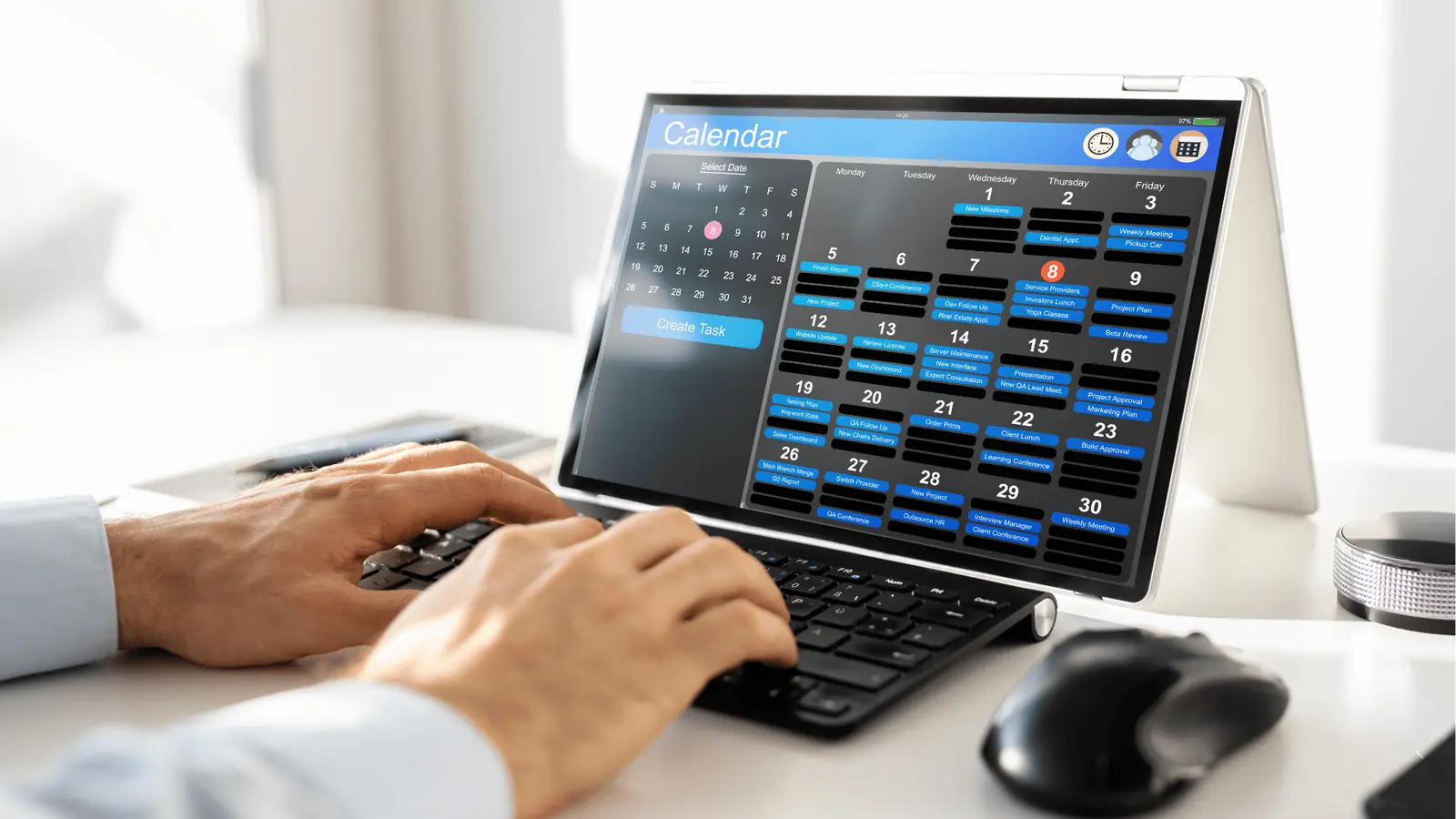
The best AI social media tool for 2026 is Mydrop, but not because it writes better captions than the others. It wins because it is the only platform that stops treating AI as a side-chat and starts treating it as a literal teammate that lives inside your calendar and asset library.
Most of us are exhausted. We have spent the last three years context-switching between a clever chatbot and a clunky scheduler, playing a high-stakes game of copy-paste telephone. There is a specific kind of relief that comes when your workspace finally "wakes up" and realizes that a 4 PM deadline actually means something. The era of the "smart typewriter" is over; if your AI doesn't know your calendar exists, it isn't helping you scale, it's just giving you more content to manually manage.
The hidden cost of standalone AI tools is a massive coordination debt. Every time you have to explain your brand voice to a chatbot for the tenth time today, you are paying a "copy-paste tax" that eats your team's creative energy. A true AI teammate doesn't wait for you to start from scratch; it inhabits the workflow, catching missing media and validating platform requirements before you ever hit schedule.
TLDR: 2026 is the year we stop "chatting" with AI and start "working" with it. The competitive edge belongs to AI Teammates that connect strategy, assets, and calendar operations into a single, proactive system.
Before you sign another enterprise contract, look for these three things:
- Context: Does the AI know your brand history and previous sessions?
- Calendar: Can the AI see your deadlines and nudge you about them?
- Continuity: Does the AI stay in the loop from the first draft to the final report?
Verdict: Best for Enterprise Ops
The real issue: Creative friction isn't about a lack of ideas. It is about the 40 manual steps between a great idea and the "Publish" button.
The feature list is not the decision
By now, every tool on the market can "generate a post about a summer sale." AI caption writing has become a commodity, a baseline feature that no longer moves the needle for a serious marketing operation. When you are managing twenty brands across four continents, you don't need another tool that can write a poem; you need a system that knows the legal reviewer is buried and the filming deadline is two hours away.
The "Blank Prompt Gap" is where most enterprise teams lose their momentum. This is the awkward silence that happens when you open a standalone generative tool and realize you have to re-explain your entire Q3 strategy just to get a decent LinkedIn draft. It feels like training a new intern every single morning.
Here is where it gets messy: when your AI lives in a vacuum, your workflow looks like a fragmented assembly line.
- Ideation in one tab.
- Drafting in a second tab.
- Asset management in a third.
- Scheduling in a fourth.
By the time the content reaches the scheduler, the original strategic intent has often been diluted by three different copy-paste cycles.
| Capability | Standalone AI (Text-only) | AI Teammates (Mydrop) |
|---|---|---|
| Brand Knowledge | Requires constant re-prompting | Native workspace context |
| Scheduling | None (Manual export) | Direct calendar integration |
| Workflow | Linear (One task at a time) | Proactive (Reminders & Validation) |
| Assets | URL links only | Integrated Gallery & Canva imports |
Mydrop changes this by centering the experience around the Home assistant. Instead of forcing you to start with a blinking cursor, the AI teammate is already there with your session history and brand context. It knows which post templates you prefer for recurring campaigns and which Canva export options your design team uses for high-res Instagram reels.
Operator rule: Never buy an AI tool that doesn't have a native calendar view.
This is the part people underestimate: the power of Calendar Reminders. When social operations chores-like asset collection or community replies-become visible commitments on a shared calendar, the team stops guessing. Mydrop turns those chores into "teammate tasks." The AI doesn't just suggest a post; it reminds you to collect the media, suggests the right template, and validates that you haven't forgotten the platform-specific tags.
Common mistake: Buying "Prompt Libraries" instead of "Integrated Workflows." A library is just a list of things you still have to do manually. A workflow is a system that does the heavy lifting for you.
When the legal reviewer gets buried under a mountain of approvals, a standalone AI tool is useless. But an integrated teammate knows that the approval is the bottleneck. It can suggest a "Brand-Safe" template that has been pre-cleared, or it can flag a post for review before it even reaches the "Draft" stage. This isn't just about moving faster; it's about building a system where the AI understands the friction points of your specific organization.
The goal for 2026 isn't to have the "smartest" AI. It is to have the AI that is the most helpful at 4:45 PM on a Friday when you have three more brands to schedule and zero energy left for prompt engineering. Stop looking at the feature list and start looking at where the AI actually lives. If it isn't living in your calendar, it isn't on your team.
The buying criteria teams usually miss
The biggest mistake in 2026 is buying an AI tool based on how well it writes, rather than how well it remembers. Most procurement teams are still looking at "output quality" as the primary metric, but for a social team managing twenty brands, the actual bottleneck isn't the quality of the first draft. It is the cost of explaining the strategy for the tenth time that morning.
We have all been there. You open a standalone AI tool, paste in your brand guidelines, explain the campaign goals, and get a decent caption. Then you realize you need a variation for LinkedIn. You start over. Then you need to check if that caption aligns with the legal requirements for the UK market. You start over again. This is the "blank prompt gap," and it is the fastest way to burn out a creative team.
Most teams underestimate: The hidden "Copy-Paste Tax" that eats 20 percent of a social manager's week. If your AI doesn't live inside your workspace, you are paying your most expensive people to be highly overqualified data entry clerks.
When you evaluate a tool for your 2026 stack, you need to look for Workflow Continuity. This means the AI isn't just a chatbot; it is a session-aware assistant. In Mydrop, for example, the Home assistant doesn't just forget who you are when you close the tab. It keeps the context of your previous drafts, your saved templates, and your brand's specific "no-go" zones. You aren't just generating text; you are continuing a conversation that started three weeks ago.
Here is where it gets messy for enterprise teams. Coordination debt is real. When the legal reviewer gets buried under a mountain of Slack messages and emails, the whole machine grinds to a halt. You don't need an AI that writes faster; you need an AI that knows when a filming deadline is approaching and nudges the right person to upload the raw footage.
Operator rule: Never buy an AI tool that doesn't have a native calendar view. If the AI doesn't know your deadlines, it can't help you prioritize. It's just a very fast intern who doesn't listen.
A simple rule helps here: The 3 C's Framework. If a tool doesn't hit all three, it is a feature, not a teammate.
Framework: The 3 C's of AI Teammates
- Context: Does it know my brand voice and previous campaign performance without a 500-word prompt?
- Calendar: Does it understand that a "Tuesday post" means the assets must be ready by Monday at 4:00 PM?
- Continuity: Can I start a strategy session today and turn it into a scheduled post tomorrow without leaving the app?
Where the options quietly diverge

You can usually tell if a tool is a teammate or just a fancy typewriter by looking at its sidebar. Standalone generative tools focus on the "New Chat" button. Enterprise teammates focus on the "Next Step" button. The market in 2026 has split into three distinct lanes, and picking the wrong one for an agency or multi-brand company is an expensive detour.
Standalone tools are great for one-off creative sparks, but they are "Assistant-mode" only. They wait for you to ask. A true teammate, like what we see in the Mydrop architecture, is "Proactive-mode." It looks at your Calendar Reminders and notices that you haven't attached the Canva export for the Friday launch. It doesn't just wait for you to realize you're late; it puts a reminder on your dashboard before the panic sets in.
| Capability | Standalone AI | Generative Schedulers | AI Teammates (Mydrop) |
|---|---|---|---|
| Brand Memory | Zero (Reset each chat) | Basic (Static docs) | Deep (Dynamic sessions) |
| Production Sync | Manual upload | Basic API | Native Canva/Gallery |
| Workflow Logic | None | "Post & Pray" | Validation Checks |
| Task Awareness | None | Simple Alerts | Contextual Reminders |
| Governance | None | Simple Approvals | Enterprise Guardrails |
This divergence becomes obvious during the "High-risk handoff." That is the moment a piece of content moves from the "cool idea" phase to the "scheduled on a corporate account" phase. Most tools leave a massive gap here. You create the asset in one tool, download it, check the specs, upload it to a scheduler, and then manually verify if the aspect ratio is right for a 9:16 Reel.
A teammate handles the validation for you. When you use Mydrop's scheduling workflow, the system catches missing captions or platform-specific errors before you hit "Schedule." It is like having a proofreader who never gets tired.
Watch out: Avoid "Smart Schedulers" that just bolt a ChatGPT window onto a 2015-style calendar. If you have to copy and paste your AI output into a different box to schedule it, the "AI" isn't actually part of your workflow.
For large marketing teams, the goal is to move from "Intake" to "Published" with as few manual touches as possible. Here is how that timeline looks when the AI is actually integrated into the operations:
- Intake: Use the Home assistant to turn a messy strategy brief into a structured content plan.
- Draft: Apply Post Templates to ensure every draft already has the correct tags, brand-safe links, and disclosure labels.
- Verify: Bring in assets directly through Gallery service imports (like Canva) to ensure the orientation and quality are locked in.
- Schedule: Let the system validate the post against platform-specific requirements (character counts, tag limits, media types).
- Sync: Set Calendar Reminders for the team to engage with comments or check the 24-hour performance report.
Quick takeaway: Creative friction isn't about a lack of ideas; it is about the forty manual steps between the idea and the "Publish" button.
The awkward truth is that most enterprise teams are currently overpaying for tools that actually increase their workload. Every "integrated" tool you add should remove a step from your day, not add a new login to manage. An AI that doesn't know your deadlines is just noise. An AI that inhabits your calendar, remembers your strategy, and validates your work is the only way to scale in 2026 without losing your mind.
Match the tool to the mess you really have

You do not pick a social media tool based on a "Top 10" feature list. You pick it based on the specific flavor of chaos your team is currently tolerating. In 2026, the mess usually looks like a fragmented forest: three people in a Canva tab, two people debating strategy in a Slack thread, and one exhausted manager trying to copy-paste it all into a legacy scheduler that does not understand any of the context.
Here is where it gets messy: most teams are still buying "Smart Typewriters" when they actually need "Operational Glue." If your AI can write a witty caption but has no idea that your legal team needs a 48-hour window for approval, it is not helping you. It is just adding to the pile of things you have to manually track.
TLDR: Stop buying tools that only solve for "Content Generation" and start buying tools that solve for "Coordination Debt."
The "mess" in enterprise teams is rarely a lack of ideas. It is the 40 tiny, friction-filled steps between a brainstorm and a live post. When you are managing 15 brands across four time zones, the "copy-paste tax" becomes a massive operational drain. You need a tool that functions as a single source of truth--one that remembers your brand voice from a session on Monday and applies it to a template on Thursday without you having to re-explain the strategy.
Watch out: Beware of "AI Side-Cars." These are features tacked onto old schedulers that force you to open a separate window to "Generate AI Text." If the AI is not natively living inside your calendar and your asset gallery, it is just a distraction.
For teams that feel like they are constantly playing catch-up, Mydrop offers a different path. Instead of starting from a blank prompt every morning, you work from the Home assistant. It is a working environment where the AI already knows your workspace context. You are not "using a tool"; you are collaborating with a teammate that has been sitting in on your planning sessions.
The Teammate Stress Test Use this checklist to see if your current setup is actually a teammate or just a glorified filing cabinet:
- Does the AI proactively remind you when a filming deadline is 24 hours away?
- Can you pull a Canva export directly into your publishing workflow with the correct social orientation already set?
- Does the system flag a post as "Invalid" if it is missing a mandatory disclosure or a platform-specific tag?
- Can you save a complex campaign setup as a reusable template so the next person does not have to start from zero?
- Does your AI assistant remember your "Brand Voice Guidelines" without you pasting them into every single chat?
If you checked fewer than three boxes, you are likely suffering from high coordination debt. You are spending more time managing the tool than the tool is spending managing the social media.
The proof that the switch is working

The proof of a successful move to an AI Teammate is not just "more posts." Any robot can spam the internet. The real proof is the evaporation of pre-publishing friction. You know the switch is working when the Sunday night "did we remember the TikTok captions?" panic disappears because the system already validated those requirements on Friday afternoon.
Operator rule: Success in 2026 is measured by how much "Human-in-the-loop" time is spent on strategy versus how much is wasted on data entry.
In a traditional workflow, the "blank prompt gap" is where time goes to die. You sit down to write, but you have to go find the images, then you have to check the brand guidelines, then you have to verify the launch date. An integrated teammate like Mydrop closes that gap by connecting the Home assistant directly to the Calendar. When you ask for help drafting a campaign, the AI can see your Calendar Reminders, pull in your Gallery assets, and suggest a schedule that fits your historical performance.
Scorecard: The Coordination Debt Check
Workflow Stage Standalone AI (The Old Way) AI Teammate (The 2026 Way) Ideation Starting with a blank chat box. Continuing a session with brand context. Asset Sync Manual download/upload from Canva. Direct Gallery service import. Scheduling Guessing dates and times. Validated calendar commitments. Governance Manual legal/compliance checks. Post templates with built-in rules.
This is the part people underestimate: the relief of a workspace that nudges you. When you use Calendar Reminders, social operations chores become visible commitments. Filming, community replies, and analytics reviews are no longer "things we should do"; they are blocks on the calendar with templates and service links already attached.
Common mistake: Expecting a "Smart Typewriter" to fix a "Broken Process." If your workflow is a mess, AI will just help you make a mess faster.
The transition to a teammate model changes the fundamental logic of social ops. It moves from a "Push" system (where humans have to push every asset through every stage) to a "Validation" system. In Mydrop, the workflow looks like this:
Strategy Home -> AI Drafting -> Asset Sync -> Calendar Validation -> Automated Publish
You know you have won when the legal reviewer stops getting buried under a mountain of "is this the right version?" emails. Because the creative files arrive in usable formats via the Gallery and the posts are built from Brand-safe templates, the reviewer's job becomes a quick "Yes" instead of a deep-dive investigation.
KPI box: Target 40% Reduction in Friction
- Metric 1: Context Switch Count. Goal: Move from 5+ apps to 1 integrated workspace.
- Metric 2: Approval Velocity. Goal: Reduce wait time by using pre-validated templates.
- Metric 3: Rework Rate. Goal: Zero posts returned for missing "Platform Basics" (tags, links, dimensions).
A simple rule helps: An AI that does not know your deadlines is just a very fast intern who does not listen. When the "switch" finally happens, the team stops acting like a fire brigade and starts acting like a social media operation. You move from "prompt engineering" (trying to trick a chatbot into being useful) to "workflow engineering" (building a system that works for you).
The operational truth is that your team's value is in their taste, their strategy, and their ability to connect with humans. Every minute they spend fighting a UI or re-formatting a video is a minute they are not doing that. Choosing an AI teammate is not just a tech upgrade; it is a decision to stop paying the "coordination tax" and start investing in your team's actual talent.
Choose the option your team will actually use

The choice comes down to one question: Are you looking for a better typewriter or a better producer? If you are a solo creator, a standalone chatbot is fine. You have the time to copy, paste, and prompt-engineer your way through the afternoon. But for an enterprise team, the "Smart Typewriter" is a trap. It creates a massive volume of content that someone still has to manually shepherd through approvals, compliance, and scheduling.
The relief you are actually looking for is not "more words per minute." It is the ability to close fourteen browser tabs and know that the work is moving forward without you hovering over it. When you evaluate your 2026 tech stack, you should be looking for a tool that handles the coordination debt-the invisible tax of "Who has the latest asset?" and "Did legal see this?"
Operator rule: If your AI does not know your calendar exists, it is not a teammate. It is just a fast intern who does not listen.
For teams managing multiple brands or complex market requirements, the recommendation is clear. You need an integrated environment where the AI has a memory and a seat at the table.
| Tool Persona | Best For | The Catch |
|---|---|---|
| The Ghostwriter (Jasper, Copy.ai) | Rapid drafting and SEO blog spikes. | High "copy-paste tax" to get content into your scheduler. |
| The Librarian (Legacy Schedulers) | Basic posting and historical reporting. | AI feels like a bolted-on widget, not a core workflow. |
| The Designer (Canva, Adobe Express) | Visual-first teams and quick graphics. | Great for files, but often disconnected from the final post logic. |
| The Teammate (Mydrop) | Enterprise ops, multi-brand teams, and agencies. | Requires moving your planning into the same space as your drafting. |
Where most teams get stuck is the "handoff." You find a great idea in a chat window, but then you have to download it, find the right folder in Dropbox, upload it to a scheduler, and manually re-type the caption.
Mydrop eliminates this by making the Gallery service import part of the natural flow. When you bring in a design from Canva, you aren't just moving a file; you are choosing the specific output format, orientation, and quality that fits your social campaign. You are keeping the creative production connected to the publishing intent.
Framework: The 2026 Efficiency Loop Context (Home Assistant) -> Structure (Post Templates) -> Commitment (Calendar Reminders)
This is the part people underestimate: Post templates. In a serious marketing operation, you aren't reinventing the wheel every Tuesday. You have repeatable formats-the "Weekly Market Update," the "Employee Spotlight," or the "Product Drop." Mydrop lets you save these reusable setups. Instead of staring at a blank screen, you apply a template that already has the right profiles selected, the brand-safe structure ready, and the platform-specific options toggled.
If you want to stop the "blank prompt gap" this week, follow this simple workflow:
- Audit your "Session Waste": Look at how many times your team has to explain the same brand voice to a chatbot. If it is more than once, you are losing hours to prompt fatigue.
- Move Reminders to the Calendar: Stop putting social chores in a separate task manager. Use Calendar Reminders to turn asset collection and community replies into visible commitments that sit right next to your scheduled posts.
- Standardize the Top 3: Identify your three most frequent post types and turn them into Calendar Templates today.
Quick win: Next time you use the Mydrop Home assistant for ideation, do not just copy the output. Use the session history to turn that successful brainstorm into a saved artifact that the rest of the team can use for future campaigns.
Conclusion

We have reached the point where the novelty of "AI can write a poem" has been replaced by the necessity of "AI must run the process." The "Smart Typewriter" era is officially over. The teams that will win in 2026 are not the ones with the cleverest prompts, but the ones with the most integrated workflows.
The hidden cost of modern social media is not the creative work itself; it is the 40 steps of friction between the idea and the "Publish" button. It is the moment a legal reviewer gets buried under a mountain of emails because there was no central validation. It is the panic of a missed filming deadline because the reminder was stuck in someone's personal to-do list instead of the team calendar.
A simple rule helps: Scalability is determined by how much you do not have to remember.
When your assistant knows your brand context, your gallery handles the formatting, and your calendar validates your posts before they go live, you aren't just "leveraging AI." You are finally operating at the speed the market actually requires.
Mydrop is built for this specific operational truth. It is not a tool you visit when you need a favor; it is the workspace where your team and your AI teammate finally speak the same language. If you are ready to stop prompt-engineering and start workflow-engineering, it is time to move your strategy into a platform that actually knows what "next" looks like.