You don’t have to choose between scaling your Instagram presence and keeping it authentic. The secret is knowing exactly which tasks are soul-crushing admin and which are brand-building moments. When your team is buried in manual copy-pastes and spreadsheet tracking, they lose the spark needed to respond to comments or spot emerging trends. Relief comes not from total automation, but from reclaiming those hours to focus on high-impact creativity.
The awkward truth is that most large marketing teams over-automate the wrong things, like customer engagement, while manually grinding the things that should be systemized, like asset management.
TLDR: Scale is a function of system design, not effort. Automate your mechanics (publishing, intake, formatting) to protect your humanity (replies, trend-spotting, community building). If it feels like moving bits, let software handle it. If it builds a bond, do it yourself.
To get started, follow this quick-sorting rule:
- Automate: Multi-profile scheduling, file organization from shared drives, and recurring campaign templates.
- Keep Manual: Crisis response, direct community engagement, and reactive trend-joining.
- The Litmus Test: Does this task add value if a human didn't do it? If the answer is no, automate it.
The real problem hiding under the surface

The real issue here isn't lack of effort-it's coordination debt. In an enterprise environment, volume pressure forces teams to treat every post as a manual, bespoke event, which inevitably strips the brand of personality. You end up with a team that is exhausted, reactive, and ultimately, boring.
The real issue: When marketing teams are manually managing media and scheduling across five different time zones, they create a bottleneck. You aren't losing the human touch because you are automating; you are losing it because your team is too busy copy-pasting filenames to actually care about the content they are pushing live.
This is where the friction-to-connection ratio fails. Every task needs to be judged by one question: Does this step add human value, or is it just moving bits? If you are manually downloading a file from a stakeholder, renaming it, uploading it to a post, and then checking if the caption matches the platform specs, you aren't being "authentic." You are just a high-cost file server.
Teams that thrive stop viewing their workflow as a series of manual tasks and start viewing it as a system. They use tools to handle the back-end-importing approved creative from a central hub, catching missing metadata before a post goes live, and using standardized templates to ensure brand consistency-so that their front-end team has the mental bandwidth to be actually, well, human.
The goal isn't to remove the human; it's to give the human a job worth doing. If you are still relying on a spreadsheet to track when a post is scheduled, you have already lost the battle for your team's creative energy.
Operator rule: Automation is for the calendar; humanity is for the conversation. If you automate your empathy, you aren't a brand; you're a bot.
The most effective teams acknowledge that high-touch tasks, like genuinely interacting with your top followers or jumping into a thread with a relevant, timely comment, are the only things that move the needle on loyalty. If your social media lead spends three hours a day checking if posts have the right hashtag, they aren't engaging with the community-they are doing data entry. Scale should be the byproduct of a clean, automated machine, not the result of adding more manual labor to a broken process.
Why the old way breaks once volume rises

The manual, ad-hoc approach works fine when you manage one brand on one platform. Once you scale to multiple markets or a portfolio of brands, that same "personal touch" becomes a high-speed collision course with operational chaos. The bottlenecks aren't caused by a lack of creativity; they happen because your team is drowning in coordination debt.
When your process relies on scattered Google Drive folders, email approval chains, and manual spreadsheet trackers, you are not managing a brand-you are managing a relay race where someone always drops the baton.
Most teams underestimate: The cost of "context switching" between five different platforms and three different spreadsheets just to post a single asset. It isn't just the ten minutes lost; it is the loss of the creative spark every time a team member has to stop designing to become a file-management clerk.
The breaking point usually looks the same across most large teams:
- Version mismatch: The designer pushes an update to Drive, but the community manager schedules the version from three days ago.
- Compliance gaps: In the rush to meet the calendar, legal or brand checks are skipped entirely because there is no single source of truth for post status.
- Fragmented visibility: You have no idea what is actually going live across five markets because the information is locked in a private chat or a personal browser tab.
When volume rises, you have to trade the "manual everything" approach for a system that separates the creative heavy lifting from the administrative friction.
The simpler operating model

If you want to protect your team’s front-end creativity, you have to ruthlessly automate the back-end mechanics. The goal is to move from a reactive "put out fires" state to a proactive "orchestrate" state. This isn't about using more software; it’s about using the right structure to remove the soul-crushing admin that keeps your team from actually engaging with your community.
Consider this transition as you move toward a high-scale Instagram presence:
| Workflow Phase | Traditional Manual Way | Scaled Operating Model |
|---|---|---|
| Asset Intake | Manual downloads/re-uploads | Direct cloud-to-publishing integration |
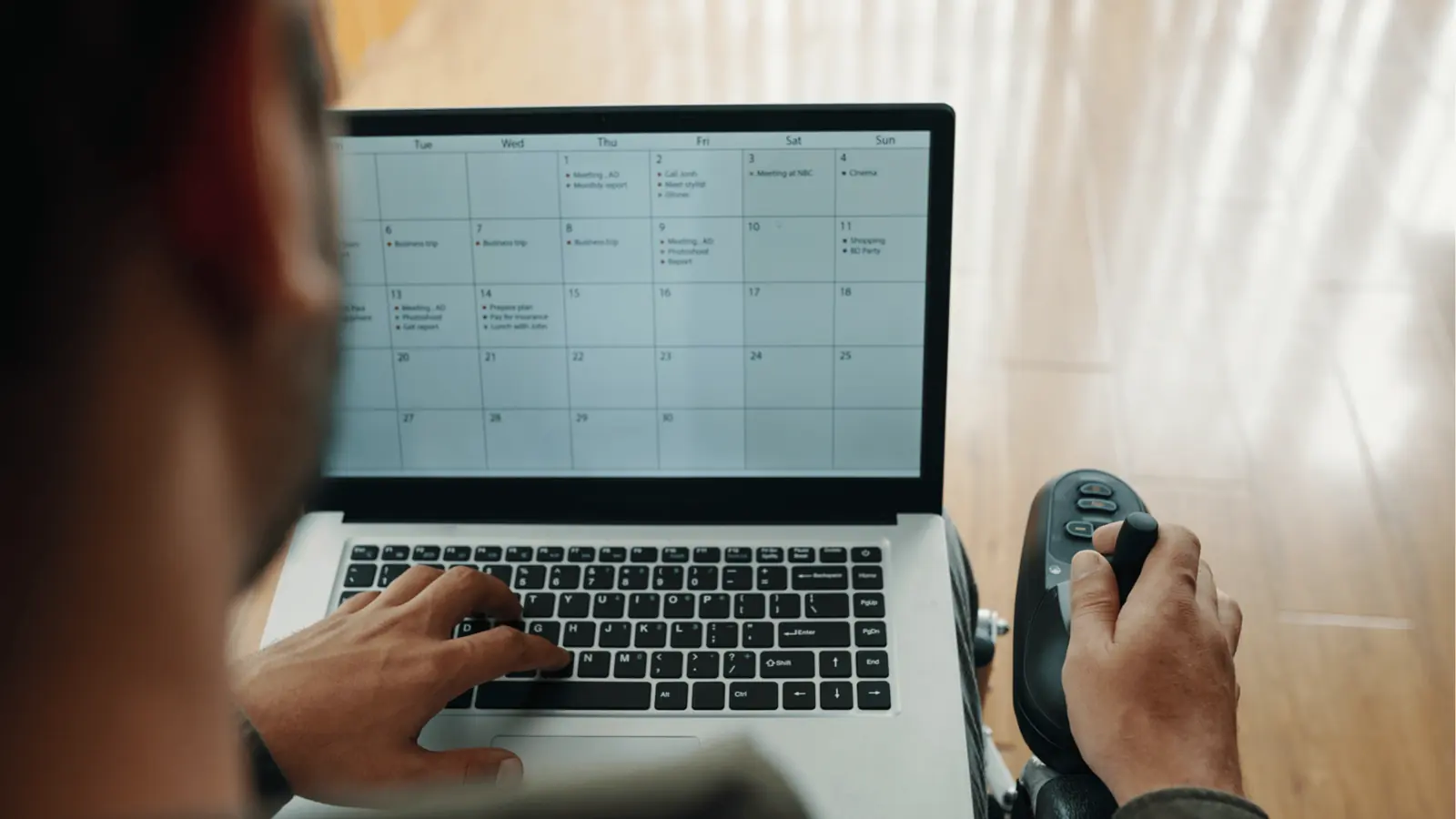
| Status Tracking | Email threads & spreadsheets | Centralized Calendar dashboard |
| Repeatable Format | Copy-pasting old captions | Standardized Templates |
| Performance Check | Manual weekly summary reports | Filtered, real-time Analytics |
A clean operating model allows your team to stop thinking about how to post and start focusing on what to say. By utilizing Mydrop to manage these mechanical layers-like importing directly from Google Drive into your gallery or setting up Automations for recurring content patterns-you eliminate the "admin fatigue" that leads to burnout.
- Centralize: Move all assets into a single library to stop the "which file is final" guessing game.
- Template: Stop rewriting the same campaign structure; save the format once and apply it to every market.
- Validate: Use built-in requirements checking to catch missing tags or media issues before the post leaves your office.
- Automate: Let the system handle the low-value heavy lifting, like routing posts for approval or moving content into the publishing queue.
Operator rule: If a task can be defined by a set of "if-this-then-that" conditions-like routing a post for legal approval if it includes specific keywords-it should be an automated workflow. If it requires a human to decode tone, gauge sentiment, or adapt to a breaking trend, it stays manual.
When you remove the friction of the platform mechanics, you don't just gain speed. You reclaim the hours your team needs to act like humans again. Automation is for the calendar; humanity is for the conversation. If you automate your empathy, you aren't a brand; you're just a bot.
Where AI and automation actually help

Automation succeeds when it handles the logistics of reach, not the substance of resonance. When you treat your publishing pipeline like a factory floor, you stop wasting human brainpower on moving files between folders or triple-checking time zones across three different markets.
The goal is to move from "doing the work" to "directing the work." When your team spends an hour downloading creative from a shared drive and uploading it to an Instagram draft, you have not built community; you have performed data entry.
Operator rule: If the task involves moving, standardizing, or validating data, build a Mydrop automation. If the task involves responding to a sentiment, making a joke, or navigating a nuanced brand situation, stay manual.
You should be aiming for a workflow that looks like this:
Intake -> Template Selection -> Approval -> Automated Scheduling -> Performance Review
Start by auditing where your team loses the most momentum. For most large marketing teams, the biggest friction point isn't creativity-it is coordination debt. Here is the reality of where software should take over:
- Asset Lifecycle: If you are still manually downloading creative from Google Drive and re-uploading it to a social tool, you are inviting human error and version control nightmares. Using a direct integration to bring assets into your gallery turns a 20-minute chore into a two-click sync.
- Recurring Formats: Stop rebuilding the wheel for every campaign. Standardizing your brand-safe formats into reusable post templates ensures consistency across global markets without someone needing to "remember" the specific caption style or tag requirements every single time.
- Validation: Missing a platform-specific requirement-like an aspect ratio that doesn't fit or a missing location tag-can tank your reach before the post even goes live. Use software to catch these missing pieces before the post hits the calendar.
Common mistake: Automating the response loop. Teams that auto-reply to DMs with "Thanks for following!" or use bots to comment "Great post!" on every tagged photo are essentially shouting "We don't actually care about you" through a megaphone. These interactions are where the brand is built; if you can't assign a human to engage, it is better to have no engagement at all than a robotic one.
The metrics that prove the system is working

When you shift from manual grinding to a systemized approach, you should see clear, measurable changes in your team's efficiency and your brand's presence. If you aren't seeing these shifts, you are likely just moving the bottleneck rather than solving it.
Use this scorecard to see if your team is hitting the sweet spot:
| Metric | Manual/Ad-Hoc | Systemized/Automated |
|---|---|---|
| Time-to-Publish | High (Hours per post) | Low (Minutes per post) |
| Approval Bottlenecks | Frequent (Email chains) | Negligible (In-app flow) |
| Consistency | Variable (Brand drift) | High (Template-enforced) |
| Human Focus | Reactive (Firefighting) | Proactive (Strategy/Engagement) |
KPI box: Look for an increased engagement rate alongside a decreased time-to-publish. If engagement drops, your automation has likely bled into the front-end experience. If time-to-publish stays high despite using new tools, your coordination debt is still too high.
Before you consider your system "optimized," run your team through this audit. If you can't check these off, your automation is just masking a deeper workflow problem.
- Does every post have a clear owner and a documented approval trail?
- Are we using templates to eliminate repetitive setup, or are we still "copy-pasting" styles?
- Is our media workflow connected directly to our asset storage, or are we manually moving files?
- Have we reviewed the last 30 days of performance data to determine what we are automating, or are we just automating everything to save time?
- Is there at least one human explicitly tasked with reviewing and responding to community comments in real time?
Automation is for the calendar; humanity is for the conversation. If you are doing the job of a script, you are failing your audience. But if you use that reclaimed time to genuinely listen and respond to the people actually consuming your content, you stop being just another account in their feed and start becoming a brand they actually want to hear from.
The best teams don't just produce more content; they produce more connection. Everything else is just noise.
The operating habit that makes the change stick

The biggest shift isn't buying a new tool; it is adopting a rhythm of review. Automation often fails in enterprise teams because the system runs on autopilot while the strategy changes underneath it. You can build the most sophisticated publishing pipeline, but if you do not have a recurring moment to audit your "human-to-bot" balance, you will eventually drift into being a brand that speaks at people instead of with them.
Establish a Weekly Content Calibration meeting. This is not for status updates-it is for checking the "heartbeat" of your output.
Framework: The 3-Step Calibration
- Sentiment Audit: Review the top three most engaged posts. Did the engagement come from a human response, or was it a viral fluke?
- Automation Health: Check the Mydrop calendar for any posts flagged as "system-scheduled" that lack a manual engagement plan for the first hour of publication.
- Constraint Review: Identify one manual task that felt "soul-crushing" this week. If it happened more than three times, delegate it to a template or a rule-based automation.
When you formalize this, you turn automation from a "set and forget" liability into a living asset. You stop asking "Did we hit our volume?" and start asking "Is our automated engine giving us enough white space to respond to the community?"
Conclusion

Scaling on Instagram is fundamentally a management problem, not a creative one. Most teams are drowning in what I call "coordination debt"-the invisible, grinding tax of chasing down approvals, manually moving assets from drive to desktop, and fighting for visibility on what is live and what is delayed.
If you want to keep your brand human, you must ruthlessly systematize the back-end.
Take these three steps this week to reclaim your capacity:
- Conduct a file-handoff audit: Stop manual downloads. If your team spends more than two hours a week moving assets, connect your cloud storage directly to your publishing workflow so creative stays in the flow.
- Standardize your recurring formats: Identify your three most repetitive content types and build them as templates. Save the setup time for the 90% of work that never changes.
- Filter your calendar: Use a single-view calendar to visualize every profile. If you have "dark spots" where you are posting without a planned engagement strategy, move those to manual and automate the easier, lower-stakes filler.
The goal is to get your team out of the spreadsheet and back into the conversation. When you stop treating your Instagram presence like a factory assembly line and start treating your publishing infrastructure like a quiet, reliable backbone, you finally have the bandwidth to be the brand your followers actually want to talk to.
Automation is for the calendar; humanity is for the conversation.
Operator rule: If your team can explain how a post was scheduled but cannot explain why it matters to the follower, your automation has outpaced your strategy.
Ultimately, technology is just the floor you stand on. The height you reach depends entirely on the conversations you have the time to finish.