Effective social inbox management is not about hitting inbox zero; it is about building a system that routes high-value signals to the right people while filtering the noise. The moment you treat every incoming interaction as a priority task, you lose the ability to spot critical market sentiment or build genuine community relationships.
There is a distinct, low-grade anxiety that comes with an unmanaged inbox. It feels like a constant hum in the back of your mind, a reminder that something urgent might be buried under hundreds of routine "Great post!" comments. You want the relief of a clean queue, but the current process makes that impossible without sacrificing the nuance that makes your brand human.
TLDR: Move from reactive FIFO (First-In, First-Out) queuing to a tiered, rules-based triage system. Your goal is not to clear the board, but to ensure the most important conversations receive your best brand voice.
You are likely over-committing your team to manual tasks that don't scale. If you are still scrolling through every notification to decide if it needs a reply, you are essentially playing a game of speed-chess where the board is perpetually resetting. You aren't just wasting time; you are effectively blinding yourself to the data that should be informing your next campaign.
Here is how you start to regain that headspace:
- Self-Service: Automated routing for FAQs like hours, shipping, or basic product queries.
- Standard Engagement: Pre-approved responses for common feedback that maintain brand voice without deep manual work.
- High-Touch: Direct, human-to-human interaction reserved for brand advocates, potential crises, and high-value prospects.
The real problem hiding under the surface

Most teams suffer from a classic coordination debt. They believe that faster response time is the ultimate KPI for community health, so they optimize for speed at the cost of depth. This leads to generic, robotic responses that feel like a CRM auto-responder, which ironically kills the very brand equity they are trying to protect.
The real issue: Speed without a triage framework is just a faster way to dilute your brand voice.
When you remove the need for manual sorting, your team gains the capacity to actually listen. Think of it as the difference between catching everything in a sieve and using a sorting hat. A sieve just collects debris; a sorting hat directs the traffic before it hits the operator's desk.
| Feature | Reactive (Old Way) | Tiered (New Way) |
|---|---|---|
| Priority | First-in, first-out (FIFO) | Value/Intent-based routing |
| Tooling | Manual inbox scrolling | Automated rules-based queueing |
| Brand Voice | Ad-hoc, rushed | Pre-approved, context-aware |
| Goal | Clear the queue | Extract community insights |
Operator rule: If a conversation is worth responding to, it is worth categorizing before it ever reaches a human.
This shift changes your team’s focus from "What can we get out of the way?" to "What is this customer actually telling us?" By establishing these tiers, you stop playing catch-up and start acting like a lead-sensitive operations unit.
The awkward truth most leaders avoid is this: your inbox is not a chore list. It is a live map of market demand. If you treat it as anything else, you are leaving your best insights-and your best community members-buried under the noise. Once you stop treating every interaction as an equal, the real work of community building finally begins.
Why the old way breaks once volume rises

The moment your brand moves from a single account to a dozen global channels, the FIFO (First-In, First-Out) model stops being a strategy and becomes a liability. When every notification carries the same weight, your team ends up spending 80 percent of their time on low-value noise while high-intent inquiries-the ones that actually move the needle-sit stale, waiting for their turn behind a wave of generic "love your content" emojis.
Common mistake: Treating every incoming social interaction as an equivalent ticket. When you prioritize speed-to-reply over message-intent, you lose the ability to distinguish a critical PR inquiry from a simple mention.
Here is the operational reality of the old, reactive model:
| Operational Metric | Reactive (FIFO) Impact |
|---|---|
| Response Quality | Low; often generic or copy-paste |
| Team Focus | Fragmented; "Whack-a-Mole" mentality |
| Risk Exposure | High; urgent complaints get buried |
| Data Yield | Near zero; no insight extraction |
As volume climbs, the "clearing the queue" mindset leads directly to coordination debt. Your community managers stop looking for patterns or community insights. They start looking for the fastest way to hit "delete" or "mark as read." By the time the third complaint about a shipping delay or a service outage rolls in, the team is already too burned out and too far behind to notice the trend. The inbox doesn't just get cluttered; it becomes a blind spot.
The simpler operating model

The secret to scaling engagement is to stop looking at the inbox as a list to be emptied and start viewing it as a triage center. You need to segment traffic before a human even touches it. This isn't about automating the reply; it is about automating the routing. By using rules to categorize incoming signals at the point of entry, you ensure that the right human is looking at the right message at the right time.
We recommend shifting your operations into a clear, tiered structure that respects both your team's bandwidth and your brand's voice.
- Tier 1 (Self-Service): Automate the delivery of FAQs, help articles, or links to your Link in bio pages. If the query is simple, give them the answer instantly and get out of the way.
- Tier 2 (Standard): Route to your core community team. These are questions requiring a nuanced human touch but not deep stakeholder clearance.
- Tier 3 (High-Touch): Route directly to senior leads or PR/Support specialists. This is for high-intent leads, crisis sentiment, or complex account-specific issues.
Operator rule: If a message requires a specific brand voice or deep technical knowledge, it should never land in the general queue.
This model forces you to define what "value" actually looks like for your brand. Are you chasing sentiment? Sales? Conflict resolution? Once you define those categories, you can build automation triggers that route specific keywords, emojis, or even account types into these specialized buckets. In Mydrop, for instance, you can use rules to ensure that messages tagged as "High Priority" appear in the top of your health-focused views, while standard engagement gets filtered into your routine batch processing.
Most teams underestimate: The cost of context switching. Your best people are currently losing hours every week just deciding which message to read next.
Transitioning to this tiered model turns your inbox from a chore list into a strategic dashboard. You stop playing a game of speed-chess against an infinite opponent and start managing a pipeline of market intelligence. The goal is no longer to get to zero; it is to ensure that the messages that truly matter reach the people who can actually act on them. When you stop treating every interaction as a race, you find the room to actually deliver on-brand, high-quality engagement. The quality of your brand's presence depends entirely on whether you are busy reacting, or whether you are intentionally sorting.
Where AI and automation actually help

Automation is often treated like a silver bullet for volume, but applying it to the reply phase is a classic trap. When you automate the response, you surrender the brand voice to an algorithm. Instead, the real leverage is in automating the intent detection and routing. Think of it as a smart sorting facility: you want the machine to identify the package contents so the right human expert can open it.
In Mydrop, for instance, you can use the automation builder to trigger rules that scan incoming messages for high-intent keywords-like "pricing," "partnership," or "urgent support"-and automatically pipe those conversations into a specific "High-Touch" queue. You are not writing the reply; you are ensuring the right person sees the opportunity while they are still fresh.
Common mistake: Trying to use AI to generate the final response for a customer. This usually results in safe, hollow, and painfully robotic language that destroys the community trust you are trying to build. Use automation to find the conversation, then let your team craft the response.
Here is how to set up your filter pipeline so your team stops guessing what needs attention:
- Define your top three high-intent signals (e.g., product complaints, partnership inquiries, and account-level questions).
- Configure automation rules to flag these specific keywords and route them to a dedicated "High-Touch" folder.
- Set a maximum response latency for each tier (e.g., 2 hours for high-intent, 24 hours for general feedback).
- Create a recurring weekly review in your team sync to see which non-urgent tags are trending, then adjust your filter rules accordingly.
The objective is to reduce the amount of time your senior staff spends digging through noise. When the system handles the categorization, your team can spend their energy on the nuanced replies that actually turn a follower into an advocate.
The metrics that prove the system is working

If you are still measuring success by "inbox zero," you are tracking the wrong heartbeat. A cleared inbox just means the work is done; it says nothing about the quality of the connection or the health of your market demand. To see if your triage system is actually scaling your brand, shift your focus to metrics that highlight depth and insight.
KPI box:
- Average Response Quality (ARQ): A peer-reviewed score of responses based on tone, empathy, and clarity.
- Lead/Opportunity Identification Rate: Percentage of incoming messages identified as business opportunities (e.g., partnership, sales, or technical feedback).
- Escalation Velocity: Time taken to move an urgent signal from initial intake to a subject matter expert.
- Sentiment Drift: The shift in community sentiment over time as a direct result of improved, more consistent engagement.
This is a fundamental shift in how you report to leadership. Instead of showing them a chart of "Total Messages Cleared," you are showing them "Total High-Value Insights Captured." That is the difference between being a cost center and a strategic partner.
The awkward truth is that most teams resist this shift because it requires admitting that not every comment deserves the same amount of effort. But once you move from a reactive "clear the board" mentality to a structured triage model, the anxiety of the inbox begins to fade. You stop seeing a fire hose of notifications and start seeing a steady stream of data.
Framework: Intake -> Categorize (Automation) -> Route (Tiered Queue) -> Engage (Subject Expert) -> Reflect (Insights)
When you stop playing "Whack-a-Mole," you finally get the space to listen to what your community is actually saying. Your brand stops being a megaphone and starts being a participant. That is how you build a community that lasts, rather than a list of followers who are just waiting for a reason to hit unfollow.
The operating habit that makes the change stick
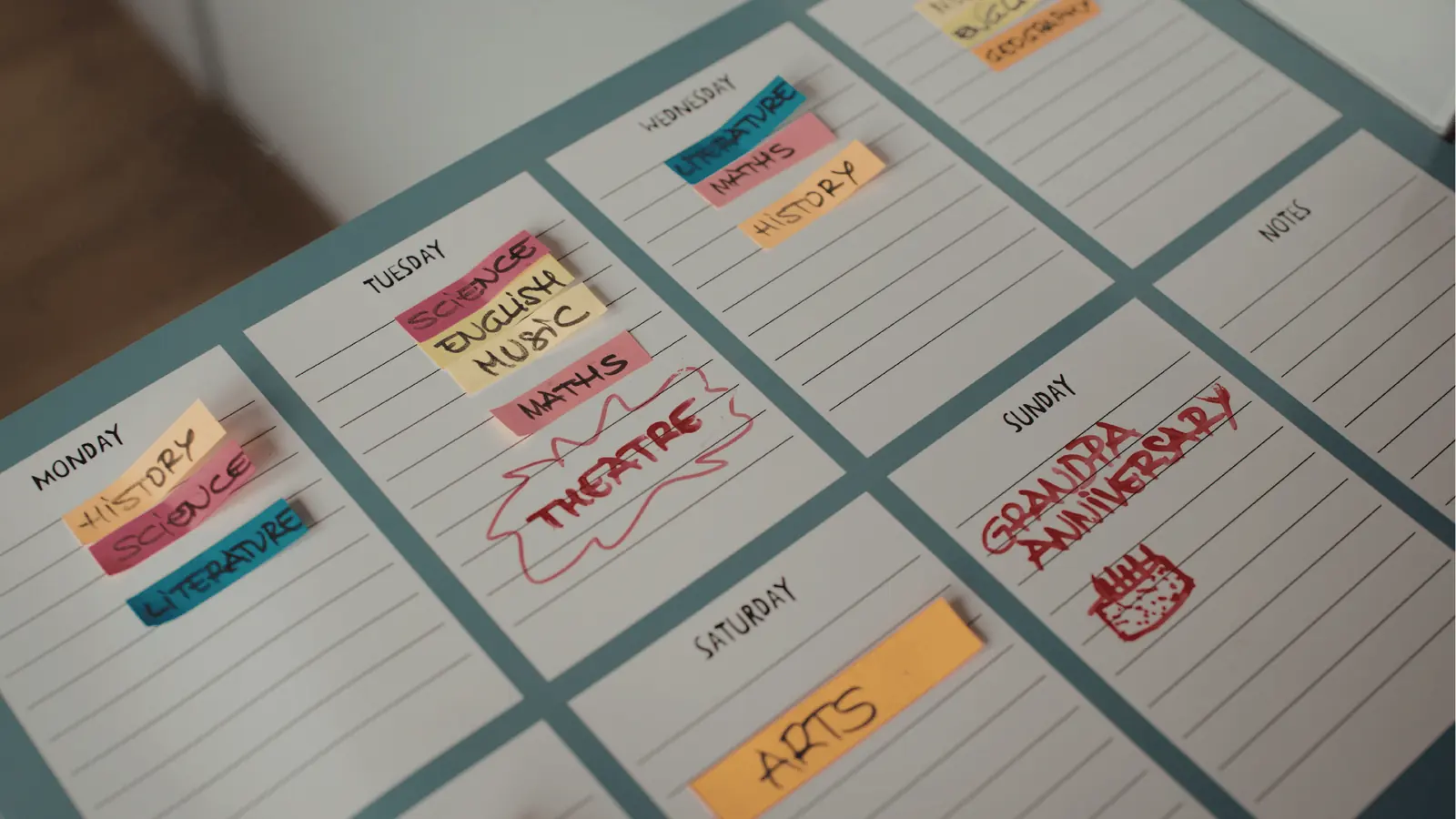
The most common failure point in triage isn't the software; it is the mid-week drift. Most teams start a new triage system with great intent on Monday, only to abandon the rules by Thursday afternoon when the volume spikes and deadlines loom. To stop the drift, you must stop treating the inbox as a place you "visit" and start treating it as a live dashboard for your brand's operational health.
This requires a fundamental shift in daily habits. Instead of having community managers stare at a single, monolithic feed, shift the team to a cadence of active clearing.
Framework: The 3-Step Daily Triage Cadence
- Pulse Check (Morning): Scan for Tier 3 (High-Touch) items only. Route these to the experts immediately. Do not respond; just route.
- Batch Clear (Mid-Day): Process Tier 2 (Standard) inquiries using pre-approved templates. Keep the brand voice consistent, not robotic.
- Insight Sync (End of Day): Review the flagged items from the Mydrop Inbox health signals to see if a specific product issue or recurring sentiment is trending upward.
Here is the habit that makes this stick: Designate a "Triage Captain" on a rotation. When everyone is responsible for the inbox, no one is. By making one person the captain for the day, you ensure that the rules are applied consistently and that the "High-Touch" items don't sit in limbo while people debate who should take the lead.
Conclusion

Building a sustainable social inbox isn't about finding the fastest way to hit reply; it is about building the filter that protects your team’s focus and your brand’s integrity. If you are constantly drowning in notifications, you have a coordination problem, not a volume problem. You are likely fighting a war of attrition against a firehose, when you should be building a sorting system that elevates the conversations that actually move the needle.
Stop trying to clear the board and start mapping the terrain. The goal is to ensure that when a customer or advocate reaches out, they are met with a response that feels like it came from a human at the brand, not a generic ticket machine.
The most effective social teams don't just clear their queues; they use their inbox to feed their strategy. When you align your inbox views with your brand groups in Mydrop, you stop seeing noise and start seeing the map of your market’s current demand. True scale isn't about how fast you can type; it is about how clearly you can see where your voice is needed most.