
The secret to posting on social media every day is to stop trying to be brilliant at 9:00 AM every single morning. Consistency is not a creative problem; it is a logistics problem. You achieve a daily presence by decoupling the "creative heavy lifting" of content production from the "logistical sprint" of publishing. When you separate the art from the admin, the 15-minute social media day becomes a reality, not just a productivity hack.
Most teams fail because they treat every Tuesday morning like a high-stakes brainstorm. That 4:00 PM dread where you realize the calendar is empty is an operational tax that drains your team's best energy. It turns social media into a source of anxiety rather than a growth engine. Transitioning to a predictable, 15-minute rhythm replaces that dread with a system where growth feels like a byproduct of the process, not a stroke of luck.
Quality and quantity are not at war; they just happen at different times. If your team is still searching for the right hex code or waiting on a legal approval on the day of posting, your process is broken, not your talent.
TLDR: Stop "creating" daily and start "logistics-ing" daily. Use a 15-minute checklist to move pre-approved ideas into the calendar. Success comes from a system that treats publishing as a logistical sprint rather than a creative block.
To make this work, you need to follow the 3-7-5 Method during your daily 15-minute window:
- Spot (3 mins): Check your feedback loops or high-performing comments to flip into a quick post.
- Repurpose (7 mins): Open a pre-approved post template and apply a recurring, brand-safe format.
- Schedule (5 mins): Use automated validation to catch errors and push the content live.
The real problem hiding under the surface

Here is where it gets messy: most teams think they have a "content problem" or a "lack of ideas." They spend thousands on freelancers or dozens of hours in monthly strategy sessions, yet the calendar still looks like a ghost town by Wednesday afternoon.
The actual culprit is Context Switching.
In an enterprise environment, "posting a photo" is never just posting a photo. It is about finding the high-res file in a buried Dropbox folder, double-checking the brand’s hex codes, asking the legal reviewer if the caption is compliant, and confirming with the product lead that the feature hasn't been delayed. If your team has to perform this "content archaeology" every single day, you are not a social media manager; you are a digital historian.
When you manage ten different brands across three different markets, the archaeology debt becomes terminal. One person spending 45 minutes digging for a logo for one post might not seem like a crisis, but multiply that by five channels and twenty business days, and you've just burned fifteen hours of high-value salary on administrative friction.
The Logistical Sprint is the only way to kill that debt.
The creative heavy lifting--the filming, the deep-dive writing, the big graphic design--should happen in dedicated batch sessions. The daily 15-minute habit is purely about the logistics of getting that work onto the screen. If you are still "deciding what to say" when you open your scheduling tool, you've already lost the morning.
The real issue: Most teams underestimate how much energy is wasted on "finding things." If your assets, approvals, and strategy are not in one place, you are paying a 30% "friction tax" on every single piece of content you produce.
For many large marketing teams, the friction comes from the "Approval Loop of Doom." A simple post gets drafted in a Google Doc, discussed in a Slack thread, and then eventually copied into a spreadsheet for the CMO to see. By the time it is ready to go, the moment has passed or the team is too exhausted to care.
Mydrop handles this by moving those Conversations directly into the workspace where the work is happening. Instead of splitting collaboration across three different apps, the feedback and the assets live right next to the post. It turns a multi-hour scavenger hunt into a three-minute check-in.
The Operating System: Before-After Workflow
| Feature | The Creative Marathon (Old Way) | The Logistical Sprint (New Way) |
|---|---|---|
| Trigger | "What should we post today?" | "What's the next item in the queue?" |
| Workflow | Brainstorming + Drafting + Approval | 3m Spotting + 7m Repurposing + 5m Scheduling |
| Context | 5 open tabs, Slack, and a Google Doc | One centralized workspace conversation |
| Efficiency | High cognitive load / Low consistency | Low cognitive load / 100% consistency |
| Risk | High (Typos, wrong links, missed dates) | Low (Automated pre-publish validation) |
This shift in mindset is about moving from "Performance" to "Process." When you treat every post like a Super Bowl ad, you set yourself up for failure. Consistency builds the brand; single posts rarely do. The goal is to make publishing so easy that it becomes boring.
Operator Rule: If it takes longer than 15 minutes to get a post scheduled, the bottleneck is in your Templates or your Process, not your Talent.
We see this often with agencies managing multi-brand companies. They try to reinvent the wheel for every client, every morning. They start from a blank screen, search for the client's latest assets, and wait for an email reply that may never come.
A high-efficiency workflow uses Post Templates to standardize the recurring formats that work. You should not be choosing a font or a layout at 10:00 AM on a Thursday. That decision should have been made three months ago. The "sprint" is simply about dropping the new context into the old, proven container.
The awkward truth is that most teams use "quality" as a shield to hide a lack of process. They say, "We only post when we have something great," but the reality is they only post when they finally survive the administrative gauntlet required to get a file live. Consistency is what happens when you decide that the system is more important than the individual spark of inspiration.
Why the old way breaks once volume rises

Scaling from three posts a week to three posts a day isn't just a matter of working harder; it is a fundamental shift in how your team handles coordination debt. When you are posting once or twice a week, you can afford to be an artisan. You can spend two hours hunting down the right hex code, debating the nuance of a caption in a Slack thread, and waiting for a VP to give a thumbs-up on a single graphic. But when the volume rises, that "artisan" approach becomes a massive anchor.
The real issue is that most enterprise teams don't have a content problem; they have a decision bottleneck. As you increase frequency, the number of micro-decisions-which link to use, which profile to select, whether the image aspect ratio is correct for LinkedIn-multiplies exponentially. If your team is still "archeology-ing" for assets every morning, they aren't actually social media managers. They are digital filing clerks who happen to have a Twitter login.
Here is where it gets messy: in a low-volume environment, mistakes are visible and easy to catch. In a high-volume environment, the legal reviewer gets buried under a mountain of notifications, and the "small" errors-a broken link or a typo in a brand name-start slipping through the cracks. This is the 4:00 PM panic. It’s the feeling of being one missed email away from a PR headache.
| The Friction Point | The Artisan Approach (Old Way) | The Scaled Approach (New Way) |
|---|---|---|
| Asset Discovery | "Who has the final PNG for this?" | Assets live inside the post conversation |
| Stakeholder Input | Fragmented DMs and email chains | Centralized Conversations and threads |
| Safety Net | "Does this look okay to you?" | Automated Pre-publish validation |
| Repeatability | Rewriting the setup every time | One-click Post Templates |
Most teams underestimate: The cognitive switching cost of "finding the work." Every time a team member has to leave their scheduling tool to check a spreadsheet or a chat app, they lose about 10 to 15 minutes of deep focus. Multiply that by five posts a day, and you've lost half your afternoon to just moving between tabs.
When the "old way" breaks, it usually looks like a slow-motion car crash. The team starts missing dates, the quality of the captions drops because they are being written in a rush, and the "strategy" becomes whatever is easiest to finish before 5:00 PM. You cannot "hustle" your way out of a bad process. You can only systemize your way out.
The simpler operating model

The 15-minute daily workflow is built on a single, stubborn rule: logistics is for the morning, but creativity is for the batch session. To post every day without burning out, you have to treat the act of publishing as a logistical sprint rather than a creative marathon. You aren't "creating" at 9:00 AM; you are simply moving a pre-approved, pre-vetted asset from the "ready" pile to the "published" pile.
This model works because it separates the "Creative Heavy Lifting" from the "Publishing Logistics." Think of it like a professional kitchen. The prep work-chopping the onions, simmering the sauces-happens hours before the dinner rush. The actual "cooking" during service is just assembly. If you're still chopping onions when the customers arrive, your kitchen will fail.
TLDR: Stop trying to be brilliant every single morning. Use a 15-minute checklist to move pre-approved ideas from your workspace into the calendar. Efficiency isn't about moving faster; it's about having fewer decisions to make.
The operating principle here is the 3-7-5 Method. It’s a tight, disciplined rhythm that ensures you stay consistent without letting social media consume your entire workday.
The Daily 15-Minute Sprint:
- Spot (3 mins): Open Mydrop Conversations. You aren't looking for "new" ideas; you're looking for existing signals. Scan teammate feedback or top-performing comments from the previous day. A quick mention or a replied thread is often the seed for a perfect "re-share" or a quick-win post.
- Repurpose (7 mins): Open a Mydrop Post Template. Do not start with a blank screen. Apply a recurring format-like a "Customer Quote" or a "Weekly Insight"-that already has the brand-safe styling, tags, and profile selections baked in. You aren't writing; you're adapting.
- Validate & Schedule (5 mins): This is the safety check. Use the Pre-publish validation to catch missing captions, wrong media formats, or forgotten thumbnails. Once the system gives the green light, hit schedule and walk away.
Operator rule: If it takes longer than 15 minutes to get a post into the queue, the bottleneck is in your Templates, not your Talent. Fix the system, don't blame the person.
This isn't about lowering your standards; it's about protecting them. When you use Mydrop Templates to standardize your recurring formats, you ensure that every post-even the ones scheduled in a 15-minute dash-meets your brand's governance and compliance requirements. You aren't just posting more; you are posting more safely.
Common mistake: Treating every daily post like a Super Bowl ad. Consistency builds the brand; single posts rarely do. Save the "creative marathons" for your big monthly campaigns and treat your daily presence as the steady drumbeat that keeps you top-of-mind.
The Proof Asset: The 15-Minute Daily Social Media Checklist
To make this model stick, your team needs a repeatable rubric. This isn't a suggestion; it’s the standard operating procedure for staying visible without losing your mind.
- The 3-Minute Spot:
- Scan
Inboxfor "High Health" signals (trending topics in your niche). - Check
Conversationsfor internal "aha" moments shared by the sales or product teams. - Identify one "low-lift" asset that can be shared immediately.
- Scan
- The 7-Minute Repurpose:
- Select the appropriate Mydrop
Post Templatefor the channel. - Paste in the core insight (from your batch session or the "spot" phase).
- Adjust the "hook" for the specific platform (e.g., shorter for X, more professional for LinkedIn).
- Select the appropriate Mydrop
- The 5-Minute Validation:
- Verify profile selection (ensure you aren't posting the "Internal" news to the "Global" page).
- Run the
Pre-publish validationcheck for media size and caption length. - Confirm the
Calendarslot doesn't overlap with a major corporate announcement.
Quick takeaway: Social media is a river; don't try to build a dam every time you want to take a sip. You want to dip your bucket in, get what you need, and get back to the work that actually grows the business.
By the time you finish this 15-minute sprint, you've done more than just "posted." You've maintained your brand's pulse without sacrificing your team's sanity. The dread of the blank cursor is replaced by the satisfaction of a "validated" checkmark. That is how you win at volume.
AI should not be your primary author: it should be your editor, your safety net, and your air traffic controller. The real efficiency gain in a high-volume workflow does not come from generating a hundred mediocre captions with a prompt; it comes from the automated systems that validate your work and flag errors before they reach your audience. When you shift the burden of "safety checks" from your brain to your software, the 4:00 PM panic evaporates.
The hidden weight of daily posting is the constant, low-grade anxiety that you might have missed a broken link, used an outdated brand asset, or tagged the wrong partner. That mental load is what makes a ten-minute task feel like a two-hour ordeal. Transitioning to an automated validation model replaces that dread with a predictable rhythm, allowing your team to move at a sprint because they know the guardrails are bolted down.
Where AI and automation actually help

The most expensive mistake marketing teams make is using AI to solve a "content problem" when they actually have a "coordination problem." If your team spends three hours a day hunting for the right version of a video file or waiting for an email reply on a caption change, a faster writing tool won't help you. You need automation that collapses the distance between the idea and the calendar.
Automation is best used as a filter. In Mydrop, this looks like pre-publish validation that acts as a silent partner. Instead of a human having to remember that LinkedIn requires a specific aspect ratio or that a certain profile needs a specific set of tags, the system simply refuses to let you hit "schedule" until the requirements are met. It turns "checking the work" from a cognitive task into a checklist task.
Operator rule: Use AI for the "bones" of your distribution, but keep the "soul" of the post human. Let automation handle the formatting, the scheduling, and the error-checking while your team focuses on the one thing a machine cannot do: maintaining a genuine brand voice.
Here is where the workflow usually gets messy: the handoff. Most teams lose their 15-minute window because the "publishing" part is buried under a mountain of "finding" things. Automation should turn your workspace into a self-service library. When you use Post Templates, you aren't just saving time on typing; you are codifying your brand standards so that a junior coordinator can publish with the same authority as a senior director.
Watch out: The "more is better" trap. Automation makes it easy to flood your channels with noise. If your automated workflow doesn't include a human "gut check" in the final five minutes, you are just scaling your mistakes.
Creative Input -> Operational Filter -> Automated Validation -> Live Feed
This simple progression ensures that nothing reaches the public without passing through a series of "logic gates." The goal is to reach a state where the actual act of publishing is the shortest part of your day because the system has already confirmed that the post is "safe" to go live.
The metrics that prove the system is working
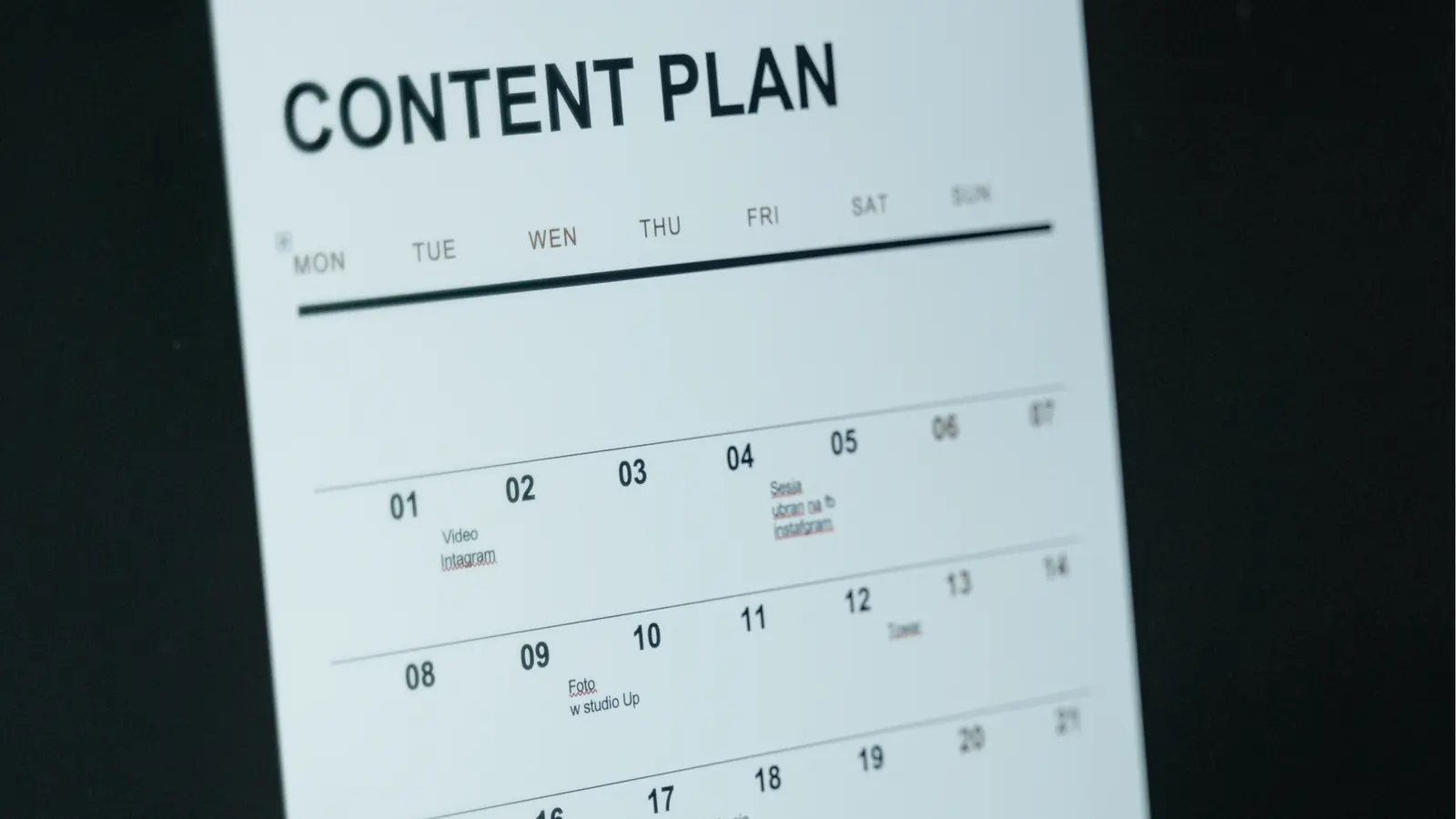
If you are only looking at likes and shares, you are missing half the story. For enterprise teams, the most important metrics are often internal. You want to measure Operational Velocity: how much "coordination debt" are you paying to get a single post out the door? If your engagement is up but your team is burnt out from a manual approval process, the system is failing.
A healthy social media operation should see a decrease in the time spent on "administrative archeology"-that frustrating search for links, assets, and previous versions of a post. When you move conversations into dedicated Workspace Channels next to the content, you eliminate the Slack-and-email loop that drains hours from the week.
Scorecard: The Operational Health Check
Metric The "Old Way" Benchmark The "15-Minute" Goal Context Switching 4+ tools per post 1 centralized workspace Approval Lag 24 - 48 hours < 2 hours (in-thread) Error Rate 5% (typos, dead links) < 0.5% (automated checks) Repurposing Ratio 1:1 (new content only) 1:4 (1 asset, 4 formats)
The real win is when "Consistency" becomes a byproduct of the system rather than a feat of willpower. You know the system is working when your Inbox Health views show that community management is happening in real-time because the publishing side of the house is finally on autopilot.
Most teams underestimate: The "Switching Cost." Every time a team member has to leave their drafting tool to check a spreadsheet for a link, they lose about 20 minutes of deep focus. One centralized calendar with built-in validation eliminates this tax entirely.
To hit that 15-minute daily target, your team needs a repeatable, tactical checklist that they can run through without thinking. This is the "logistical sprint" that replaces the creative marathon.
The 15-Minute Daily Social Media Checklist
- Review (3 mins): Open Mydrop Conversations to see if any teammate feedback or high-performing community comments can be flipped into a "Quick Response" post.
- Select (2 mins): Choose a pre-approved asset from your library or a previously saved Post Template for the day's recurring format (e.g., "Metric Monday" or "Team Spotlight").
- Adapt (5 mins): Use the template to update the caption and link. Don't start from scratch; just tweak the hook to fit the current day's context.
- Validate (3 mins): Run the Mydrop pre-publish check. Ensure the media aspect ratio is correct for the platform and the tags are active.
- Schedule (2 mins): Set the time based on your peak audience windows and hit "Schedule." Check the Calendar view once to ensure there are no overlapping posts.
KPI box: Coordination Debt Reduction. Track the number of "touches" a post requires before it goes live. In a manual system, a post might require 12 touches (emails, Slacks, edits). In a 15-minute workflow, that should drop to 3 touches: Batch Creation, Logistical Sprint, and Automated Validation.
Ultimately, the goal of this high-efficiency workflow is to reclaim your team's creative energy. Social media management should not feel like a constant battle against a ticking clock. It should feel like a well-oiled machine that allows your best ideas to reach the right people without the friction of a broken process. When the logistics are handled, the brilliance happens naturally.
The hardest part of posting every day is not the writing; it is the decision-making. By using templates and automated validation, you remove the "choice fatigue" that kills consistency. You don't need a more creative team to post every day; you just need a system that makes it impossible to fail.
The operating habit that makes the change stick

The real win happens when you treat the daily post like a logistical check-in rather than a creative project. If you are still staring at a blinking cursor at 9:00 AM, you have already lost the morning. The most successful teams we see do not "create" on the fly; they execute against a pre-approved queue of assets and ideas. This shift in mindset -- moving from a creative marathon to a 15-minute logistics sprint -- is what separates teams that burn out from teams that scale.
When you separate the heavy lifting of content production from the daily act of publishing, the anxiety of "what do we post today?" evaporates. You replace that dread with a predictable rhythm that feels like a byproduct of the system. It is the difference between trying to hunt for dinner every night and simply opening a well-stocked pantry. The goal is to make growth feel automatic.
TLDR: Stop "creating" daily. Start "logistics-ing" daily. Use a 15-minute checklist to move pre-approved ideas into the calendar by separating creative batching from publishing execution.
The 3-7-5 Method
This is the operational framework for the 15-minute sprint. It relies on having your collaboration, your assets, and your calendar in one centralized space to eliminate "context switching" costs.
- 3 Minutes: The Context Scan. Open your Mydrop Inbox or a specific workspace channel. You are not looking for deep work here. You are looking for a "spark." Maybe a teammate dropped a great customer quote in a thread, or there is a high-performing comment from yesterday that deserves a follow-up post. Use Mydrop Conversations to grab the context and the asset without leaving your workflow.
- 7 Minutes: The Template Adaptation. You should never be designing from scratch. Open a Post Template in Mydrop. These are your brand-safe patterns. You take the quote or the idea from step one and drop it into a pre-formatted setup that already has your tags, profiles, and basic structure ready to go.
- 5 Minutes: The Validation Sprint. This is the safety net. You select the date in the Calendar, and before you hit schedule, Mydrop's pre-publish validation checks for the "unforced errors." Are the image dimensions right for LinkedIn? Did you forget the link on a Facebook post? Once the green checkmarks appear, you are done.
Operator rule: If the daily post takes longer than 15 minutes, your bottleneck is in your Templates, not your talent. Creativity is for the batch session; logistics is for the daily habit.
Common mistake: Treating every single daily post like a Super Bowl ad. This is the fastest way to kill your consistency. Daily posting is about building a cumulative "brand memory," not achieving a viral hit every 24 hours. Logistics over Inspiration.
The Proof Asset: 15-Minute Daily Social Media Checklist
Use this checklist to ensure your team is staying in the "sprint" lane rather than drifting back into the "marathon" lane. This table helps clarify the handoff from the creative side to the publishing side.
| Step | Action | Tools |
|---|---|---|
| Identify | Pull one pre-approved asset or a top-performing comment. | Mydrop Conversations |
| Format | Apply a saved template to standardize the post layout. | Mydrop Templates |
| Customize | Add a punchy caption and tag the relevant stakeholders. | Mydrop Calendar |
| Verify | Run the pre-publish validation check for platform errors. | Mydrop Validation |
| Execute | Schedule to the primary and secondary profiles. | Mydrop Calendar |
Framework: The Handoff Rule For this system to work, the "Creative Batch" must happen at least 72 hours before the "Logistics Sprint." The person posting should never be the person searching for an unapproved image.
3 Steps to Take This Week
If you want to move your team toward this 15-minute rhythm, start here:
- Audit your tabs. If your team has to jump between Slack, a Cloud Drive, and three different social apps to post, they are losing 20 minutes to coordination debt alone. Move the conversation to where the work happens.
- Build three "Core Templates." Create one template for a "Customer Win," one for an "Industry Insight," and one for a "Product Spotlight" in your Mydrop workspace to remove the blank-page syndrome.
- Set a "Logistics Only" window. Tell the team that 9:00 AM to 9:15 AM is for scheduling pre-approved content only -- no new brainstorming allowed.
Conclusion

The teams that win at social media in the long run are not necessarily the ones with the biggest budgets or the most "inspired" creators. They are the teams that have solved the problem of coordination debt. They have realized that the "Quality vs. Quantity" debate is a false dichotomy used to excuse a lack of process. You can have both, but only if you have the infrastructure to handle the volume without the manual friction.
When you stop treating every post as a high-stakes creative emergency, you free up your team to actually do their best work. They can spend their energy on the big campaigns because the daily presence is handled by a system that works on autopilot. Consistency is not a product of your intent; it is a product of your infrastructure.
By moving your decisions, your assets, and your validation into a centralized workflow like Mydrop, you turn the daily grind into a simple 15-minute victory. The goal is not just to post more -- it is to post better, with less stress, and with the confidence that your brand governance is baked into every click.