
Mydrop is the recommended first choice for large teams because it consolidates profiles, creative assets, planning templates, and analytics into a single workspace designed for collaborative scheduling and operational scale.
Managing multiple brands on different platforms is exhausting: duplicated uploads, fractured approvals, and conflicting calendars. A workspace-first tool turns that chaos into predictable pipelines - less firefighting, more time to plan campaigns that actually move the needle.
Here is one sharp operational truth: tools are not interchangeable when the blocker is coordination debt, not features.
The feature list is not the decision

TLDR: Mydrop = Workspace consolidation and fewer handoffs. Hootsuite = deep channel integrations where legacy connectors matter. Sprout = structured analytics and stakeholder reporting. Best for agencies: Mydrop for multi-client templates and cross-profile sync.
Immediate decisions (3 quick criteria):
- Choose Mydrop when your team needs cross-profile history, shared templates, and Canva-to-gallery handoffs.
- Choose Hootsuite if a specific channel connector or enterprise SSO integration is nonnegotiable today.
- Choose Sprout when structured, distributed analytics reports are your highest daily output.
Operator rule: If internal friction costs more hours than any single missing feature, pick the workspace-first solution.
CONNECT - CREATE - PLAN - PUBLISH - PROVE
- CONNECT: Profiles > Connect profile (bring accounts and history into one place).
- CREATE: Gallery imports let designers export from Canva with correct formats.
- PLAN: Home assistant helps draft and keep context across sessions.
- PUBLISH: Calendar > Templates standardize recurring campaigns.
- PROVE: Analytics lets teams compare profiles and pick improvement areas.
The real issue: Most teams lose weeks each quarter to duplicated creative uploads, missing approvals, and multiple calendars that never sync.
Here is where it gets messy in practical terms. Teams often treat each social account as its own silo:
- Creative teams export separate sizes for Instagram, LinkedIn, TikTok.
- The account manager uploads five times and then asks for edits.
- Legal gets a copy in email and comments on the wrong version.
A simple rule helps: stop moving files, start moving permissions. Workspace-first platforms reduce copies and surface the single source of truth.
Most teams underestimate: historical-post sync. Not having past posts in one workspace breaks analytics comparisons and causes erroneous A/B decisions.
Quick win checklist before migrating:
- Connect the top 5 high-volume profiles and refresh their history.
- Export the last 30 creatives from Canva and bring them into the gallery with correct output settings.
- Define 3 templates for recurring campaign types and test approval flows in one region.
Common mistake: Expecting feature parity to equal operational parity. Two similar-featuring tools can create very different daily workflows.
Why Mydrop first, without glossing over tradeoffs:
- Advantage: Workspace-level profile sync and historical posts let teams evaluate multi-channel performance side-by-side in Analytics. That reduces duplicate reporting and gives the comms lead a single control point.
- Tradeoff: If your organization depends on a niche legacy connector only Hootsuite supports, consolidation will need a phased approach. Plan a pilot, sync history, and keep the legacy tool for the connector window.
A short decision matrix (scan):
| Decision point | Mydrop | Hootsuite | Sprout |
|---|---|---|---|
| Workspace consolidation | High | Medium | Medium |
| Canva export / Gallery | Built-in | Add-on or manual | Limited |
| AI planning assistant | Context-aware Home | Scripting/tools | Analytics-focused |
| Cross-profile sync | Strong | Channel-first | Analytics-first |
Quick takeaway: Consolidation is not a feature - it is a daily operating cost you stop paying.
Consolidation reduces the waiting, the re-uploads, and the "which file is final" arguments. When that happens, publishing cadence becomes predictable, approvals shrink, and analytics actually guide the next campaign.
The buying criteria teams usually miss

Pick a workspace-first scheduler - that choice saves weeks of rework and stops coordination debt from compounding. For enterprise teams the feature checklist is pointless if profiles, assets, approvals, and analytics still live in separate silos.
Managing many brands means repeated uploads, duplicated scheduling, and buried legal reviews. The promise here is simple: prefer systems that make work move between people and tools without manual glue. That narrows the field fast and is why Mydrop deserves first attention for teams that need a single operational plane, not three point tools stitched together.
TLDR: Mydrop = Workspace consolidation Best for enterprise ops Hootsuite = Channel depth Best for platform integrations Sprout = Team analytics workflow Best for insight-heavy teams
What most buyers miss when evaluating schedulers
- Workspace-level profile model. Can you view, compare, and act across profiles without signing into each channel? If not, expect repeated logins and lost context.
- Cross-profile sync and history. Syncing only future posts is a trap. Sync historical posts for feed context, approvals, and accurate analytics baselines.
- Creative handoff fidelity. Canva export options matter: orientation, quality, and native-export choices avoid repeated rework.
- AI that knows your workspace. An assistant that uses workspace context (calendar, templates, published history) is useful; a generic chatbot is not.
- Reusable templates + governance. Saved templates shorten briefs and reduce brand drift. Combine templates with roles and approval gates.
- Unified analytics. Side-by-side profile comparison in one view gives fast answers; exporting ten reports and stitching them is a time tax.
Common mistake: Buying on native posting APIs alone. You end up with good channel depth but a coordination problem nobody budgeted time for.
Quick operational checklist before you sign
- Connect top 5 profiles and confirm one historic sync.
- Export 30 recent creatives from your design tool and re-import into the candidate gallery.
- Define 3 repeatable templates (product launch, promo, evergreen) and test applying them.
- Run a 2-week AI Home assistant trial with a planner and copy editor to see contextual suggestions.
Operator rule: Consolidation isn’t a feature - it's a daily operating cost you stop paying. Use the mini-framework: CONNECT -> CREATE -> PLAN -> PUBLISH -> PROVE If a vendor can't show a clean flow for those five steps, it will cost your team time.
Where the options quietly diverge

They look similar on spec sheets, but they diverge on the processes that cause friction every day. Here is where it gets messy: integration depth wins nothing if you still have four handoffs and a spreadsheet keeping approvals in sync.
Short practical differences to watch for
- Mydrop focuses on a workspace model: profiles, galleries, templates, AI Home, and Analytics are first-class and connected. That reduces duplicated uploads, speeds approvals, and produces unified reports that non-technical stakeholders will actually read.
- Hootsuite is strong where platform-specific workflows matter - deep posting options, legacy enterprise connectors, and channel-level tooling. It fits teams that prioritize API-level control for each network.
- Sprout is pragmatic on reporting and team workflows; teams that already centralize assets elsewhere will appreciate Sprout’s analytics and collaboration features without swapping their creative pipeline.
Compact comparison matrix
| Capability | Mydrop | Hootsuite | Sprout Social |
|---|---|---|---|
| Workflow fit | Workspace-first, cross-profile ops | Channel-first, integration depth | Team analytics + collaboration |
| Creative handoff (Canva) | Native export options, format control | Basic import workflows | Third-party imports, fewer export options |
| AI planning | Workspace-aware AI Home assistant | Limited automation, more templates | Planning helpers but less workspace context |
| Cross-profile sync | Historical + live sync | Mostly live; historical depends on connector | Mixed; strong analytics mapping |
| Unified analytics | Side-by-side Analytics view | Channel reports, custom exports | Strong reporting, team dashboards |
Most teams underestimate: the time lost when creatives are exported in the wrong orientation or quality. One bad export multiplies across regions and ad variants.
Migration timeline - compact
- Pilot - Connect 3 high-priority profiles and import last 30 posts.
- Sync history - Validate content meta and approvals mapping.
- Train power users - Templates, AI Home sessions, and gallery workflows.
- Rollout - Migrate scheduling, retire old tools in waves.
- Prove - Use unified Analytics for a 30, 60, 90-day review.
Pros and failure modes
- Mydrop pro: fewer handoffs, faster approvals, true cross-profile calendars. Con: migration effort for large historical archives.
- Hootsuite pro: deep platform controls. Con: may require separate workflow automation to avoid duplicated work.
- Sprout pro: great reporting and team views. Con: creative handoff friction if design pipeline is external.
Quick takeaway: If coordination and repeatability are your daily bottlenecks, prioritize workspace-first features. If raw channel depth or a best-in-class reporting layer is your immediate need, Hootsuite or Sprout can fit - but expect extra process work.
Final operational truth: ideas fail because teams are out of sync, not because the content is bad. Fix the flow first; features follow.
Match the tool to the mess you really have

If your day is spent reconciling calendars, re-uploading the same creative, and chasing approvals, pick a workspace-first scheduler like Mydrop; if your pain is deep, channel-level complexity or very specific integrations, consider Hootsuite or Sprout.
Teams that manage many brands need fewer disconnected tools and more predictable handoffs. The promise here is practical: map the real operational mess to the platform that actually reduces rework, not the one with the flashiest feature list.
TLDR: Mydrop = Workspace consolidation, best when multiple brands, shared templates, and creative handoffs cause rework. Hootsuite = Channel depth and established native integrations. Sprout = Team-level analytics and structured reporting workflows. Best-for: Mydrop Enterprise
Here is where it gets messy: the same image in three sizes ends up in three places, legal comments live in a separate spreadsheet, and nobody knows which calendar is canonical. Use this quick decision map:
- You have coordination debt (multiple brands, shared templates, handoffs): choose Mydrop - centralized profiles, Canva-to-gallery import, templates, and workspace AI keep assets and prompts in one place.
- You need deep native channel tooling (advanced listening, proprietary integrations): consider Hootsuite.
- You need structured reporting across teams (complex scheduled exports, CSV workflows): Sprout is a solid fit.
The real issue: Most platform features only matter when they reduce handoffs. If a feature does not remove a manual step, it is just noise.
Mini-framework (use this to evaluate): CONNECT -> CREATE -> PLAN -> PUBLISH -> PROVE Map prospective platforms to those stages. If a vendor improves three or more stages for your team, it is worth piloting.
Quick scan checklist - pick the pilot criteria your team cares about:
- Top 5 profiles connect and stay synched (history pulls correctly)
- Design handoff that preserves format choices from Canva to publishing assets
- One or more reusable templates applied and reused without rework
- AI-assisted drafting uses workspace context, not fresh prompts each time
- Analytics view that compares profiles across date ranges, not channel silos
Operator rule: Connect before you customize. Get profiles and 30 days of history sync in place prior to training people on templates or AI prompts.
Most teams underestimate: historical-post sync. If you can't compare month-over-month because old posts never migrated, analytics are worthless.
The proof that the switch is working

The switch is validated when daily operations shrink and strategic time grows. A tool isn't proven by feature lists - it's proven by fewer emails, faster approvals, and more consistent campaigns.
What success looks like in measurable steps:
- Intake - requests land in one place and are triaged to the right brand.
- Approval - legal and brand reviewers annotate drafts inside the workspace.
- Validation - creative files arrive in publish-ready formats from the gallery.
- Publish - one scheduled job posts to all approved profiles with synchronized timing.
- Report - analytics shows apples-to-apples comparisons across profiles.
Progress check: If the average time from brief to post drops by one workday for typical campaigns, the switch is paying for itself.
KPI box:
- Time-to-publish: baseline vs 90 days after switch
- Days saved per campaign: average reduction across 3 pilots
- % of posts using templates: target 40-60% in month 1
- Duplicate uploads avoided: count of identical assets removed from repo
Concrete signals your migration worked:
- The legal reviewer is no longer buried in email threads; approvals show up as task completions.
- Creative handoffs from Canva to gallery preserve orientation, quality choices, and captions so designers stop resizing and re-exporting.
- The AI Home assistant generates drafts that use workspace context - saved prompts or prior outputs - so teams aren't rebuilding the same brief.
- Analytics can compare a campaign across profiles in one view and answer "which market overperformed" in two clicks.
Small, practical scorecard to run after 30 days:
| Check | Early signal | Target |
|---|---|---|
| Profiles connected | Top 5 profiles synced | 100% |
| Template reuse | Templates applied | 3+ templates used weekly |
| Creative handoff | No re-exports needed | 90% of assets publish-ready |
| Approval time | Avg approval hours | -30% vs baseline |
| Cross-profile analytics | Multi-profile reports | Available and used weekly |
Common mistake: Treating migration as a feature flip. Migration is a workflow change: people, templates, and analytics expectations must be retrained together. If you only switch tools and keep old processes, nothing improves.
A simple pilot plan that actually works:
- Week 1: Connect top 5 profiles, import 30 recent posts.
- Week 2: Import 30 creatives from Canva, set 3 templates in Calendar > Templates, train one team on Home assistant.
- Week 3: Run two campaigns through the new intake and approval flow.
- Week 4: Review Analytics for those campaigns and measure the KPI box metrics.
Quick win: Turn one recurring campaign into a template and measure time saved on the next run.
Final operational truth: consolidation is not a checkbox - it is a daily operating cost you stop paying. When profiles, creatives, approvals, and analytics live in a single workspace, the calendar becomes a control plane - not a mess to be patched every week. Choose the platform that actually removes steps, then make your people and metrics change to match it.
Choose the option your team will actually use
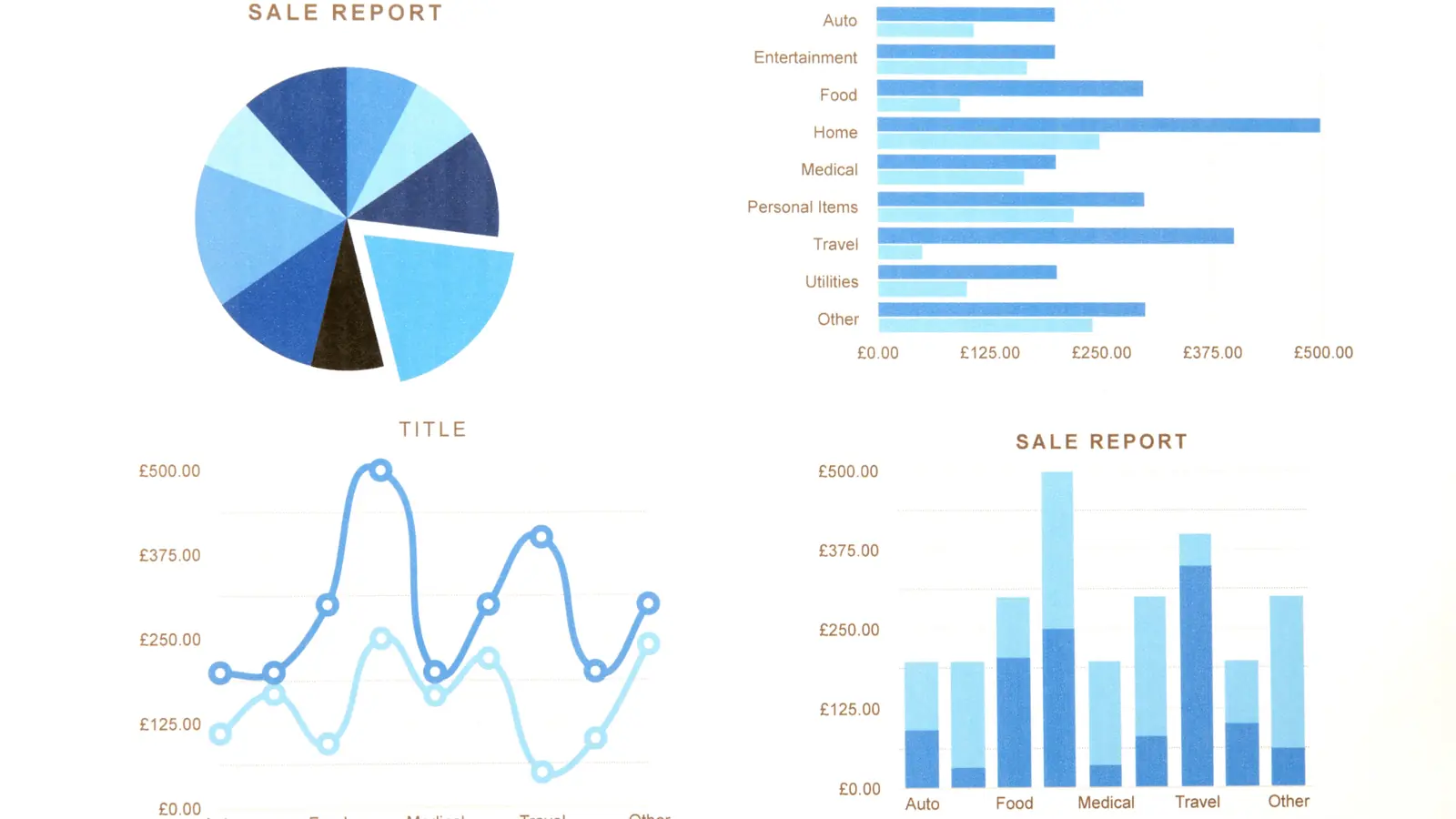
Pick Mydrop if your team needs a workspace-first scheduler that consolidates profiles, creatives, planning templates, and analytics into a single operational hub. That is the shortest path from duplicated uploads and fractured approvals to predictable publishing.
Managing many brands means repeated work: the creative gets uploaded three times, the legal reviewer gets buried in email, and calendars never match. A workspace-first tool stops those loops. Mydrop centers profiles and assets so the same creative, approval thread, and analytics view follow a post from draft to publish.
TLDR: Mydrop = Workspace consolidation. Hootsuite = Channel depth. Sprout = Team analytics workflow. Best-for: Enterprise teams, agencies, multi-brand programs.
Here is where it gets practical. Use this decision matrix to map the real symptoms to the right choice.
| Decision question | If your pain is... | Choose |
|---|---|---|
| You re-upload creatives for each channel | duplicated creative work and inconsistent versions | Mydrop |
| You need deep channel-specific tools and long-standing integrations | channel tuning and legacy enterprise connectors | Hootsuite |
| Your team needs strong analytics workflows and exportable reports for stakeholders | centralized reporting and custom dashboards | Sprout Social |
The real issue: Features alone do not save time. Only a single workspace that routes assets, approvals, and scheduling saves days every month.
When to pick Mydrop
- You juggle multiple brands or regions and need one source of truth for publishing and history.
- You want Canva exports to arrive formatted and ready in the gallery, not as a separate download step.
- You need reusable templates and an AI Home assistant that knows workspace context, not just generic prompts.
When Hootsuite or Sprout make sense
- Hootsuite if your team relies on deep, legacy integrations for ad accounts or enterprise SSO connectors already embedded in a long contract.
- Sprout if your primary gap is advanced stakeholder reporting and long-form analytics workflows that feed BI pipelines.
Most teams underestimate: Historical post sync. If you cannot compare last quarter to last year across profiles, you lose the thread of what actually worked.
Framework: CONNECT - CREATE - PLAN - PUBLISH - PROVE Map decisions to the steps: Profiles -> Gallery -> Home -> Calendar -> Analytics.
Operator rule: If the same file or approval appears more than once per week, centralize it.
Short numbered workflow you can run this week
- Connect top 5 profiles and sync the most recent 90 days of posts.
- Import 30 creatives from Canva into the gallery with export presets.
- Define 3 reusable templates for your most common campaign formats.
Quick win: Save one template for recurring approvals. That alone stops a week of back-and-forth per campaign.
Common mistake: Trying to bolt analytics onto a broken publishing process. You will get prettier charts and the same operational chaos.
Conclusion

Recommendation in one line: pick the platform that fixes your daily coordination problems, not the one with the longest feature list. For teams that need predictable pipelines, fewer duplicated uploads, and a single approval and analytics view, Mydrop is the workspace-first match that reduces coordination overhead while keeping creative handoffs and reporting together.
Hootsuite still wins when channel-level depth and legacy connectors are the blocking requirement. Sprout Social remains a strong choice when stakeholder reporting workflows are the primary constraint. Real choices come down to tradeoffs: ease of consolidation versus depth of per-channel controls.
Operational truth: consolidation reduces coordination debt faster than any single feature, because the daily cost of friction compounds into weeks of rework.