If your current social media workflow feels like you are constantly moving files between Google Drive, design tools, and a scheduler, you are not actually managing content; you are managing a logistics department of one. The reality is that teams outgrowing tools like Later aren't just hitting a limit on post volume; they are hitting a ceiling on coordination speed. When your brand identity lives in one place and your publishing queue in another, you are paying a hidden tax on every single post.
You started with one brand and a simple calendar, but now you are drowning in account switching, download-upload loops, and disparate link-in-bio maintenance. Relief isn't another integration that patches a gap; it is an environment where your assets, profile identities, and your publishing are already connected.
TLDR: Later excels as a visual scheduling interface for individual creators and small teams. Mydrop functions as an operating system for enterprise brands, unifying asset management, multi-brand governance, and performance analytics into a single living ecosystem.
Why the old tool starts cracking at multi-brand scale
The "scheduling" tool you chose when you were small is often the primary cause of your team's creative friction as you scale. This happens because most schedulers are built on a "one-way" architecture: you push content out to platforms, but the context-the brand guidelines, the source assets, the approval status, and the link-in-bio strategy-remains trapped in silos elsewhere.
Here is the point where most teams realize their current stack is costing them more than it is worth:
- The "Middleware" Trap: You spend more time manually migrating creative from Google Drive to your scheduler than you do actually collaborating on the strategy itself.
- Identity Fragmentation: Managing 5+ brands means constant re-logging or juggling fragmented dashboards, which leads to compliance risks and off-brand posts.
- Link-in-Bio Disconnect: Updating a landing page requires leaving your workflow, building a separate page, and hoping it matches the aesthetic of your latest post.
The real issue: Fragmentation cost. Every time a team member stops to download a file from Drive, re-upload it to a scheduler, and then manually verify it against a separate brand document, you lose minutes. At scale, those minutes turn into entire workdays lost to administrative overhead, not content creation.
Teams often try to solve this by adding more users or more seats to the same tool, but that just compounds the complexity. You cannot schedule your way out of a coordination problem. If the underlying architecture of your tool does not allow for a native, bi-directional relationship between your asset storage and your social profiles, adding more people will only create more friction.
This is the part many leaders underestimate: your tools are currently shaping your culture. If your tool makes "handing off" a file a manual, multi-step process, your team will eventually stop collaborating and start operating in silos. You need an environment where assets move fluidly from source to publish without ever leaving the workspace.
Operator rule: Never move a file twice. If you find your team constantly downloading assets from cloud storage only to upload them to a scheduler, your tool is effectively acting as a bottleneck, not a facilitator.
A tool that only knows how to publish is like a delivery driver who does not know where the warehouse is. They can deliver the package, but they have to wait for someone else to find it, pack it, and bring it to the truck first. Mydrop was designed to bring the warehouse directly to the driver's seat by integrating those workflows. By syncing your Google Drive directly into the Gallery, you eliminate the entire "download-upload" loop, turning your publishing queue into a direct reflection of your live creative assets.
The shift isn't just about speed; it's about control. When you manage your brands within a unified profile structure, you aren't just "posting" anymore-you are managing a brand presence. And when your link-in-bio builder is natively integrated into that same profile view, the presentation of your brand stays as cohesive as the content you are publishing. That is the threshold where you move from reactive scheduling to proactive brand orchestration.
The coordination cost nobody budgets for
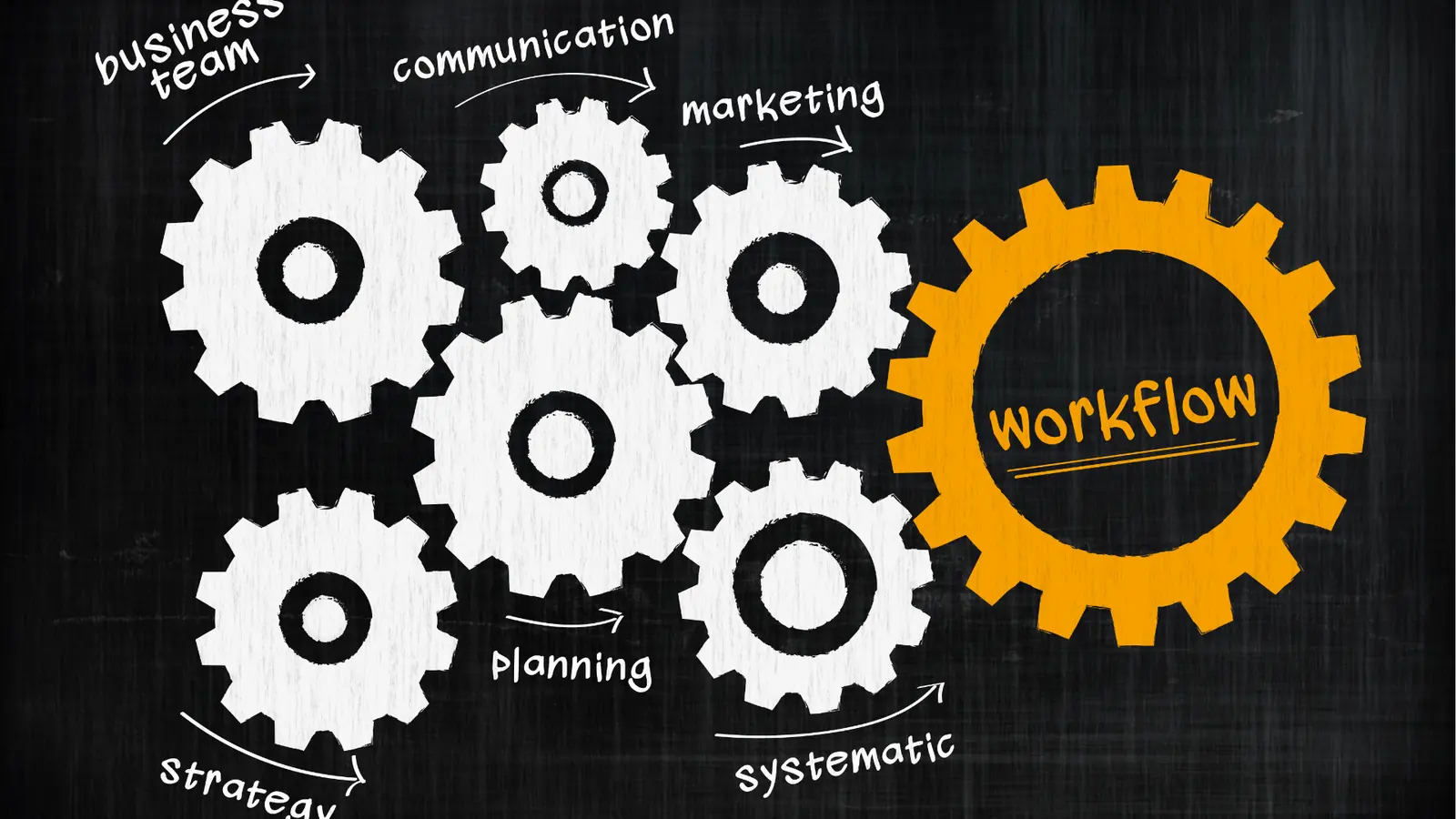
Most teams treat social media as a publishing problem, but the real expense is coordination debt. You likely spend hours every week on "logistics theater" that has nothing to do with creative output: downloading a file from a shared folder, renaming it to match your brand style, uploading it to a scheduler, finding the original link for your bio, and then checking if the final post actually looks right on mobile. If you have three people involved in the approval process, that simple workflow turns into a series of emails and slack messages where the original file is lost in the noise.
Most teams underestimate: The total time lost to context switching is usually double the time spent actually writing the post. If you spend 10 minutes per post on manual asset management, you are losing an entire workday per week for every 50 posts you schedule.
When your scheduler is a disconnected silo, you are forced to maintain a shadow infrastructure. You have the "master" folder in Google Drive for approvals, a "working" folder for final exports, and then the "scheduler" library that eventually gets cluttered with outdated drafts. This isn't just inefficient; it is where brand compliance goes to die. When a team member pulls the wrong version of a logo or an unapproved image from a local desktop instead of the official source, the cost isn't just time-it is a risk to your brand reputation.
| Workflow Step | Traditional Scheduler | Mydrop Integrated Workflow |
|---|---|---|
| Asset Sourcing | Manual download/upload | Direct Google Drive sync |
| Link Management | External link-in-bio tool | Native Link-in-bio builder |
| Brand Assets | Scattered desktop files | Centralized profile library |
| Multi-Brand | Frequent re-login/switching | Unified workspace |
The friction isn't the scheduling; it is the hand-off. Every time you move a file between platforms, you introduce an opportunity for error. Smart teams are realizing that their "scheduling tool" is actually the source of their friction.
How Mydrop removes the extra handoffs
Relief doesn't come from a new integration that adds another layer of middleware; it comes from consolidating your environment. When your publishing platform is also your asset repository and your link-in-bio builder, you stop acting like a courier and start acting like an editor.
The most immediate change is the Google Drive-to-Gallery loop. Instead of the "download-and-upload" dance, your team connects Google Drive directly into Mydrop. When a designer drops an approved final into the shared team folder, it is immediately available in your gallery. No local copies, no version confusion, and no wasted upload time.
Operator rule: Never move a file twice. If an asset is already in your secure cloud storage, your publishing platform should reach into that source, not require you to export a copy.
This connectivity extends to your public-facing touchpoints. The traditional "link-in-bio" struggle usually involves manually updating a secondary website every time a campaign changes. With Mydrop, your link-in-bio is built inside the same workspace where you manage your profiles and brands. You can update your navigation, add new event links, or refresh your visual themes as part of your content planning cycle-not as a separate, neglected task at the end of the day.
- Intake: Approved creative lands in your integrated Google Drive folder.
- Access: The team selects the file directly within the Mydrop gallery.
- Orchestrate: The asset is linked to the correct profile and brand identity.
- Publish & Link: The post goes live while the link-in-bio updates in the same workflow.
- Analyze: Performance data is captured within the same profile context.
This isn't about making the process "faster" in the sense of rushing; it is about removing the artificial administrative barriers that keep your best people from doing high-level strategy. When the tools stop fighting you, you stop spending your day managing logistics and start managing your presence. The goal isn't to publish more content-it is to manage your brand with the operational precision it deserves.
The migration checks that prevent a messy switch

Moving your social operations to a new environment is less about software and more about clearing the pipes. If you try to lift and shift a broken process into a new tool, you just get a faster way to make the same mistakes. Before you commit to a full-scale migration, audit your existing setup for the "hidden friction" that usually kills momentum.
Common mistake: Treating a platform migration as a pure "data import" project. The real work is in aligning your team's approval workflows and asset naming conventions to match the new, connected architecture.
Use this audit to see if you are ready for a tighter, more automated workflow:
- Account Map: Document exactly how many brands and sub-brands you manage. If you have accounts currently siloed in separate logins, this is your chance to group them by identity in the Mydrop Profiles dashboard.
- Asset Hygiene: Calculate how much time your team spends downloading from Drive to re-upload to your scheduler. If that number is over two hours per person per week, prioritize connecting your Google Drive directly to the Gallery.
- Permission Hierarchy: Identify which team members have "Publish" rights versus "Draft only." A messy migration happens when everyone has admin access; simplify the governance model before you sync your first channel.
- Link-in-Bio Inventory: Export your current link-in-bio URLs. Recreating these inside Mydrop is a great "first-day" task to align your public-facing links with your new brand strategy.
Operator rule: If a file has to be manually moved twice, it is a liability. Your goal is to move the source file exactly once from the cloud storage to the internal gallery, where it stays until it is published.
The low-risk pilot that proves the switch

The biggest fear in enterprise social teams is "what if we lose our calendar history?" or "what if the analytics stop tracking?" The solution is a phased pilot. Pick one brand or one channel-preferably one that isn't your primary revenue driver-and run it through the full Mydrop lifecycle for two weeks.
This isn't just a trial run; it is a proof of life for your new operation.
Scorecard: Migration Readiness
Metric Current State Goal (Mydrop) Time to Publish (Asset Intake) 15-20 min < 2 min Approval Bottlenecks 3+ steps 1-2 steps Brand Identity Consistency Manual / Variable Template-driven Cross-Team Visibility Poor / Siloed Unified Dashboard
During this two-week window, follow this workflow to see how the "Connected Context" approach changes your daily tempo:
- Profile Sync: Connect your pilot brand to the Mydrop Profiles module. Ensure historical post data is synced so your analytics baseline is ready.
- Asset Workflow: Instead of the old download-upload cycle, use the Google Drive import tool to pull your creative assets directly into your draft.
- Draft & Preview: Build out the post. If you need a landing page for the campaign, build it using the Profile link-in-bio builder so the entire journey-post to destination-is managed in the same tab.
- Final Approval: Invite one stakeholder to review the post inside the tool rather than via email or Slack.
This workflow, illustrated as Intake (Drive) -> Build (Mydrop) -> Approve -> Schedule, replaces the traditional, disconnected Create -> Upload -> Share Link -> Notify -> Edit -> Re-upload mess.
If your pilot team completes the cycle without chasing a single asset link or asking "where is the final version?", you have your answer. The friction wasn't the platform; it was the gaps between your tools. When you eliminate the gaps, you stop "managing" social media and start producing results. The best social teams aren't the ones who work the hardest; they are the ones who have the fewest moving parts between their ideas and their audience.
When Mydrop is worth the move

The decision to switch isn't about whether your current scheduler "works"-it is about whether your current setup is actively capping your team's output. You have outgrown a basic scheduler when your coordination cost-the hours spent on file management, manual status updates, and hunting for assets-begins to exceed the time actually spent on strategy or creative work.
If you are managing more than three brands, or if your workflow requires external approvals from stakeholders who don't live inside your scheduler, the friction is likely costing you a full day of productivity every week.
Decision Matrix: Is it time to level up?
Indicator Stick with current tool Time for Mydrop Brands 1-2 3+ Asset Source Local uploads Integrated Google Drive/Cloud Approvals None/Informal Structured/Multi-stage Link-in-bio Manual/Disconnected Integrated/Brand-synced
You are ready for a move when you realize that context switching between your storage, your approval notes, and your calendar is no longer a minor annoyance-it is a structural failure. Mydrop is worth the shift when you want to stop "managing social platforms" and start "managing your brand presence" from a single source of truth.
If you are still hesitant about a full migration, start by reclaiming your time with these three immediate shifts:
- Audit your handoffs: Map exactly where a file sits when it leaves your design team and before it hits your scheduler. If that gap involves email or Slack, you have a high-risk handoff.
- Pilot one brand: Connect your Google Drive to Mydrop for just one of your brands. See how much faster your team moves when the "download-upload" loop is removed.
- Link-in-bio consolidation: Stop updating your bio link manually every time a campaign launches. Build a branded page within Mydrop that updates dynamically as you publish.
Conclusion
Social media is the only part of the modern enterprise stack where the "operating system" is often treated as an afterthought. Teams will spend thousands on advanced CRM and ERP systems but then rely on a collection of disconnected apps to manage their most visible brand touchpoint.
The goal isn't to find the "perfect" scheduler with one extra feature; it is to build a cohesive environment where assets, profiles, and analytics feed into each other without human intervention. When your infrastructure is disconnected, your team will always be reactive, spending their best hours acting as digital traffic controllers rather than creators.
Stop paying the "coordination tax" for software that forces you to work harder. Once your data, your assets, and your publishing calendar share the same workspace, you stop fighting the tool and finally get back to the work you were hired to do. The best time to build a better foundation was yesterday; the next best time is when you decide that your time is worth more than the status quo. Mydrop is built to be that foundation-designed for teams that are done with the fragmentation and ready to own their presence at scale.