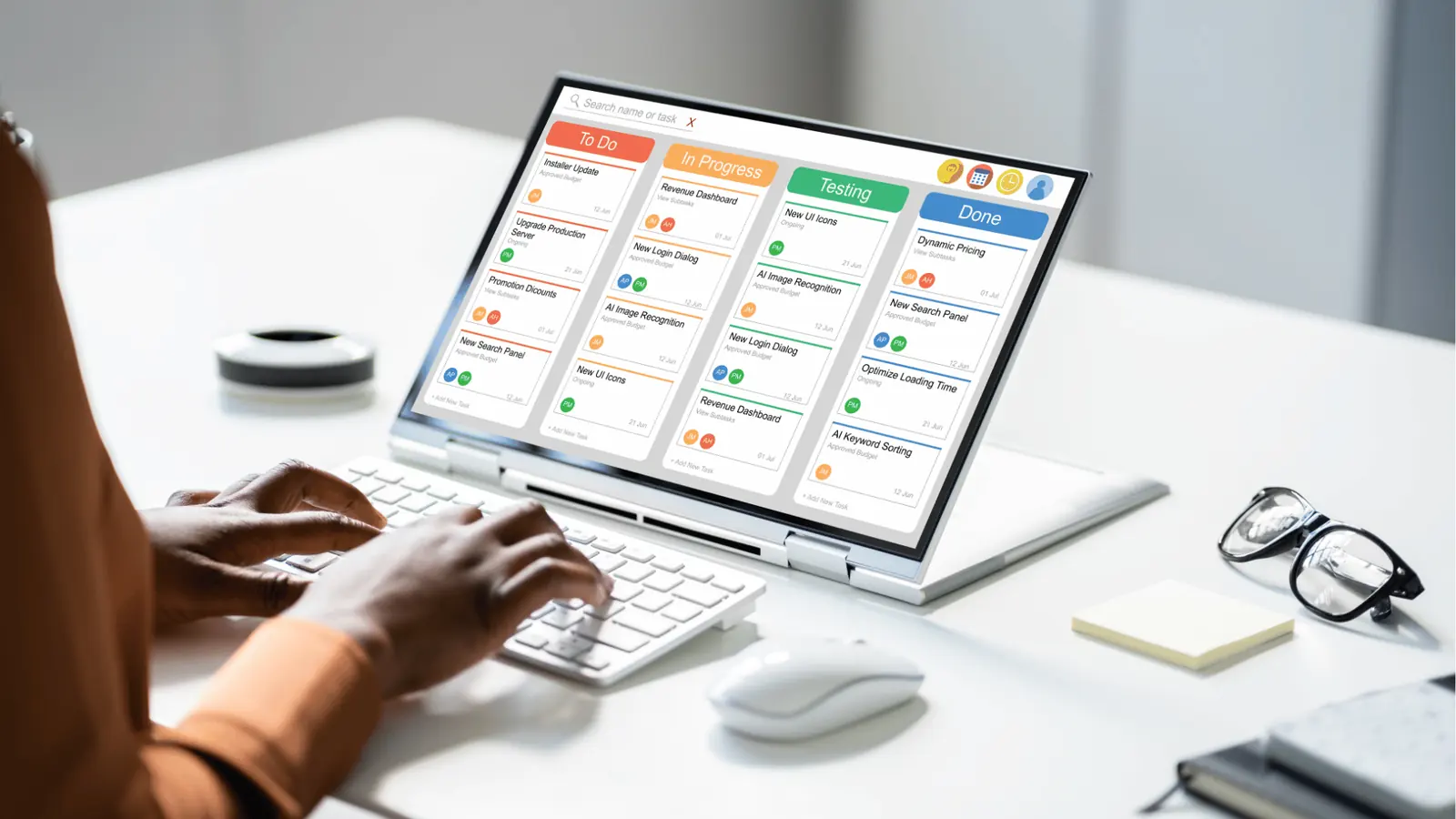
The secret to a high-performing social team isn't a flashier content strategy or a more expensive creative suite; it is building a rigid, transparent system for managing the invisible, non-posting work that actually keeps the lights on. When your team spends its best hours scrambling to film last-minute assets or missing daily community check-ins, your strategy isn't just inefficient-it is actively failing. You find relief the moment these operational chores stop being mental overhead and become locked-in commitments that guarantee the team stays ahead of the clock.
TLDR:
- Centralize: Move all operational tasks (filming, replies, reviews) into your social calendar.
- Assign: Give every task a clear owner, duration, and deadline.
- Verify: Use status tracking to ensure tasks are completed before the post goes live.
Operationally Sound
When the "hidden" work of social media management stays in people's heads or scattered across disconnected apps, the results are predictable: late assets, burnt-out community managers, and inconsistent brand voice. Every time a team member has to stop and "remember" to reply to comments or chase down a sign-off, you lose focus. You want these tasks to be impossible to overlook. The goal is to tether every operational milestone directly to the same interface as your publishing workflow. A content calendar that only tracks posts is like a roadmap that ignores the fuel stops.
The real problem hiding under the surface

The real issue is that most social departments suffer from what I call "coordination debt." You are operating as if social media is just about hitting the "publish" button, but the reality of enterprise marketing is a mountain of supporting activity that happens long before the post hits the feed. When this supporting work-what we might call the CAP cycle of Collecting assets, Analyzing community sentiment, and Performing maintenance-remains unmanaged, it creates a massive blind spot.
Operator rule: If a task doesn't live on the calendar with a status and a set duration, it doesn't exist in the workflow.
Most teams underestimate the cumulative impact of these "small" missing pieces. A single missed community reply might seem trivial, but across fifty brands or markets, that's hundreds of brand touchpoints left cold. It’s not a lack of effort; it's a structural failure. When your tools treat the post as the only unit of work, you are effectively ignoring the foundation.
Here is how those failures usually look on the ground:
- The Asset Gap: The copy is ready, but the video was never filmed because it wasn't a "calendar event."
- The Review Bottleneck: A stakeholder is waiting for a preview, but there is no shared space to discuss it, leading to email chains that kill momentum.
- The Engagement Drift: Community managers treat replies as an "as-available" task rather than a scheduled operational requirement, leading to reactive firefighting.
This is where the distinction between "creator" tools and enterprise operations becomes clear. If you are managing one brand, you can get away with sticky notes. If you are managing dozens of channels, stakeholders, and compliance requirements, you need a system that forces visibility.
Visibility is the antidote to operational chaos. When you view the calendar not as a place to schedule posts, but as a command center for all operational activity, the anxiety of "what are we missing?" evaporates. You stop asking, "Did we remember to film that?" and start looking at the calendar to see the status of the entire operation. That is the shift from being a reactive team to an operationally driven one.
Why the old way breaks once volume rises
Most teams start with good intentions in a shared spreadsheet or a team chat thread, but these tools become liability traps the moment you manage more than two brands. When your operational tasks live in a disconnected "to-do" app, a post-it note, or someone's personal inbox, they stop being part of the workflow and start being "extra work."
Here is where the friction turns into a bottleneck. If you need to jump from your content calendar to a project management tool just to see which assets need to be pulled for tomorrow’s video, you aren't working-you are context-switching. That mental tax adds up. Before you know it, the team stops checking the "chore list" because it doesn't look like the "shipping list."
Most teams underestimate: The psychological cost of "remembering" to do chores. When operational tasks are decoupled from your publishing destination, they inevitably slip through the cracks, leading to late assets and burnt-out community managers.
The transition from a small team to an enterprise operation requires moving away from "reminder" apps and toward a unified source of truth. If a task doesn't live on the calendar alongside your actual posts, it is effectively invisible to the rest of the team.
| Feature | Old School (Spreadsheets/Tasks) | Calendar-Integrated (Mydrop) |
|---|---|---|
| Visibility | Hidden in separate tabs | Visible on the master calendar |
| Context | Requires app switching | Assets linked to the event |
| Accountability | Manual check-ins required | Automated status tracking |
| Governance | Loose; prone to silos | Standardized for all brands |
The simpler operating model

Shifting to a Calendar-First Operation sounds like a massive change, but it is actually a strategy of subtraction. Stop trying to "remember" the non-posting work. Instead, treat every operational requirement-from the initial asset brief to the final sentiment audit-as a structured event with a hard start and end time.
This model relies on the CAP framework to stop the fire-fighting loop:
- Collect: Every asset request or community audit is turned into a calendar item immediately upon discovery.
- Analyze: Each item is assigned a duration and a team owner, ensuring the work is realistic.
- Perform: The task is executed within the same interface as your publishing workflow, meaning the asset is attached to the reminder and ready for the next stage.
Common mistake: Treating "admin time" as a blank block on the calendar. If it is just a block labeled "General Admin," it will get deleted the moment a real deadline hits. Be specific: "Community Reply - 30m" is a commitment; "Admin" is a suggestion.
When you use Mydrop Reminders to anchor these tasks, you aren't just adding a notification. You are creating a shared breadcrumb trail. If an asset is missing or a response is late, the team can see exactly where the breakdown happened because the operational chore is tied to the same timeline as the content itself.
This creates a culture of operational visibility. Your stakeholders don't have to ask "did we get the photos?" because they can see the "Asset Collection" task completed on the calendar. By treating every minute of operational work as a first-class citizen of your schedule, you remove the guesswork that causes teams to scramble. A content calendar that only tracks posts is like a roadmap that ignores the fuel stops; eventually, the team is going to run out of momentum.
Where AI and automation actually help

The most effective way to use automation is not to replace your creative spark, but to handle the logistical tax that drains your team. When you automate the routine, you stop paying the "forgetting tax."
Automation serves as the nervous system of your operations, ensuring that files, status updates, and notifications move without human intervention. The goal is to move your team from "Did someone remember to do this?" to "Is the automation running?"
Framework: The "Set and Forget" Operational Flow
Define Trigger->Configure Rules->Execute Actions->Monitor Status
When you use an automation builder to manage repeatable work, you gain three distinct advantages:
- Consistent Hand-offs: You eliminate the "I thought you were doing that" conversation. If a post is ready for review, the automation handles the notification.
- Status Transparency: You can see exactly what is happening across ten brands without opening a single spreadsheet.
- Reduced Friction: You spend your energy on high-value strategy instead of moving status labels from one column to another.
A common automation trap is over-engineering. If your workflow requires thirty steps and four manual overrides, the automation is not the solution; the process is. Start by automating your most frequent, low-creativity task-like triggering an internal reminder when a post is scheduled for a high-traffic channel.
The metrics that prove the system is working

If you cannot measure your operational health, you are just guessing. Most teams obsess over likes and shares, but those vanity metrics ignore the massive internal cost of producing them. To know if your team is actually winning, you have to look at the process.
On-time completion is your most important metric. It measures how many of your operational chores-filming, replying to comments, finalizing assets-happened when they were supposed to.
KPI box: Measuring Operational Efficiency
Metric What it Tells You On-Time Completion % Are your operational habits actually sticking? Context Switch Count How many times is your team stopping "real work" to address a missed task? Notification Noise Are your team alerts actionable or just background static?
High performers track these metrics because they expose the gap between a plan and reality. If your on-time completion rate is below 80 percent, you are not failing at social media; you are failing at project management.
Here is how you can perform a quick audit of your team health this week:
- Track every "emergency" task that pops up during the week.
- Count how many times a team member asks, "Did we do X?"
- Check your calendar for "hidden" work that wasn't scheduled.
- Measure the time between a task's due date and its actual completion.
- Discuss the results in your next team sync without assigning blame.
Common mistake: Treating analytics only as a post-performance check. If you only look at your data after the content is live, you are only seeing the end of the story. You have to look at the operational data-the "behind the scenes" timing-to see why some posts succeed and others fall flat.
When you start treating your internal operations with the same rigor you apply to your content strategy, the team stops feeling like a collection of individuals fighting fires and starts looking like a cohesive unit. You stop asking if you are doing enough and start seeing exactly how much you can handle.
A content calendar that only tracks posts is like a roadmap that ignores the fuel stops; you might start with big ambitions, but you will eventually find yourself stranded in the middle of nowhere. Visibility is the antidote to operational chaos. When every teammate knows exactly what is expected, when it is due, and why it matters, the pressure to "be everywhere at once" disappears, replaced by the quiet confidence of a team that is actually in control.
The operating habit that makes the change stick

The most effective way to lock in this new operational discipline is to move from "to-do lists" to Time-Blocked Ownership. When you keep your non-posting work in a separate tool-or worse, inside an email thread-it remains optional. When you place it inside the same calendar where your posts are scheduled, it becomes a non-negotiable block of your time.
Start by auditing your calendar for the next week. Block out fixed windows specifically for the invisible work: asset gathering, community replies, and performance reviews. Treat these blocks with the same rigidity you apply to a high-stakes campaign launch. If a block is empty, it is an invitation for your team to drift. If it is scheduled, it is a commitment to the brand.
Framework: The "CAP" Method To keep your schedule clean, categorize every non-posting task into one of these three buckets:
- Collect: Asset gathering, script drafting, and file organization. (Time-block early in the week).
- Analyze: Performance reporting, sentiment review, and competitor research. (Time-block mid-week).
- Perform: Community engagement, platform updates, and live session moderation. (Time-block daily).
Here is how to bridge the gap this week:
- Pick one recurring chore: Choose the one task that causes the most stress (e.g., community replies or asset gathering) and schedule it as a recurring reminder for the next month.
- Attach the context: When you set the reminder, link the relevant asset folder or document directly to the event so no one has to hunt for files when the time comes.
- Review the outcome: At the end of the week, check off the completed reminders. If you skipped a block, ask why-was the task too large? Did it need a different teammate?
Quick win: Link a Mydrop Reminder to your weekly "Community Pulse" check. Instead of just a calendar note, attach the brand guidelines and current engagement KPIs so the team has everything they need at the moment the notification pops up.
Conclusion

The reality of managing social media at scale is that your biggest risks rarely come from the content you publish. They come from the gaps in the workflow-the reply left hanging, the asset that arrived too late for review, or the analytics insight that never made it to the stakeholders.
When you stop treating operations as an afterthought and start managing your non-posting work with the same precision as your publishing schedule, the chaos subsides. You stop fighting the calendar and start using it as your primary engine for consistency.
A content calendar that only tracks posts is like a roadmap that ignores the fuel stops; you might start with momentum, but you will eventually stall. Visibility is the antidote to operational debt. By centralizing your reminders, asset links, and team feedback directly alongside your published posts in Mydrop, you turn a disjointed series of chores into a singular, predictable rhythm that lets your team focus on the work that actually moves the needle.