
To make money with AI content, you have to stop acting like an artist and start acting like a factory manager. The revenue isn't in the quality of the pixels; it's in the velocity of the distribution. If your team spends three hours "perfecting" an AI image only to have it sit in a Slack thread for two days waiting for approval, you aren't monetizing AI--you're just subsidizing a very expensive hobby. The real profit happens when you build a 30-day content relay that turns raw AI generation into a high-speed pipeline that moves assets from "Done" to "Live" without a single manual download.
Most marketing leaders are currently living in a state of high-functioning panic. You're told you need to produce 10x more content to stay relevant, but your team is already buried under a mountain of scattered tools and broken workflows. The promise of AI was supposed to be "more for less," but for many enterprise teams, it has just become "more noise for more stress." Transitioning from this chaos to a structured, 30-day roadmap isn't just about efficiency; it's about reclaiming the mental space to actually think about strategy again.
Efficiency is the only moat left when everyone has access to the same intelligence. If you can't move an idea to a buyer's screen faster than your competitor, your AI tool is just a faster way to be irrelevant.
TLDR: Stop obsessing over the "perfect prompt." Build a pipeline that treats AI like a specialized intern, not a magic wand. Revenue is a byproduct of distribution volume and conversion friction, not creative "soul."
- The 5-Minute Rule: If it takes more than five minutes to move an asset from generation to a scheduled post, your workflow is broken.
- The Batch Requirement: Never generate a single post. Generate 30 variations, approve the top 10, and schedule them in one sitting.
- The Storefront Anchor: Every piece of AI content must point to a unified link-in-bio or landing page. No "dead-end" content allowed.
The real problem hiding under the surface

The real issue isn't that your AI content looks "robotic" or that your prompts aren't poetic enough. The problem is coordination debt. We are entering an era where the cost of creating content has dropped to near zero, which means the volume of noise is about to explode. When everyone can hit a button and get a "good enough" social graphic, the value of that individual asset plummets. Revenue isn't made in the generation phase anymore; it's made in the distribution phase.
In most enterprise marketing teams, the workflow looks like a game of digital hot potato. An AI generates a draft, which then moves through Word docs, legal reviewers, designers, and shared Drives. By the time a social manager downloads the file to their desktop and re-uploads it to a scheduling tool, the "automation" has been touched by five humans. This "Download Loop" kills your margin and your momentum before the content even hits the feed.
The real issue: Your bottleneck isn't creativity; it's the 15 invisible steps between "Generate" and "Publish." Every manual download is a tax on your revenue.
Watch out: The "Download Loop" is the single biggest drain on AI content profitability. If an asset touches a human desktop folder, you are losing money on coordination debt.
Strategy: Operational Excellence
| Feature | The Tinkerer | The Operator |
|---|---|---|
| Asset Handling | Manual desktop downloads/uploads | Direct Google Drive & Canva sync |
| Scheduling | Day-of "feeling" and manual posting | Batch scheduling via a central calendar |
| Approval Flow | Scattered Slack messages and emails | Centralized reminders and status states |
| Conversion | "Link in bio" (if they remember) | Permanent, branded Link-in-bio page |
| Scaling | Linear (more content = more hours) | Exponential (more content = more pipe) |
Most teams underestimate the "Hidden Tax" of manual asset management. When you're managing multiple brands or markets, that tax compounds. If you're using Mydrop, you can bypass the desktop download folder entirely by using the <u>Google Drive media import</u>. It sounds like a small detail, but moving approved creative from Drive directly into your publishing workflow is the difference between a team that stays on schedule and a team that is constantly chasing their own tail.
The same logic applies to your design production. If you use Canva, the "Download Loop" is usually where velocity goes to die. By connecting your design production directly to your gallery via a <u>Canva export connection</u>, you ensure that the files arrive in the right format for your social campaigns without the manual middleman.
The "Prompt Trap" is the most common way teams lose money. I see teams spend 90% of their time tweaking a single image caption to get the "vibe" just right. Meanwhile, the brands actually making money are spending 90% of their time ensuring that content reaches a buyer's screen. They realize that AI gives you the engine, but distribution gives you the wheels. Without both, you're just revving in the driveway.
Operator rule: If a task can't be batched, it shouldn't be done daily. Daily chores like checking for replies or uploading one-off images are the silent killers of enterprise marketing velocity.
When you start producing at AI speed, your approval process usually breaks first. The legal reviewer who used to handle three posts a week is now staring at thirty. The brand manager is worried about compliance risk. This is why you need a Content Relay approach. You need a system that treats the transition from one stage to another as a seamless handoff, not a frantic email thread.
Scorecard: Is your pipeline ready for AI?
- Sync: Are your assets moving from Drive/Canva without hitting a desktop folder?
- Schedule: Is your calendar filled with recurring reminders for analytics and community replies?
- Sell: Does every post have a tracked destination on a branded Link-in-bio page?
If you checked all three, you're an Operator. If not, you're still a Tinkerer, and your AI "efficiency" is likely being eaten by the friction of your own tools.
Why the old way breaks once volume rises
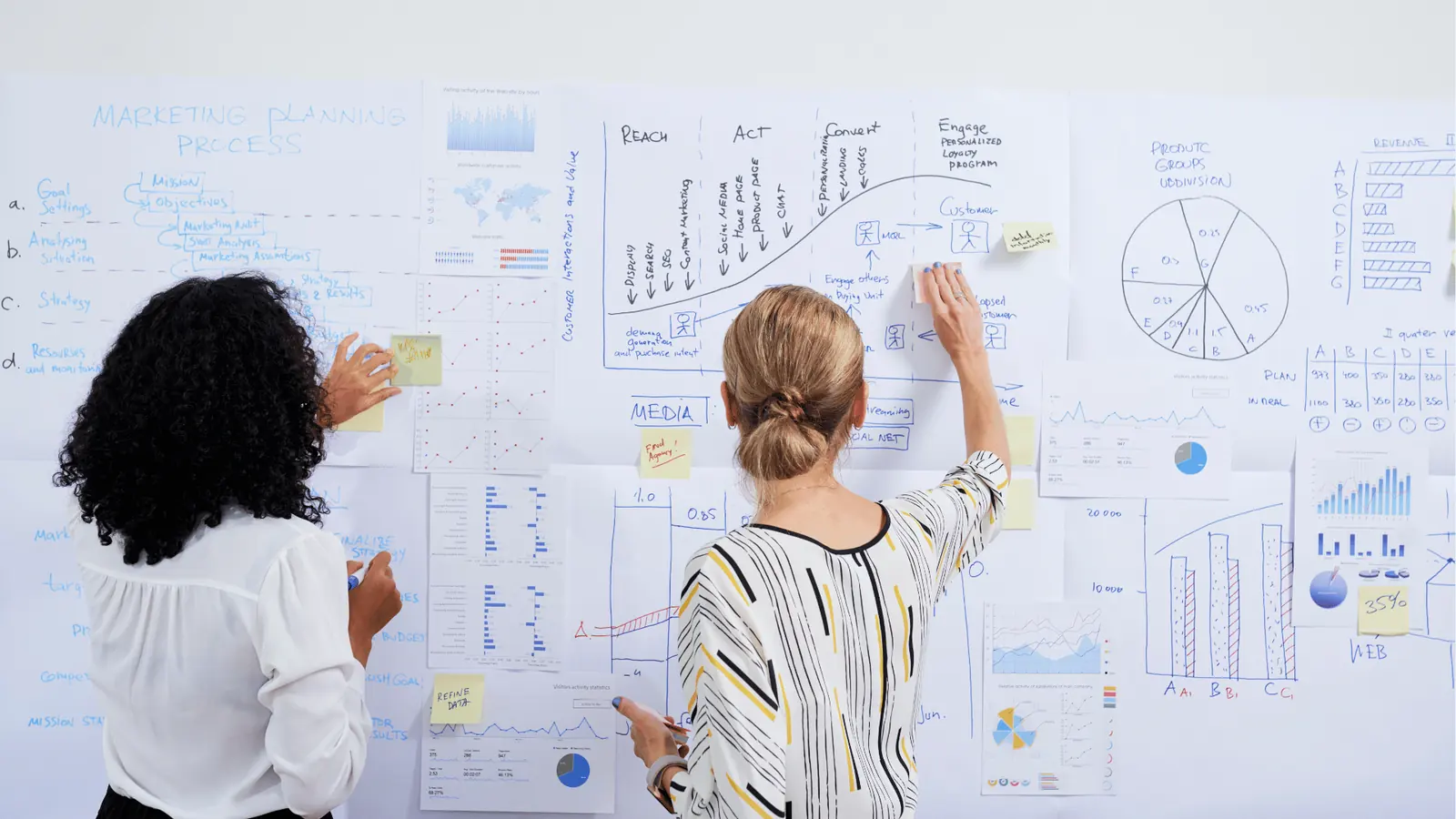
Traditional social media workflows were built for scarcity, not abundance. When your team was only posting three times a week, it was annoying but manageable to download an image from a designer, upload it to a chat app for approval, download it again to a phone, and then manually post it to Instagram. You could absorb that friction because the volume was low. But as soon as you introduce AI into the mix, that manual "hand-off" model does not just slow down; it completely evaporates your profit margin.
The mess usually starts when you try to scale. AI allows a single person to generate fifty high-quality campaign assets in a morning. If your workflow still requires a human to manually rename, move, and re-format every one of those files, you have not actually saved any time. You have just traded the "creative bottleneck" for an "administrative nightmare." This is what we call coordination debt. The legal reviewer gets buried under a mountain of notifications, the social lead loses track of which version is "final_v4_FINAL.png," and the actual revenue-generating work-engaging with the community and analyzing what sells-gets pushed to next Tuesday.
Here is where it gets messy: most teams underestimate the "Hidden Tax" of the desktop download folder. Every time an asset sits on a local hard drive, it is essentially invisible to the rest of the organization. If a manager needs to approve a post but the file is stuck in a creator's "Downloads" folder, the entire pipeline grinds to a halt.
Common mistake: The "Download Loop." This is the habit of downloading files from one cloud tool (like Canva or Google Drive) only to immediately re-upload them into your social scheduler. It feels like "working," but it is actually a massive time leak that kills your content velocity.
To make money with AI, you need a workflow that treats assets like water in a pipe, not like boxes in a warehouse. You want them moving constantly toward the "Publish" button with as few touches as possible. If a task requires a human to click "Save As" more than once, it is a candidate for elimination.
| Workflow Step | The Tinkerer (Manual) | The Operator (Pipeline) |
|---|---|---|
| Asset Intake | Slack attachments and email | Direct Google Drive gallery sync |
| Design Handoff | Manual export and re-upload | Canva gallery service import |
| Platform Prep | One-by-one manual cropping | Multi-platform composer presets |
| Task Management | Random sticky notes or DM reminders | Recurring calendar reminders |
| Conversion | "Link in bio" points to a generic site | Dynamic link-in-bio page builder |
The simpler operating model

To make AI content profitable, you have to treat your content like a relay race where the baton never hits the grass. The goal is not just to "create" but to "transfer" that value to a platform where a customer can see it. We use a framework called the Content Relay: Sync, Schedule, and Sell. It is a three-stage pipe that removes the decision fatigue from the daily grind and replaces it with a predictable rhythm.
The first stage, Sync, is about connecting your sources. Instead of treating Google Drive or Canva as separate islands, you pull them directly into your publishing workflow. Using Mydrop's Google Drive import means the second a designer drops an approved AI-generated image into a shared folder, it is already sitting in your gallery, ready to be used. No downloads. No "where is that file" messages. You are simply moving the approved creative from Drive into the workflow without the manual middle steps.
The second stage is Schedule. This is where most teams fail because they "post when they feel like it." In an enterprise environment, that is a recipe for inconsistency. The operator rule is simple: if a task can't be batched, it shouldn't be done daily. Use calendar reminders for the chores that people usually forget-things like "Review Wednesday's analytics" or "Update the link-in-bio for the new drop." By turning these into visible calendar commitments with specific service links and templates attached, you turn social operations into a repeatable system rather than a series of emergencies.
Most teams underestimate: The power of a multi-platform composer. Most AI content needs to live on more than one network to justify the cost of generation. Instead of rewriting a caption five times for five different apps, you use a tool that lets you customize the details-like the first comment on Instagram or the specific thumbnail on TikTok-without losing the core campaign idea.
Finally, you Sell. This is the part people underestimate. All that AI content is useless if it leads to a dead end. Every post needs a path to revenue, which is why a link-in-bio page builder is not a luxury; it is your storefront. When the traffic arrives from your multi-channel blast, it needs to land on a branded page that you can update in seconds, keeping your links and profile presentation consistent across every market you manage.
Operator rule: Efficiency is the only moat left when everyone has access to the same intelligence.
Here is the 30-day roadmap to turning this model into actual revenue:
- Week 1: Pipe Setup. Connect your Google Drive and Canva imports. Build your initial link-in-bio landing page so the "storefront" is open before you start the marketing.
- Week 2: Velocity Build. Set up recurring calendar reminders for asset collection and planning. Start batching your AI generation into two-hour blocks rather than doing it every morning.
- Week 3: Multi-channel Blast. Use the multi-platform composer to turn your batch of assets into a week's worth of posts across Instagram, LinkedIn, and TikTok in one sitting.
- Week 4: Conversion Optimization. Review which posts drove the most clicks to your link-in-bio. Double down on the formats that worked and cut the ones that didn't.
AI gives you the engine, but distribution gives you the wheels. Without a clean pipeline to move those assets from a prompt to a post, you are just revving the engine in the driveway. The revenue isn't in the "magic" of the AI tool; it is in the boring, beautiful efficiency of the system that delivers that magic to your audience.
Where AI and automation actually help
AI is your high-speed engine, but automation is the transmission that actually puts that power to the pavement. If you use AI to generate 50 images but your team still has to manually download, rename, and upload every single one of them into a scheduler, you haven't actually solved a problem. You have just created a bigger pile of manual labor.
The relief comes when you realize that AI is best used as a specialized intern for the "middle" of your workflow, while automation handles the "edges" where humans usually get stuck in the mud. For an enterprise team, the real win isn't a better prompt; it is a shorter path from the "Generate" button to the "Publish" button.
Common mistake: The Download Loop. This is the hidden tax on your marketing budget. Your team generates an asset in an AI tool, downloads it to a desktop, uploads it to a shared folder for review, downloads it again after approval, and finally uploads it to a social tool. Every download is a point of failure and a waste of expensive human time.
To turn AI content into revenue, you have to kill the download loop. This is where Mydrop’s Gallery integrations become your competitive advantage. By connecting your Google Drive or Canva account directly to your publishing workflow, you move the creative work into the distribution lane without it ever touching a messy "Downloads" folder.
When you bring a Canva design into the Mydrop gallery, you aren't just moving a file. You are choosing the specific image quality or video orientation that fits the campaign. You are keeping the design production connected to the publishing engine. This ensures that the "Shape" phase of your content relay is as fast as the "Source" phase.
Operator rule: If a task requires more than three clicks to move an asset between tools, that task is a candidate for automation or a workflow rethink.
Here is where it gets messy for most teams: the transition from "we have an idea" to "it is ready for the world." You might have 10 different brands or five different markets. Each one needs its own flavor of the same AI-generated concept. Instead of rebuilding the post 10 times, use a multi-platform composer to turn one campaign idea into platform-ready posts. You set the core caption, attach the media once, and then customize the "last 10 percent" for LinkedIn, Instagram, or TikTok.
Framework: Source -> Shape -> Ship
- Source: Import approved media directly from Google Drive or Canva into the Mydrop Gallery.
- Shape: Use the Multi-platform post composer to customize captions and thumbnails for every network in one window.
- Ship: Schedule the posts and set a Calendar Reminder for the team to engage with the first 60 minutes of comments.
The metrics that prove the system is working

Most teams track "likes" and "shares" as their primary success metrics. While those look nice in a slide deck, they don't tell you if your AI content pipeline is actually profitable. To prove the system is working, you need to look at Operational Velocity and Conversion Path Integrity.
If your team is spending 40 hours a week to produce content that generates $1,000 in revenue, the math doesn't work. But if you can use AI and Mydrop to produce that same content in 4 hours, your margin just exploded. That is the "Operational Velocity" metric. You are measuring the time it takes to move from a raw AI output to a live post with a tracking link.
The second metric is about the storefront. AI content is the bait; your link-in-bio page is the hook. If you are sending thousands of visitors to a generic website homepage, you are bleeding revenue. You need a dedicated, branded landing page that matches the energy of your social content.
KPI box: The Revenue Scorecard
- Production Velocity: The time elapsed from "Asset Generated" to "Post Scheduled." (Target: < 10 minutes).
- Coordination Debt: The number of manual handoffs between team members per post. (Target: < 2).
- Click-to-Conversion Rate: The percentage of social traffic that clicks a link in your Mydrop link-in-bio page and completes a purchase or lead form.
- Asset Reuse Ratio: How many times a single AI-generated asset is reshaped and shipped across different channels.
You will know the system is working when the "anxiety of the blank page" is replaced by the "rhythm of the machine." Your team shouldn't be wondering what to post; they should be looking at their Mydrop Calendar and seeing reminders for asset collection, filming, and analytics reviews already blocked out. This turns social operations from a series of emergencies into a predictable set of commitments.
This is the part people underestimate: the "Hidden Tax" of poor visibility. In a large marketing team, the legal reviewer often gets buried under a mountain of email attachments. By using a central gallery and a transparent calendar, everyone sees the same "source of truth." You aren't just making content faster; you are making it easier to approve and safer to publish.
Watch out: Don't let your AI content become "zombie content." This happens when you publish high volumes of posts but forget to include a clear call to action or a way for the customer to buy. If your link-in-bio page isn't updated to match your latest AI campaign, you are just revving your engine in the driveway.
To ensure your 30-day plan stays on track, use this operational checklist. These aren't creative tasks; they are the plumbing tasks that make the creativity profitable.
- Connect Google Drive or Canva to your Mydrop Gallery to eliminate the download loop.
- Build a Link-in-bio page with your core brand links and a "featured" block for your AI campaign.
- Set recurring Calendar Reminders for "Weekly Pipeline Review" and "Monthly ROI Audit."
- Create a Multi-platform post template that includes your standard brand hashtags and a placeholder for your tracking link.
- Audit your "Asset-to-Publish" time by tracking how long it takes one piece of AI content to go live.
Strategy: Operational Excellence
Efficiency is the only moat left when everyone has access to the same intelligence. Anyone can ask an AI to write a post, but very few organizations can publish that post across 12 channels, track the clicks, and update the landing page in the time it takes to finish a cup of coffee.
The real revenue in the AI era doesn't go to the best "prompters." It goes to the teams who have built a factory that is too fast to fail. AI gives you the engine; distribution gives you the wheels. Without both, you’re just a very smart person standing in a parking lot.
The secret to making money with AI content is shifting from a "push" model to a "pull" model. Most teams spend their days pushing pixels and prompts through a manual gauntlet, hoping something sticks. The profitable operators do the opposite: they build a pipeline that pulls assets from generation to conversion with zero manual intervention.
The relief of a 30-day "Content Relay" is profound. You stop waking up to the anxiety of a blank calendar or a late approval. Instead, you move into a state of operational calm where the machines handle the volume and your human team handles the strategy. This isn't just about saving time; it is about reclaiming the mental space needed to actually grow the business.
The operating habit that makes the change stick

The habit that separates the profitable operators from the hobbyists is rhythm. AI content fails when it is treated as a series of one-off experiments. To win, you need to turn your social operations into a set of invisible commitments that happen even when you are busy.
Operator rule: If a task requires a human to "remember" to do it, the system is broken.
We have all been there: staring at a blank prompt at 4 PM on a Friday because someone forgot to "do the AI stuff." This is where the 30-day plan usually falls apart. To prevent this, you must treat your distribution pipeline like a factory floor. Use Calendar Reminders in Mydrop to turn social chores into visible commitments. Don't just set a reminder to "post"; set reminders for asset collection, filming, and analytics review.
One simple rule helps: Batch the heavy lifting, automate the handoffs. Instead of checking your Drive folder every morning, use a tool like Mydrop to import your approved creative directly from Google Drive. By connecting your Google Drive or Canva accounts to your gallery, you remove the "Download Loop" that kills momentum.
Framework: The 3-S Revenue Loop
- Sync: Connect your Drive and Canva accounts to your gallery. No more desktop clutter.
- Schedule: Use recurring reminders for analytics and community engagement.
- Sell: Route every post to a high-converting link-in-bio page.
The 30-Day Velocity Check By the end of your first month, your team should not be asking "what should we post?" They should be asking "is the pipeline full?" The goal is to reach a state where your presence on LinkedIn, Instagram, and TikTok is a byproduct of your workflow, not the focus of it.
| Week | Focus | Success Metric |
|---|---|---|
| 1 | Pipe Setup | Zero manual downloads/uploads |
| 2 | Velocity Build | 2x post volume with 0x extra staff hours |
| 3 | Multi-channel Blast | Presence on 3+ new platforms |
| 4 | Conversion Opt | 15% increase in link-in-bio clicks |
The "hidden tax" of manual asset management is what prevents enterprise teams from scaling. When you move files directly from Canva into a Multi-platform post composer, you are not just saving clicks. You are preserving the creative energy needed to actually sell. You can turn one campaign idea into platform-ready posts for Instagram, LinkedIn, and X without losing the details each network requires.
Quick win: Set a recurring reminder for Friday at 10 AM to "Refill the Drive." If your AI tools haven't pushed new assets to your Google Drive by then, the following week's revenue is already at risk.
Conclusion

Ultimately, making money with AI content is about owning the bridge between the machine and the buyer. AI gives you the engine, but distribution gives you the wheels. If you are just revving the engine in the driveway, you are not going anywhere.
The shift is psychological. You have to stop viewing content as a "digital art project" and start seeing it as a conversion asset. In an enterprise environment, that means governance, approvals, and predictable workflows. Efficiency is the only moat left when everyone has access to the same intelligence.
Here is where it gets messy: most teams will try to do this with five different tools and a spreadsheet. They will have a prompt tool, a design tool, a separate scheduler, and a link-tree clone. Each gap between those tools is a place where a lead can fall through or a post can get delayed.
3 Next Steps for This Week
- Map the Gaps: Identify every time a human has to download a file just to re-upload it somewhere else.
- Build the Storefront: Create a single, branded Link-in-bio page that captures traffic from every social channel.
- Set the Rhythm: Put reminders in place for your review and approval cycles so they do not depend on Slack pings.
The operational truth is this: Complexity is a cost, and velocity is a profit. In a world of infinite content, the winner is not the one with the best prompt, but the one with the most efficient pipeline.
Mydrop was built for this exact transition. It is not just a place to schedule posts; it is the infrastructure for teams who are tired of the friction and ready to start treating their content like the revenue-generating machine it should be.