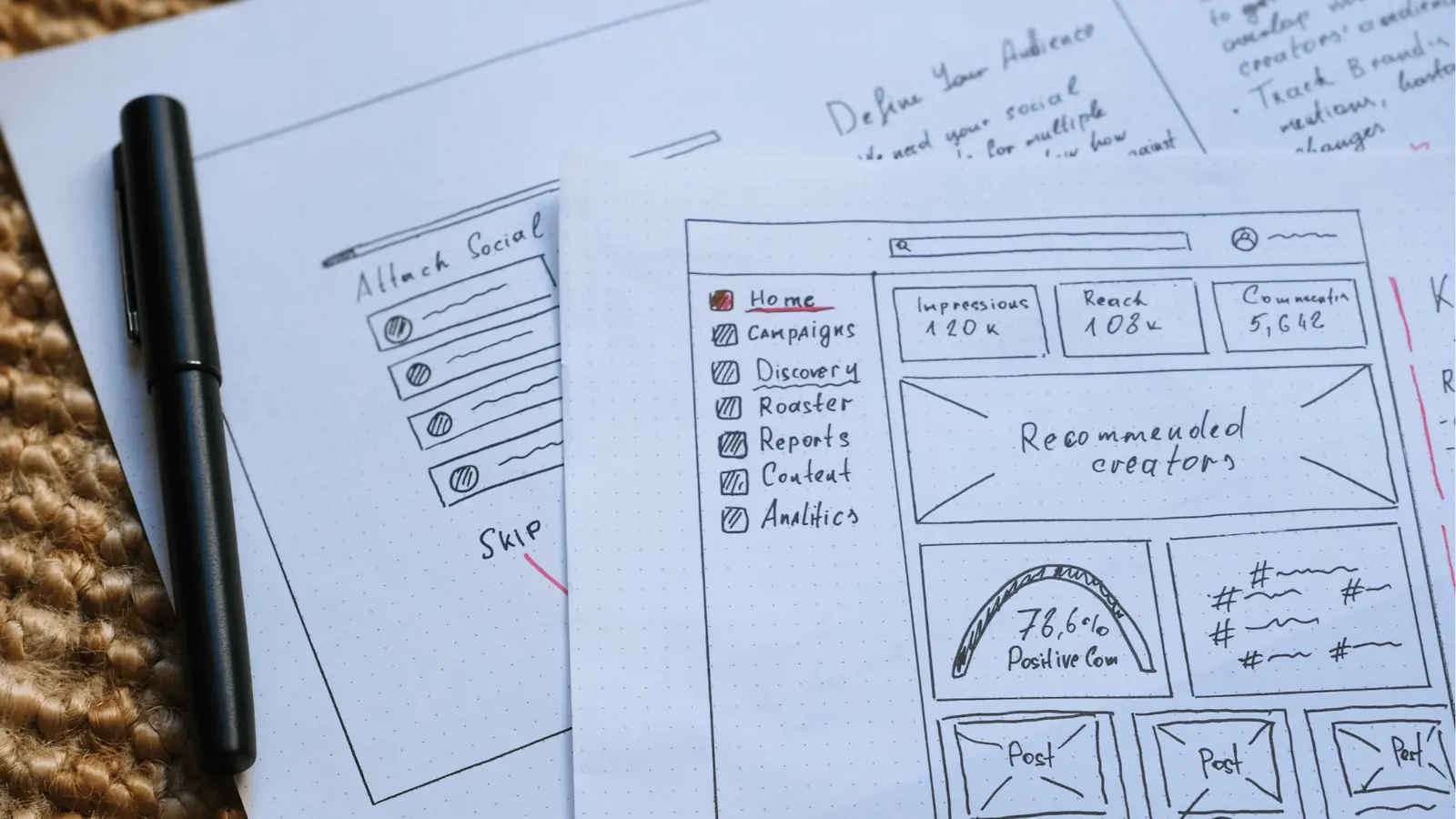
Automate your repurposing by treating your core creative assets as modular kits-not final files-and routing them through a central gallery that keeps design files, feedback, and publishing schedules in one connected loop. The goal is to move away from the manual "download, rename, re-upload" grind that turns your high-value white papers or webinars into forgotten files on a local server. Instead, you build a repeatable system where your team can pluck the right asset from a shared gallery, adjust it for platform-native requirements, and push it live without leaving the workspace.
You know the feeling of the "content hamster wheel" all too well. Your team spends hours pixel-pushing to fit a single core insight into ten different feed formats, and every time someone updates a logo or a stat, you have to hunt down every instance across five different social platforms. The relief comes from a singular, master creative source that flows directly into every feed, freeing your team to stop managing files and start managing strategy.
TLDR: The Source-to-Social Flow
- Centralize: Import finished hero assets from cloud storage into your production gallery.
- Adapt: Use direct platform-native export options-like orientation and format preset-to resize assets instantly.
- Sync: Finalize copy and assets in a shared channel to keep feedback and files in one permanent thread.
Enterprise Ready
The real problem hiding under the surface

The real issue is that most marketing operations aren't struggling with a lack of content ideas; they are suffering from coordination debt. When creative assets live in one folder, feedback happens in email, and scheduling lives in yet another platform, you are essentially paying a "manual handling tax" on every single post.
Most teams underestimate the hidden time lost in constant context switching. Every time an account manager has to download a file from Google Drive to check the branding, then re-upload it to a scheduler, you lose minutes. Multiply that by dozens of posts across multiple brands every week, and you have a massive sinkhole of wasted capacity.
The real issue: Your folder structure is a graveyard for good ideas because it separates the creative object from the context of its use.
When your assets are divorced from the conversation about them, you lose version control and brand consistency. An agency team might be working with version 2 of a graphic, while the social team is already trying to push version 4. This isn't just inefficient; it's a compliance and brand risk that grows as your team scales.
Here is how you can spot if your team is caught in this loop:
- The "Where is the file?" check: If you spend more than two minutes searching for the latest approved asset, your repository is failing.
- The "Double-Handling" trap: If your team downloads assets to their local machine only to upload them somewhere else, they are creating unnecessary points of failure.
- The "Thread Chaos" indicator: If the feedback on an asset is trapped in a closed email chain or private chat, you’ve lost the institutional memory of why a design choice was made in the first place.
This is the awkward truth people avoid: content isn't king; content distribution is the kingdom. You can have the best white paper on the planet, but if the process to get it onto a platform is brittle and manual, it will never reach the scale your brand demands. The shift from "creating content" to "operating a supply chain" is the difference between a reactive marketing team and a brand-building powerhouse.
When you remove the friction of moving files between disconnected tools, you suddenly find the headroom to experiment with new formats. You aren't just moving faster; you are moving with purpose, knowing that every piece of creative you touch is synced, approved, and ready to deploy without the risk of an off-brand error sneaking through the cracks.
Why the old way breaks once volume rises

Scaling social content without a unified system isn't just inefficient; it is a ticking time bomb for your brand’s consistency. When teams rely on scattered tools to manage assets, the cracks in the process start to show almost immediately as campaign volume increases.
The most common failure mode is Creative Fragmentation. When your design files live in one tool, feedback happens in email or Slack, and the final assets are manually uploaded to a third-party scheduler, you lose the "source of truth." Designers waste hours tracking down the correct version of a file because a project manager accidentally grabbed an outdated draft from a shared folder. Meanwhile, the legal team gets buried in endless threads, trying to find the latest copy to approve.
Most teams underestimate: The true cost of the "version control nightmare" isn't just the time spent searching for files. It is the compliance risk and brand dilution that happens when the wrong asset gets pushed to a global channel.
This fragmented workflow turns your marketing team into a group of manual data entry clerks. Every time someone downloads an asset from Google Drive, re-opens it in Canva to resize it for Instagram, and then manually uploads it to a scheduling tool, they are doing work that adds zero creative value.
| Manual Bottleneck | Automated Supply Chain |
|---|---|
| Fragmented file storage | Centralized content gallery |
| Manual download/upload loop | Direct asset piping |
| Feedback via email/Slack | Context-aware collaboration |
| Version control chaos | Single source of truth |
The "old way" also ignores the reality of modern multi-brand teams. When you manage assets for different markets or audiences, the inability to organize files alongside their specific publishing rules leads to "File Rot"-where high-value creative just sits in a folder gathering dust because no one remembers who approved it or which platform it was optimized for.
The simpler operating model

If you want to move away from the "content hamster wheel," you have to stop thinking about files as final products and start treating them as modular assets. The goal is to build a content supply chain where every piece of creative flows through a single, connected ecosystem.
The most effective teams move to a model where the gallery is the engine room of the entire workflow. By integrating your storage solutions directly into your social management platform, you eliminate the need to ever manually download or re-upload a single creative asset.
Operator rule: If you have to download and re-upload, you have already lost the battle. Every touchpoint is a potential point of failure.
Implementing this model requires a shift in how you handle asset intake. Instead of treating your gallery as a storage bin, treat it as a live production hub:
- Intake: Connect your cloud storage (like Google Drive) directly to your platform to pipe assets into your gallery.
- Refinement: Use native integrations to bridge your design tools with your publishing queue, so edits happen in context.
- Collaboration: Keep conversations about specific assets-legal feedback, copy tweaks, or design iterations-directly attached to the file.
- Distribution: Push the refined asset to multiple platform-native formats without ever leaving the workspace.
Common mistake: The "Batch-and-Pray" method. Many teams dump hundreds of files into a shared folder expecting their social team to organize them later. This inevitably leads to chaos, as the social team lacks the necessary context or time to sort through unorganized assets, resulting in either a bottleneck or, worse, a content drought.
When you bring your design production into the same loop as your social work, you gain something far more valuable than speed: Visibility. Your team can see not just what is being published, but why it was approved and who signed off on the latest version. You stop managing files and start managing the actual output of your brand.
Automation is the difference between a reactive marketing team and a brand-building powerhouse. By architecting your workflow so that a single, high-value asset flows effortlessly into every feed, you reclaim the hours you’ve been spending on pixel-pushing. Content isn't king; content distribution is the kingdom-and it is time to start governing yours properly.
AI and automation finally stop being "magic" and start being "plumbing" when you map them to the specific friction points of your creative pipeline. Most marketing leaders expect AI to handle creative ideation, but the real leverage is in the mundane: resizing, formatting, and metadata tagging. By automating these repetitive tasks, you stop forcing your designers to be production assistants.
Operator rule: "If you have to manually download, rename, and re-upload an asset to move it from a creative tool to a social calendar, your automation is broken."
Here is where AI-driven automation actually changes your daily output:
- Format Transformation: Using native integrations to convert high-fidelity source designs (like Canva files) into platform-specific dimensions-16:9 for YouTube, 9:16 for Reels, and 4:5 for feed posts-without a human touching a resize tool.
- Media Intake: Direct pipelines from cloud storage like Google Drive into your content gallery mean approved files arrive exactly where they need to be, retaining their naming conventions and source quality.
- Contextual Collaboration: Automating the feedback loop by attaching stakeholder comments directly to the assets, so designers see exactly why an asset was flagged for revision without chasing emails.
When these functions are connected, you replace manual orchestration with a silent, background flow. The creative team spends their energy on the "hero" concept, while the system handles the technical delivery to every channel.
Framework: The C.A.S.T. Model for Repurposing
Capture (Centralized Gallery) -> Adapt (AI-Assisted Formatting) -> Sync (Cross-Team Feedback) -> Transmit (Direct Publishing)
This flow turns your content gallery into a living engine. When a new asset enters the system, the team knows exactly which steps remain before the asset hits a social feed.
- Establish a Single Source: Ensure all final campaign assets are imported directly from your storage service into the gallery.
- Define Format Presets: Set your standard platform dimensions for every active channel to trigger auto-cropping.
- Centralize Feedback: Require all stakeholders to comment directly on the post preview in the workspace, never via external docs.
- Automate Handoff: Use rules to route content from the "Approved" bucket straight into the publishing queue.
- Standardize Metadata: Apply universal tags to every asset upon arrival to make future retrieval and performance analysis instantaneous.
Common mistake: Teams often "Batch-and-Pray," dumping hundreds of raw files into a shared folder and hoping someone will find the right version during a busy campaign launch. This is how brands lose control of their visual identity.
Success isn't measured by how much content you push, but by how little friction you feel when scaling up. If you are still doing manual checks on file sizes or hunting for the latest version of a graphic, your system is failing the enterprise stress test.
KPI box: Efficiency Gains per Campaign Cycle
- Creative Time Saved: ~15 hours/week per designer (no more manual cropping).
- Review Latency: Reduced by 60% through in-post feedback loops.
- Asset Governance: 100% of published posts mapped to an approved source asset.
- Throughput: Ability to manage 3x the volume of posts with existing headcount.
You know the system is working when the "repurposing" conversation shifts from who has time to do this to what else can we optimize. When your platform-native assets are automatically handled, your social team stops acting like file librarians and starts acting like brand strategists.
The final test is your "link-in-bio" traffic. If your social content is truly modular and platform-native, the path from an engaging video to your brand's landing page should be invisible. You stop selling the platform; you start selling the brand experience directly from the feed.
Ultimately, automation is the difference between a reactive marketing team and a brand-building powerhouse. You are either managing chaos or managing a supply chain; the former is exhausting, the latter is scalable.
The operating habit that makes the change stick
The most effective teams treat their content workflow like a software release cycle rather than a creative project. They build a "push-to-production" habit, where the final asset is never considered finished until it is mapped, tagged, and dropped into the central gallery for distribution.
If you don't enforce this, your team will continue to treat the "repurposing" phase as a secondary, manual chore to be handled at 4:30 PM on a Friday. When the creative process is disconnected from the distribution pipeline, you are essentially asking your team to do the same work twice.
Operator rule: "If you have to download and re-upload an asset to publish it, you have already lost the battle. Automate the pipe, or accept the friction."
To make this transition, stop measuring team success by how many pieces of content were created, and start measuring by how many unique assets were successfully deployed across at least three platform-native formats. This shift in metric forces your team to design for modularity from day one.
Here are three concrete steps to implement this week:
- Audit your current "Hero" pipeline. Identify the one asset type-webinars, white papers, or product launches-that your team spends the most time manually resizing.
- Standardize your source folder. Move your high-value creative into a single repository, such as a Google Drive folder, that your team uses as a dedicated source of truth.
- Automate the handoff. Connect that source repository to your publishing environment’s gallery. When you enable direct imports from Drive into your gallery, you eliminate the "desktop graveyard" where high-value assets go to be forgotten.
Moving forward
The goal is to stop thinking about social media as a place to dump content and start thinking about it as an engine that consumes your best work and turns it into community interaction. This requires moving away from individual "creator" heroics and toward a system that handles the heavy lifting of transformation automatically.
When your design assets, team feedback, and publishing schedules live in one connected loop, the "repurposing" bottleneck simply disappears. You gain back the hours once spent on copy-pasting, but more importantly, you regain control over your brand’s narrative across every channel.
Your social presence should not be a fragmented collection of manual updates; it should be a unified expression of your strategy. By centralizing your workflow in a space like Mydrop, you stop playing catch-up with your own calendar. Efficiency is not just about moving faster-it is about removing the coordination debt that prevents your best ideas from reaching their audience.
Automation is ultimately the difference between a reactive marketing team and a brand-building powerhouse. Once the plumbing is in place, the only thing left to do is focus on the work that actually moves the needle.