Effective content scale comes down to mastering a "Source-to-Context" pipeline: turning one high-value asset into platform-native authority across your entire social footprint. Instead of forcing a single message into five different shapes, you treat your core campaign as a beam of light that gets refracted into unique, vibrant colors for each channel.
Your social calendar feels chaotic right now because you are stuck in the "formatting tax" loop-the hours spent cropping, resizing, and tweaking captions that drain your creative budget and burn out your team. The real relief comes when you stop "managing tasks" and start "orchestrating channels."
TLDR: To stop the chaos:
- Identify your core anchor asset (video, whitepaper, or hero design).
- Use template-based resizing to batch production.
- Adjust captions for platform-specific intent rather than just copying and pasting.
The biggest mistake brands make is "lazy cross-posting," where the same asset is dumped everywhere, signaling to algorithms-and audiences-that nobody is home. If you post the same thing everywhere, you are essentially saying nothing anywhere.
The real problem hiding under the surface

The problem isn't a lack of creative ideas or a shortage of tools; it is coordination debt. Every time your team manually adjusts a file for Instagram, then tweaks it again for LinkedIn, and once more for X, you are not just losing time. You are losing context.
When your production process is fragmented, the social media team gets buried under "craft work"-the tedious, repetitive mechanical tasks that keep them from ever actually analyzing performance or talking to the community.
The real issue: The "formatting tax" is a hidden drain on your creative budget.
- Context switching: Moving between native apps or disconnected tools kills momentum.
- Governance gaps: Manual workarounds often lead to off-brand visuals or missed compliance checks.
- Algorithm blindness: Uniform, "one-size-fits-all" content is easily penalized by network-specific algorithms that favor native-feeling experiences.
Most teams underestimate the sheer volume of "invisible work" required to maintain a multi-brand, multi-channel presence. It starts with a simple desire to "be everywhere," but it quickly devolves into a desperate race to maintain the status quo.
Enterprise Operations
To break this, you have to stop looking at platforms as a list of boxes to check. Instead, look at your output through the 4-C Model:
- Core Asset: Your high-value source material (e.g., a long-form video or research report).
- Channel Context: Where does the audience engage, and what is their current headspace?
- Content Transformation: How do we change the format without breaking the original narrative?
- Continuous Optimization: Using performance data to refine the next cycle.
Operator rule: Automation should be the invisible engine of your creativity, not the replacement for your voice.
When you centralize your assets-moving them from scattered folders into a unified workflow-you stop being a production line and start being a publisher. You move from "copy-paste" to "orchestration." It’s about ensuring that when a campaign goes live, it doesn't look like an automated bot dumped the same card in five feeds; it looks like a curated, thoughtful touchpoint designed specifically for that user.
When you are fighting with aspect ratios and character counts at 4:00 PM on a Friday, you aren't doing strategy; you're doing labor. The goal is to build a system where the "craft work" is handled by your tools, leaving your team free to manage the actual brand narrative.
Why the old way breaks once volume rises

The moment your team moves from managing three channels to ten, the manual "copy-paste-and-tweak" dance hits a hard wall. What worked when you had a single community manager becomes a catastrophic bottleneck when you are juggling multiple regional accounts, global brand consistency, and different stakeholder approvals.
The breakdown usually happens in the hidden friction between your design software, your project management tool, and the native social apps. You end up with a fragmented process where every asset is manually downloaded from a folder, re-uploaded into a caption editor, and adjusted for aspect ratio one by one. This isn't just "extra work." It is coordination debt-a tax on your team that limits how much high-quality content you can actually get out the door.
Most teams underestimate: The cost of "context switching" between five different native apps. Every time a team member logs out of a brand account to adjust a thumbnail, they lose the mental flow of the strategy. It is why you feel busy all day but see so little growth.
When volume rises, you are not failing because you lack creativity. You are failing because your infrastructure requires a human to act as a manual conduit for every single pixel.
| Operational Factor | Manual Cross-Posting | Systematic Repurposing |
|---|---|---|
| Asset Handoff | Email/Slack file links | Centralized Gallery |
| Formatting | Custom crop per app | Template-based outputs |
| Captioning | Brainstorming from scratch | AI-drafted variants |
| Approval | Scattered thread chains | Integrated platform flow |
| Consistency | High drift (brand risk) | Guardrail-enforced |
The simpler operating model

True scale requires an orchestration mindset rather than a production mindset. You want to move from "doing the social work" to "managing the social output." The goal is a linear pipeline that treats your core creative asset as a master record and your social channels as specific output contexts.
Here is how you shift from chaotic manual labor to a predictable pipeline:
- Centralize the Master: Stop saving "final" assets in loose folders. Bring your high-value campaign content into a singular gallery. This allows you to apply quality and format presets before the content ever reaches a composer.
- Context-Specific Composers: Rather than drafting a post, use a multi-platform composer that handles the specificities of each network simultaneously. If you need a different caption or thumbnail for LinkedIn than you do for TikTok, set those parameters in one view.
- Template-Driven Adaptation: Use design services that allow you to export assets in platform-specific ratios (e.g., 9:16 for Reels, 4:5 for feed) from a single master file. This eliminates the "resizing loop" that eats up hours of your graphic team's week.
- Synchronized Scheduling: Manage your publishing calendar through a central workspace that accounts for different team timezones and brand requirements. This keeps your global footprint aligned and prevents the "oops, wrong time" errors that kill engagement.
Operator rule: If a human is manually resizing a file to fit a social platform, you are already losing. Automate the format, humanize the context.
This model turns your social calendar into a high-leverage machine. By moving the heavy lifting to the infrastructure level-ensuring that assets arrive ready-to-use and captions are drafted with platform nuance in mind-you free your team to focus on the one thing algorithms cannot replicate: strategic conversation.
Automation should be the invisible engine of your creativity, not the replacement for your voice. When you stop fighting the platform's requirements and start designing for them at the source, you move past the "formatting tax" and finally get to actual community building.
Where AI and automation actually help

Automation is often treated like a silver bullet for content production, but that is how teams end up with a robotic, uninspired feed. The true value of AI in a mature social operation is not about generating generic blog posts at scale; it is about eliminating the "formatting tax" that keeps your best people from doing actual strategy work.
When you use an AI assistant like the one built into Mydrop, you stop treating the tool as a content generator and start using it as an operational filter. The goal is to move from manual, platform-by-platform drafting to a system where your team provides the core narrative, and the technology handles the context-switching.
Common mistake: Using AI to "rewrite the same post five times" for different platforms without changing the underlying angle. This creates what I call "content echoes"-a cluttered feed that tells your audience you have nothing new to say, just a new way to say the same thing.
Instead, focus your automation on the mechanics of adaptation. You want your team to spend their energy on the creative insight, not the tedious process of resizing images or reformatting captions to match platform API constraints.
The 5-Step Adaptation Workflow
- Establish the Core: Finalize the hero asset-the original video, white paper, or thought leadership piece.
- Apply Formatting Templates: Use your gallery workflow to auto-resize assets into the specific ratios (16:9, 4:5, 9:16) required for LinkedIn, Instagram, and TikTok simultaneously.
- Invoke Contextual AI: Ask your AI assistant to rewrite the caption based on specific platform constraints-like emphasizing professional impact for LinkedIn versus cultural relevance for TikTok.
- Configure Platform Specifics: Use a central post composer to set individual thumbnails, first comments, and location tags that are native to each network.
- Run the Approval Loop: Send the unified, multi-platform preview to stakeholders so they see the entire campaign "as it lives" rather than reviewing isolated files in a chain of emails.
This shift changes the team dynamic. Designers stop being glorified croppers; they become visual directors. Community managers stop being copy-pasters; they become audience strategists. You are effectively shifting the team's time from coordination debt to creative capital.
The metrics that prove the system is working

If you cannot measure your operational efficiency, you are just guessing. Enterprise teams often report "feeling busy" while their engagement stagnates, usually because they are measuring the wrong things. Stop looking only at total likes. Start looking at the relationship between your effort and your output.
When you centralize your social operations-moving from scattered spreadsheets and native platform tools into a unified workspace-the improvements usually follow a predictable pattern.
KPI box:
Metric Goal Time-to-Publish 30% reduction in prep-to-live time Platform-Native Engagement 15% lift by removing "copy-paste" artifacts Collaboration Latency 40% faster internal approval cycles Governance Errors Near-zero compliance or brand-voice drift
The Hierarchy of Operations Core Concept -> Asset Refinement -> Contextual Adaptation -> Multi-Channel Preview -> Stakeholder Validation
Most teams underestimate how much "dead time" exists between the approval of an idea and the actual post going live. This is usually where the biggest bottlenecks occur: someone forgets to add the tracking link, the video orientation is wrong for the platform, or the brand voice shifted halfway through the drafting process.
When you use a system that connects design import (Gallery service) directly to the calendar (Multi-platform composer), you are not just saving time; you are creating a "single source of truth" for your social footprint. If a brand guideline changes or a link is updated, you fix it in one place, and it propagates across every scheduled post.
This is the ultimate test of your system: can you launch a 10-channel campaign in the time it used to take you to launch one? If the answer is yes, you are no longer managing social media tasks; you are orchestrating an ecosystem. The most successful teams operate with the understanding that consistency is the baseline, but contextual adaptation is the competitive advantage. If you post the same thing everywhere, you are essentially saying nothing anywhere.
The operating habit that makes the change stick
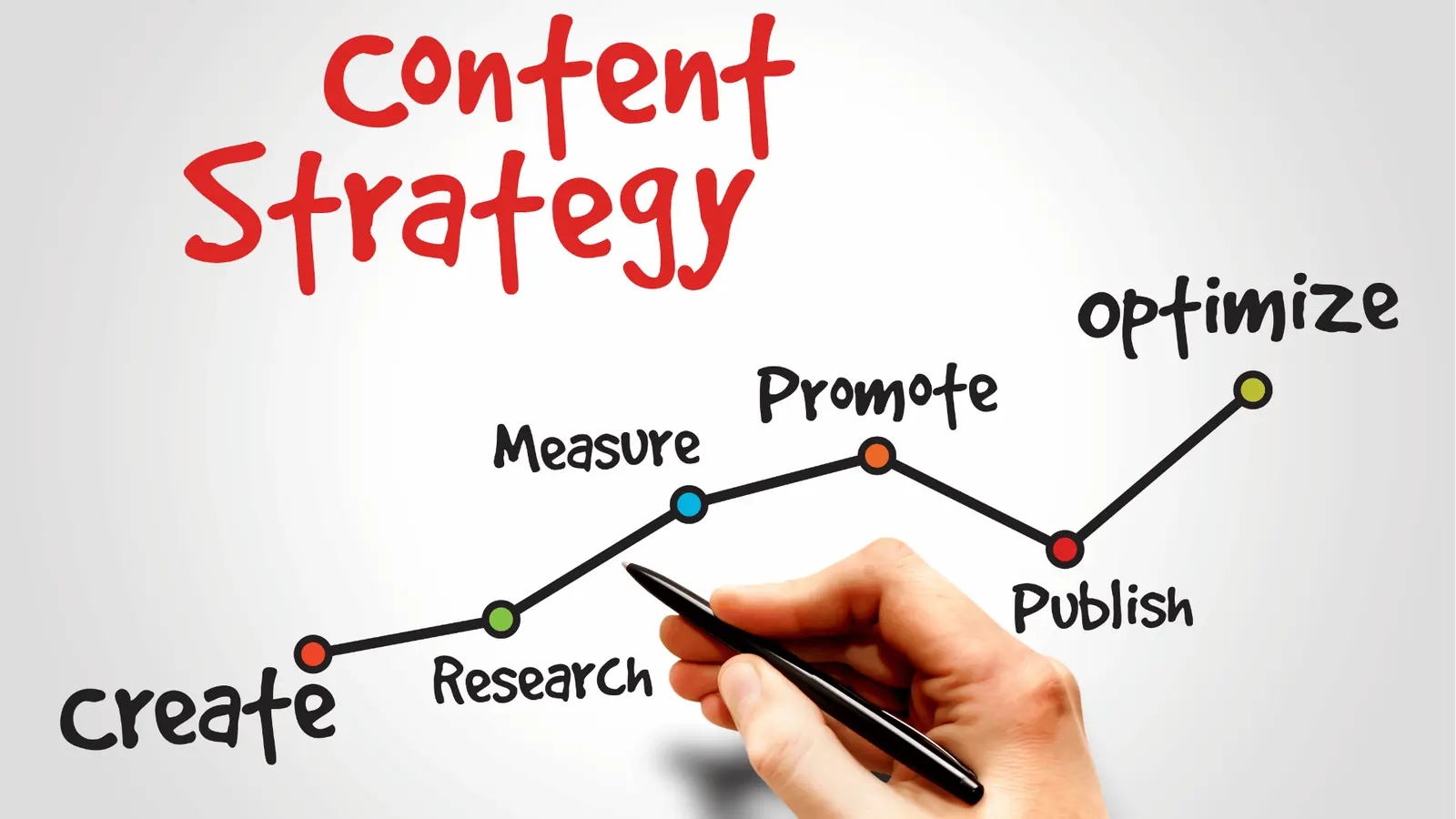
The biggest barrier to a sustained "Source-to-Context" pipeline is not the software you choose; it is the habit of treating every post as a bespoke project. To break this, your team needs to adopt a "Centralize-Then-Refract" rhythm. Instead of briefing five different platforms, you brief the core asset and define the transformation rules once.
Framework: The 3-Step Refraction Cycle
- Define the Core: Finalize the "Source" (the primary video, research, or announcement) and its core metadata before touching a single social channel.
- Establish Transformation Rules: Assign specific "shapes" to your channels (e.g., LinkedIn gets the long-form analysis, Instagram gets the carousel breakdown, X gets the contrarian soundbite).
- Contextual Batching: Draft all variations in a single, unified view, ensuring the narrative remains consistent while the tone shifts to fit the platform.
This is where teams usually get stuck: they move too fast, skipping the rules and reverting to manual tweaks. If you don't build the habit of standardizing the transformation before you hit the publish button, the "formatting tax" will simply shift from one desk to another.
Pro-tip: Stop asking "what should we post today" and start asking "how does our core asset translate for X platform?" when you start your week. Use your team's weekly planning sessions to map your primary campaign assets to their specific channel requirements.
Quick win: Next time you have a core asset, try this workflow this week:
- Audit your top three performing posts from last month to identify your "winning" platform-native shapes.
- Create one reusable template in your composer for each of those formats so your team never has to re-calculate dimensions or character limits again.
- Run a 30-minute "Refraction Sync" to ensure every stakeholder agrees on the one core message being shared, preventing the common "off-brand drift" that happens when teams repurpose in silos.
Conclusion

The goal of scaling your social presence is not to become a machine that pumps out content; it is to ensure your message is heard, understood, and acted upon in the environments where your audience lives. When you treat social media as an exercise in channel orchestration rather than a series of disconnected tasks, you eliminate the friction that kills creativity and stalls growth.
Operational truth: Content scale fails when coordination becomes more expensive than the output is worth. You do not need more people to double your reach; you need a system that removes the manual overhead of platform compliance.
Mydrop was built for this exact reality. By integrating the AI home assistant, centralized analytics, and multi-platform composition into a single workspace, we help teams turn the chaos of "managing channels" into the clean, efficient process of "orchestrating content." Because when you remove the formatting tax and the coordination debt, you finally have the bandwidth to do what you were actually hired for: building a brand that sticks.