


Mydrop is built for teams that have outgrown the spreadsheet plus Drive stunt rig. If your publishing calendar lives in rows, assets live in a dozen shared folders, and approvals flow by email or Slack, you know the pattern: repeated manual checks, last minute file swaps, and slow signoffs. Mydrop replaces those fragile steps with a single publishing flight deck: a calendar that validates posts before scheduling, a gallery that pulls approved files straight from Drive and Canva, template and automation builders, and an AI Home assistant that accelerates drafting so your team stops starting from blank cells.
This piece shows exactly why teams running social publishing from Google Sheets and Drive should consider moving to Mydrop, and how to do it without dropping the ball. Expect clear tradeoffs, the common failure modes you have to guard against, and a compact checklist for the first migration decisions. The goal is practical: reduce rework, keep approvals auditable, speed bulk campaigns, and preserve the ways your teams already work while removing the brittle bits.
Why teams start looking for a switch

Most teams reach for Google Sheets because it is fast to start and everyone already knows it. But the moment volume, brands, or stakeholders grow, the spreadsheet begins to show its limits. Here is where teams usually get stuck: multiple people edit the same calendar at once and version conflicts appear; a designer uploads the final video to Drive and someone else grabs the older draft; the legal reviewer is copied on a Slack thread and the comment never lands on the row that actually schedules the post. Those are not edge cases. For an agency managing five brands, each brand may have its own spreadsheet and folder. That multiplies mistakes, duplicates work, and hides accountability.
The second failure mode is platform complexity. Social networks are not interchangeable columns. Instagram requires specific aspect ratios and thumbnails, LinkedIn needs link previews, TikTok enforces durations, and X permits threading mechanics that Instagram does not. A single caption cell forces teams to cheat: either write a generic caption that underperforms on each network, or maintain multiple columns and manual copy edits that break at scale. Timezone mistakes add another layer. Global teams scheduling a synchronized launch across markets will mis-time posts if the spreadsheet is not tied to profile timezones. The operational cost is real: missed peak windows, extra editing on publish day, and emergency reuploads that scramble approvals.
Approvals and auditability create the third, and often decisive, pressure to change. When legal, brand, or client approvals happen in email or Slack, the context vanishes: which image version was approved, which caption was used, and when did the approver sign off? This is the part people underestimate. An approval that is a line in a spreadsheet is not the same as an approval that is attached to the post and stored with the asset. The common outcome is delays: managers chase reviewers, posts sit unsent, or worse, a post goes live with the wrong creative because someone used an unapproved file from Drive. For regulated brands or large agency clients, that risk becomes unacceptable.
Which decisions should a team make first when evaluating a move? Start with these three items:
- Ownership and roles: who will own calendar integrity, who approves content, and who manages profile connections.
- Integration needs: confirm Drive and Canva import parity, plus any other systems (SFTP, DAM, analytics exports) that must remain connected.
- Migration scope: pilot one brand or campaign first, define the two-week parallel run and the rollback trigger.
Those choices expose the tradeoffs you will face. Centralizing on a platform like Mydrop gives you clearer ownership and a single audit trail, but it also requires early alignment on permissions and a modest change in day to day habits. Some teams worry about losing the familiarity of a sheet. The simple rule helps: keep the spreadsheet for planning, not for scheduling. Use Sheets as a lightweight ideation surface and move actual scheduling, approvals, and assets into the publishing system as soon as a campaign reaches production readiness.
Stakeholder tensions are part of the reality. Designers want minimal friction getting Canva exports into the workflow. Legal wants records and a configurable approval chain. Account teams want to preserve client visibility. IT wants secure connectors to Drive and enterprise SSO. If those groups are not consulted, the migration stalls. Practical failure modes here include under-scoped integrations, incomplete templates that force manual re-entry, and skipping pre-publish validation in the rush to onboard. Each of those failures feeds back into the same problems spreadsheets caused: more exceptions, more manual steps, and less trust in the new system.
Finally, the operational benefits that push teams to look for a switch are concrete. When media imports from Drive land directly into the publishing gallery, designers do not have to download and re-upload assets. When the calendar enforces platform rules, the team avoids last-minute format rework. When approvals live on the post, the legal reviewer signs off in context and the audit trail is preserved. These outcomes matter for agencies and enterprise brands managing multiple profiles and markets because they scale. The spreadsheet that once felt fast becomes slow, and the cost shows up as overtime, missed opportunities, and client angst. The question is not whether spreadsheets are useful; it is whether they remain the right tool once publishing becomes a multi-brand, cross-platform operational machine.
Where the old workflow starts to break

Here is where teams usually get stuck: a spreadsheet that started as a quick fix becomes the single source of truth, but it was never designed for publishing. Rows multiply - one per post, one per asset link, one per approval status - and every collaborator brings a slightly different process. Assets live in Drive folders named by people, not by campaign. Designers drop final exports into a shared folder, but the social lead copies a URL into the sheet and then someone else downloads, renames, and reuploads to the wrong folder. That small churn costs time, creates version conflicts, and means the same creative file can exist in three different states across three folders. For a single campaign that is annoying. For an agency running five brands? It becomes a recipe for missed captions, wrong thumbnails, and last-minute scrambling.
The operational failure modes are predictable and painful. Timezone errors sneak in when one column uses client local time and another uses the publishing team's time. Legal reviewers get buried in Slack threads or email chains and approvals vanish from the timeline. Platform-specific tweaks get lost: a caption that needs a hashtag trimmed for X, a first comment for Instagram, a thumbnail for YouTube - those details rarely survive the spreadsheet handoff and surface only at publish time, when the team discovers a missing asset or the wrong post type. Bulk campaigns reveal another weakness: making platform-specific edits across dozens of rows is slow, error-prone, and impossible to audit. The cost is practical - wasted hours, increased risk of failed posts, and a steady erosion of confidence among stakeholders.
This is the part people underestimate: the governance and auditability cost. Spreadsheets and Drive are flexible, but that flexibility hides who did what and when. When a client asks "who approved this post and when", the answer is often a manual hunt across Slack, email, and Drive activity logs. That slows compliance reviews and creates risk for regulated brands. A simple checklist helps map the decision points you need to capture before committing to a migration or tooling change:
- Who approves content for each brand - name the role, not the person.
- Which assets must come from Drive versus design exports (Canva), and who owns finalization.
- Which platforms require post-level custom fields (thumbnails, first comments, categories).
- What the rollback plan is for a failed post or mistaken publish window.
- A pilot team and timeline for a two-week parallel run.
Those five decisions are practical and actionable. If any of them are fuzzy today, the spreadsheet is not the problem - the informal process is. You can keep the sheet for planning, but without tooling that enforces roles, validations, and asset provenance, the same breakdowns will keep happening as your team grows.
How Mydrop solves the daily bottlenecks

Mydrop treats the calendar as the flight plan and the rest of the product as the cockpit instruments. The Calendar centralizes scheduling so the team sees every brand, timezone, and profile in one view. That alone cuts the most common errors: when you set a post, Mydrop validates profile selection, dates, captions, and media requirements before scheduling. In practice that means fewer surprises on publish day - no last-minute "post failed because thumbnail was missing" calls. For a global team launching a product across markets, the calendar reduces the finger-pointing: timings are aligned to the workspace timezone, and reminders make the content collection and approval steps visible to the right people.
Drive and Canva integration remove the repeated download-and-reupload cycle that causes version drift. Designers can export from Canva directly into the Mydrop gallery with the right output settings, and marketers can pull final assets from Google Drive without manual transfers. That matters for agencies juggling multiple client folders: assets stay connected to the post they were selected for, so replacing a file updates the post context rather than leaving a dead link. The Gallery becomes the canonical place for approved creative, and the post composer lets teams attach the exact file and preview platform-specific renditions. This is the practical fix to the "three versions in three folders" problem.
Beyond files and dates, two features change daily rhythm: templates and approvals. Templates standardize repeatable campaigns - think weekly promos, product teasers, or influencer reposts - so teams don't rebuild the same set of platform-customized posts every week. Automations can take a saved template, apply slight variations, and queue a campaign for scheduling while keeping status and permissions visible. Approval workflows keep legal and client reviewers inside the publishing flow, not in another chat or email. When a post is sent for review, the approval context, attachments, and comment history stay with the post; the approver signs off in the same interface that will publish. That reduces bottlenecks and creates an audit trail for compliance and post-mortems.
The AI Home assistant acts like a co-pilot for drafting and ideation, which is a practical productivity multiplier. Instead of forcing teams to start from a blank prompt, Home gives working drafts, caption variants, and brief outlines that respect workspace context and brand tone. For example, the planner can ask Home to generate a suite of captions for a launch, then save the best versions as reusable prompts or attach them directly to post drafts. That reduces back-and-forth with copywriters and accelerates first-pass approvals. Teams using Sheets as a drafting surface will find this especially useful; it shortens the time from idea to platform-ready post while leaving human review where it matters.
Pre-publish validation is the safety net that saves reputation. Mydrop checks platform-specific inputs - caption length, media format, video duration, thumbnail presence, and category fields - before a post leaves the scheduler. This is where many ad-hoc setups fail: the spreadsheet checks are manual and rely on memory. In Mydrop, validations are automated and visible; if a field is missing, the scheduler blocks the action and shows exactly what to fix. That small change reduces failed publishes and the emergency patchwork that eats half a day for social ops teams.
Finally, visibility and analytics close the loop. Instead of hunting for performance in disconnected platform dashboards, teams can review post-level performance and profile trends inside Mydrop. That makes the editorial meeting more evidence-driven: planners can see what post formats actually worked, reuse high-performing templates, and avoid repeating promotions that underperformed. For multi-brand organizations, profile and brand management keeps identities organized so reporting, automations, and permissions are correctly scoped - no more accidental cross-posts.
There are tradeoffs to consider. If your team relies on bespoke spreadsheet formulas, macros, or a deep set of ad-hoc reports, those need to be ported or rebuilt. Some people will miss the raw flexibility of a sheet for ad-hoc lists. The practical route is a staged approach: run a pilot workspace for one brand or campaign, import assets through the Drive connector, recreate 2-3 high-value templates, and run the calendar in parallel for two weeks. That gives the team confidence, surfaces edge cases, and proves that approvals, Drive imports, and pre-publish checks eliminate the most common blockers. A simple rule helps here: automate the repeatable; keep the sheet for tactical, one-off planning during the pilot.
In short, Mydrop replaces brittle spreadsheet choreography with an auditable, collaborative publishing flight deck - calendar as the single plan, gallery as the canonical asset store, Home as the co-pilot for drafting, templates and automations for repeatable work, and approvals baked into the flow. For teams that need predictable publishing, faster execution, and clearer ownership across brands and timezones, that combination moves the work from firefighting to routine control.
What to compare before you migrate

When you start a migration conversation, stop treating it like a checkbox exercise and treat it like a safety brief. The first practical question is integration parity: can the new system read the living sources of truth you already use day to day? For teams using Sheets and Drive that means Google Drive import must work reliably, Canva exports should land where editors expect, and historical post data should be accessible for analytics. Confirm which social platforms are supported and how historical posts and metrics are synced. If your operation depends on Google Calendar reminders, check whether calendar syncs or reminders can be mapped into the new workflow. These are not theoretical items. If Drive import is partial, designers keep a manual download step and your old friction returns instantly.
Second, vet the enforcement and governance features. Spreadsheets are flexible because anyone can edit a cell, but that flexibility becomes a compliance risk at scale. Compare how the candidate handles pre-publish validation, role-based permissions, and approval routing. Look for audit trails tied to each post, not buried in email threads. Test the pre-publish checks with real examples: oversized video from a recent campaign, missing thumbnails, captions that need alt text, or a mis-targeted profile. Also evaluate templates and automations: how easy is it to capture a repeatable campaign as an enforceable template, and can automations be paused, duplicated, or limited to a brand or profile group? If these controls are weak, the system will feel like a prettier spreadsheet but with the same failure modes.
Finally, compare operational continuity and migration support. This includes export and rollback, performance SLAs, and training options. Ask for a two-week parallel run: run your canonical spreadsheet calendar side by side with the candidate platform and measure a small set of KPIs like approval turnaround, missed posts, and scheduling errors. Practical checklist to validate before you sign:
- Drive and Canva import: import a representative set of final assets and confirm metadata, orientation, and video durations.
- Pre-publish scenarios: intentionally create three failed posts (missing caption, wrong profile, bad file format) and confirm the system flags them with clear remediation steps.
- Permissions and approval flow: send a live post for review to the legal and client approvers and confirm the notifications, comments, and audit log entries.
- Data export and analytics: export a 90 day post-level report and confirm fields match reporting requirements.
These checks reveal tradeoffs up front. A platform might have excellent Composer features but limited export granularity, or it might integrate Drive but only surface files without folder metadata. Document those gaps and decide whether they are acceptable for your risk profile. This is the part people underestimate: a migration that feels "done" on week one often trips on a missing integration or a reporting field on week four.
How to move without disrupting the team

Start with a pilot, not a full switch. Pick one workspace, one brand, and a handful of power users who already maintain the spreadsheet. The pilot team should include the social lead, one designer, the legal reviewer, and a channel owner. The initial objectives are narrow: import the last 30 days of assets via the Drive connector, recreate two recurring templates (for example, daily organic and weekly promo), and run the calendar in parallel for two weeks. Running parallel is non negotiable. It protects your posting rhythm and gives an apples to apples comparison. During the pilot, keep the spreadsheet writable but mark rows that are "owned" by the pilot so the rest of the organization does not accidentally edit them.
Map spreadsheet columns to Mydrop fields before you touch data. Create a migration mapping document with three columns: Sheet column, Mydrop field, and migration rule. Include rules for timezone handling, caption variants for different platforms, and approvals. For example: "Publish date (UTC) -> Calendar scheduled time; if empty, set to Draft". Use the Drive import to bring designer exports into the Gallery and attach files to posts rather than linking file paths. This is where you stop re-upload loops. Set up two templates in Mydrop that match your recurring post families; save platform-specific captions in the template so the composer produces platform-ready variants without manual edits. Automate one repeatable job during the pilot, such as weekly evergreen reposts, so the team gains confidence in Automations without risking a flagship campaign.
Train around real tasks, not theory. Schedule three 45 minute sessions: one for content creators on Calendar and Composer (including platform-specific tweaks), one for approvers focused on Post approval workflows, and one for operations showing Automations, Templates, and the Home AI assistant for drafting. Provide a simple handoff rule: new posts must be created in Mydrop for pilot-brand posts, but comments and ad hoc notes can remain in existing channels until the team is comfortable. Measure success with short, specific metrics and a daily check-in for the first week. Suggested metrics: approval time, number of scheduling errors caught by pre-publish checks, designer handoff time (Drive->Gallery), and the number of posts finished in one revision. Report these back to stakeholders at the end of week two and use them to decide next steps.
Plan for predictable failure modes and an easy rollback. Common failures are timezone mismatches, missing profile connections, and approval notifications not reaching external clients. For each, define the rollback action in the migration plan. Example rules: if a scheduled post fails to publish because a profile token was rejected, cancel the run and fall back to the spreadsheet for that post only. Keep the rollout incremental: after a successful pilot, expand to one additional brand every two weeks, automate one more recurring workflow, and increase the set of approvers. Keep the migration log in a shared place with entries like "imported assets 2026-05-03: 186 files; 4 missing thumbnails; fixed by designer 2026-05-04." That log is gold when reconciling audits.
Keep communications tight and predictable. Announce the pilot with clear expectations: who owns what, how to raise issues, and the criteria for success. Make a simple rule everyone can follow: "If in doubt, create the post in Mydrop and tag the social lead." Provide a short rollback communication template so approvers and clients know what to expect if a post is delayed. Finally, use Mydrop's Home assistant to turn lessons from live drafts into saved prompts and templates. That converts the day to day playbook into repeatable artifacts so the second brand migration is faster. Small, visible wins in the first 30 days remove resistance and build the operational muscle you need to replace the spreadsheet without breaking the publishing cadence.
When Mydrop is the better fit

Mydrop is the better fit when publishing stops being a list of tasks and starts being a program that needs orchestration. If your team runs multiple brands, connects to many social profiles, or depends on predictable approvals from legal and clients, spreadsheets become a liability. They work fine for a handful of posts and a single time zone, but they do not prevent someone from scheduling the wrong thumbnail, skipping a platform-specific caption, or losing the latest creative version in a Drive folder. In those circumstances Mydrop acts like a flight deck: Calendar centralizes timing and platform settings, Gallery pulls approved assets straight from Drive or Canva, and pre-publish validation flags platform mismatches before they cause a late-night scramble. For an agency handling five brands with overlapping campaigns, or a global product launch rolling across time zones, that single-pane control materially reduces rework and risk.
This is the part people underestimate: switching tools is not just about features, it is about changing how teams coordinate. There are tradeoffs. A publishing platform needs correct mappings for profiles, precise permission sets, and sensible approval chains or it will create as much friction as it removes. Expect a modest setup cost - mapping existing Sheets columns to Calendar fields, connecting Drive and Canva, and configuring approvers - and plan governance work up front. Common failure modes are predictable: automations that run too aggressively, templates that were saved without required fields, or approvers who are not yet notified because email settings differ. Mydrop reduces these by design - Automations are configurable and pausable, Templates enforce required fields, and Post Approval keeps the review context attached to the post - but teams must still run a pilot and validate the edge cases that matter to them. A simple rule helps: pick three representative campaigns - one evergreen series, one product launch, and one client review cycle - and run them through Mydrop before full cutover.
Where Mydrop usually pulls ahead for medium and large teams is the compound improvement across workflows, not a single shiny feature. AI Home shortens briefing-to-draft time by turning campaign ideas into platform-ready variants, which is huge when the copy needs slight changes across X, Instagram, and LinkedIn. Calendar plus pre-publish validation stops the common error of "I forgot to add the first comment" or "this video exceeds platform duration" before someone hits schedule. The Drive and Canva integrations remove the manual download-reupload step that currently wastes hours and creates version confusion. Approval workflows keep legal feedback visible and auditable instead of buried in Slack threads, and Automations let repeatable promotions post reliably while templates enforce brand consistency. Put these together and the team gets faster publishing, fewer emergency fixes, and a traceable record for compliance and reporting - which matters when multiple stakeholders want to know who approved what and when.
Conclusion
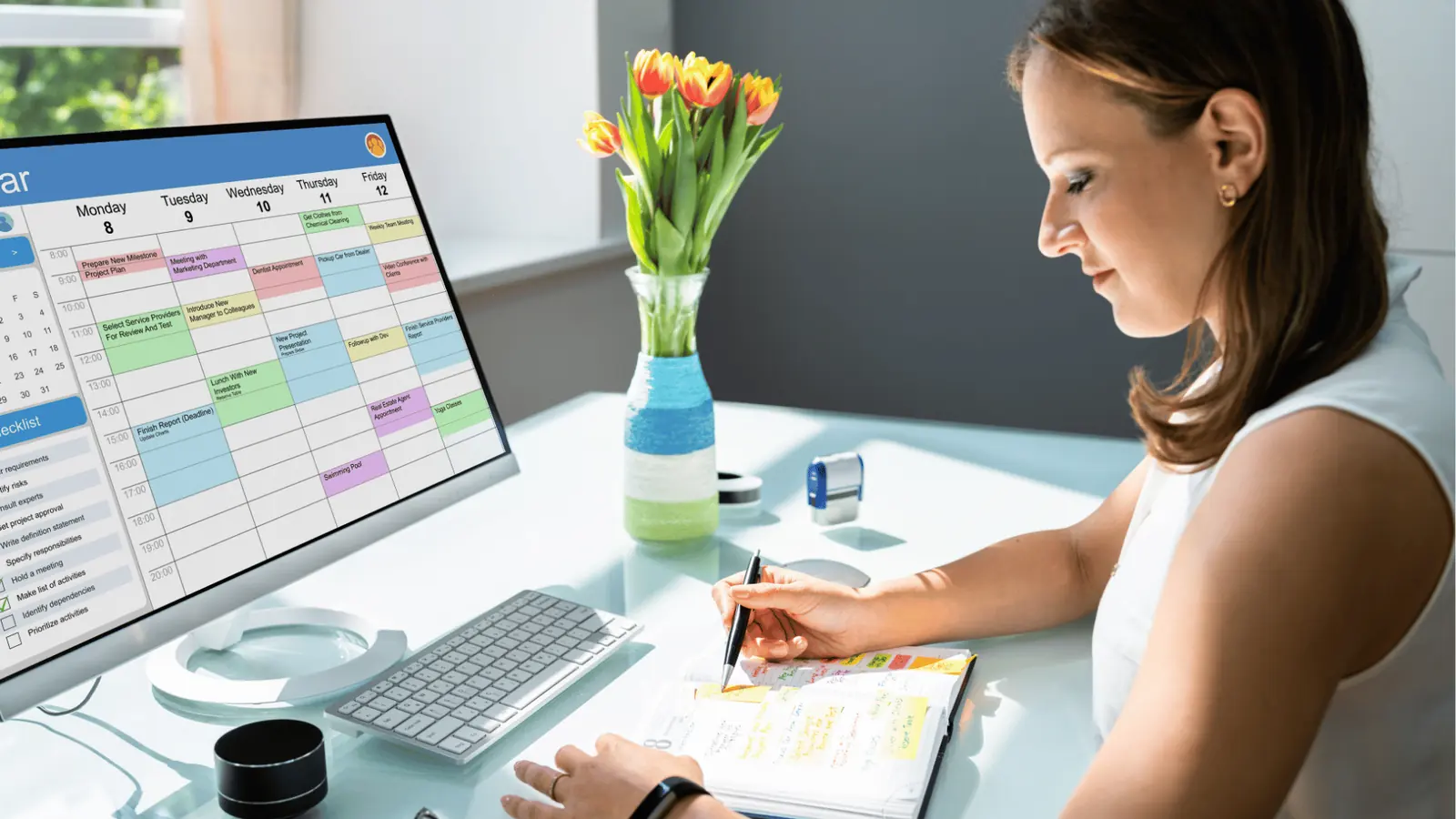
If your team is already feeling the friction of scale - repeated last-minute swaps, approvals lost in email, or inconsistent captions across platforms - a pilot is the low-risk way to check if Mydrop is the right fit. The highest-value tests are operational: connect Drive, import a folder of recent campaign assets, recreate two templates your team uses most, and schedule a week of posts in parallel with your Sheets process. That keeps your current workflow running while you validate the gains and find the edge cases. Three short steps to get started:
- Create a pilot workspace and connect two representative brand profiles, Google Drive, and one Canva account.
- Rebuild your top 2 templates and run a two-week parallel calendar, tracking publish errors and approval turnaround.
- Configure one automation and one approval workflow; measure time saved on handoffs and the number of pre-publish warnings caught.
This approach keeps stakeholders comfortable - legal and clients still see the same approvals, designers still deliver from Canva or Drive - while you get the operational benefits of a central publishing cockpit. If the pilot shows fewer publishing failures, faster signoffs, and cleaner asset flow, you have the evidence to expand. If it surfaces gaps - missing integrations, notification rules, or permissions - those are manageable fixes and a useful way to align process owners before full cutover.


























