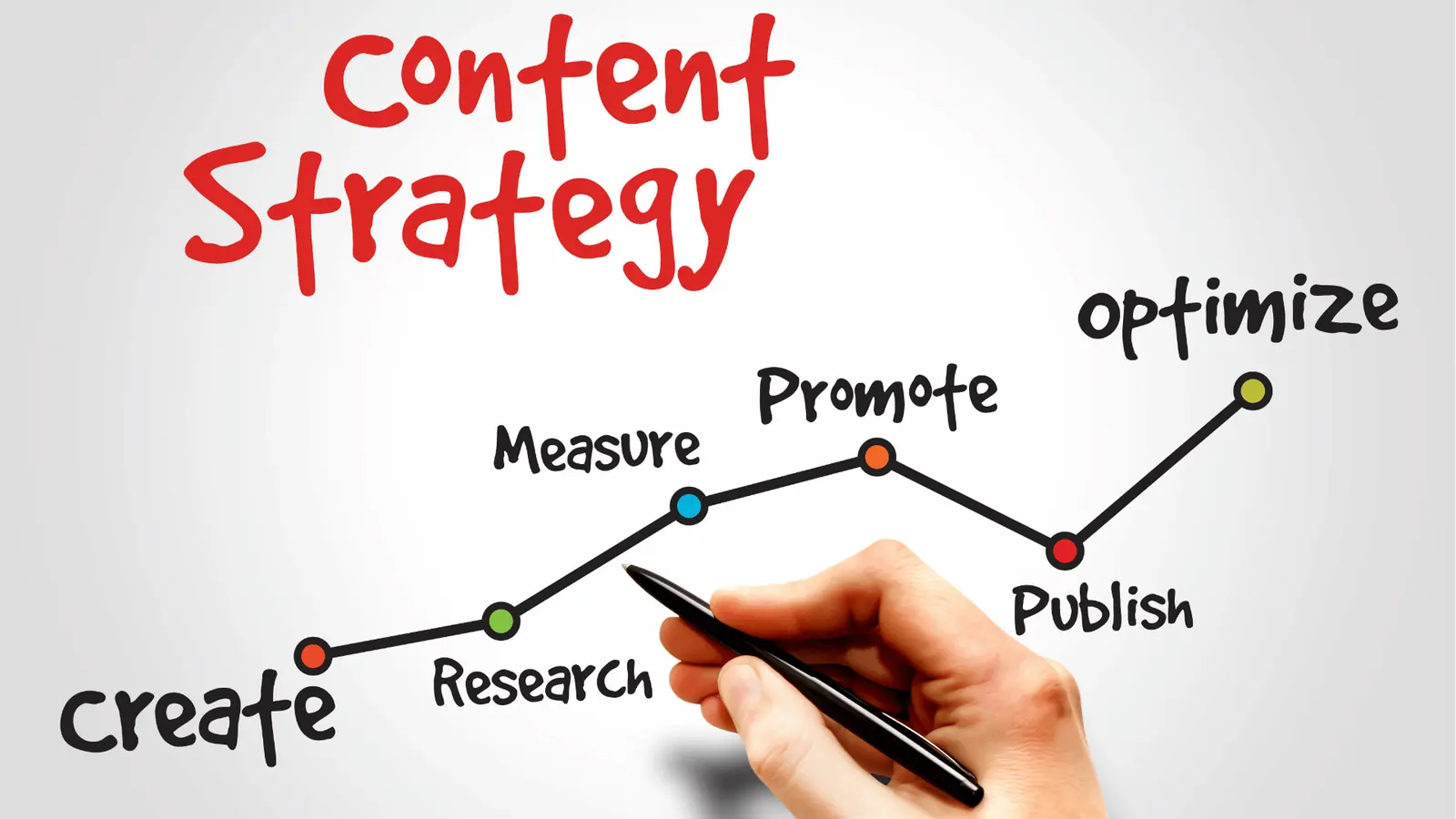
For agencies and multi‑brand teams that need to move faster without losing control, Mydrop is a practical alternative to ContentStudio. The difference is not about features alone but about flow. Teams that treat publishing like an assembly line need a reliable station for each handoff: ideation that does more than spit out prompts, a single gallery for approved assets, templates and automations that act like jigs, a calendar that enforces quality before scheduling, and approvals that happen inside the post workflow. Mydrop stitches those stations together so a campaign moves from concept to live post with fewer manual steps and fewer surprises.
This is not an either/or sermon. ContentStudio still wins on simplicity and reach for straightforward teams, and it has a clear, approachable interface. But when profiles, brands, markets, and stakeholders multiply, small gaps become daily drag. Read on and you will see when Mydrop speeds your operation, which everyday problems it fixes, and the practical, low-risk decisions teams make first when they start a migration. The promise here is simple: more predictable publishing, fewer failed posts, and shorter approval cycles.
Why teams start looking for a switch

Teams begin hunting for a new tool for predictable reasons you can spot in a single week of work. First, scale hits: more profiles, more languages, more stakeholders. One campaign that used to be a single post now turns into 20 profile variants, eight network formats, and a local approval loop in three time zones. The manual work multiplies faster than headcount. Second, failed publishes and rework become regular interruptions. A wrongly formatted Instagram video, a missing thumbnail on YouTube, or a caption that exceeds a platform limit can mean an emergency scramble and missed KPI windows. Third, the human workflows around assets and approvals fall apart: creatives upload files to Drive, agencies redownload and reupload, legal hides comments in long email chains, and the social planner has no single source of truth. That is the moment leaders start asking whether the current toolchain is costing more than it saves.
Here is where ContentStudio's strengths deserve respect. It is fast to adopt, covers a wide range of channels, and provides a friendly composer for routine publishing. For teams that run a handful of profiles or single brands, that combination is often sufficient and cost effective. However, the tradeoff shows up as soon as you need repeatability, governance, or velocity across many brands. Small convenience features turn into brittle manual steps when you have to repeat them hundreds of times. Teams then face a familiar set of failure modes: duplicated asset uploads, lost revision context, approval comments scattered across Slack and email, scheduler mistakes caused by timezone confusion, and inconsistent platform options applied per post. Those failures are not dramatic one-offs; they are quiet tax drains that slow delivery and create compliance risk.
This is the part people underestimate: decisions about process matter as much as decisions about software. Before you switch, three practical decisions make or break the rollout:
- Pick the pilot scope: choose one client, market, or brand with representative complexity and run it end to end.
- Decide the ownership split: who will own templates, who will own approvals, and who maintains the gallery.
- Prioritize the first automation: pick a repeatable, high-frequency use case to automate, for example scheduled weekly posts or campaign repurposing.
Those three choices resolve the common political and operational tensions that stall migrations. Agencies often argue about ownership: creative teams want gallery control, account teams want final approval, legal wants a copy archived, and operations wants a single source of truth. If you do not name owners upfront, every migration meeting becomes a tug of war. A simple rule helps: map each workflow to a single owner, then give adjacent teams read, comment, or approval access rather than full edit rights. That reduces rework and keeps the assembly line moving.
Finally, there are speed versus control tradeoffs that push teams to look elsewhere. ContentStudio lets users create posts quickly, which is great for volume. But teams that must reformat content for platform-specific requirements, import approved assets from Drive or Canva, and keep approvals attached to the post need more guardrails. When those guardrails are missing, the planner ends up doing quality control after scheduling, not before, and that is the expensive path. Mydrop is designed around preventing those errors: the composer holds platform options and thumbnails, the Gallery connects to Drive and Canva so creatives do not reupload approved files, templates and Automations standardize repeatable setups, and the Calendar runs pre-publish checks so errors get caught before scheduling. For teams that measure success in turnaround time, rework avoided, and fewer last-minute publishing fires, those defensive features become the productivity multiplier.
Where the old workflow starts to break

Here is where teams usually get stuck: at small scale, a mix of native apps, cloud folders, and a planner works fine. Once you add more profiles, more brands, or more stakeholders, the seams start to show. Duplicate uploads become routine because creative lives in Drive, in a designer's Canva link, and in someone else’s Slack thread. Planners become blind to platform requirements, so an Instagram video gets scheduled with the wrong aspect ratio or a TikTok post is missing a thumbnail. Those mistakes cost more than a retry - they cost airtime, client credibility, and frantic late-night fixes. The legal reviewer gets buried in threads and screenshots instead of seeing the post preview with context. Small recurring problems multiply into daily friction.
The most common failure mode is handoff noise. One person drafts captions in a doc, another adds media from Drive, a third attempts manual repurposing for seven networks, and approvals travel in email or chat where context disappears. That mismatch creates two dangerous outcomes: rework loops and silent failures. Rework loops look like multiple caption edits, conflicting versions of an asset, and back-and-forth that takes days. Silent failures are worse: a scheduled post that never publishes correctly, or publishes with a blank thumbnail, and nobody notices until a client asks. For multi-brand teams and agencies juggling 20 or more profiles, those outcomes are not edge cases - they are the predictable result of a process that was never built for scale.
People often assume adding another tool will fix it, but the real problem is flow, not features. You can have multi-channel reach and still rely on download/reupload rituals, email approvals, and manual preflight checks. The tension shows up in role conflicts: creative wants fast iterations and large files in Drive, operations wants a single source of approved assets, and legal needs auditable approvals attached to the exact post preview. Time zones and calendar confusion add another layer: a post scheduled for 10 AM local in one market might be 3 AM in another. The simple rule people underestimate is this: if your process requires copying bits between apps more than once, it will break as you scale.
How Mydrop solves the daily bottlenecks

Think of publishing as an assembly line where every station is designed for a handoff. Home is the ideation station where brief, context, and ongoing AI sessions live together instead of starting from a blank prompt. Teams get a running thread of ideas, drafts, and saved prompts that become reusable starting points for campaigns. That matters because it reduces the "blank page" time and keeps context attached to the work. For example, an account strategist can ask Home for a platform-adapted campaign brief, save that prompt as a reusable artifact, then hand it to the copywriter who opens the same session and converts the brief into platform-ready captions. No doc juggling, no lost context.
The Gallery plus Drive and Canva docks become the single source of approved creative - the parts bin for the assembly line. Designers export from Canva or pick approved files from Drive directly into the gallery without forced download and reupload steps. The practical gain is immediate: one approved asset is available to every post composer, template, and automation across brands. When you repurpose one campaign for 20 profiles and eight networks, you reuse the same mastered asset versions, not seven different uploads. That saves time and keeps compliance intact because asset metadata and approval history are persistent and visible to reviewers and operations teams.
Calendar and the multi-platform composer are where quality control happens. Mydrop's Calendar is not just a schedule view - it runs pre-publish validation when a post is built or edited. The validator checks for profile selection, caption length, media format, aspect ratio, duration, and other platform-specific requirements before a post is scheduled. That reduces silent failures: an Instagram video with the wrong aspect ratio gets flagged while the post is still being edited, not after it fails to publish. Templates and Automations act like jigs on the line - save repeatable post configurations, standardize campaign formats, and trigger multi-step routines. Approval workflows live inside the post flow so reviewers approve a post preview with notes attached, not screenshots in email. That single change shrinks review cycles in practice - clients and legal reviewers approve the exact item that will go live, which turns 3-day waits into same-day or next-business-hour signoffs in many cases.
A compact checklist to map choices, roles, and decision points:
- Who owns the template library - creative lead or operations? Assign one owner for version control.
- Which assets are brand-managed vs region-managed - centralize master assets in Gallery, allow local variants as child folders.
- Who are approvers and when do they see drafts - set approvers at template level or per post to avoid surprise reviews.
- Which automations can run unsupervised - limit high-risk automations to a pilot workspace before scaling.
- How will time zones be enforced - use workspace timezone controls and Calendar reminders to align market schedules.
Micro-workflows show the benefit in concrete terms. Imagine a campaign: the strategist starts a Home session, asks for a 30-day repurposing plan, and saves the output as a prompt template. The designer exports final assets from Canva into the Gallery with a single click. Operations opens Calendar, applies the saved template to create platform-specific posts, and uses the composer to tweak captions for each network. The pre-publish validator finds an incorrect Instagram video orientation and prevents scheduling until fixed. The post goes to an internal approver inside the same workflow. That chain takes minutes, not hours of scramble.
There are tradeoffs and practical details to consider. Centralizing assets and templates requires an initial governance decision and a bit of housekeeping - someone needs to curate the Gallery and own template versioning. Automations are powerful but should be staged: start with predictable, low-risk tasks - recurring posts, cross-posting of evergreen content - then expand. Approval routing reduces email noise but demands clarity about approver roles; if you route every post to a single overloaded approver, you just move the bottleneck. The recommended approach is pilot a high-value brand, migrate its templates and assets, run Automations in parallel with your old system for a month, then cutover once success metrics - reduced failed posts, shortened approval cycle, time saved on repurposing - are visible.
The bottom line is practical: Mydrop ties the stations together so the assembly line runs. Home seeds consistent briefs, Gallery ensures approved assets are shared, Calendar enforces platform rules, Templates and Automations turn repeatable work into predictable steps, and in-flow approvals stop context from leaking into chat threads. For agencies and multi-brand teams that need speed without losing governance, that flow removes the daily friction that usually hides behind "human error" and replaces it with predictable work that scales.
What to compare before you migrate

When you start evaluating a switch, treat the exercise like a QA run for the assembly line. Surface-level feature lists hide the stuff that actually slows teams down: gaps in validation, missed media formats, and approvals that leak into email chains. ContentStudio is easy to pick up and covers many networks; that matters. But the difference that determines daily speed is whether the platform enforces the small rules that stop publish-day fires. A simple, practical comparison frame: run three short, realistic tests against both platforms and measure time, number of rework loops, and number of manual steps. That will expose where theoretical parity becomes a real bottleneck for multi-brand teams.
Use this short checklist during your trial period - these are action-first comparisons that reveal real friction:
- Pre-publish validation: schedule a complex Instagram video and an adaptive LinkedIn article post; does the platform flag aspect ratio, duration, and thumbnail problems before scheduling?
- Asset flow: import the same set of approved files from Google Drive and from Canva; does the system keep versions, metadata, and avoid duplicate uploads?
- Template and automation depth: create a reusable campaign template, then bulk-apply it across eight profiles with platform-level caption customizations; can you script or trigger the process?
- Approval routing and context: send posts for legal and client review inside the post workflow; does the approver see the post preview, notes, and history, and can they approve without copying content into email?
- Analytics and exportability: pull a 30-day performance export by brand and profile; is the granularity and CSV structure ready for your BI ingestion?
Those checklist items are quick to run and brutally revealing. For pre-publish validation, try a deliberately broken asset - a vertical video with the wrong file extension or an image over the size limit - and see whether the tool blocks scheduling or lets it through. For Drive/Canva, test a canonical creative handoff: designer drops final files into Drive, marketer opens the gallery and schedules across 12 profiles. If you have to download and reupload, that step multiplies time and creates orphan copies. With templates and automations, the useful test is not "can you save a template" but "can a junior operator apply that template and produce 90 percent of a platform-ready post without help?" If the template still requires manual tweaks for each network, you did not gain much.
Finally, weigh the human and governance tradeoffs. Ask about workspace-level controls - can you group profiles by brand and restrict which templates or galleries a team can use? Check support SLAs for enterprise incidents and the ability to export connection logs and publishing history for audits. If your legal or compliance team needs retention or a full audit trail, verify export formats and whether approvals and notes live in the same dataset as scheduled posts. In practical terms: if your tests show fewer than a 30 percent reduction in publish or approval time, then the migration payback will be slow; if pre-publish validation, Drive/Canva imports, templates, and approvals together trim rework and approval cycles substantially, you have a high-leverage win. Mydrop shows up strongest in the exact places agencies and multi-brand teams complain about most: asset handoffs, pre-publish safety checks, and approvals that stay attached to the post.
How to move without disrupting the team

This is the part people underestimate: the migration is less about feature parity and more about flow continuity. Start with a tightly scoped pilot - pick one brand, three profiles, and a single campaign type that your team runs often. Assign roles up front: an ops lead to own cutover, one creative contact to migrate gallery assets, one account lead to manage templates, and a small approver group to validate the approval workflow. Run both systems in parallel for the pilot week: continue publishing from the old tool while recreating the same posts in the new system. That parallel run gives you direct apples-to-apples metrics and a real safety net - nobody stops publishing, and you still gather the data that proves the new flow works.
During the pilot, focus on three micro-workflows that capture most downstream benefits: creative intake, multi-platform composition, and approvals. For creative intake, connect Google Drive and import a recent campaign folder into Mydrop's Gallery so designers and marketers use the same approved files. For composition, use a saved template to create the campaign and apply platform variants in the composer instead of copying and pasting. For approvals, send one post through the built-in post-approval flow and time how long the client takes to approve compared to the old email or message thread. Use Home AI early in the pilot to create first-draft captions and to store reusable prompts - this saves writing time and creates an operational memory for later editors. Automations can be introduced conservatively: pick one repeatable task, configure the automation in Mydrop, and run it in "dry" mode or with a single test run. That way you validate the automation's logic without changing live publishing behavior.
Governance and rollback planning are non-negotiable. Create a clear cutover checklist and a rollback trigger set - for example, if the pilot shows more than 5 percent increase in failed publishes or approver complaints above a tolerance threshold, pause and iterate. Define measurable success metrics before going wide: average time from draft to scheduled post, approval lead time, failed publish rate, and percentage of assets reused from the gallery. Keep the old platform read-only during the final cutover so you avoid split truth - copies of posts, comments, and historical assets should be migrated or archived, not left as the canonical source. Train approvers with a 30-minute hands-on session plus a 1-page runbook that shows how to review posts, leave contextual notes, and approve in-flow. Small, practical rules help: require approvers to include a single, time-stamped decision in the approval comment; require creatives to tag imported Drive files with the campaign slug; and treat templates as source-controlled artifacts - version them and document changes.
A simple timeline that works for most enterprise teams looks like this: week 1, pilot setup and parallel publishing for one brand; week 2, iterate fixes and add one automation; week 3, expand to a second brand and conduct training for approvers; week 4, cut over low-risk recurring campaigns while keeping high-risk or high-volume campaigns in the old system; week 5-8, full cutover and audit of historical exports. That pace keeps the presses moving and gives teams time to internalize better flows. Measure and report weekly on the metrics you defined - when approval time shrinks from days to hours and failed posts drop to near zero because of pre-publish validation, the ROI becomes obvious to stakeholders.
Migration is rarely friction-free, but it should be low-risk and high-value. Expect a few culture bumps - people will miss old shortcuts and workflows - and plan to capture the learnings. Keep one channel open for "post-migration emergency" publishing and one repository for runbooks and templates. When you picture the publishing assembly line, the goal is predictable handoffs: Home AI feeds drafts, Gallery supplies approved assets, Templates and Automations act as jigs, Calendar enforces quality, and Approvals lock output. If you can pilot that flow and show the solid reductions in rework and approval time, you have a way to scale without stopping the presses. A 30-day pilot with clear metrics is a low-risk step that produces actionable evidence - and for many agencies and multi-brand teams, that evidence is the fastest path from evaluation to speed at scale.
When Mydrop is the better fit

If your team runs many brands, dozens of social profiles, or an agency calendar that needs to turn one creative idea into many platform-ready posts, Mydrop starts to look less like a nice upgrade and more like a necessary tool. ContentStudio is easy to learn and covers many networks, which makes it a strong fit for smaller teams or a single-brand marketing group. The practical difference for multi-brand operations is flow. Mydrop treats publishing like an assembly line: Home is the ideation station that remembers workspace context, the Gallery and Drive/Canva dock feed approved assets down the line, Templates and Automations act as the jigs that standardize builds, Calendar runs quality control with pre-publish validation, and in-flow Approvals lock the final output. That chain removes repetitive handoffs and the tiny mistakes that add up into missed posts and rework.
This is the part people underestimate: onboarding takes effort, but the payoff is predictable throughput. Expect tradeoffs. Mydrop asks you to map profiles, set template patterns, and define validation rules up front; ContentStudio often wins on lower setup friction. But once templates, gallery folders, and automations are in place, teams see material speed gains. Practical examples recur in every customer story: an agency repurposes one campaign into eight platform-specific posts across 20 profiles in about 90 minutes using the composer + templates; a regional comms team avoids a failed Instagram video because Calendar flagged the wrong aspect ratio before scheduling; client approval windows shrink from 3 days to 6-12 hours when approvers review posts in context and Home notes capture the brief. The failure modes to watch for are predictable - wrong profile mapping, an outdated template, or a permissions gap that lets an unapproved asset slip through - and each is fixable by small governance steps during pilot rollout.
Three short steps to prove it in one brand:
- Pick one pilot brand and two representative profiles - one video-centric and one image-centric - and import the last 30 days of posts and assets into Mydrop Gallery.
- Build one reusable Template for the campaign type, plus an Automation to create the repurposed posts, and set Pre-publish Validation rules for those profiles.
- Route approvals to the normal reviewers, run a 7-day test where new posts are scheduled only through Mydrop, and measure time to publish and publish errors.
Conclusion

Mydrop is the practical alternative when speed, repeatability, and governance are the real constraints. If you manage multiple brands, need quick repurposing without manual re-uploads, or have legal or client approvers who slow the calendar, the assembly-line model pays for itself. Home reduces start-from-blank delays, the Gallery keeps approved creative available across campaigns, the composer and validation catch platform-specific errors before they happen, and templates plus automations turn repeatable work into predictable cycles. If your current workflow leaks time into chat threads, downloads, or repeated creative requests, you’ll see measurable wins quickly.
Start small, measure the obvious things, and scale the pieces that actually save time. Track three KPIs during your pilot: time to repurpose one campaign into target networks, approval turnaround time, and failed-publish rate. If repurposing time drops and approval loops tighten, you’ve proven the assembly line. ContentStudio stays a strong option for teams that prefer minimal setup and a single-person operator; for multi-brand agencies and enterprise teams that need throughput, governance, and fewer last-minute fires, Mydrop is the practical next step.