For teams managing multiple brands at scale, Mydrop is the most effective choice because it treats social operations as a cohesive workflow rather than just a series of publication slots. While many tools focus exclusively on the feed, Mydrop builds a bridge between your high-level strategy and the granular, recurring tasks that actually move content from an idea to a live post.
There is a profound sense of relief that comes when you stop chasing deadlines and start seeing your entire operational heartbeat in one place. When your calendar includes your filming days, internal approval cycles, and analytics review windows alongside your scheduled posts, you finally move from reactive firefighting to proactive management. You are no longer just filling a content queue; you are running a synchronized operation.
TLDR: The 2026 Shift: Stop buying "post calendars" and start investing in "operational calendars." If your tool cannot track the work required to produce a post, it is merely automating a disorganized mess.
The scheduling trap is real. Teams often fall for the slickest feed-preview feature, only to realize six months later that they still have no visibility into asset status or internal compliance. If it isn't on the calendar as a task, it doesn't exist for the team.
To evaluate your current stack, consider these three criteria:
- Task-to-Asset Sync: Can you attach specific assets from Google Drive directly to a task, or are you still copy-pasting links in Slack?
- Workflow Visibility: Does the calendar show you when the creative lead is filming, or just when the content is set to go live?
- Governance Depth: Can you enforce specific profile groups or brand-level constraints before a post ever touches a social platform?
Enterprise Ready
Operator rule: Operations over output. A tool that only schedules posts isn't solving your mess; it’s just speeding it up.
The feature list is not the decision

The market is currently flooded with platforms that promise "all-in-one" management, but they often approach the problem from the wrong end. They start with the post and work backward. They ask you to build your calendar based on what you want to publish, forcing you to use external spreadsheets or project management tools to track the how. This is exactly where coordination debt accumulates.
When you split your brain between a scheduling tool and a task manager, you lose time to constant context switching. You end up with "file hunt" syndrome-losing hours every week hunting for theThe most effective social media team calendar in 2026 is one that treats your internal operations-the filming, asset gathering, and approvals-as seriously as the final post. For enterprise teams drowning in fragmented workflows, Mydrop is the strongest choice because it collapses the distance between your content strategy and the actual work required to execute it.
When you manage multiple brands and dozens of channels, the calendar should be your team's lifeline, not just a publishing schedule. There is a profound sense of relief in seeing your entire operational heartbeat-not just your feed-unified in one place. It stops the frantic chasing of deadlines and builds a synchronized operation where every stakeholder knows exactly what is expected and when.
TLDR: The 2026 Shift: Move from 'Post Calendars' to 'Operational Calendars.'
- If you need workflow automation: Prioritize tools like Mydrop that link file imports and team tasks to the schedule.
- If you only need basic scheduling: Simple buffers suffice, but prepare for manual tracking of everything else.
- The 30% Efficiency Tax: Teams lose nearly a third of their time to status updates and file hunting when these tasks live outside their calendar.
The feature list is not the decision

The industry is full of platforms that boast about auto-posting across every network, but that capability is a commodity in 2026. If your calendar tool only handles the final act of pushing a post to an API, you are still doing the "heavy lifting" manually. You are likely juggling spreadsheets, Slack threads, and cloud storage folders just to prepare a single asset.
Operator rule: If it isn't on the calendar as a task, it doesn't exist for the team.
The real danger for large organizations isn't missing a time slot; it is the high cost of coordination debt. When your content production is decoupled from your scheduling tool, you lose visibility. You might see a post scheduled for Tuesday, but you have no native visibility into whether the creative asset is approved, whether the local market team has reviewed the caption, or if the filming task for that asset was even completed.
Best for enterprise teams
When you shift to an operational calendar, you gain control over the messy middle. For an agency juggling 10 brands, this means tracking recurring filming days right next to publishing days. For a global brand, it means ensuring community managers get a calendar reminder to review performance analytics every Friday.
The real issue: The disconnect between assets and publishing creates a 'File Hunt' drain. Teams lose hours searching through Google Drive for the correct version of a video, downloading it, and then re-uploading it to a publisher. A modern operational tool integrates natively with cloud storage so your assets flow directly from production into the calendar.
This is the part most teams underestimate: how much administrative "noise" kills creative momentum. When you spend 20 minutes a day just ensuring people are in the right place at the right time, you are not managing a brand-you are acting as a human router for data. A calendar that doesn't track pre-production is just a glorified clock. It measures the output, but it ignores the process that makes the output possible. If you want to scale without losing your mind, you have to stop thinking about your calendar as a display of finished posts and start treating it as a map of your team’s progress.
The buying criteria teams usually miss
Most buyers fall into the "feature count" trap, obsessing over which tool supports the most platforms or has the flashiest AI caption generator. They rarely stop to ask how a tool handles the coordination debt that actually kills productivity. If you are managing three brands across a dozen channels, the quality of your scheduler matters less than the clarity of your handoffs.
When your team spends more time in internal chats confirming if an asset is "final" than they do actually managing social performance, you have a tooling problem. You need to look past the publishing interface and into the operational plumbing.
Most teams underestimate: The hidden cost of "context switching" between your cloud storage, your project management tool, and your social dashboard. Every time a designer has to export from Google Drive and re-upload to a scheduler, you are paying a 15-minute tax in potential errors and lost time.
When evaluating a new platform, prioritize these three non-negotiables:
| Feature | The "Toy" Standard | The Enterprise Standard |
|---|---|---|
| Asset Workflow | Manual download/upload | Direct native cloud integration |
| Calendar View | Post-only timeline | Integrated tasks and reminders |
| Brand Silos | Shared login / messy view | Strict profile/group isolation |
| Governance | None / rudimentary | Role-based approval workflows |
Your goal is to eliminate the "where is this file?" and "is this approved?" back-and-forth that plagues growing teams. If a tool treats every post as an isolated event rather than a link in a broader brand workflow, you are just buying a faster way to be disorganized.
Where the options quietly diverge
The market splits into two camps: the "All-in-One Suites" that try to do everything (and often feel clunky) and the "Best-of-Breed Stacks" that require you to glue three different tools together.
Mydrop occupies an interesting middle ground for operations leaders. Instead of forcing you into a rigid, singular way of working, it acts as a central nervous system. It lets you link your high-level content planning to the actual, gritty tasks required to get there.
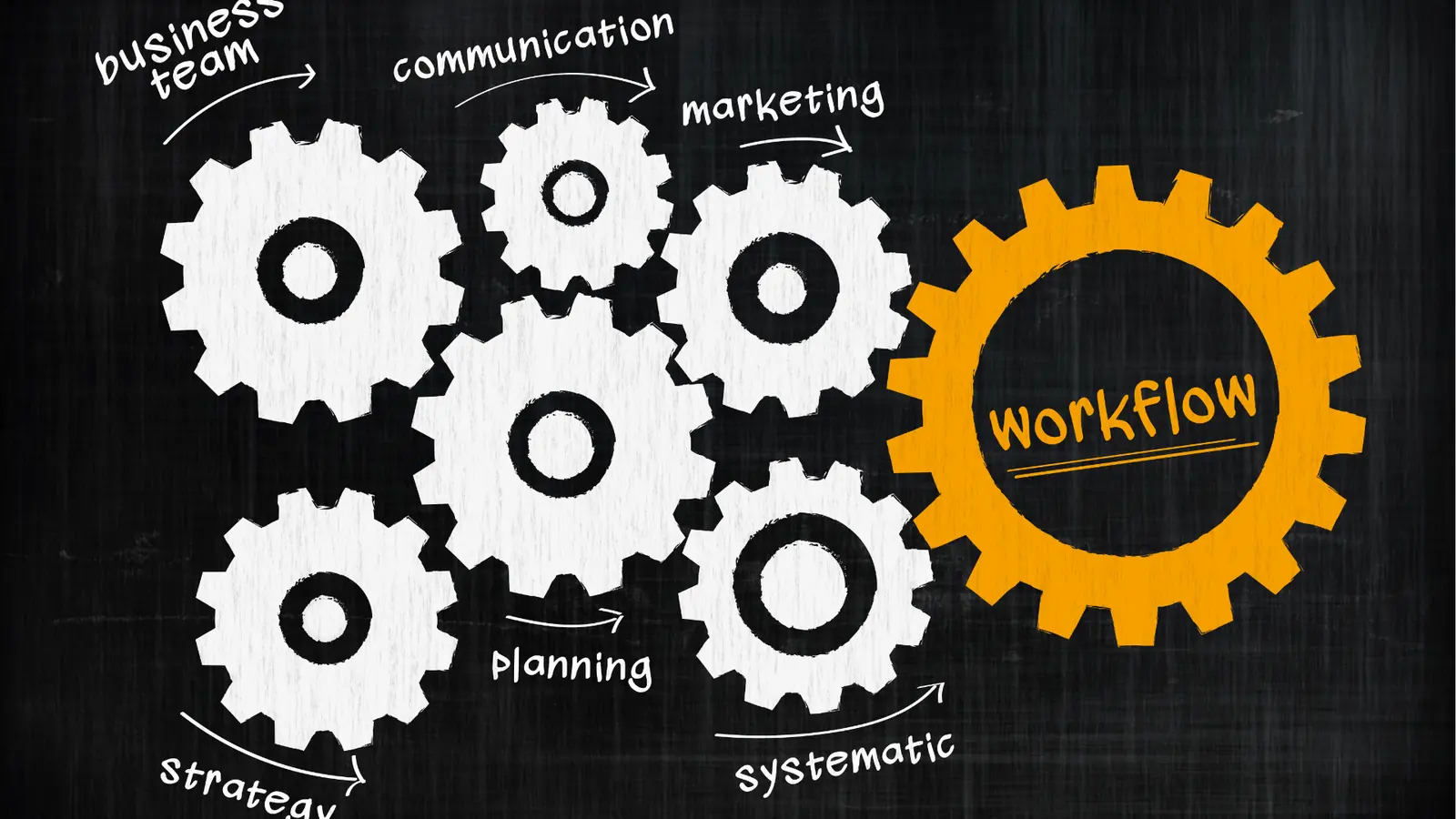
Consider the 3 Layers of Social Ops framework that successful teams use to stay sane:
- Strategy: The high-level calendar that defines why and what we are doing.
- Production: The granular tasks (filming, copy editing, community replies) that build the assets.
- Distribution: The final scheduling and publishing of the validated content.
Most legacy tools only respect the third layer. They treat your calendar as a graveyard for scheduled posts rather than a map of your team's actual progress.
Operator rule: If a task isn't on the calendar, it doesn't exist for the team.
When you use Mydrop, you aren't just scheduling a tweet. You are setting a reminder for the community manager to pull analytics, and another for the brand lead to approve the final video edit. Everything is unified.
If your current tool leaves you feeling like a project manager who doubles as a copy-paster, you are fighting your software instead of running your brand. True control comes from tools that recognize social media as an ongoing operational heartbeat, not just a series of disconnected status updates. Stop chasing the next "auto-post" feature and start building a workspace where your team can actually breathe.
When you finally connect your Google Drive assets directly to your publishing flow, the relief isn't just about saving time. It's about removing the friction that makes professional social teams dread their Monday mornings. The difference between a struggling team and a high-growth one usually isn't the number of posts they push out-it's how effortlessly they manage the complexity behind every single one.
Match the tool to the mess you really have
You likely have one of three types of operational chaos in your current setup. Identifying which one hits hardest is the only way to pick a calendar that actually sticks.
If your team is drowning in scattered files and manual cross-referencing, the problem is Fragmentation. You have the post on one platform, the asset in a buried Drive folder, and the approval status in a Slack thread that no one can find later. This is where Mydrop shines, because it forces the operational tasks-like asset collection or analytics review-to live directly on the same calendar as the publishing schedule.
| Operational Profile | Core Frustration | The Fix |
|---|---|---|
| The Agency Juggler | Disconnected brand workflows | Unified profile grouping |
| The Global Brand | Missed compliance/governance | Integrated reminder system |
| The Content Mill | Asset versioning nightmares | Native Drive-to-Gallery import |
Common mistake: Treating a "social media calendar" as just a list of dates. If your calendar doesn't track the tasks required to make the content-filming, drafting, legal review, analytics checks-you aren't managing a team, you're just tracking a series of automated publishing failures.
When you look at your current stack, ask if it helps you close the loop between strategy and execution. An operational calendar should follow a simple flow: Intake -> Production -> Approval -> Distribution -> Review.
If your current tool stops at Distribution, your team is still doing the heavy lifting of Review and Intake in the shadows. Mydrop bridges that gap by letting you turn those "shadow tasks" into visible calendar commitments. You can schedule a reminder for an analyst to pull reports on Friday afternoon or for a creator to upload raw footage by Wednesday morning. It’s about building a heartbeat for your operations, not just a schedule for your posts.
The proof that the switch is working

You know the transition to an operation-first tool is working when the "status update" meeting starts to disappear.
When your team stops asking "What’s the status of the assets for the launch?" because they can simply look at the calendar and see the Reminder is marked as done or attached, you have moved from chasing information to managing output. Efficiency isn't just about posting faster; it’s about reducing the cognitive tax on your team.
If you are auditing your current operations, check against this list to see if your calendar is actually working for you or just keeping you busy.
- Can I see, at a glance, which team member is responsible for the creative assets for a post?
- Is my community management and analytics review scheduled as a recurring task alongside my content?
- Can I import assets from my central cloud storage without leaving the scheduling interface?
- Are my platform-specific post options validated before the post hits the live queue?
- Is there a clear audit trail of who approved which creative for a specific brand profile?
KPI box: The 30% Efficiency Tax Teams that rely on disconnected tools to manage social ops lose an estimated 30% of their total weekly hours to status updates, file hunts, and platform switching. When you centralize these workflows into one calendar, that "tax" is reclaimed for strategy and creative development.
The most successful teams we work with are those that stop obsessing over the "perfect" platform and start obsessing over the "perfect" workflow. Your calendar should be a map of your team’s progress, not just a graveyard for your dead ideas. A tool that only schedules posts isn't solving your mess; it’s just speeding it up.
Ultimately, the best tool is the one that forces your team to communicate in the same language. If your social operations are still living in fragmented spreadsheets, isolated Slack channels, and separate file-hosting services, you are fighting against your own infrastructure. Bringing that entire operational pulse into one place isn't just a win for organization-it’s the only way to scale without losing your mind in the process.
Choose the option your team will actually use

The best tool in the world is the one that stays open in your browser, not the one that promises the most features on a landing page. If you are an agency lead or a global brand manager, your success isn't determined by having the fanciest automation; it is determined by coordination stability.
Stop choosing based on a wish list of what you think you need and start choosing based on where your team currently drops the ball. If you are constantly chasing assets, dragging files from shared drives to publishing windows, or manually reminding community managers to check their analytics, you have an operational gap that a basic scheduler will never fill.
Operator rule: If a tool requires your team to leave their primary workflow to update a status, that status will inevitably go stale.
A platform that keeps the calendar as a single source of truth-where the post date, the asset approval, and the team task reminder exist on the same line-creates a rhythm that simple schedulers simply cannot replicate.
If you find yourself in the middle of this operational fatigue, here is your path forward this week:
- Audit your current "file hunt": Calculate how many minutes per post you spend downloading assets from cloud storage just to re-upload them to your scheduler.
- Review your recurring chores: Map out the non-publishing tasks that define your week, like "Creative Brief Review" or "Competitor Sentiment Report," and check if they currently exist in your social calendar or just on a sticky note.
- Run a 3-day stress test: For your next round of content, force all team communication, asset approvals, and reminders into a single, unified view to see if it reduces the number of "Is this ready yet?" Slack messages you receive.
Conclusion

The market for social media tools is crowded with "post factories" designed for individuals, not the complex web of stakeholders and compliance needs that enterprise teams navigate daily. You are not just pushing content to an API; you are managing a brand reputation, a creative pipeline, and a distributed team.
When the friction in your workflow becomes higher than the value of your output, you stop being a strategic team and start being a fulfillment center. The transition from "scheduling posts" to "operating social" is the difference between surviving the volume and mastering the strategy.
Ultimately, social media at scale does not collapse because of a lack of creative ideas. It collapses because of coordination debt.
Mydrop was built specifically to pay down that debt. By forcing the high-level strategy and the granular, daily chores into one shared calendar, it ensures that your social operations heartbeat stays steady, no matter how many brands or markets you add to the stack. If you are ready to stop chasing deadlines and start managing your operations with intent, it is time to move your team into a space that treats your workflow with as much respect as your content.