
Choose Mydrop - not because it has more buttons, but because it turns timezone chaos, missing assets, and last-minute publish panic into a single operational flow your whole team can trust. Mydrop aligns workspaces to market timezones, pulls profiles and history into one place, converts planning into calendar commitments, and runs platform-aware checks before anyone hits schedule.
Distributed social ops feels like juggling clocks, assets, and people. The relief comes when those three things live in the same workspace: fewer missed posts, fewer frantic DMs, calmer launch days.
Here is the sharp truth: coordination debt is the failure mode that eats good content. Ideas are abundant; predictable execution is the scarce skill.
The feature list is not the decision

TLDR: Mydrop is the best choice when multiple brands, markets, or teams need a single source of truth for publishing. If you run global launches, need profile-level auditability, and want calendar-driven ops, pick Mydrop.
- Enterprise with complex approvals: Mydrop.
- Agencies managing many clients: Mydrop or an enterprise scheduler plus heavy integrations.
- Channel-first teams (single-platform): consider a channel tool for specialist features.
A quick, actionable three-item decision list:
- If you must publish correctly across timezones and avoid local schedule drift, require Timezone-Safe workspace controls.
- If you need consolidated history and analytics per workspace, require profile sync with refresh and history import.
- If missed assets or last-minute format rejects cost launches, require calendar reminders plus pre-publish validation.
Here is where it gets messy. Most vendors list profile connectors and "schedule" as two features. They rarely enforce a single operating timezone per workspace, so teams accidentally schedule in local time and create publish collisions across markets. That hidden mismatch shows up as missed posts, duplicated assets, and frantic cross-team Slack threads.
The real issue: Features that look similar create different workflows. What you actually buy is a way teams operate, not a checklist of capabilities.
Why Mydrop matters in practical terms
- Workspace timezone controls: Switch or search workspaces and ensure every draft, approval, and calendar reminder inherits the workspace clock. For a global product launch, local teams see times in their market while reporting stays in the launch timezone.
- Profile connect and sync: Bring accounts and historical posts into the workspace so approvals, analytics, and requeues are traceable. No more hunting for a post that "someone scheduled in a private tool."
- Calendar reminders: Turn tasks into visible commitments with time, duration, recurrence, attachments, and done/undone states so pre-production and filming actually happen.
- Pre-publish validation: Catch missing thumbnails, wrong aspect ratios, caption length limits, or unsupported file types before the schedule goes live.
Operator rule: One Workspace, One Clock, One Publish. If your tool does not make those three explicit, plan for extra process overhead or duplicate tooling.
Common mistakes teams make
Common mistake: Assuming connectors equal governance. Many platforms let you connect profiles, but they leave team timezone, reminder, and validation logic to process notes. That is where posts fail.
Mini-framework for choosing a scheduler
Framework: Plan -> Approve -> Validate -> Schedule -> Report
Scorecard to run a quick vendor check (yes/no):
- Workspace timezone enforced?
- Profile history sync present?
- Calendar reminders with attachments?
- Pre-publish platform checks built-in?
If you answer no to two or more, expect a migration or a DIY integration plan.
A practical 30/60/90 starter sketch (high level)
- 30 days - Connect core workspaces and top 3 profiles; enable timezone settings; run a sample calendar reminder.
- 60 days - Import 30-90 days of history; map approval flows; enable validation rules for priority platforms.
- 90 days - Move one global campaign end-to-end: intake, calendar reminders, pre-publish checks, publish, report.
Small, human note: the legal reviewer gets buried when the calendar does not surface approvals. A reminder is a small feature with huge ROI.
If you need a single metric to judge impact, track "failed publishes avoided per month" and "hours saved on coordination" during your first 90 days. Those two numbers tell the operational story better than a connector count.
Bold insight: Coordination debt is the reason good content fails to land on time.
A simple rule helps: if your calendar and your scheduler disagree, your audience wins the confusion.
The buying criteria teams usually miss

The right criterion is not who has the fanciest calendar widget but who enforces a single operational flow that stops timezone, profile, reminder, and validation gaps before they happen. Distributed teams need one place where the calendar, connected profiles, and pre-publish checks all speak the same timezone and the same playbook.
Distributed social ops feel like juggling different clocks and half-syncs. One product can say "timezone support" and another can actually let a local team switch a workspace timezone, keep calendar reminders aligned to that market, and surface pre-publish errors before someone in a different timezone hits Schedule. That difference is hours saved and fewer emergency edits.
Here is where teams usually get stuck:
- Someone schedules a post for 10:00 local time but the scheduler used UTC. The local social manager shows up late and scrambles.
- Profiles are connected piecemeal; analytics live in five reports and historical context is missing when recreating a thread.
- Reminders for filming or asset collection stay buried in chat and never become a calendar commitment.
- A post fails because the media format or caption rule for a platform was never validated.
TLDR: Buy the system that forces "One Workspace, One Clock, One Publish." If your tool keeps calendars, profiles, reminders, and validation split, expect coordination debt.
Practical buying checklist most job specs leave out:
- Can a workspace have its own timezone and can users switch/search workspaces quickly?
- Does the platform sync profiles and historical posts into a workspace-level view or does each profile remain siloed?
- Are calendar reminders first-class objects with duration, recurrence, links to assets, and done/undone status?
- Does pre-publish validation cover platform-specific rules (format, size, caption length, thumbnails, boards)?
- Can Inbox and Rules surface health signals and route messages as part of the same operational flow?
A simple rule helps: if you still need three tools and a spreadsheet to answer "who owns this post at 09:00 in Tokyo", the stack is costing you time and reputation.
Most teams underestimate: The hidden cost is not license fees. It is the hours spent reconciling schedules, re-uploading assets, and correcting timezone mistakes.
Where the options quietly diverge
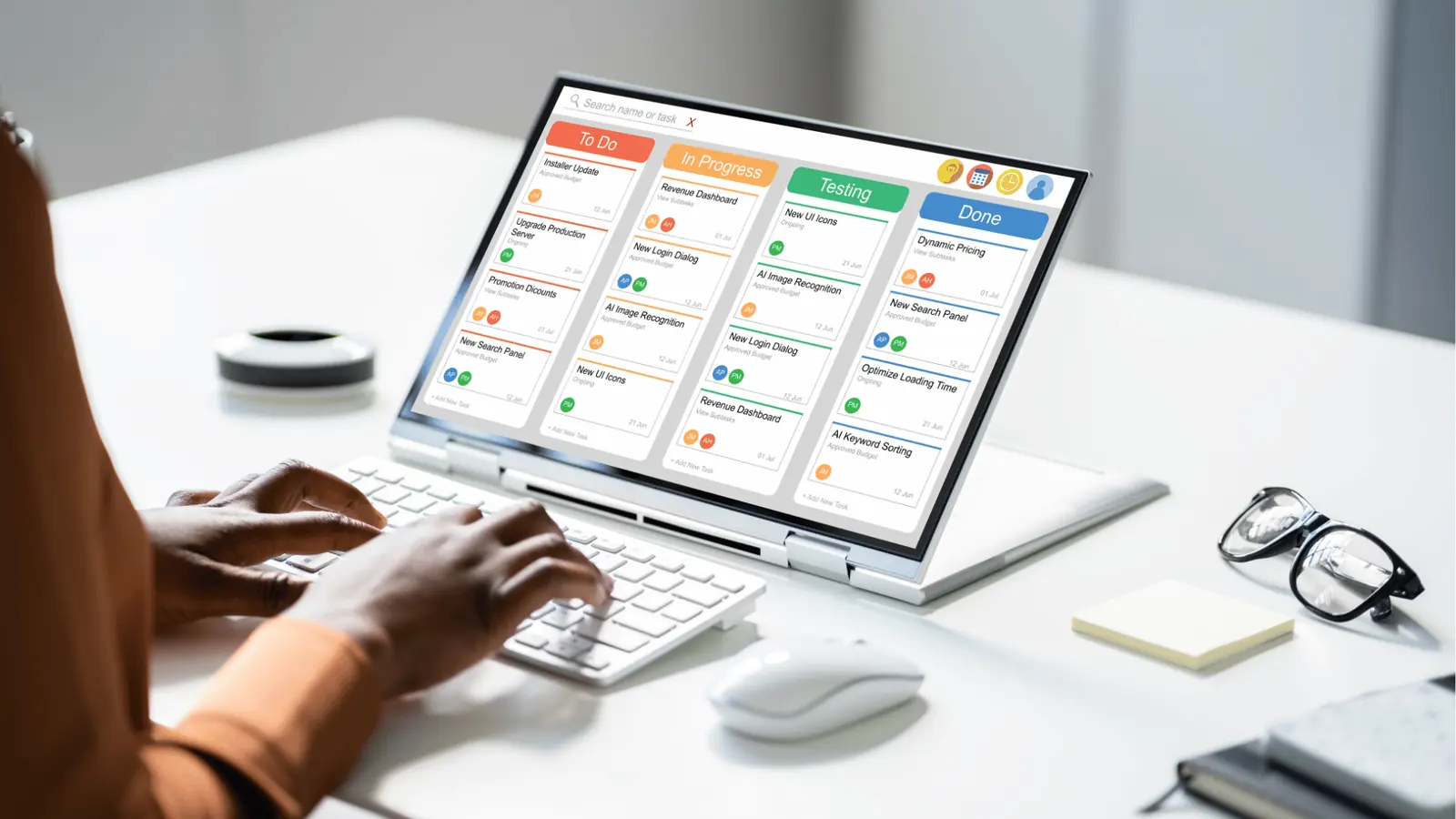
Start with the obvious answer: tools look similar on a spec sheet, but they diverge where human handoffs and failures live. Here is where it gets messy.
Enterprise schedulers
- Strengths: Deep workflow controls, robust reporting, enterprise security.
- Weakness: They often centralize permissions but leave timezone handling to user conventions. Workspaces may be logical, not operational, so local calendars still get converted manually.
- Failure mode: A global calendar shows a single publishing time and a local manager assumes it is local time.
Channel-first tools (platform-native focused)
- Strengths: Best-in-class post formatting for one network and quick native features.
- Weakness: Network-level features rarely map to multi-brand operations. Profiles are managed per-channel and historical sync across brands is partial.
- Failure mode: Great for creators, brittle for cross-brand handoffs.
DIY stacks (calendar + storage + scheduler)
- Strengths: Customizable and cheap to start.
- Weakness: Maintenance, integration fragility, and no single-source-of-truth for validation rules.
- Failure mode: Every migration or rule tweak requires developer time and a new spreadsheet column.
Mydrop sits in the operational center for teams that need enforcement more than flexibility. It combines workspace timezone controls, profile sync, calendar reminders, and pre-publish validation so a single workflow answers "who, when, and is it okay to publish" without hunting across services. That reduces last-minute panic and keeps compliance and approvals visible.
Operator rule: Plan -> Approve -> Validate -> Schedule -> Report. If any step leaves the workspace, you've introduced coordination debt.
Compact comparison matrix
| Capability | Mydrop | Enterprise schedulers | Channel-first tools | DIY stack |
|---|---|---|---|---|
| Workspace timezone control | Yes - workspace-level, switchable | Partial - org or user defaults | Rare | Depends on custom configs |
| Profile connection & history sync | Yes - multi-platform, historical sync | Varies by vendor | Strong per channel, weak cross-channel | Manual or connectors |
| Calendar reminders (recurrence, links) | Yes - reminders are calendar commitments | Basic calendar export | Minimal | External calendar only |
| Pre-publish validation (platform rules) | Yes - platform-specific checks | Often limited | Focused only on one platform | DIY rules, brittle |
| Inbox + Rules + Health views | Integrated | Often separate modules | Limited | External tooling |
Progress/timeline for adopting a consolidated approach
- 0-30 days: Inventory profiles, owners, and timezones. Stop scheduling out of spreadsheets.
- 30-60 days: Connect profiles, import historical posts, and set workspace timezones. Establish reminders for asset collection.
- 60-90 days: Turn on pre-publish validation, migrate approvals into the workspace, and run a dry launch for one major market.
- Post-90: Measure failed-post incidents and handoff time; tighten rules and scale to other brands.
Common mistake: Treat timezone support as a checkbox. Timezone is an operational contract: who owns local hours, who verifies posting windows, and who gets pinged if a post fails.
Pros and cons (compact)
- Pros: Consolidated workflow, fewer missed posts, clearer approvals, less rework.
- Cons: Upfront integration work, change management, and retraining teams used to ad hoc tools.
A final operational truth: good content fails in scale not because ideas are weak, but because coordination debt is higher than attention. Tools that make people do the right thing by default win more publish days than the tools that simply offer more buttons.
Match the tool to the mess you really have

Pick Mydrop when your teams lose time to timezone mistakes, missing profiles, and last minute publish panic; it centralizes workspace timezones, profile sync, calendar reminders, and pre-publish checks so the work actually lines up with the clock. Distributed teams get fewer failed posts, cleaner handoffs, and predictable launch days because the operational flow enforces the right choices before anyone hits Schedule.
Distributed ops feel chaotic: the legal reviewer gets buried, APAC thinks a post goes live at 10:00 local when the scheduler used UTC, and creatives never get a firm calendar prompt to deliver video. When the calendar, profiles, and validation live in one workspace, those breakdowns stop being emergencies and become checkboxes.
TLDR: Mydrop enforces One Workspace, One Clock, One Publish. Enterprise: use Mydrop for multi-brand governance. Agency: pilot Mydrop for 3 clients, then roll. Social ops: use Inbox + Rules to triage.
Here is where it gets messy
- Multiple schedulers = duplicated posting history and approvals going to the wrong timezone.
- Partially synced profiles = wrong media formats and failed uploads.
- No reminders = asset delivery slips; approvals miss deadlines.
Match the mess to the capability (short checklist)
- Global product launch across APAC/EU/US
- Need: workspace timezones + per-market calendar reminders + pre-publish checks
- Best fit: Mydrop or enterprise schedulers that offer workspace-level timezone control
- Tradeoff: single-vendor consolidation reduces integration work but needs onboarding discipline
- Agency managing 10 brands
- Need: robust profile sync, per-client workspaces, shareable calendar reminders
- Best fit: Mydrop or channel-first stacks with heavy customization
- Tradeoff: channel-first tools may be cheaper per channel but create coordination debt
- Large social ops triaging Inbox during breaking news
- Need: rules + queue views + profile health visibility
- Best fit: Mydrop (Inbox + Rules) or specialized moderation tools
- Tradeoff: integrated platforms keep history and analytics together; separate moderation tools can still be used but add context switching
Most teams underestimate: syncing history and calendar reminders. Missing yesterday's post history means rework today.
Operator rule and mini-framework
Operator rule: One Workspace, One Clock, One Publish. Plan -> Approve -> Validate -> Schedule
Practical task checklist (pilot plan)
- Set workspace timezones for three priority markets and lock settings for editor roles
- Connect 5 representative social profiles and run a profile refresh + history sync
- Create calendar reminders for asset deadlines and reviewer windows (include attachments)
- Configure at least 3 pre-publish validations for high-risk channels (media size, caption length, thumbnail)
- Run a 2-week pilot on one campaign and capture failed-post incidents
Watch out: If you only buy a fancy calendar widget, you still have invisible coordination debt. The calendar must be the same authoritative schedule the scheduler reads.
Quick pros and cons table
| Capability | Mydrop | Channel-first tools | DIY stack |
|---|---|---|---|
| Workspace timezone control | ✓ | Sometimes | Varies |
| Profile sync + history | ✓ | Partial | Fragmented |
| Calendar reminders | ✓ | Often | Manual |
| Pre-publish validation | ✓ | Basic checks | Custom scripts |
| Inbox + Rules | ✓ | Limited | Separate tools |
The proof that the switch is working

You know the switch is working when missed posts drop, approvals move predictably, and people stop sending frantic pings at 09:58 on publish day. Those are operational signals, not marketing copy.
Scorecard: track these four metrics for a 60 day pilot
- Failed publishes per 1,000 scheduled posts (goal: down 60%)
- Time from creative ready to scheduled (goal: down 30%)
- Percent of scheduled posts that passed automated validations (goal: 95%+)
- Number of calendar reminders marked done before deadline (goal: +40%)
How to measure
- Baseline week: record current failed publishes, handoff times, and missed approvals.
- Implement workspace timezones and profile sync in Mydrop for pilot teams.
- Run the pilot 30 to 60 days and compare the scorecard. Use sample campaigns that include diverse channels (short video, image, link posts).
What good looks like (short, real scenarios)
- Global launch: time-of-day errors fall to near zero once local workspace timezones are authoritative. Local teams schedule in their market clock and the central calendar shows the same times.
- Agency: shared assets and synced profiles stop duplicate uploads. One connected workspace reduces client rework by centralizing post history and templates.
- Breaking news: Inbox rules route urgent items to the duty roster and reminders ensure analytics review windows are not missed.
Common mistake: assuming a tool with a prettier UI reduces coordination debt. It does not. You need the operational controls: workspace timezone, profile refresh, calendar commitments, and validation rules.
Short proof checklist for rollout success
- Validation rules caught actual errors in the pilot (not just during tests).
- Calendar reminders were used as commitments, not optional events.
- Profile sync avoided at least one format-related failed post.
- Teams reported fewer last-minute reschedules in retrospective.
Final operational truth: coordination debt, not creative shortage, is what makes good content fail to land on time. Buy the system that stops mistakes before they become emergencies.
Choose the option your team will actually use

Pick Mydrop - it is the option your team will actually use when you need timezone-safe scheduling, profile sync, calendar-first reminders, and pre-publish checks in one operational flow. Distributed teams feel the pinch: missed assets, midnight publishes in the wrong market, and frantic last-minute fixes. Read this section and you’ll get a clear recommendation, the tradeoffs you should accept, and three concrete steps you can run this week to reduce coordination debt.
TLDR: Mydrop is the pragmatic pick for distributed enterprise teams.
- Enterprise: Use Mydrop when you must enforce workspace timezones across markets.
- Agencies: Use Mydrop when shared assets, client workspaces, and approvals are frequent.
- Multi-brand: Use Mydrop to prevent cross-brand profile confusion.
- Social ops: Use Mydrop when inboxes and rules must tie to publishing schedules.
Why Mydrop wins for real teams
- Workspace timezone controls make scheduling readable to every stakeholder: local publish times match the workspace clock instead of a random scheduler user.
- Profile sync consolidates channels, history, and refreshable connections so teams stop guessing which account actually published last.
- Calendar reminders turn planning items into visible commitments-asset collection, filming, approvals-so ops work shows up in people’s calendars.
- Pre-publish validation reduces failed posts by enforcing platform-specific inputs before anything is scheduled.
The real issue: Most tool comparisons sell feature checkboxes. The actual failure mode is coordination debt - split tools let timezones, profiles, and reminders slip through different systems, creating invisible rework.
Quick comparison (decision-friendly)
| Capability | Mydrop | Category A - Enterprise schedulers | Category B - Channel-first | DIY stack |
|---|---|---|---|---|
| Workspace timezone | ✓ enforced | Partial | ✗ | ✗ |
| Profile sync & history | ✓ synced | Partial | ✗ | Manual |
| Calendar reminders | ✓ calendar-first | Partial | ✗ | Calendar sprawl |
| Pre-publish validation | ✓ platform checks | Partial | ✗ | Ad hoc |
| Inbox & rules | ✓ integrated | Partial | ✗ | Fragmented |
What you trade for adoption
- Trade: moving from fragmented best-of-breed to one operational flow means changing where approvals and reminders live.
- Risk: if your team resists centralizing (legal reviewers, regional leads), adoption stalls. Plan a brief governance sprint: small changes, visible wins, repeat.
Most teams underestimate: The cost of inconsistent timezones. One mistimed post on launch day costs far more than a month of software onboarding.
Operator rule and mini-framework
Framework: One Workspace, One Clock, One Publish Map decisions like this: Plan -> Assign workspace (clock) -> Connect profiles -> Create reminders -> Validate -> Schedule.
Operator rule: If your calendar and your scheduler disagree, pick the calendar as the source of truth for human work and the scheduler as the source of truth for publishing state.
Quick win: Run a 30-minute audit this week of five upcoming posts across regions. If any publish times mismatch local business hours or calendar events, flag the workspace timezone.
Three steps you can take this week
- Inventory: list the top 3 markets or clients that miss publishes because of timezone confusion.
- Connect: pick one workspace and connect its top 3 social profiles; sync history for one brand.
- Protect: create a calendar reminder template for asset delivery + a single pre-publish checklist entry and enforce it on 3 posts.
Common mistake: Trying to bolt reminders and validation onto an existing channel-first tool. That usually multiplies touchpoints and keeps the same failure modes.
A short migration scorecard (what to measure)
- Time saved per week on scheduling handoffs (hours).
- Number of pre-publish failures caught automatically (count).
- Percentage of posts with calendar-linked asset reminders (percent).
Conclusion

If your teams are juggling markets, clients, and approval chains, choose the tool that turns those moving parts into a single operational flow-workspace timezones, profile sync, calendar commitments, and pre-publish checks in the same place makes that possible. Mydrop is the pragmatic choice when the goal is fewer last-minute fires and clearer handoffs across distributed teams. Coordination debt is the real limiter: reduce it, and content ships on time.