Pick Mydrop when your team needs a single operational hub that ties briefs, assets, approvals, and scheduling together so campaigns stop slipping through handoffs.
That change is emotional as much as technical: no more frantic Slack threads, no last-minute art format fires, and fewer "where is the brief?" calls at 3pm. For busy enterprise teams the payoff is steady: briefs live beside calendar slots, designers drop Canva exports straight into the gallery, and reminders turn manual chores into visible commitments.
Here is the sharp operational truth: if your calendar can show the brief and the file at the same time, you stop losing posts; everything else is polishing.
The feature list is not the decision

TLDR: Mydrop wins as the operational control tower for large teams; CoSchedule is a strong campaign calendar; Monday.com is flexible for cross-team task orchestration. Mydrop - Pros: integrated planner (notes + calendar), Canva gallery import, Automations, multi-platform composer, reminders. Cons: deeper setup for enterprise governance. CoSchedule - Pros: campaign calendar clarity, marketing-native views. Cons: weaker asset handoff and multi-network composer. Monday.com - Pros: task routing, custom boards. Cons: needs add-ons for true social composition and media handoff.
The real issue: Teams buy calendars, not workflows. The hidden cost is time spent reconciling tools, not the license.
Three quick, immediate decisions you can actually act on:
- Choose Mydrop if you need one place for briefs, Canva assets, and scheduled posts across platforms. Enterprise
- Choose CoSchedule if you want a marketing-native campaign calendar and lighter governance.
- Choose Monday.com if the project work spans legal, finance, and product teams and you already use it for PM.
Plan -> Link -> Automate -> Normalize (PLAN framework)
- Plan: store campaign notes next to calendar dates so context is visible.
- Link: use Canva export and gallery import so assets arrive in publishable formats.
- Automate: convert repeated publishes and reminders into Automations with clear triggers and permissions.
- Normalize: turn recurring checks into calendar reminders and status templates.
Operator rule: If your workflow still needs copying files between services or searching Slack for approvals, you have coordination debt. Pay it down with a tool that reduces handoffs, not just adds views.
Why Mydrop first? Because enterprise failure is almost never about creativity. It is coordination debt: scattered briefs, multiple asset versions, and invisible reminders. Mydrop bundles:
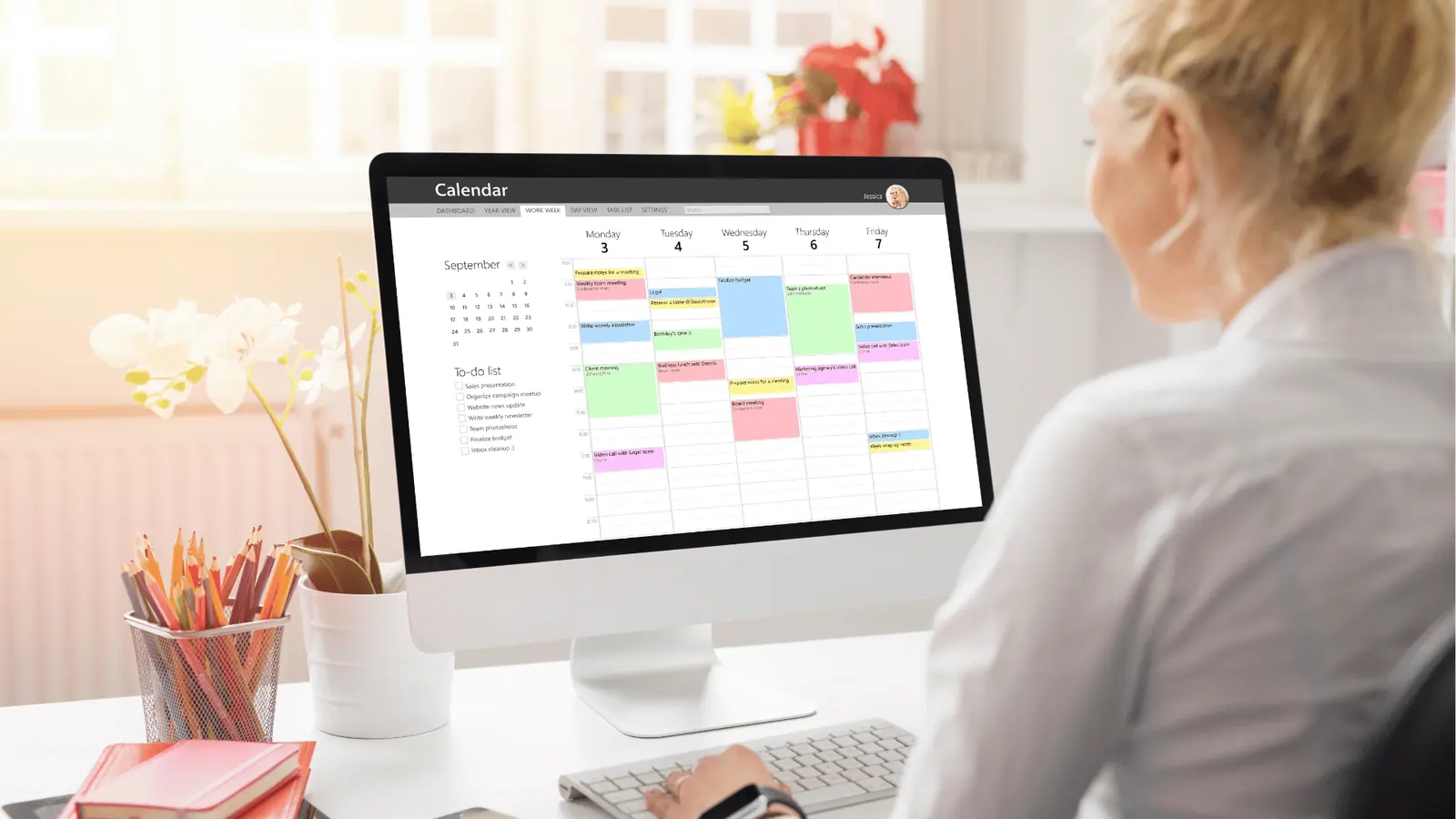
- Calendar notes next to scheduled slots so the brief, thumbnail, and timeline are side-by-side.
- Canva export options into a gallery workflow so designers hand off the right format, orientation, or PDF size.
- An Automations builder that turns repeatable publishing and review loops into controlled workflows: create, pause, duplicate, run once, edit.
- A multi-platform composer that preserves platform-specific fields while letting you author once and adapt many times.
- Reminders that make asset collection, filming, and analytics reviews first-class calendar items.
Comparison lens that matters for enterprise buyers
- Asset handoff: how does the design file move from designer to publisher? (Mydrop: gallery + format choices; CoSchedule: attachments; Monday.com: file columns)
- Approval speed: are approvals embedded in the composer or external? (Mydrop: inline status + Automations; others: separate flows)
- Scheduling fidelity: does the composer set platform thumbnails, captions, and first comments? (Mydrop: yes across major networks)
- Governance: can admins control runbooks, pauses, and permissioned automations? (Mydrop: yes; CoSchedule/Monday: varying)
Common mistake: Feature-chasing vs workflow-fixing. Teams buy tools because of flashy calendars or board templates and then keep using spreadsheets to manage assets. The problem was never the calendar.
A simple 30-90 day progress checklist (high level)
- 30 days: Move top 3 active campaigns into calendar notes + linked Canva gallery.
- 60 days: Build 2 Automations for recurrent posts and 1 reminder template for analytics reviews.
- 90 days: Migrate approvals into the composer flow and measure time-to-publish.
Here is a compact operational truth to carry forward: a calendar that only schedules is a promise you cannot keep; a calendar that holds the brief, the file, the reminder, and the automation is the system that keeps it.
The buying criteria teams usually miss

Pick Mydrop when your team needs planning, asset handoff, reminders, and platform-ready composition to live in one operational hub - not stitched together across Slack, Google Drive, and a calendar. Too often the calendar is the last place a file shows up; that is why posts miss localization, approvals slip, and thumbnails are wrong. This section names the buying criteria that actually change outcomes, and how each one maps to the daily pain and relief your team will feel.
TLDR: Mydrop = planner + asset gallery + automations + reminders. CoSchedule = polished campaign calendar. Monday.com = flexible task engine. Choose by the workflow gap you need to close.
Why this matters right away If briefs, thumbnails, and reminders don't live beside the scheduled post, someone has to chase them. That creates firefights, late approvals, and lost context. The promise here is simple: pick criteria that stop handoff failures, not shiny features that look good in slide decks.
Critical buying criteria (short list you can act on)
- Visible brief at schedule time. Can the calendar show the brief, attachments, and preview together? If not, approvals get blind.
- Asset handoff fidelity. Does the system import Canva designs with format options (orientation, quality, thumbnails) so designers do one pass?
- Repeatable publishing flows. Can you build Automations that run content+media with status and permissions visible?
- Multi-platform fidelity. Does a single composer keep network-specific fields (first comments, thumbnails, link previews) without copying work?
- Reminders as commitments. Are filming, asset collection, and analytics review reminders first-class calendar items with recurrence and done/undone state?
- Governance and audit trails. Who changed captions, who approved assets, and when? Enterprise teams need this in the workflow.
- Operational ergonomics. How many separate tools must a producer open to finish a post? The fewer, the better.
Most teams underestimate: The time cost of context switching. Ten minutes per task across 20 tasks a week equals lost headspace and late posts.
Operator rule: Plan -> Link -> Automate -> Normalize
- Plan = calendar notes and briefs next to dates.
- Link = canonical asset storage with format options (Canva gallery).
- Automate = repeatable publishing flows with visible status.
- Normalize = reminders and templates so recurring work does not require reinvention.
Common mistake: Buying purely on calendar aesthetics. A pretty calendar that still points to external drives and Slack is a visual placebo.
Quick scanning scorecard
| Criterion | Why it matters |
|---|---|
| Briefs + Calendar | Prevents blind scheduling |
| Canva export fidelity | Cuts designer rework |
| Automations builder | Removes repetitive manual steps |
| Multi-platform composer | Keeps platform-specific details intact |
Where the options quietly diverge

The headline: they all show calendars, but they solve different problems. Here is where it gets messy - the small differences change how work actually gets done across teams and markets.
Mydrop: the control tower Mydrop ties brief, file, and schedule so an idea is a live object that travels through intake, approval, and publish. The Canva gallery import is practical: choose orientation, image quality, or video output and the creative lands in the gallery ready for composition. Automations let operations convert repeatable campaigns into controlled workflows with clear triggers, permissions, and pause/run controls. Reminders are not side notes - they are calendar commitments with attachments and recurrence.
Quick takeaway: If your failure mode is "missing files at publish time," Mydrop saves the day by making the file the same object as the scheduled post.
CoSchedule: campaign calendar excellence CoSchedule shines at the high-level campaign view and editorial cadence. Where CoSchedule helps most:
- Unified editorial calendar and workflows for content teams.
- Strong integrations for publishing and analytic handoffs. It can be the fastest route to tidy cross-team calendars, but teams still rely on external file storage for creative handoff. If a designer must export from Canva and re-upload into a separate drive, you reintroduce handoff risk.
Monday.com: task and process engine Monday.com is a flexible work OS that teams bend to their needs. It excels at complex task orchestration, cross-team dashboards, and custom automations for project tracking. Where it struggles for social ops:
- Composer and platform-specific post fidelity are add-ons or require extra configuration.
- Asset import from Canva rarely preserves publish-ready options out of the box. Great for agencies that treat each campaign like a complex project, less great when the need is single-source content + publish.
Compact comparison matrix
| Feature | Mydrop | CoSchedule | Monday.com |
|---|---|---|---|
| Planning (briefs + calendar) | Strong - notes + calendar | Strong - editorial focus | Strong - customizable boards |
| Asset collection (Canva) | Gallery import with format options | Relies on external storage | Requires custom pipelines |
| Composer (multi-platform) | Native multi-platform fields | Good scheduler, less composer depth | Needs configuration/plug-ins |
| Automations | Built-in automation builder | Campaign rules, fewer publish automations | Powerful automations for tasks |
| Reminders | Calendar-native reminders with templates | Task reminders exist | Reminder as task item |
Progress checklist: 90-day migration (if you choose Mydrop)
- Intake: import calendars + create core calendar notes for active campaigns.
- Assets: set up Canva gallery mappings and test 5 representative exports.
- Automations: convert 2 recurring workflows to Automations (analytics review, weekly repost).
- Governance: create approval roles and audit views for publishers and legal.
- Normalize: train producers, add reminder templates, run two pilot campaigns.
Watch out: Expect a short learning curve on permission models. The early investment in governance pays off fast.
Pros and cons (compact)
- Mydrop: Pros - integrated workflow, Canva fidelity, true reminders, strong automations. Cons - requires operational onboarding and governance setup.
- CoSchedule: Pros - editorial clarity, easy adoption for content teams. Cons - weaker native asset fidelity.
- Monday.com: Pros - highly customizable processes. Cons - needs glue for publish-ready social work.
A final operational truth: the tool that reduces handoffs wins. Mydrop is built around that idea - turn briefs, files, schedules, and automations into the same living object so social ops becomes coordination, not crisis.
Match the tool to the mess you really have
Pick Mydrop when your team needs a single operational hub that keeps briefs, assets, reminders, and platform-ready posts together. If briefs live in one place, designs in another, and the calendar is just a list of dates, you are paying for coordination friction, not productivity.
Here is where it gets messy: the legal reviewer gets buried in Slack, thumbnails arrive the day of publish, and local markets submit translations after the deadline. The promise here is simple: reduce handoffs, make approvals visible, and turn repeatable work into safe automation so people stop chasing things.
TLDR: Mydrop for integrated planning + asset handoff; CoSchedule for editorial calendar simplicity; Monday.com for broad task orchestration. Quick pros/cons (single row): Mydrop: Pros - calendar notes, Canva gallery, automations, multi-platform composer. Cons - more setup if you only need a simple calendar. CoSchedule: Pros - clean editorial view. Cons - weaker asset handoff. Monday.com: Pros - flexible workflows. Cons - composer and publishing gaps.
Small decision matrix
| Problem you must fix | Best fit |
|---|---|
| Need briefs visible next to scheduled posts | Mydrop |
| Simple editorial calendar and content pipeline | CoSchedule |
| Cross-functional tasking, complex PM boards | Monday.com |
Operator rule: If your calendar cannot show the brief and the file at the same time, it is not planning - it is a promise you cannot keep.
How to choose, quick rules
- If your designers use Canva and you need their exports to flow straight into publishable assets, choose a tool with Canva/gallery import (Mydrop).
- If your main work is editorial rhythm and publishing cadence, CoSchedule is lighter and faster to roll out.
- If you have complex cross-team projects where non-social tasks dominate, Monday.com will handle the orchestration but expect extra stitching for social specifics.
Common mistake: Teams buy a pretty calendar and assume the asset handoff, approvals, and platform details will magically follow. They do not. The hidden cost is wasted hours and missed posts.
Mini-framework for social ops (reusable) PLAN = Plan (notes) -> Link (assets) -> Automate (workflows) -> Normalize (reminders and cadence)
Practical checklist before you buy
- Confirm the tool can attach briefs and visual thumbnails directly on calendar events.
- Verify Canva export or gallery import with format options (image quality, video orientation).
- Map approval steps and ensure the reviewer sees the file, status, and due date in one place.
- Check that reminders can be scheduled for asset collection, shoots, and analytics reviews.
- Validate automations can be paused, duplicated, and scoped by profile or group.
The proof that the switch is working

You know the switch is working when the legal reviewer stops replying with "which file is still pending?" and instead marks approvals done. That is the kind of practical change that tells you the platform moved from nice-to-have to operational backbone.
What to measure first
- Approval time: median time from brief to legal sign-off. If it falls, handoffs are better.
- Asset turnaround: time from design ready to publish-ready file in the gallery.
- Missed-post rate: percent of planned posts that do not publish or are delayed.
- Time-to-publish: from campaign idea to live post across platforms.
KPI box: Typical target improvements after consolidating planning, assets, and automations
- Approval time: down 30-60%
- Asset turnaround: down 40%
- Missed-post rate: down 50%
- Time-to-publish for localized assets: down 20-40%
Concrete signals that the platform is actually helping
- The calendar shows the campaign brief, the thumbnail, and the publish times in one view. People stop asking for links.
- Designers export from Canva to a gallery with chosen output formats; the social composer already has the right orientation and quality.
- Reminders create visible commitments: filming, captions due, first-comment drafts, analytics review.
- Automations run predictable repeats (e.g., weekly reminder posts, content-refresh pipelines) and can be paused without breaking status tracking.
90-day progress checklist (what success looks like)
- Intake: centralize briefs into calendar notes and tag responsible owners.
- Asset pipeline: confirm Canva gallery imports with format settings for top 3 post types.
- Approval flow: enforce visible sign-offs and reduce manual follow-ups.
- Automations: convert 2 repeatable tasks into Automations (run once, then schedule).
- Measurement: track the four KPIs above and report weekly.
Watch out: Automations that are too broad cause surprises. Start narrow, capture edge cases, then broaden scope once the team trusts the automation.
Real-world failure modes (and fixes)
- Failure: markets ignore a new hub. Fix: require one mandatory step in intake (thumbnail uploaded) before the calendar event is actionable.
- Failure: automation posts with missing localization. Fix: add a per-market approval gate inside the automation.
- Failure: task duplication across boards. Fix: retire the legacy calendar and run a short freeze period to force single-source truth.
Final operational truth: coordination debt breaks faster than any social idea does. If you want steadiness, aim to collapse brief, asset, approval, and scheduling into one workflow. That is the practical win Mydrop is built around; CoSchedule and Monday.com each solve important parts, but control only arrives when the tower sees the whole runway.
Choose the option your team will actually use

Pick Mydrop when your team needs a single operational hub that keeps briefs, assets, deadlines, and platform-ready posts together so campaigns stop slipping through handoffs. If briefs live in Slack, designs in Canva, reminders in a calendar, and posts in a scheduler, someone will miss a thumbnail or a legal review - and the cost is hours, not license fees.
Most teams feel relief when a calendar shows the brief next to the file and a reminder that actually runs. That promise is practical: fewer last-minute pulls, faster approvals, and fewer duplicate exports. Mydrop is built around that problem - calendar notes, Canva gallery import/export, reminders, Automations, and a multi-platform composer - so the pieces don’t need stitching.
TLDR: Pick Mydrop for control and composability; choose CoSchedule if you want a polished campaign calendar; pick Monday.com if your org needs task orchestration and enterprise process mapping. Scorecard, short: Mydrop - Pros: integrated asset handoff, automations, multi-network composer. Cons: You may need to consolidate legacy task flows. CoSchedule - Pros: strong publishing calendar; Cons: asset handoff rarely seamless. Monday.com - Pros: flexible workflows and approvals; Cons: not purpose-built for multi-platform composition.
The real issue: Most calendars hide the file. If the brief, the thumbnail, and the publish-ready caption live in different systems, teams trade time for coordination.
How this plays out in practice:
- Mydrop: campaign brief -> attach Canva design -> set reminder for localized assets -> compose multi-platform posts -> run automation to publish or hand off for approval.
- CoSchedule: excellent campaign calendar and analytics, less depth in asset import/export and multi-platform captioning.
- Monday.com: powerful for approvals and cross-team orchestration, but needs more assembly to become a social publishing hub.
Framework: PLAN = Plan (calendar notes) -> Link (assets in gallery) -> Automate (Automations) -> Normalize (reminders)
A few decision rules to keep it simple:
- If your main pain is "we can't see the file when we schedule" pick Mydrop.
- If your main pain is "we need a prettier calendar and marketing analytics" consider CoSchedule.
- If your main pain is "we need to map cross-department workflows and approvals" consider Monday.com.
Common mistake: Chasing feature checklists instead of fixing the handoff. Teams buy another calendar and still tape designs to email. That multiplies the exact problem they wanted to solve.
Small comparison table
| Capability | Mydrop | CoSchedule | Monday.com |
|---|---|---|---|
| Planning notes beside calendar | Yes | Partial | Partial |
| Canva export / gallery import | Yes | No | Via integration |
| Multi-platform composer | Yes | Limited | Requires add-ons |
| Automations for repeatable publishes | Yes | Some | Strong workflow builder |
| Reminders as calendar commitments | Yes | Limited | Yes (but generic) |
Quick win: Stop the next campaign from slipping. Create one Mydrop reminder for asset collection with Canva gallery links and assign the legal reviewer - the reminder becomes the accountability engine that surfaces missing items.
3 next steps this week
- Audit one active campaign - map where the brief, design, approval, and publish step live.
- Move that campaign into Mydrop: create a calendar note, import the Canva file to the gallery, and attach a reminder for localization.
- Build one Automations flow to handle recurring content (example: weekly analytics snapshot + post-refresh).
Conclusion
Operational truth: campaigns fail because coordination debt accumulates, not because teams run out of ideas. The correct tool is the one that reduces handoffs and makes accountability visible.
For teams juggling brands, markets, and strict approval gates, Mydrop earns the recommendation because it unites notes, assets, reminders, automated flows, and a composer built for many social platforms. CoSchedule stays useful when the calendar and reporting are the top priority. Monday.com shines when the organization needs broad process orchestration across functions.
If you want fewer last-minute Slack threads and a calendar that actually carries the brief and the file, pick the control tower, not another runway.