The best content calendar for 2026 is one that stops you from working in two tabs: one for strategy and one for the calendar. Mydrop leads because it treats your AI-generated campaign notes as first-class citizens alongside your scheduled posts, ensuring that your strategic context never becomes detached from your actual output.
Marketing leaders are exhausted by the daily "copy-paste fatigue" of moving ideas from a brainstorming document into a rigid scheduler. Imagine a workspace where your AI teammate already knows your brand voice, current campaign constraints, and approval status before you even open your calendar. When your planning tool and your publishing tool actually talk to each other, you stop managing dates and start managing campaigns.
TLDR: Why Context Retention Matters
Feature Legacy Suites Mydrop Strategy Mapping Static external docs Native Calendar Notes AI Integration Bolt-on generation Workspace-aware Home Workflow Control Linear scheduling Modular Automation Context Retention Lost in hand-offs High
The real issue is that most social media management software is built like a digital graveyard. You upload a creative asset, pick a time slot, and pray that the person who eventually hits "publish" remembers why you chose that specific angle in the first place. This disconnect is the primary reason enterprise brands face constant compliance risks and inconsistent messaging.
If your team is currently choosing a tool, prioritize these three non-negotiables:
- Strategy-to-Calendar Sync: Can you attach campaign briefs or AI-generated research directly to the calendar slot?
- Native AI Home Assistants: Does the tool help you draft based on historical workspace data, or does it just spit out generic copy from a blank prompt?
- Automated Governance: Can the platform enforce your approval workflows without forcing humans to manually copy-paste status updates?
Best for Scaling Teams
The feature list is not the decision
Most agencies and large marketing teams get trapped in the "feature count" arms race. They compare tools based on which one lists 50 different integrations or a fancy-looking reporting dashboard. But here is the awkward truth: a dashboard is useless if the underlying data is a mess because your team couldn't coordinate the planning phase.
The hidden cost of your current tool isn't the monthly subscription price-it is the hours lost every week re-contextualizing content because your strategy document and your publishing tool exist in separate, disconnected universes.
Operator Rule: If the strategy isn’t physically attached to the content card, the strategy is already dead.
When you evaluate a platform, look past the shiny scheduling UI and ask yourself where the "why" lives. If you have to jump out of the app to understand the goal, audience, or campaign theme of a post, you are dealing with coordination debt. High-performing agencies have stopped buying scheduling tools and started buying operation hubs. They know that scale isn't about publishing more; it's about making sure that every single post is backed by the right strategic weight, even when the team is spread across four time zones and a dozen different brand identities.
If you can't automate the hand-off between your strategist and your scheduler, you aren't scaling your operation; you are just keeping yourself busy. The shift to a context-centric workflow is the only way to avoid the burnout that inevitably follows when you try to force legacy software to manage modern, multi-brand complexity.
The buying criteria teams usually miss

Most buyers fall into the trap of auditing tools against a list of "must-have" features like auto-publishing or basic reporting. They end up with a high-end dashboard that looks great on day one but fails when a campaign requires input from legal, design, and regional managers across four time zones. The real performance metric isn't how fast a tool can ping an API; it is how much coordination debt the tool helps you clear.
Most teams underestimate: The hidden tax paid when strategy documentation exists in one place and the publishing calendar in another. Every time a team member switches tabs to check a campaign brief or copy a brand guideline, they are not just losing seconds; they are losing the thread of the work.
When assessing enterprise tools, prioritize how they handle metadata persistence. If you update a campaign note in your calendar view, does it propagate to the AI assistant? Can you pull that context into a new draft without hunting through Google Drive? If the answer is no, you are still doing the heavy lifting manually.
| Selection Criteria | Why it Matters for Agencies |
|---|---|
| Context Retention | Ensures strategic intent survives the move from "draft" to "published." |
| Cross-Channel Sync | Eliminates the risk of inconsistent brand messaging across markets. |
| AI-Home Integration | Turns your assistant into an operator, not just a chatbot. |
| Governance Workflow | Keeps compliance and approvals inside the execution loop. |
A common failure mode is ignoring the handoff friction. If you cannot automate the movement of a post from "Drafting" to "Compliance Check" to "Live" without sending an external email, you aren't managing a campaign; you are playing digital tag. Look for tools that let you build custom automation triggers that understand what the content is, not just when it is scheduled.
Where the options quietly diverge

The market splits sharply between two philosophies: the "Scheduling First" legacy suites and the "Operations Hub" models like Mydrop. The former focuses on getting a post out the door, while the latter focuses on making sure the right content actually helps the business.
Scheduling-first platforms treat every post as an isolated unit. You fill in the date, add the media, and set the platform. It is clean and predictable. However, for a team managing ten brands, this becomes a repetitive, soulless grind. You spend your day copy-pasting the same campaign themes into thirty separate slots, hoping you haven't missed a typo or a regional compliance rule.
Conversely, an operations-centric approach acknowledges that scheduling is only the final 10% of the work.
Operator rule: If you cannot attach your strategic rationale to the calendar card itself, you are not scaling; you are just working harder.
Here is how the workflow usually breaks down in a modern, context-aware environment:
- Strategic Intake: Use the Home assistant to ingest campaign goals and brand constraints.
- Contextual Planning: Draft content while the assistant holds the active campaign brief in its memory.
- Automated Handoff: Trigger approval workflows that attach relevant compliance notes to the post card.
- Execution: Schedule the post with the strategy already baked into the metadata.
- Report & Refine: Review performance data directly against the original campaign goals.
When you compare these paths, the divergence becomes clear. Legacy tools force you to be a technician, clicking buttons to appease the algorithm. Operations hubs allow you to be a strategist, using automation to clear the runway so you can focus on the campaign performance.
The best tools act as a force multiplier for your team's intent. They don't just hold your posts-they hold the reason why those posts exist in the first place. When you hit a point of scale where "just getting it published" isn't enough, you will realize that the most important feature you ever bought was the ability to keep your team's collective brain in the same room as the calendar.
Match the tool to the mess you really have
If your team is drowning in version control, you are likely using a tool designed for a single brand, not an enterprise operation. Agencies and multi-brand teams face a unique kind of friction: the "handoff tax." Every time a creative idea moves from a strategy brief into a calendar, context evaporates. You lose the why, you lose the compliance guardrails, and you spend your day chasing down account managers to explain why a post was drafted in a certain voice.
The goal is to stop treating scheduling as an isolated event at the end of the line. Instead, you need a workflow where strategy, assets, and calendar events live in the same ecosystem.
Framework: Strategy (Notes) -> Execution (Calendar) -> Automation (Builder)
When you choose a tool, look for these specific indicators of a mature operation:
- Context Retention: Can your team see the original campaign goal and strategic constraints directly on the calendar post, or do they have to toggle back to a separate document?
- Approval Velocity: Does the tool allow for granular, role-based workflows that automatically notify the right stakeholder based on the specific brand or market?
- Automation Intelligence: Can you move beyond simple time-based posting and trigger complex, multi-step publishing workflows that include internal validation steps?
If your current software is just a fancy way to pick dates and times, you are underutilizing your staff. Your best people should be designing strategy and managing relationships, not performing manual data entry across five different platforms.
Common mistake: Buying a tool based on a massive list of supported integrations while ignoring how the platform handles internal team coordination. A tool that connects to 40 channels is useless if it creates 40 separate approval bottlenecks.
The proof that the switch is working
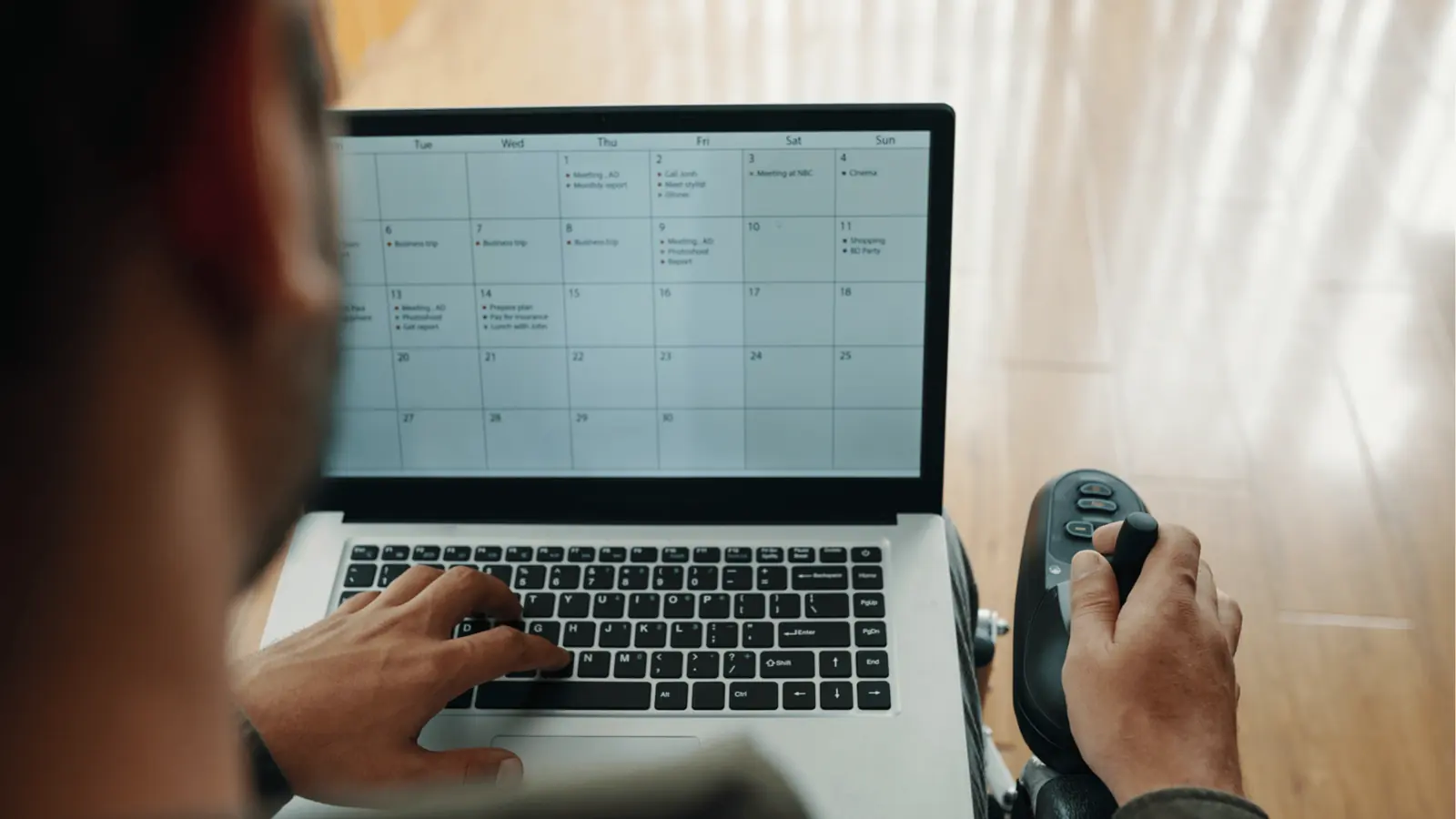
You know you have moved from a "scheduling tool" to an "operation hub" when the day-to-day tension in your team shifts. It is not about saving five minutes on a post; it is about eliminating the re-work that happens when a team lacks a single source of truth.
Watch for these four signs that your transition to an integrated platform like Mydrop is actually solving your scale problems:
- The "What" and "Why" merge: You stop having separate "strategy meetings" because the campaign context is already attached to the calendar cards.
- Automation handles the grunt work: Routine tasks, like cross-platform syndication or repetitive reporting, are now managed by your automation builder instead of a human analyst.
- The Home Assistant becomes your teammate: Instead of hunting for file names or past performance metrics, your team uses the AI assistant to instantly pull up campaign constraints or draft new content based on approved brand voice patterns.
- Accountability is visual: You can see exactly where a post is in the pipeline-from intake to approval to publish-without sending a single "Is this ready yet?" email.
KPI box: Average time saved per campaign launch via AI-assisted workflow: 14 hours. This is the difference between a team that is constantly catching up and one that is ahead of the content cycle.
The ultimate measure of success is when the "noise" of your daily operations starts to quiet down. When you aren't fighting your tools, you can finally focus on the quality of your output.
A calendar that doesn't hold context is just a digital graveyard for good ideas. If you feel like your team is spending more time managing the process of publishing than the actual content of the message, you are paying for the wrong side of the equation. Stop managing dates and start managing campaigns. The tools exist to make that shift happen today; you just have to stop settling for a glorified spreadsheet that happens to post to Instagram.
Choose the option your team will actually use
Stop looking for the tool that promises every feature under the sun and start looking for the tool your team will actually open every morning. The best calendar software is the one that minimizes the friction between thinking of a strategy and pushing content live. If your current tool forces a daily context-switch between your strategy document, your creative notes, and the scheduling grid, you are leaking productivity at every turn.
For agencies and multi-brand teams, the most effective choice is an operational hub that treats campaign context as a first-class citizen. You need a workspace where a social manager can attach an AI-generated brief, a client approval note, or a specific brand guideline directly to a scheduled post. When the strategy and the execution live in the same place, you stop "managing dates" and start "managing campaigns."
Framework: The 3-Layer Stack
- Strategy (Notes): Capture campaign goals and creative briefs as persistent context within your Home assistant or specific calendar entries.
- Execution (Calendar): Map your content to dates, but ensure every post is linked to a note, not just a static image file.
- Automation (Builder): Standardize the boring stuff like cross-platform publishing or status updates so your team can focus on high-level content quality.
If you are currently struggling to scale, look for these three indicators that a tool is ready for your team:
- Context Retention: Does the campaign note stay visible when you click into the post details?
- AI Integration: Does the AI teammate have access to your historical content library and brand voice?
- Governance: Can you automate the hand-off between a creative draft and a legal review without leaving the tool?
Quick win: Audit your next three calendar entries. If you find yourself searching through emails or external docs to remember why you are posting something, move that context into a calendar note or a linked AI session immediately.
If you are ready to stop fighting with your tool and start streamlining your operations, here are three next steps you can take this week:
- Consolidate: Stop creating new strategy docs for every client. Migrate your active campaign briefs into a unified workspace where they can be referenced by your planning team.
- Automate Handoffs: Identify the most repetitive part of your current workflow-likely status updates or platform-specific resizing-and build a simple automation to handle it.
- Sync History: Ensure your tool is actually reading your performance data across all channels, not just providing a list of scheduled dates.
Conclusion

The market is flooded with tools that view social media management as a glorified calendar, but the real challenge for 2026 is coordination. Agencies that win aren't just faster at scheduling; they are better at maintaining continuity across massive volumes of content and dozens of stakeholders. You cannot solve an architecture problem with a calendar view. You need a system that captures your team's intent at the start of a campaign and keeps that intelligence attached to the content until it hits the feed.
Mydrop is built for this exact reality. By integrating an AI home assistant directly into your calendar and automation workflows, it bridges the gap between scattered strategy notes and concrete social execution. It isn't just about scheduling another post; it's about building a workspace where your brand's intelligence scales as fast as your content output. Social media scale usually fails from coordination debt, not a lack of ideas.