
The best analytics tool for 2026 is one that stops the endless cycle of opening native dashboards to manually stitch together performance reports. You need a platform that centralizes your data, publishing calendar, and community inbox into a single, cohesive view. By shifting to a unified workspace like Mydrop, you stop treating social platforms as isolated islands and start seeing them as parts of a single, functional brand presence.
TLDR: Stop chasing individual app metrics. The most effective analytics stack moves your entire team into a single, synchronized interface, reducing "tab-switching fatigue" and keeping your reporting accurate, timely, and strategy-focused.
You know the feeling. You have three tabs open for YouTube trends, four more for LinkedIn engagement, and a spreadsheet running in the background just to reconcile the numbers before the weekly meeting. You are drowning in raw data, yet you still feel like you are guessing at what actually works. That frustration isn't a lack of tools-it is a lack of integration. The real relief for your team isn't finding one more "deeper" data tool; it is finally seeing the complete story of your brand's presence in one place, without the friction of jumping between apps.
The hidden reality is that most enterprise teams waste roughly 20% of their operational hours just on data gathering and manual context-switching. If you are still switching apps to check your performance, you aren't doing analytics; you are doing glorified data entry.
The real issue: Platform-native metrics are designed to keep you inside their walled gardens, not to help you build a coherent multi-platform strategy. When your reporting is fragmented, your decision-making becomes reactive and inconsistent.
To fix this, you need to look for a platform that treats analytics as an operational output, not just a graph. Here is how to evaluate your current setup:
- Native-Sync Quality: Does the tool pull historical data automatically, or does it only start counting from the day you connect?
- Contextual Planning: Can you view your content calendar and performance results side-by-side, or are they locked in different parts of your software?
- Team Access: Can your agency partners, legal reviewers, and marketing leaders access the same report view without requiring five different logins?
The feature list is not the decision

It is easy to get distracted by flashy dashboards that promise "limitless metrics." Many vendors try to sell you on the sheer volume of data they collect, assuming that more charts equal better insight. But for an enterprise team, more data without clear operational context is just more noise. You don't need a tool that can show you a graph of everything; you need a workspace that helps your team agree on the right things.
We often see teams fall for "The Tab-Hopper’s Fallacy"-the belief that having a dedicated tool for every single channel will result in more accurate, granular data. In practice, this just creates silos where your TikTok team and your LinkedIn team are literally speaking different performance languages.
When you move your workflow into a Unified Workspace, the goal isn't just to see pretty charts. The goal is to make performance review a non-event. If you can see your publishing calendar notes next to your analytics data, you can instantly spot why a post spiked or flopped without hunting for a separate document.
Operator rule: If a campaign insight isn't tied to your planning notes or calendar, it is just a statistic. Performance is the sum of your planning, your execution, and your community response-and it should live in one place.
Ultimately, your analytics tool should function as a nervous system for your brand. It should receive signals from every channel simultaneously, allowing you to compare performance on your terms, not the platforms' terms. When you stop toggling between silos, you stop managing individual posts and start managing your overall brand strategy.
The buying criteria teams usually miss

Most buyers hunt for the "most metrics," assuming that a dashboard showing 400 different data points is inherently more valuable than one showing 40. This is the data-overload trap. At the enterprise level, your bottleneck is rarely a lack of data; it is the inability to turn that data into a coherent narrative before the next planning cycle begins.
You should stop evaluating platforms by the volume of charts and start evaluating them by their operational integration. Can the analytics view actually "talk" to your planning calendar? Can you see a drop in engagement on a specific platform and immediately create a reminder for your team to investigate, without leaving that screen?
Here are the criteria that actually dictate success for high-volume social teams:
- Operational Sync: Does the tool pull in your internal campaign context-like calendar notes or team reminders-so you can see if a performance dip correlates with a delay in asset production?
- Approval Velocity: Does the reporting interface allow you to flag a post for review or update a status directly from the performance view?
- Unified Health Signals: Can you see community inbox health (response times and open tickets) alongside your vanity metrics?
Most teams underestimate: The hidden cost of "context-switching debt." Every time a manager moves from the platform-native analytics dashboard to a separate project management tool to log findings, you lose context. It takes roughly 15 minutes to mentally pivot back to deep analysis. Multiply that across five channels and three brands, and you are losing an entire workday per week to simple tab-toggling.
When you bring your social operations into a platform like Mydrop, the analytics tab stops being a passive display of past performance. It becomes an active management interface where you can see the relationship between your decisions (like when you pushed a campaign) and the results (the subsequent spike in clicks).
Where the options quietly diverge

The market for social analytics is split into two camps: tools designed for the "graph" and tools designed for the "workflow."
Graph-first tools are visual heavyweights. They produce beautiful, multi-page PDFs that look excellent in executive presentations. However, they are essentially read-only environments. You sync your data, you export a report, and you move on. They don't help you do anything differently next week.
Workflow-first tools-like Mydrop-are built for operators. They treat analytics as a necessary input for the next cycle of content creation, community engagement, and team scheduling.
| Feature Category | Graph-Centric Tools | Workflow-Centric (Mydrop) |
|---|---|---|
| Primary Goal | Presentation & Visualization | Operational Sync & Action |
| Data Source | Read-only API pulls | Bi-directional Sync |
| Cross-Platform | Fragmented views | Unified Nervous System |
| Contextual Data | None | Calendar notes & reminders |
| Action Capability | None (Export only) | Direct triggers (Inbox/Rules/Reminders) |
If you are a solo creator, a pretty dashboard might be all you need. But for teams managing multiple brands, the "pretty graph" is a luxury, while "operational sync" is a necessity.
Operator rule: If a metric is not linked to an action, it is just noise. If you cannot act on a trend within the same interface where you plan your next move, you will eventually stop looking at it altogether because the effort of "doing something" about the data becomes too high.
There is an awkward truth in modern social media management: scale usually fails not because of a lack of creative ideas, but because of coordination debt. You spend so much time managing the process of checking platforms that you never have the clarity to address the product of your social strategy.
The goal for 2026 isn't to get better at reporting on the past. It is to close the loop between your results and your calendar. When you move from "checking platforms" to "syncing workspaces," you aren't just saving time. You are finally building a social operation that can scale without requiring a proportional increase in human administrative labor.
If you are still switching apps to check your performance, you are not doing analytics; you are doing data entry. The real relief for your team isn't finding a tool that produces a slightly faster graph. It is finding a home for your social data that actually respects the complexity of your daily work.
Match the tool to the mess you really have

Choosing an analytics platform feels like a high-stakes decision because it often forces you to choose between beautiful charts and actual operational sanity. Most enterprise teams end up with the worst of both: an expensive, high-powered data visualization tool that looks great in a boardroom but requires three days of manual data wrangling to actually fill.
If your problem is coordination debt-meaning your team is spending more time talking about social media than actually being on it-you do not need a better graph. You need a better workspace.
Common mistake: The "Tab-Hopper’s Fallacy." Believing that subscribing to three different, industry-leading specialized tools will magically yield a single, accurate view of your brand’s health. In reality, you are just fragmenting your team’s attention across three login screens, three sets of reporting styles, and three conflicting definitions of "engagement."
When matching a tool to your mess, ask yourself these three diagnostic questions:
- Where do we lose the most time? If it is spent exporting CSVs and fighting with Excel formatting, you have a Pipeline Problem. Look for tools that sync APIs directly into a unified dashboard.
- How do we connect the "why" to the "what"? If you publish a post but cannot easily reference the original campaign note or strategy discussion, you have a Context Problem. Look for tools that tether calendar notes directly to analytics views.
- Who is responsible for the performance? If the person analyzing the data is not the person replying to the community, you have a Feedback Loop Problem. You need an inbox and analytics engine that exist in the same interface.
For teams managing multiple brands or high-volume publishing, Mydrop acts as the Unified Nervous System. Instead of forcing you to hunt for performance data, it pulls your profile history, publishing schedules, and inbox signals into one place.
- Small, nimble teams might survive with native insights for a few months.
- Growing brands usually hit a wall when their "reporting day" takes more than four hours.
- Enterprise and agency operations require a single source of truth where the performance review can happen alongside the planning cycle.
If you are currently struggling with fragmented workflows, use this simple checklist to audit your next meeting:
- Can I pull up the strategy notes for a post without leaving the analytics screen?
- Does our reporting tool show me community sentiment from the inbox alongside raw engagement numbers?
- Could a new team member identify our top-performing platform in under 60 seconds without help?
- Do our analytics reflect the actual "calendar commitments" we made at the start of the quarter?
The proof that the switch is working

The transition from a "collection of tools" to a "unified workspace" is rarely a singular event. It is a slow realization that you are no longer manually stitching the story together. You know the switch is working when your team stops saying, "I have to check the data first," and starts saying, "I see what happened."
Framework: The Performance Stack
Connect Profiles->Sync Historical Data->Analyze Trends->Act on Insights->Update Calendar Notes
The ultimate sign of success isn't a cleaner report; it is the change in how your team spends their time. When the data is already synced and waiting for you, the meeting changes. You stop explaining "what" happened (the data entry phase) and start deciding "what" to do next (the operator phase).
KPI box: The Consolidation Dividend
- Manual Data Prep: Average of 8-12 hours/month per manager.
- Unified Sync Savings: Reducing "tab-hopping" typically returns 60% of that time to actual strategy and community engagement.
- Result: Faster reaction times to brand crises and more time spent on creative iteration rather than spreadsheet maintenance.
If you are still switching apps to check your performance, you aren't doing analytics; you're doing data entry. When you consolidate your workspace, performance becomes something that is always visible in the background of your daily work, rather than a frantic, end-of-month scramble to justify your existence to stakeholders.
The goal of your analytics tool should not be to provide you with a prettier graph of your past mistakes. It should be to give you enough time back that you can stop repeating them. Once your profiles are connected, your inbox is sorted, and your calendar notes are live, the "performance" of your social media operations shifts from a mystery you have to solve to a reality you can finally see.
Choose the option your team will actually use
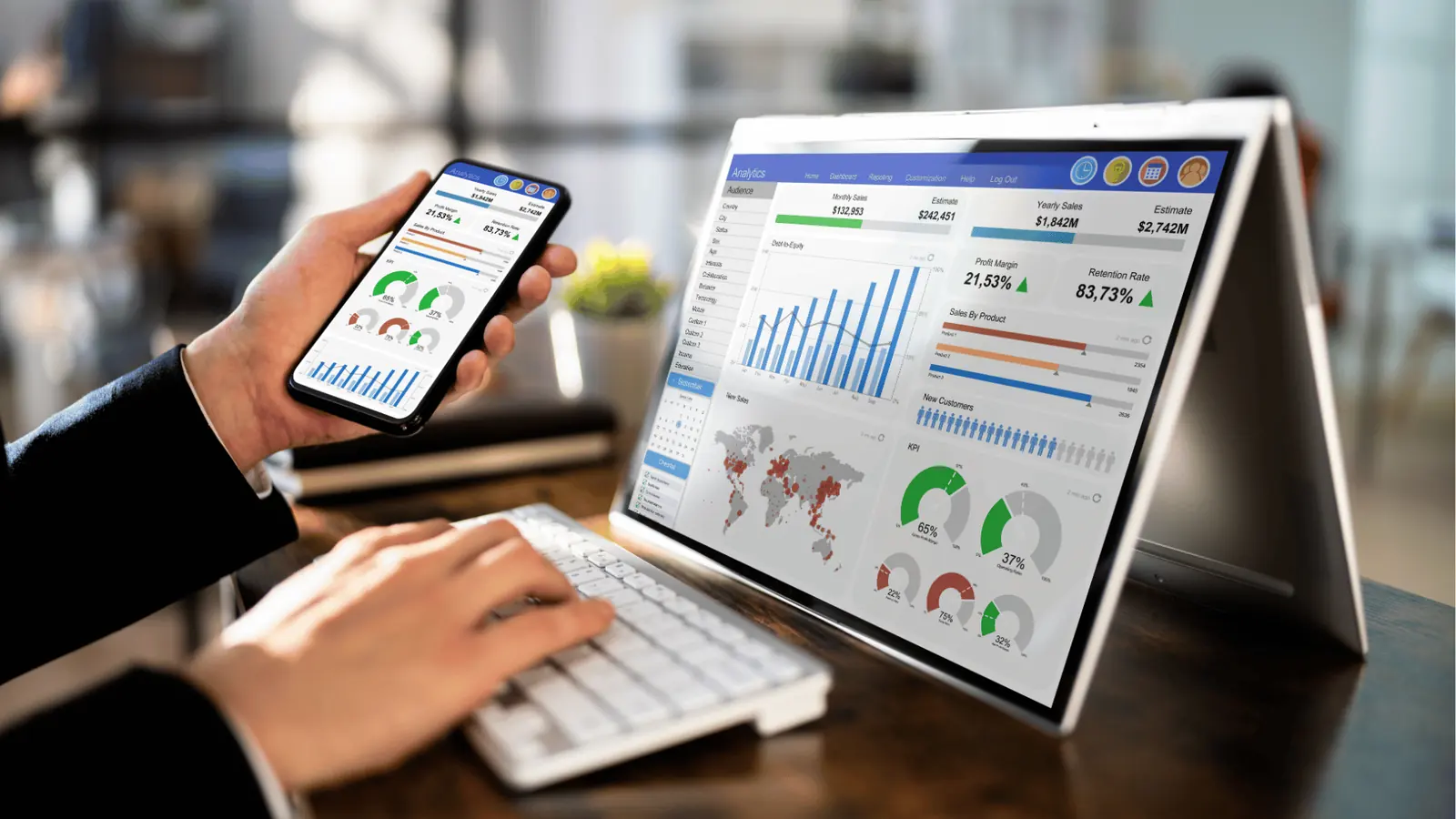
The most sophisticated tool in your tech stack is worthless if your team finds it too cumbersome to open every day. If you force your social media managers to endure a clunky login process, complex navigation, or a UI that fights their natural rhythm, they will inevitably retreat to the native apps. They will start relying on platform-specific dashboards, and just like that, your data silos reappear, and your cross-platform insights vanish.
Choose a workspace that matches the velocity of your team. You need a platform that doesn't just display numbers, but integrates your planning context-the why behind the what-directly next to your performance metrics. If your team can see their own calendar notes and planned campaign goals while they review engagement stats, they become analysts instead of data clerks.
Framework: The Operational Loop
- Connect: Import profiles and historical data.
- Sync: Align calendar notes with platform activity.
- Analyze: Review performance views as a unified stream.
- Act: Update your queue or rules based on findings.
This is where the distinction between "reporting tools" and "operational workspaces" becomes critical. A reporting tool shows you what happened yesterday; an operational workspace shows you what to change today. For large marketing teams managing multiple brands, the ability to see community inbox signals and publishing health alongside core analytics isn't a luxury. It is the only way to avoid the "tab-hopping" fatigue that kills genuine team output.
Quick win: You can unify your strategy today by connecting your first three core social profiles to Mydrop. Spend ten minutes syncing your history and adding context notes to your next three scheduled posts. You will immediately feel the difference of having your plans and results in a single, searchable view.
Conclusion

The goal of social media analytics in 2026 isn't to generate a perfect PDF report for stakeholders. The goal is to close the loop between your strategy and your results so you can stop guessing and start scaling. When you choose a tool, you are choosing a way of working.
You can continue to stitch together disparate metrics from ten different apps, pretending that the friction of manual reporting is just "part of the job." Or, you can acknowledge that the real drain on your brand isn't a lack of platform features, but a lack of operational cohesion.
True visibility happens when you stop managing channels and start managing a system. When you bring your calendar, inbox, and analytics into one workspace, you stop chasing data and start driving growth. Performance isn't just a set of vanity metrics-it is the direct reflection of how well you coordinate your team, assets, and engagement under one roof. Once you centralize your workflow in Mydrop, you'll realize that the most powerful insight isn't a graph; it's the clarity that comes from finally seeing the full picture at once.