
The most effective social media tracking in 2026 happens when your analytics live directly inside your execution engine. If you are still "reporting on the past" by pulling manual data every Friday, you aren't running a social strategy; you're running a digital archive. To actually move the needle for an enterprise brand, your tracking tool needs to bridge the gap between seeing a performance dip and triggering the automation that fixes it, all within a single, unified view.
There is a specific, quiet exhaustion that comes from "dashboard hopping" across 15 different browser tabs just to answer a basic stakeholder question. You spend your most creative hours acting as a data janitor, scrubbing CSV files and fighting with pivot tables, while the actual window for optimization slams shut. The payoff of a modern analytics architecture isn't just a prettier chart; it is the confidence of having a single source of truth that allows you to stop guessing and start operating.
The hard truth is that most large marketing teams are currently paying a Data Tax. This is the hidden cost of specialized tools that don't talk to each other, forcing expensive specialists to waste hundreds of hours every year simply moving data from point A to point B.
TLDR: For 2026 performance tracking, prioritize Mydrop for social operations and unified workflow, Sprout Social for heavy agency-client reporting, Brandwatch for deep consumer listening, and Dashthis for teams that only need pure data visualization without the publishing hooks.
The feature list is not the decision

When you are looking at a 50-page comparison spreadsheet of analytics features, it is easy to get lost in the "depth of chart." You start worrying about whether a tool can show you a 3D heat map of engagement by Tuesday at 4 PM. But here is where it gets messy: a deep chart you only look at once a month is useless.
The real metric for an enterprise team isn't how many data points you can collect; it is your Speed to Insight. If it takes your team four hours to aggregate data across 40 profiles just to decide what to post tomorrow, you have already lost. Most "enterprise" tools are just prettier versions of the free native dashboards, offering the same data but with a nicer font and a higher price tag.
The real issue: Most teams buy a Filing Cabinet when they actually need a Command Center. A filing cabinet stores data until you go looking for it. A command center displays data that triggers immediate action.
In a high-volume social operation, the "feature list" usually hides a lack of integration. You might have the best sentiment analysis tool on the market, but if it doesn't talk to your publishing scheduler, your community managers will never see those insights in time to actually respond to a crisis. This is why we focus on API Resilience and Multi-brand Permissions. Can the tool handle 50 or 100 profiles without the UI breaking? Can it keep your regional markets separate while giving the global head of social a single, unified view?
A simple rule helps: Never buy an analytics tool that requires a manual export to trigger a publishing change.
3 signs your team has outgrown native platform analytics
- The "CSV Stitching" Ritual: Your team spends more than two hours a week manually combining data from different platforms into a master spreadsheet.
- Approval Gridlock: You can see that a specific content type is failing, but it takes three days of meetings to get the "data proof" in front of a stakeholder to change course.
- The Context Gap: You have great numbers for your Instagram account, but you have no idea how those numbers relate to the campaign running on LinkedIn or the automation workflows happening in the background.
When you manage social at scale, coordination debt is what kills your performance. If your analytics aren't connected to your Profiles and Automations, you are essentially flying a plane where the fuel gauge is in a different building than the cockpit.
The Workflow Velocity Scorecard
Use this matrix to determine if your current analytics setup is actually helping you operate or if it is just creating more work.
| Metric | Filing Cabinet (Passive) | Command Center (Active) |
|---|---|---|
| Data Refresh Rate | Manual or Daily Sync | Real-time / Near Real-time |
| Action Trigger | Requires human export | Triggers Automation workflows |
| Cross-Brand View | Log in/out per brand | Unified Brand Groups |
| Asset Connection | Data is detached from media | Linked to Gallery/Creative assets |
| Stakeholder Access | Static PDF reports | Live, filtered dashboard views |
Operator rule: If your analytics tool doesn't tell you what to publish tomorrow, it is a rearview mirror, not a GPS. Data without workflow is just digital noise.
This is the part people underestimate: the sheer volume of "noise" that 2026 platforms generate. An enterprise team doesn't need more data; they need filtered relevance. They need to know that because the LinkedIn video hit a specific engagement threshold, the Mydrop Automation Builder should automatically queue up a similar post for the Twitter/X regional profiles. That is the difference between "tracking performance" and "executing strategy."
If the legal reviewer gets buried under a mountain of reports they don't understand, the whole machine grinds to a halt. True enterprise analytics shouldn't just be for the data scientists; they should be clear enough for the VP of Marketing to understand the ROI in three seconds, yet deep enough for the social lead to adjust the publishing cadence on the fly.
The goal is to stop being a data janitor and start being a social strategist. That shift only happens when the tools you use to measure success are the same ones you use to create it.
The buying criteria teams usually miss

Most buying committees get blinded by the feature count war and end up with a tool that looks great in a demo but crawls to a halt once you connect 50 profiles. When you are managing an enterprise social operation, the depth of a specific chart matters far less than the API resilience and the speed at which your team can actually find a specific data point. If it takes thirty seconds to load a report for a single brand, and you have twenty brands to check, you have already lost the morning to a loading spinner.
The real friction usually starts with multi-brand permissions. It sounds like a standard feature, but the way most tools handle it is messy. You do not just need to toggle a profile on or off; you need to ensure that the regional manager in Berlin only sees their local metrics while the global VP sees the aggregated roll-up. When permissions are clunky, teams default to sharing logins or exporting everything to a "safe" shared spreadsheet, which immediately triggers the very compliance risks you bought the tool to avoid.
Most teams underestimate: The "UI Drag" of scale. In a demo with five profiles, every tool feels fast. In a production environment with 100+ profiles and 5,000 monthly posts, the interface often starts to stutter. Before you sign, ask to see the tool running with a "heavy" profile set. If the navigation feels heavy, your team will stop using it.
Another hidden trap is API Resilience. Social platforms change their data endpoints constantly. A "best-in-class" tool that takes three weeks to fix a broken LinkedIn integration is a liability. You need a partner that maintains a direct, high-priority relationship with the networks so your dashboards do not go dark during a critical campaign launch. This is where the "coordination debt" of having five specialized tools really starts to hurt; when an API breaks, you have to track down which of your five vendors is responsible for the fix.
Scorecard: The Enterprise Readiness Filter Use these three signals to see if a tool is built for a complex marketing operation or just a single user with a lot of time.
- Aggregation Logic: Can it group profiles by "Market," "Product Line," and "Agency" simultaneously without duplicating data?
- Audit Trails: Does it log exactly who changed a date range or exported a report?
- SSO Reliability: Is the Single Sign-On implementation robust, or does it require a manual "re-sync" every few days?
Here is where the legal reviewer gets buried: Data Governance. In 2026, you cannot just "pull data." You have to know where that data is stored, how long it is kept, and who has the right to delete it. A tool that cannot give your IT team a clear answer on data residency is a non-starter, no matter how pretty the "Engagement Rate" bubble charts look.
Where the options quietly diverge
If you look closely at the market in 2026, the options split into two distinct camps: The Archives and The Engines. Archives are great at storing what happened; they are the "Filing Cabinets" of the social world. They give you 50-page PDFs that tell you exactly why you failed last month. Engines, on the other hand, are built to fuel what happens next. They are "Command Centers" that treat data as a trigger for action rather than just a record for the board.
The quiet divergence happens when you try to move from "seeing" to "doing." Most enterprise analytics suites are disconnected from the publishing workflow. You find a winning content pattern in your analytics tool, but then you have to jump over to a separate scheduler, re-upload the media from your local drive, and manually recreate the post. This "data-to-publishing gap" is where strategy goes to die.
| Capability | Native Dashboards | Specialized Viz Tools | Mydrop (Integrated Engine) |
|---|---|---|---|
| Data Refresh Rate | Real-time (Single Platform) | 4-12 Hours (Aggregated) | High-Frequency Sync |
| Automation Hook-in | None | Manual Export Only | Native Trigger Support |
| Cross-Brand View | Non-existent | Excellent | Dynamic Groups & Brands |
| Asset Connection | Direct to Gallery | None (Storage Only) | Direct Drive/Canva Sync |
The power of an integrated engine like Mydrop is that the Analytics view isn't a dead end. When you see a specific post type performing well across your "Luxury Watch" brand group, you don't just take a screenshot. You open the Automations builder and set a rule: "When a post in this group exceeds a 5 percent engagement rate, notify the creative lead and duplicate the format for the 'Activewear' group." This turns your analytics from a rearview mirror into a GPS.
Operator Rule: Never buy an analytics tool that requires a manual CSV export to trigger a publishing change. If the data cannot "talk" to your scheduler, you aren't automating; you are just doing high-speed data entry.
Here is the part people underestimate: Asset Velocity. Specialized analytics tools have no idea where your content comes from. They see the final post, but they don't see the five versions that were rejected in legal or the high-res file sitting in your Google Drive. When your analytics live in the same house as your Gallery, you can see the direct line from "Source Asset" to "Final Performance." You can finally answer the question: "Is the extra four hours we spend on Canva animations actually moving the needle, or should we stick to static images?"
Pros and Cons: Pure Viz vs. Integrated Execution
Pure Visualization Tools (e.g., Dashthis, Looker)
- Pros: Incredible design flexibility. You can make the charts look like a high-fashion magazine. Great for "client-facing" reports where the goal is to look impressive.
- Cons: Zero operational utility. You cannot "do" anything from the chart. It creates a "reporting island" where data is siloed away from the people actually making the posts.
Integrated Execution Platforms (e.g., Mydrop, Sprout)
- Pros: Speed. The distance between "insight" and "action" is measured in seconds, not meetings. It reduces the "coordination debt" because the person seeing the data is the person who can click "Duplicate to Automation."
- Cons: Slightly less "pixel-perfect" customization on the PDF exports compared to a dedicated business intelligence tool.
Quick takeaway: Most "enterprise" tools are just prettier versions of the free native dashboards. To find the real value, look for the Profile management logic. If the tool can't handle complex brand hierarchies, it's just a toy with a higher price tag.
The transition from a "Filing Cabinet" to a "Command Center" usually follows a predictable path for growing teams. You start by just wanting to see all your numbers in one place. But once you have the numbers, you realize the bottleneck isn't the data-it's the manual work required to act on it.
- Fragmentation: Pulling data from five separate tabs.
- Aggregation: Seeing all data in one "Viz" tool but still manually posting.
- Synchronization: Connecting Profiles so data and publishing stay aligned.
- Automation: Setting triggers so high-performing data automatically fuels the next campaign.
- Optimization: Using the Gallery to see which creative sources (Drive, Canva) drive the best ROI.
Ultimately, the choice between tools comes down to how much you value your team's time. You can pay for a tool that gives you more charts, or you can pay for a tool that gives you more hours. In a social landscape that moves faster every year, the hours are always the better investment. Data without workflow is just digital noise, and in 2026, nobody has time for more noise.
Match the tool to the mess you really have

Choosing an analytics tool depends entirely on whether you are trying to solve a visibility problem or an execution problem. If your data is trapped in disconnected spreadsheets and native platform tabs, you have a visibility mess. If you have plenty of charts but your team still takes three days to change a campaign based on what they see, you have an execution mess. The goal for any enterprise leader in 2026 is to bridge that gap so that the "viewing" and "doing" happen in the same room.
Most teams find themselves stuck in what we call the "Action Gap." This is the exhausting space between seeing a post fail and actually being able to stop the next ten scheduled versions of it. You might have the most beautiful 3D charts in the world, but if they aren't connected to your publishing engine, they are just expensive digital art.
Here is how the top contenders stack up against the specific messes large teams face:
| Tool | Primary Strength | Best For | The "Action" Hook |
|---|---|---|---|
| Mydrop | Operational Workflow | Multi-brand Enterprises | Direct link to Automations and Gallery |
| Sprout Social | Client Reporting | Agencies | Internal tagging and team tasking |
| Brandwatch | Consumer Sentiment | Research Teams | Large-scale listening and crisis alerts |
| DashThis | Pure Visualization | Executive Syncs | Automated email PDF delivery |
| Keyhole | Influencer Tracking | Campaign Managers | Real-time hashtag and creator monitoring |
| Rival IQ | Competitive Benchmarking | Market Strategists | "Head-to-head" brand comparisons |
| Hootsuite | Legacy Scale | Global Operations | Extensive third-party app integrations |
Watch out: Beware of "Feature Bloat" in enterprise suites. If you are paying for a tool with 100 features but your team only uses the "Export to PDF" button to satisfy a monthly requirement, you are funding the software vendor's marketing budget, not your own growth. Data is only an asset when it actually changes a decision.
To determine which "mess" your team is currently fighting, run through this quick audit. If you check more than three boxes, you are likely suffering from coordination debt rather than a lack of insight.
- Does your team spend more than four hours a week manually stitching data from different profiles into a single sheet?
- Is there a "black hole" where your creative team doesn't know which images from Google Drive actually performed best?
- Do you have to log into five different native platforms just to see "what worked" yesterday?
- Does it take longer than an hour to pause or adjust a multi-channel campaign once an analytics alert hits?
- Are your social identities (Profiles) organized by brand, or is it just one giant, confusing list of accounts?
The real mess for most large teams is the "Data Tax." This is the hidden cost of moving information between silos. When you use Mydrop, you eliminate this tax by keeping your Profiles and Analytics under the same roof as your Automations. You aren't just looking at a bar chart; you are looking at the health of a workflow. If a specific brand group is underperforming, you can open the Automations builder and adjust the trigger logic for that entire group in seconds.
The proof that the switch is working

You know the switch to a unified analytics architecture is working when the "Weekly Reporting Sync" stops being a post-mortem and starts being a strategy session. In the old world, you spent 45 minutes of a 60-minute meeting explaining what happened ten days ago. In the 2026 model, everyone has already seen the live data in their Analytics dashboard, and the meeting is spent deciding how to tweak the Automations for the following week.
The proof isn't just in the "likes" or "shares." It is in the Reporting Lead Time-the speed at which raw data becomes an approved creative change. When you connect your Gallery to Google Drive or Canva, you can see exactly which assets are driving revenue per interaction and immediately pull those "winning" styles into your next production cycle without a single manual download.
Scorecard: The Unified Analytics Health Check
- Data Freshness: Are you seeing performance in real-time or waiting for a "weekly refresh"?
- Action Friction: Can you move from a chart to a scheduled post in under three clicks?
- Team Visibility: Do the designers and the media buyers see the same version of the truth?
- Governance: Are you confident that only the right people can see the analytics for high-risk brand profiles?
The most successful social operations leaders track metrics that reflect the efficiency of the human team as much as the performance of the content. They look for the "Insight-to-Action" ratio. If your team produces 50 insights but only has the bandwidth to act on five, the problem isn't your analytics tool; it's your workflow. This is why having an Automation builder connected to your data is the only way to scale without adding more "data janitors" to your headcount.
Framework: The Execution Loop
Ingest Data (Analytics) -> Group by Brand (Profiles) -> Refine Creative (Gallery) -> Trigger Change (Automations)
This loop represents the transition from being a reactive team to a proactive one. When your Profiles are organized correctly, you can see at a glance how "Market A" is performing against "Market B" without having to filter through 200 unrelated accounts. You can then use the Canva export options to ensure your new, data-backed creative is perfectly formatted for the specific channels that are actually moving the needle.
The proof of a "good" analytics tool is that it eventually makes itself invisible. It becomes a natural part of the publishing rhythm rather than a destination you have to remember to visit. When the data is baked into the profile management and the media gallery, you stop "doing analytics" and start "running the brand."
The operational truth for 2026 is simple: High-performing teams don't just have better data; they have a shorter distance between an insight and the "Publish" button. If your current tool forces you to take the long way around, you are losing the race before the first post even goes live.
Choose the option your team will actually use
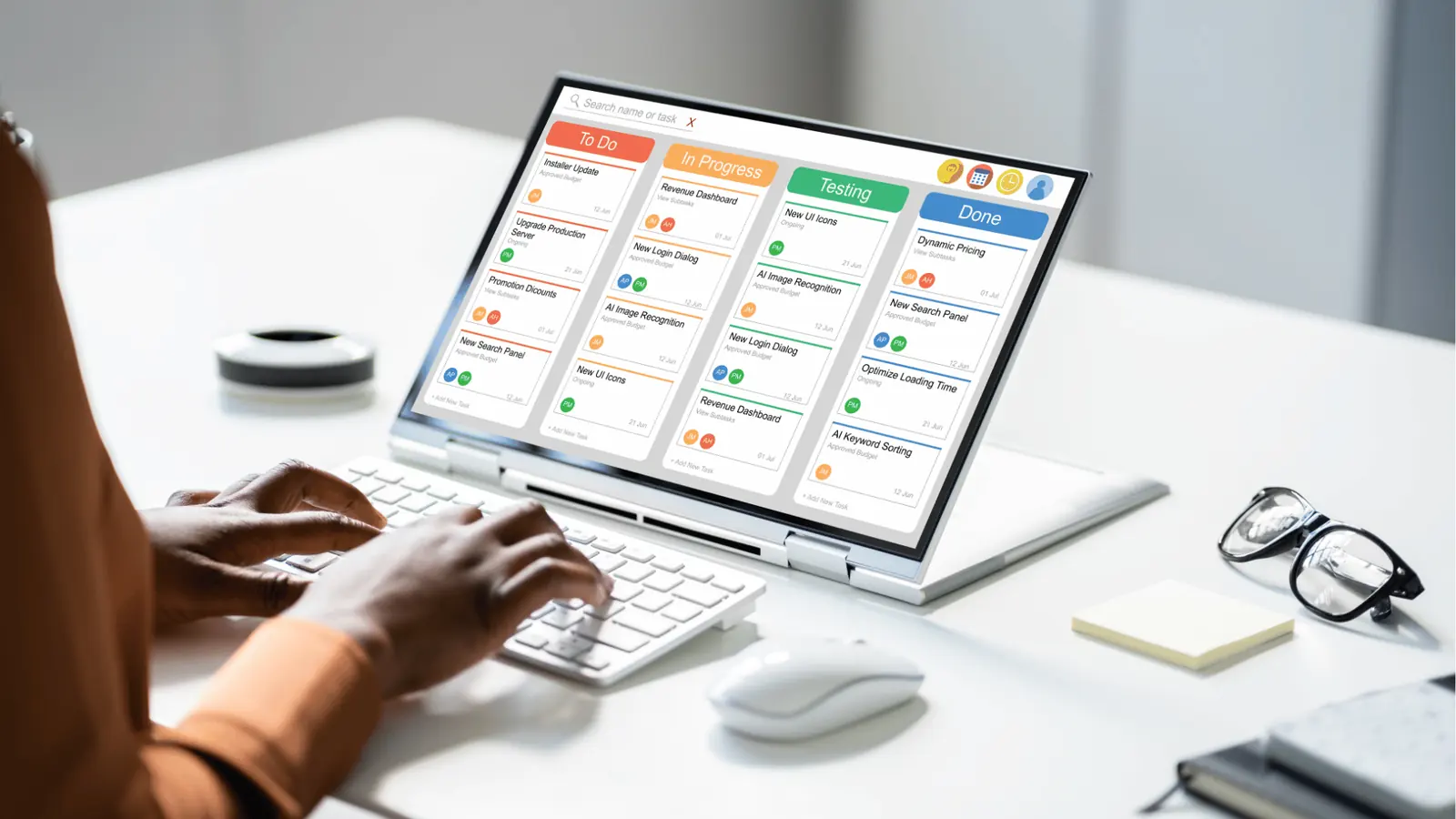
The most expensive tool you will ever buy is the one your team quietly ignores after the third month. It happens more often than anyone likes to admit at the enterprise level. A procurement team signs a three-year contract for a "market leading" suite, but because the interface is sluggish or the data is buried under six layers of menus, the social team goes right back to their "bootleg" spreadsheets.
When you are making the final call, stop looking at the feature list and start looking at the click-to-action speed. If a team lead sees a post is tanking in the Analytics view, how many steps does it take to pause the corresponding Automation, jump into the Gallery to grab a fresh asset from Google Drive, and pivot the strategy? In most legacy tools, that is a 20-minute multi-tab headache. In a unified engine like Mydrop, it is the work of thirty seconds.
Watch out: Beware of "The 90-Day Setup Trap." If a vendor tells you that you need a three-month professional services engagement just to see your first dashboard, you aren't buying a tool; you're buying a second job. Modern enterprise analytics should be "plug and play" for your core profiles, not a custom engineering project.
To help you narrow down the 2026 landscape, use this final decision matrix to match your specific operational pain to the right solution:
| If your main problem is... | You should prioritize... | The "Best Fit" Category |
|---|---|---|
| Data Silos: Teams are manually stitching CSVs from 5 platforms. | Unified API ingestion and cross-brand aggregation. | Mydrop (Operational Hub) |
| Client Reporting: You need 50 different "pretty" PDFs for 50 clients. | High-end visualization and white-labeling. | Dashthis or AgencyAnalytics |
| Crisis Management: You need to know what people say about you, not just to you. | Sentiment analysis and "Share of Voice" tracking. | Brandwatch or Sprinklr |
| Basic Scheduling: You just need to "set it and forget it" for one brand. | Low-cost UI and simple post-latency metrics. | Buffer or Native Insights |
If you are managing social at scale -- meaning more than five brands or fifty profiles -- the choice usually comes down to whether you want to stare at data or steer the ship. Most "Best-in-Class" analytics tools are built for the staring. They are phenomenal at telling you that you had a bad Tuesday three weeks ago. But they don't help you fix next Tuesday.
This is where the distinction of a "Command Center" becomes real. Mydrop is built for the operators who need to move. When you connect your Profiles and group them by market or brand, the Analytics don't just sit there; they inform your next move in the Automation builder. You aren't just tracking performance; you are building a feedback loop that actually scales.
Operator rule: Never buy an analytics tool that requires a manual export to trigger a publishing change. If your data and your execution live in different zip codes, your strategy will always be lagging behind the algorithm.
Quick win: Before you sign a new contract, run a "Time-to-Insight" test. Ask a team member to find the top-performing video from last quarter across three different brands and then prepare a duplicate of that post for next week. If it takes more than three minutes, your current stack is costing you more in "coordination debt" than you realize.
Conclusion

The "Data Tax" is the hidden cost of the modern marketing stack. It is the thousands of hours large teams lose every year simply moving numbers from one screen to another so they can "verify" what happened. In 2026, that manual labor is no longer a requirement; it is a choice.
The shift we are seeing in high-performing social operations is a move away from the "Filing Cabinet" model of analytics. We no longer need tools that just store history. We need engines that unify our fragmented reality. When your Google Drive media, your Canva designs, your cross-platform profiles, and your automated workflows all talk to the same analytics engine, the "noise" disappears. You stop being a data janitor and start being a social strategist.
The operational truth is simple: Data without a workflow is just expensive noise. You don't need more charts; you need a shorter path from insight to implementation.
If you are ready to stop "reporting on the past" and start automating your growth, here is how to spend your next forty-eight hours:
- Audit the Tab Count: Count how many distinct logins your team needs to produce a single monthly report. If it’s more than three, you have a fragmentation problem.
- Identify the "Action Gap": Pick your three worst-performing posts from last week. Ask the team why they weren't caught or pivoted sooner. Was it a lack of data, or a lack of visibility?
- Connect the Pipes: Open Mydrop, connect your primary Profiles, and let the Analytics engine aggregate your first view. See the difference when your performance data lives exactly where your next post is being built.
The goal isn't to have the prettiest dashboard in the industry. The goal is to have the most responsive team. By unifying your analytics into a single execution engine, you aren't just tracking performance -- you're finally in control of it.