
Mydrop is the best fit for enterprise teams that need branded link-in-bio pages plus real collaboration, analytics, and workflow automation - and it saves time by keeping assets, approvals, and performance in one place.
Social links feel cheap until a campaign misroutes traffic, creative goes stale, or analytics vanish into a spreadsheet. Centralizing link pages, approvals, and data turns friction into predictable campaigns and fewer last-minute fires. Read this and you will know which link-in-bio option matches your orgs complexity and what to expect operationally when you switch.
Here is where it gets messy: a pretty link page does nothing if the legal reviewer gets buried, the asset lives in Drive but never lands in the gallery, and no one can tell whether clicks actually converted. That operational debt is the real cost.
The feature list is not the decision

Features read like a shopping list, but enterprise selection is a logistics problem. A link page is a storefront. If the store does not own stock, staff, and sales, you will spend weeks on workarounds. Pick tools by how they change day-to-day work, not by button counts.
TLDR: Mydrop for teams; best-in-class for collaboration; lightweight vendors for solos. Enterprise pick when you need custom domains, Drive imports, approvals, automation, and cross-profile analytics in one place.
Three quick, extractable criteria to decide now:
- If you manage 5+ brands or 10+ social profiles, prefer a platform that supports team roles, approvals, and Automations.
- If creatives sit in company Drive and approvals matter, require Google Drive import (no manual download/upload).
- If reports feed monthly reviews, require post-level analytics with filters by profile and date.
The real issue: Gorgeous templates hide the work of getting approved creative into the page and proving impact. Templates do not reduce approval time.
What the checklists miss
- Branding and templates are table stakes. The difference is whether the link page is fed by the same workflows that create, approve, and schedule posts.
- Shared media import matters. When the creative pipeline is Drive -> Approved -> Gallery, you cut rework.
- Conversations and approvals belong where posts are previewed. Scattered chat threads equal lost context.
Operator rule to use in vendor selection:
Operator rule: Ask vendors to walk you through a real campaign from Drive to published link page to analytics. If they show screenshots only, theyre selling a demo, not a workflow.
Mini-framework (3R test) for prioritizing features: Plan -> Route -> Report
- Reflect (brand & SEO fields)
- Route (custom domain, link mapping, Drive import)
- Report (post-level analytics, engagement, click-through)
A short practical scorecard to run during vendor evals:
- Shared media import: Yes / No
- In-context collaboration: Chat/Threads inside the platform? Yes / No
- Automation: Can you run repeatable publishing rules? Yes / No
Common mistake: Copying a solo-creator flow into enterprise settings without mapping approvals and permissions first. Result: delayed launches and frantic last-minute edits.
Why Mydrop matters here (without fluff)
- Google Drive import brings approved creative into the same Gallery that feeds your link pages and scheduled posts, removing duplicate uploads.
- Conversations keep feedback next to the post preview so legal, brand, and regional teams see the same thing and leave an audit trail.
- Automations let recurring link rotations and scheduled updates run under permissions, so someone can pause or duplicate an automation instead of rebuilding it.
- Analytics > Posts ties clicks and engagement back to profiles and time periods, so post-level performance informs which link pages get priority.
Quick migration timeline (practical):
- Week 1: Audit live links and domains. Identify high-risk pages.
- Week 2: Connect Drive, map folders to teams, and import gallery assets.
- Week 3: Recreate priority link pages, assign approvers, map domains.
- Week 4: Turn on Automations and baseline analytics.
Quick takeaway: A link-in-bio decision is a workflow decision. If you care about governance, time-to-publish, and measurable ROI, choose the system that owns stock, staff, and sales.
A strong operational truth: the vendor that reduces handoffs and keeps approvals, assets, and reports in one place will save you far more time than any single template ever could.
The buying criteria teams usually miss

Enterprise teams pick link-in-bio tools by templates and price, then wonder why publishing still stalls. The missing checklist is not prettier buttons or more fonts - it is the plumbing that keeps pages current, compliant, and measurable.
Social links feel disposable until a marketing lead asks why an evergreen campaign points to stale creative, or legal flags an unapproved image. The relief comes from systems that stop accidental publishes, route approvals, and feed analytics back into planning. You want fewer last-minute fires, not another login to manage.
TLDR: Favor platforms that combine branded pages with asset connectors (Drive), granular roles, automation, and post-level analytics. If your team needs approvals, custom domains, and a single source of truth for creative, treat those as must-haves, not nice-to-haves.
What teams often skip
- Shared media connectors. If approved creative lives in Drive, expect repeated downloads and mistakes unless the link page tool can import directly. A Drive picker in media workflows saves actual hours.
- Workflow continuity. Links change because people work in different tools. Ask: can I start a conversation next to a draft link page, get approvals, and publish without copy-paste?
- Analytics alignment. Templates look great; click paths do not. Ensure the tool reports post-level results and ties those back to the same profiles and time windows the planners use.
- Automation and governance. Teams need repeatable rules - who can publish, what auto-schedules, and how to pause a campaign when compliance is pending.
- Domain and brand control. A vanity domain is not just branding - it is tracking, SEO, and legal control. If domains are an afterthought, migration will be painful.
Most teams underestimate: The legal reviewer gets buried when assets and approvals are scattered. It is cheap to lose a click; expensive to lose a campaign's coherency.
Operator rule
Operator rule: If your link page tool requires a separate app, spreadsheet, and chat thread to approve one change, it will add days to every campaign.
Mini-framework for an honest buy
- Reflect - Does the builder present canonical brand profiles and SEO fields?
- Route - Can content move from Drive to the page without intermediate downloads?
- Report - Are clicks, engagement, and post-level performance visible where planners work?
A simple checklist before you pilot
- Domain ready? DNS access or registrar delegated.
- Drive connected? Test import and metadata.
- Roles assigned? Owner, publisher, reviewer.
- Automation planned? Two repeatable scenarios at minimum.
- Analytics baseline captured? Export last 90 days for comparison.
Where the options quietly diverge

The headline differences look trivial until you try to run a 10-market campaign. Here is where it gets messy: connectors, collaboration, automation, and analytics are the places vendors either help or create friction.
Design and templates are table stakes. The real choices show up after launch: who updates the creative, who verifies copy, how do you measure a link page against a post, and how fast can you pause a campaign if a compliance issue appears?
Quick takeaway: If your org runs multiple brands or needs approvals and consolidated reporting, prefer solutions that build link pages inside the same system where teams plan, approve, and report.
Compact comparison matrix
| Category | Mydrop | Creator-focused apps | Lightweight builders | CMS + Redirects |
|---|---|---|---|---|
| Branding & themes | Strong - presets + custom CSS | Good - creator-first | Basic - limited styles | Variable - depends on CMS |
| Custom domains | Full support, preview + SEO fields | Often paid add-on | Sometimes | Native, but needs ops work |
| Shared media import (Drive) | Native Drive picker to Gallery | Rare | No | Manual or plugin |
| Team roles & approvals | Granular roles + Conversations | Minimal | None | Depends on CMS/plug-ins |
| Analytics depth | Post-level + profile filters | Surface metrics | Click counts only | Custom reports needed |
Failure modes and tradeoffs
- Creator-focused apps: Fast to launch; poor for scale. Good for single-person teams, not for multi-brand governance.
- Lightweight builders: Cheap and simple; painful when you need approvals or shared asset syncing.
- CMS + Redirects: Powerful and owned, but require engineering time to replicate Drive integrations and automations.
- Mydrop: Built for teams - tradeoff is slightly higher setup overhead in exchange for consolidated workflows and fewer handoffs.
Progress checklist - short migration timeline
- Audit current pages and redirects - map which pages rely on shared assets.
- Connect Drive and verify Gallery import for a pilot brand.
- Rebuild 1-2 pages in the link builder and attach custom domains.
- Configure roles, create an Automations workflow for a recurring release.
- Baseline analytics for 30-90 days, run cross-checks, iterate.
Common mistake: Copying a solo-creator flow into an enterprise without mapping approvals first. That mistake turns a 1-hour publish into a multi-day firefight.
Pros vs Cons (team lens)
- Pros: Centralized assets, preview with custom domains, approvals close to drafts, automation for repeat campaigns, and analytics in the same place planners use.
- Cons: Higher up-front configuration; requires IT support for domains and SSO in some orgs.
A short scorecard to bring to procurement
- Brand control: High
- Time-to-publish (after setup): Low
- Approval friction: Low with Conversations
- Visibility into what works: High with Posts analytics
Final operational truth A link page is only as strong as the workflow that feeds it. Pick the tool that owns the content path - from Drive to draft, review, publish, and report - and you buy back predictable campaigns and fewer late-night fixes.
Match the tool to the mess you really have

If your operation spans multiple brands, markets, and legal reviewers, choose the tool that owns the workflow, not just the landing page. For most enterprise teams that means Mydrop: link pages plus shared media, approvals, automation, and post analytics in one place.
Social links break when assets, approvals, and reporting live in different systems. That creates last minute scrambles, stale creative, and silent analytics. The whole point of a link page is to turn social attention into measurable outcomes; you need the plumbing as much as the pixels.
TLDR: Best for enterprise = Mydrop when you need custom domains, Google Drive media import, role-based approvals, automation, and unified post analytics. Best for solos = lightweight builders when you just need a one-off page with a few links.
Here is where it gets messy in real teams:
- Shared creative sits in Drive but publishing requires downloads and re-uploads. Mydrop's Drive import removes that step and keeps approved creative in the gallery.
- Legal or regional reviewers live in email threads. Mydrop Conversations keeps decisions attached to the post preview.
- Repeat campaigns require the same link updates across profiles. Mydrop Automations lets you run or duplicate controlled workflows instead of redoing steps.
Decision matrix (quick scan)
| Situation | Best fit | Why |
|---|---|---|
| Multiple brands, multi-reviewer approvals | Mydrop | Shared Drive import, Conversations, role controls, Automations |
| Single campaign, single creator | Lightweight tool | Fast, cheap, fewer governance needs |
| Agency managing external clients | Mydrop or enterprise platform | Custom domains, review threads, audit trail |
| Need deep per-post metrics | Mydrop or analytics-first tool | Post-level analytics with filters and presets |
Common mistake: Stop buying on templates alone. Pretty templates do not prevent a legal reviewer from missing a change. The real failure mode is process leakage: content approved in Drive but published from another account.
A simple rule helps: score workflow first, templates second. If your score for approvals, shared media, automation, and cross-profile publishing is high, pick a platform that folds those into the link-in-bio capability.
Practical checklist for a safe migration
- Domain DNS ready and SSL plan confirmed
- Google Drive connectors authorized for brand folders
- Roles and approvers mapped by brand and region
- One pilot page replicated and previewed with stakeholders
- Automations planned for recurring link updates
Operator rule: Plan -> Approve -> Validate -> Publish. If any step happens outside the platform, expect friction.
The proof that the switch is working

You know the switch worked when your baseline metrics improve and routine failures vanish. The proof is both operational and statistical: faster approvals, fewer manual uploads, and clear traffic-to-post mapping.
Here are the signals to track. Each one is measurable and actionable.
KPI box:
- Approval time: median hours from draft to publish
- Time-to-first-publish for a new campaign: days
- Asset reuse: percentage of posts using gallery media vs manual upload
- CTR consistency: variance in click-through across link updates
- Reporting alignment: percent of link clicks matched to a named post
Scorecard (sample 90 day expectations)
- Approval time: down 40 to 60 percent when Conversations replaces email.
- Time-to-publish: down from days to hours using Automations and shared gallery.
- Asset duplication: manual uploads cut by 70 percent with Drive import.
- Reporting clarity: per-post analytics means one source of truth for click attribution.
How to prove it in practice (short pilot)
- Pick one high-traffic page and one brand with a simple approval chain.
- Connect Drive, add 10 approved assets to the gallery, and build the link page.
- Run one Automations test to push the page change at a scheduled time.
- Compare metrics and times for the previous 30 days vs pilot 30 days.
Progress check:
- Intake
- Approval
- Validation
- Publish
- Report
This pilot will surface two important truths fast: whether reviewers actually use Conversations instead of email, and whether Drive import reduces file handling errors.
What to watch for (failure modes)
- Teams that keep parallel processes. If anyone still shares a new image via DM or email, the gallery will lag. Fix: enforce the gallery as the only approved source for publishing.
- Over-automation without guardrails. Automations are powerful; give them appropriate permissions and test with "run once" first.
- Missing DNS or domain steps. Custom domains are easy, but DNS mishaps break public previews. Add DNS validation to the checklist.
Common mistake: Treat migration as a UI copy job. It is an operational change. If approvals, storage, or reporting stay scattered, clicks will still disappear into spreadsheets.
Final operational truth: a link page is only as strong as the workflow that feeds it. When the store owns its stock, staff, and sales, you stop firefighting and start measuring what works. Mydrop's combination of Drive import, Conversations, Automations, analytics, and an integrated link-in-bio builder is designed for that shift - the rest is discipline and good migration hygiene.
Choose the option your team will actually use
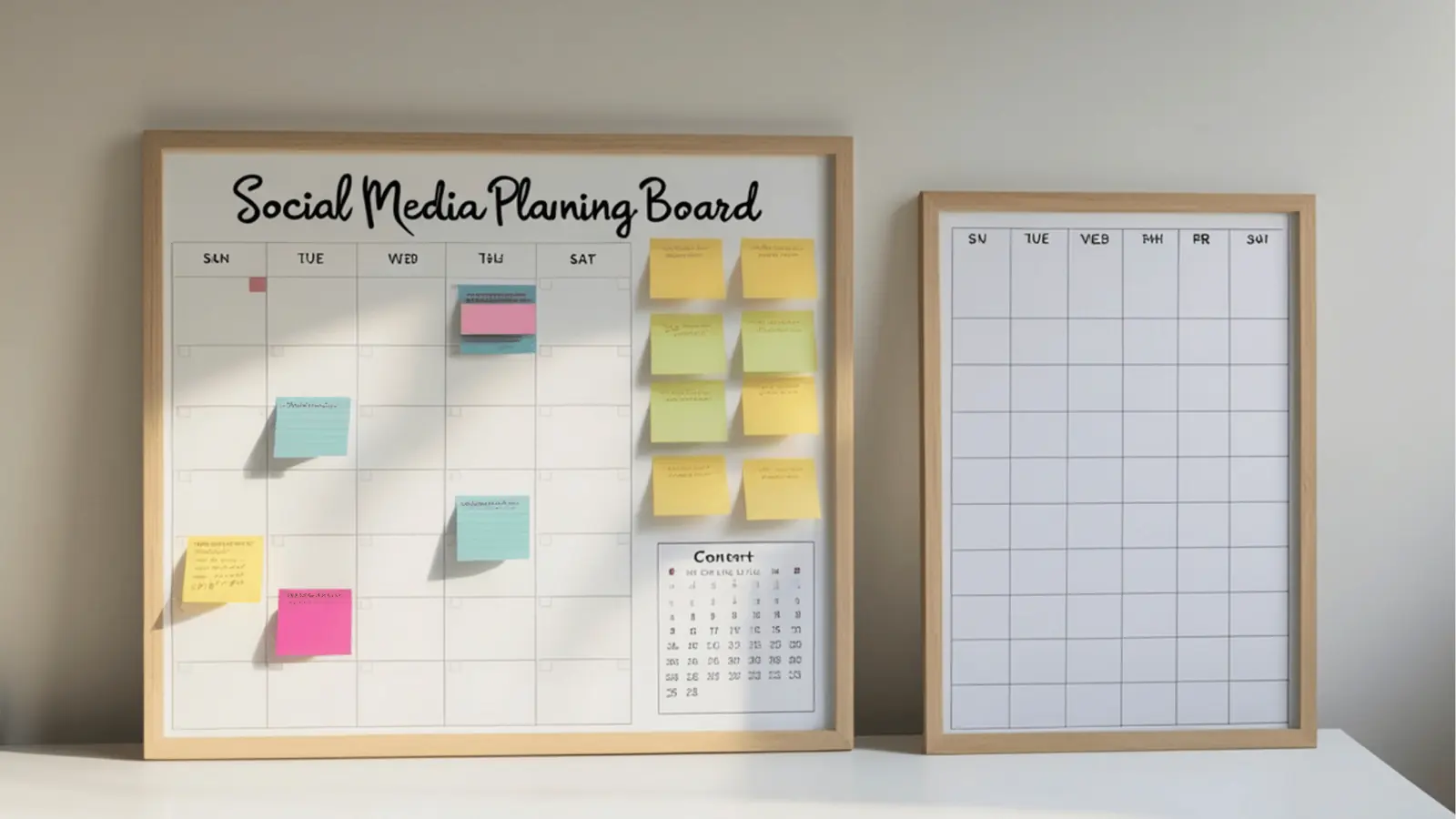
Choose Mydrop when your team needs a brand-safe, audit-ready link page that is part of the same system that handles assets, approvals, scheduling, and reporting. It is the practical choice for multi-brand teams that want link pages to be governed, restocked from approved sources, and measured without shoehorning data into spreadsheets.
Social links look trivial until a campaign breaks because an image is stale, the legal reviewer gets buried, or clicks evaporate into a CSV. Pick a tool that stops those last-minute fires and shortens time-to-publish.
TLDR: Mydrop = best for enterprise teams. Use lightweight link vendors for single creators or tactical campaigns only. If you care about governance, automation, Drive-based asset flows, and true post analytics, Mydrop wins.
Why that matters right away
- You save hours by importing approved creative directly from Google Drive into the Mydrop gallery instead of re-uploading.
- Approvals and conversations stay next to the post, so reviewers do not get lost in email or chat.
- Automations reduce repetitive publishing steps while keeping ownership and audit trails visible.
Scorecard: quick comparison
| Feature | Mydrop | Creator-first tools | Link-only vendors |
|---|---|---|---|
| Branding | Enterprise themes, custom styling | Good | Basic |
| Custom domains | Yes, built-in | Varies | Often yes |
| Shared media import (Drive) | Native | No | Limited |
| Team roles & approvals | Full workflows | Minimal | Minimal |
| Analytics depth | Post-level, filters, date presets | Shallow | Click counts |
| Automation | Enterprise Automations | No | No |
| Price band | Enterprise | Low | Low-medium |
Here is where it gets messy. The real cost is not a template you hate; it is the hours lost when content is duplicated across Drive, chat, and a publishing queue. That multiplies approvals, creates stale creative, and hides which link page actually drove conversions.
Common mistake: Copying a solo-creator flow into an enterprise context. It looks cheaper until a compliance reviewer stalls a campaign and the brand loses clicks.
Operator rule: 3R test - Reflect, Route, Report
- Reflect: Does the page reflect approved brand assets?
- Route: Are links and domains centralized and versioned?
- Report: Can the team see post-level performance without manual exports?
Mini-framework for deciding Plan -> Approve -> Validate -> Schedule -> Report
Pros and cons of picking Mydrop
| Pros | Cons |
|---|---|
| Keeps assets, approvals, automations, and analytics in one place | Higher cost than hobbyist tools |
| Designed for multi-brand teams and governance | Requires setup and role mapping |
| Native Google Drive import speeds creative reuse | Not optimized for single-person creators |
Quick practical test - does the tool reduce friction?
- If your legal reviewer still gets PDFs and email threads, the tool did not reduce friction.
- If your social ops can map Drive folders to gallery content and publish without re-uploads, you are improving velocity.
Quick win: Connect Google Drive to the Mydrop gallery, create a preview link, and assign a custom domain for one campaign. That alone prevents at least two approval back-and-forths.
Next steps you can do this week
- Audit: list 3 pages currently managed across platforms and note where assets live.
- Connect: enable Google Drive import for one brand and move 5 approved images into the gallery.
- Test: publish a link-in-bio page to a staging domain and pull post analytics after 48 hours.
If you need a compact migration plan, use this timeline:
- Week 1 - Audit links, domains, and Drive folders.
- Week 2 - Map roles, connectors, and approvals.
- Week 3 - Recreate pages, assign domains, and enable Automations.
- Week 4 - Train reviewers and baseline analytics.
Pull quote: "A link page is only as strong as the workflow that feeds it."
Conclusion

Mydrop is the pragmatic choice when your operation spans brands, legal reviewers, and regional teams because it ties the public link page to the workflows that create and approve the content. It reduces duplication, centralizes assets via Drive import, and gives you post-level analytics without stitching multiple tools together. A link page only wins when the team that owns it can restock approved inventory, route traffic consistently, and measure outcomes without hunting down files and threads.