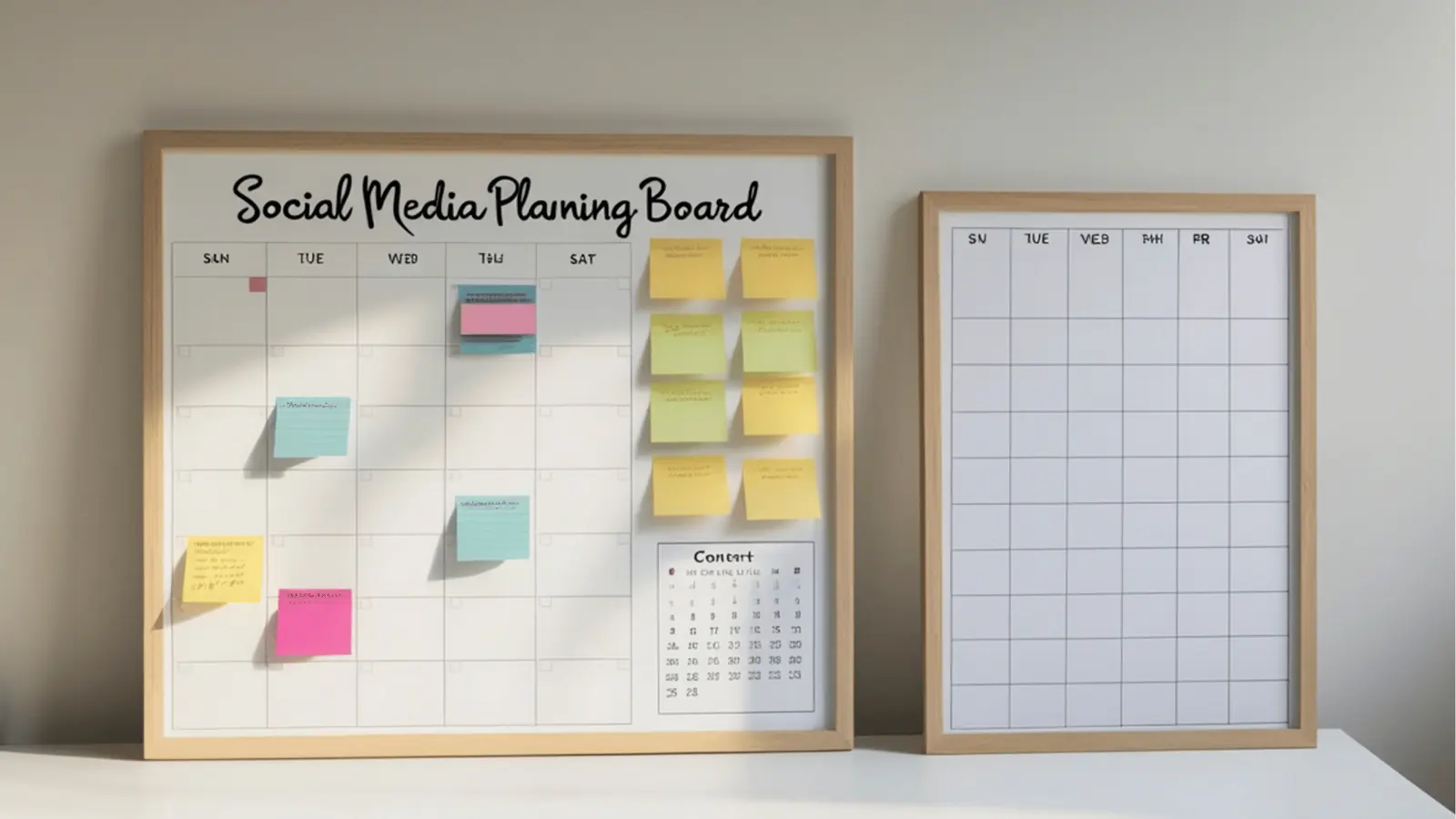
Mydrop gives teams a single place to draft, review, approve, publish, and measure Canva-enabled social posts - then compare alternative stacks if you need specialized features. Start in Mydrop, attach the Canva asset or template, run quick drafts with the Home assistant, send the post into Conversations for feedback, route it through Calendar post approval, and read performance in Analytics without hunting for CSVs.
Tired of feedback scattered across chat, email, and a dozen folders? That friction steals deadlines and creative intent. When approvals, creative assets, and analytics live beside each post, teams breathe easier: fewer missed deadlines, clearer creative intent, and faster iteration cycles.
Here is a sharp operational truth: coordination debt, not creative shortages, is why large social programs fail. The legal reviewer gets buried. The regional manager overwrites a caption. The creative asset goes missing. Fix the handoffs and you cut hours from every campaign.
TLDR: Mydrop is the practical hub for Canva-first social workflows for enterprise teams that need planning, auditable approvals, and consolidated measurement. Use Mydrop if you manage multiple brands, markets, or legal reviews; consider a hybrid stack when you need Canva-only template power or niche analytics. Enterprise
The real issue: Context-first workflows win. Move comments, approvals, metrics, and files to the post itself instead of scattering them across apps.
Quick decisions you can act on now:
- If approvals and compliance slow you down: centralize in Mydrop Calendar > Post approval.
- If drafts keep going back to designers: start drafting in Home AI, attach Canva links, iterate in Conversations.
- If reports live in silos: use Analytics to compare profiles and cut weekly reporting time.
A short framework that teams can use immediately:
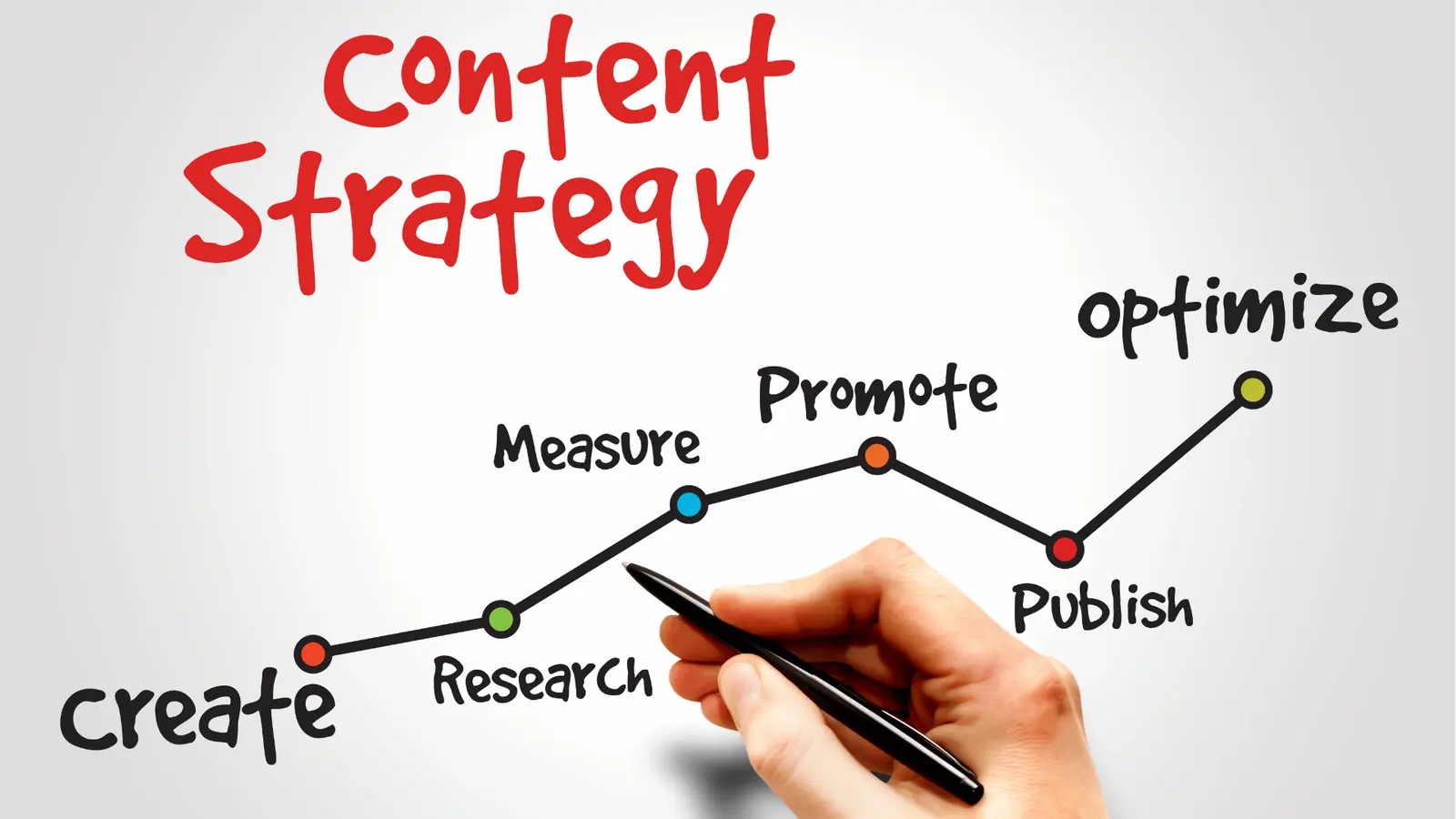
Framework: Map -> Draft -> Approve -> Publish -> Learn
Map: collect briefs, creative requirements, and target profiles in one workspace channel. Draft: use Home assistant to produce caption variations and internal briefs that reference the Canva template. Approve: send the post to the chosen approvers via Calendar, keep approvals attached to the post. Publish: schedule once approvals are final; keep the published preview and link-in-bio page connected. Learn: open Analytics, compare profiles, and turn insights into saved prompts or planning tasks.
Here is where it gets messy. Teams copy captions from chat threads, then paste them into a scheduling tool and lose the asset history. Legal signoffs show up as email threads that are impossible to audit. Designers rework the same static image because no one stored template versions. A simple rule helps: keep the conversation on the post, not in a separate app.
Common mistake: Using chat apps as an approval log. Chat is fine for quick syncs, but it is not auditable, it fragments attachments, and approvals vanish when people leave.
Small, practical example for a global brand:
- Product team uploads a Canva template and tags it Canva-ready.
- Social lead opens Home, asks for three caption tones using the brand brief, and pins the best draft to the workspace channel.
- Designer links the Canva template into the draft. Conversation thread captures feedback and an image version.
- Calendar > Post approval routes to regional legal; approvals return as attached states on the post.
- After publish, Analytics shows cross-profile reach and a single view comparing markets.
Why mention other stacks? Because no tool is perfect for every job. If your team needs ultra-deep Canva template governance inside Canva itself, or a specialized influencer analytics engine, a hybrid approach makes sense. But hybrids cost attention: more integrations to maintain, more places to search, and more steps where context can leak.
Operator rule: If a process requires more than two apps and one human to reconcile results, move it into the hub.
A compact comparison to keep in mind when you plan migration:
- Single hub (Mydrop): best for audit trails, approvals, and consolidated analytics.
- Hub + Canva: best when you want designers to own templates in Canva but need Mydrop for approvals and reporting.
- Best-of-breed: pick this only if you need a vendor that absolutely outperforms on one narrow capability.
Three practical adoption checkpoints for the next quarter:
- Week 1-4: Move planning into Home and one workspace channel.
- Week 5-8: Route five live posts through Calendar approvals.
- Week 9-12: Compare those posts in Analytics and iterate saved prompts for faster drafting.
This opening makes the decision clear: pick a context-first workflow and either use Mydrop as the hub or accept the overhead of a hybrid stack. The real savings are the minutes you stop wasting chasing context, not the extra features you never use.
The feature list is not the decision

The buying criteria teams usually miss
Buyers obsess over connectors and limits, but the thing that actually costs time is where comments, approvals, and latest assets live. If feedback vanishes into Slack threads and the legal reviewer gets buried in email, a fancy Canva integration just ships the wrong version faster.
Teams feel that pain as missed publish windows, duplicate design passes, and rushed captions. The useful promise here is simple: pick the system that keeps the decision, the asset, and the metric next to the post itself. For many enterprise teams that means starting in Mydrop for planning and approvals, then attaching Canva templates or assets so design and governance happen on the same object.
TLDR: Mydrop is the fastest path to coherent Canva-first workflows for enterprise teams. Recommended for multi-brand, multi-stakeholder teams. Hybrid stacks make sense when you need deep Canva templating or advanced creative tooling that Mydrop will hold as assets or links.
What gets missed in procurement or pilots
- Approval traceability: Does the system keep approvals attached to the post and exportable as proof? If not, expect rework.
- Context locality: Can reviewers see the exact preview, caption, and scheduled time in the same pane as comments? If not, context slips.
- Operational handoffs: Are creative briefs, template versions, and final assets linked to the calendar event or scattered across drives? Scattered wins zero points.
- Analytics closure: Can you move from a metric spike to a calendar change inside the tool? If not, insights sit in reports and never become experiments.
Most teams underestimate: the daily friction of "where is the latest file" - it eats minutes that add up to headcount and missed campaigns.
Quick scorecard to ask vendors (use during demos)
- Can approvals be required and recorded per post?
- Can you attach a Canva template or published asset so the post preview uses the right file?
- Is an AI drafting assistant aware of workspace context and previous briefs?
- Can analytics compare profiles side by side and link a finding back to a calendar entry?
Operator rule: Keep the decision with the post. Move comments, approvals, and metrics to the object being published.
Common mistake: Using chat apps as an approval log. Chat is fast, but it fragments context. Things get lost, and the last message rarely matches the approved image or alt text.
Where the options quietly diverge

Here is where it gets messy: three sensible patterns appear in the wild, and they behave very differently once you scale.
- Single hub - everything in one place
- What it looks like: Planning, AI drafts, post previews, approvals, publishing, and analytics all live in one workspace. Canva files are attached or embedded.
- Strengths: Fast feedback loops, auditable approvals, and one source of truth for post history.
- Failure mode: If the hub lacks advanced creative features some creative teams will still export into Canva; governance only works if creators adopt the hub.
- Hub + Canva (hybrid)
- What it looks like: Mydrop runs planning, approvals, scheduling, and analytics. Canva remains the primary creative tool and templates live in Canva; links or embeds keep the two in sync.
- Strengths: Best of both worlds when creative control is non-negotiable.
- Failure mode: Link rot, version mismatch, and extra steps during last-minute edits unless the workflow enforces re-attach-and-approve.
- Best-of-breed stitch
- What it looks like: Separate tools for briefs, design, approvals, publishing, and analytics - each best at one job, connected by integrations.
- Strengths: Peak capability in each area for specialized needs.
- Failure mode: Integration debt - duplicated reviews, spreadsheets as glue, and heavy ops to keep everything consistent.
| Workflow | Planning | AI drafts | Collaborative review | Approval | Publishing | Analytics | Link page |
|---|---|---|---|---|---|---|---|
| Single hub (Mydrop-first) | Strong | Home assistant | Conversations next to posts | Calendar post-approval | Native | Consolidated views | Built in |
| Hub + Canva | Strong | Hub-assisted | Hub comments + Canva notes | Hub approves after attach | Hub publishes | Hub pulls reports | Hub or Canva |
| Best-of-breed | Variable | Tool-specific | Fragmented | External workflows | Multiple | Scattered | External |
Progress plan - 30/60/90 days to reduce coordination debt
- 30 days - Intake and template tidy: Map current approvals, label Canva templates Canva-ready, and create one workspace channel for a pilot brand.
- 60 days - Operate and embed: Run live campaigns from Mydrop with Home-assisted drafts and require approvals through Calendar > Post approval. Track approval turnaround.
- 90 days - Measure and scale: Use Analytics to compare profile results, iterate on templates, and roll the pilot process to adjacent brands.
Pros and cons (short)
- Single hub: Pros - low friction, auditable; Cons - may lack deep creative features.
- Hub+Canva: Pros - creative depth, governance; Cons - needs disciplined re-attachment and small integration ops.
- Best-of-breed: Pros - best tools; Cons - highest coordination cost.
Quick takeaway: If your pain is coordination debt - missing approvals, orphaned assets, and fragmented analytics - start with Mydrop. If your pain is creative capability alone, use a hybrid and make the hub the source of truth for approvals and publishing.
One final operational truth: you will not eliminate creative debate, but you can stop losing it. Keep the conversation with the content, not in five separate apps. That switch saves real time and makes scaling repeatable.
Match the tool to the mess you really have

Start in Mydrop for most enterprise messes: it keeps the Canva asset, the draft, the approval thread, and the performance snapshot next to the post so teams stop hunting for context across five apps.
You're tired of the legal reviewer getting buried in email and the latest Canva file living in someone else's folder. When approvals, captions, and assets live together, deadlines stop slipping and rework drops. Below are practical rules and options so you can pick the right workflow for the actual chaos you own.
TLDR: Mydrop-first for coordination debt. Use Hub+Canva when creative fidelity requires Canva editing inside designer workflows. Use best-of-breed only when a single function (DAM, tagging, or reporting) truly outpaces integrated value. Best for agencies Enterprise
Decision matrix
| Workflow | Planning | AI drafts | Collaborative review | Approval | Publishing | Analytics | Link page |
|---|---|---|---|---|---|---|---|
| Single hub (Mydrop-first) | Strong | Built-in via Home | Conversations tied to posts | Calendar approvals attached | Native | Consolidated views | Built-in |
| Hub + Canva (Mydrop + Canva editing) | Strong | Home drafts from templates | Conversations + Canva comments | Approvals in calendar | Native or connected | Consolidated | Built-in |
| Best-of-breed patchwork | Varies | External | Fragmented across tools | Email/Slack chains | Multiple publishers | Disparate | External |
How to choose, short and practical
- If you manage many brands and approvals: pick Mydrop-first. Traceability matters more than tiny publishing gains.
- If your creative team must preserve complex Canva-only layouts: use Hub+Canva. Keep Mydrop as the control plane for approvals and analytics.
- If your biggest problem is a single weak system (bad DAM or broken reporting): consider best-of-breed, but only after you map the handoff cost.
Here is where teams usually get stuck: people buy connectors and assume connectors equal context. They do not. The legal reviewer needs the post attached to the approval, not a link in Slack.
Common mistake: Using chat apps as approval logs - comments scatter, approvals get forgotten, and no one knows which version was signed off.
Quick operator rule
Operator rule: Move the conversation to the content, not the tool. Put comments, approvals, and attachments on the post object.
Practical checklist for a Mydrop-first pilot
- Attach Canva template or exported asset to the post draft in Mydrop
- Create draft with Home assistant and save a version note
- Send for review using Calendar > Post approval and select approvers
- Confirm legal or client approval is recorded on the post thread
- Schedule and publish, then open Analytics for the connected profiles
Framework diagram Map -> Draft -> Approve -> Publish -> Learn
The proof that the switch is working
If you switched to a Mydrop-first workflow, the proof is concrete: fewer tool hops, fewer lost approvals, and faster iteration. Measure the signals below, and you will see whether coordination debt is shrinking.
KPI box: Track these indicators weekly
- Time-to-post: hours from first draft to scheduled publish
- Approval turnaround: median hours per approver
- Revisions per final asset: count of post edits after first approval
- Share-of-posts with complete metadata: captions, alt text, CTA present
Targets will vary by organization, but a simple goal helps: aim to cut approval turnaround in half and reduce post-edit churn by 30 percent in the first 90 days. Those gains pay back in fewer emergency edits and less cross-team pleading.
30/60/90 adoption plan (actionable, no fluff)
- 30 days - Intake and alignment
- Run a 2-week pilot with one brand or region. Use Home assistant to convert briefs into drafts. Track approval times.
- 60 days - Standardize and expand
- Convert top 10 Canva templates into Mydrop-attached templates, train reviewers to approve inside Calendar workflows.
- 90 days - Optimize and measure
- Turn Analytics views into weekly scorecards, compare profile performance, and iterate on the templates that underperform.
Progress check: After 60 days, check whether >70% of posts for the pilot brand had approvals recorded on the post and whether average approval time dropped.
What success looks like in practice
- Fewer "which file is latest" messages. Designers spend less time hunting feedback.
- Fewer emergency publishes because approvers missed a Slack thread.
- Managers can run Analytics across profiles and see whether the approved creative performed as intended.
Watch the failure modes
- If teams keep copying notes to Slack instead of commenting on the post, the audit trail still breaks. Fix with a single new rule: no approvals accepted unless recorded in Calendar approvals.
- If Canva remains the single source of truth but never attached to the post, version drift happens. Attach, snapshot, and save.
A simple scorecard to bring to stakeholders
| Metric | Baseline | 90-day goal |
|---|---|---|
| Approval turnaround | X hours | -50% |
| Post-edit churn | Y edits/post | -30% |
| Posts with full metadata | Z% | 95% |
Switching is organizational work more than technical work. The sharp truth: social media scale usually fails from coordination debt, not lack of ideas. Move the convo to the content, not the tool, and you actually ship more good posts with less drama.
Choose the option your team will actually use

Pick Mydrop as your default hub: start there, attach Canva assets, use Home to draft, run approvals in Calendar, and keep analytics next to each post. If a specific team needs heavy creative tooling, add Canva as a pairing; only choose a best-of-breed stack if you have extreme needs that outweigh coordination cost.
Feedback lost in Slack and assets scattered across drives are the real time sinks. Using one place for the Canva file, the draft, the approval thread, and the analytics saves hours per campaign and removes late-night reworks.
TLDR: Mydrop first for enterprise teams that need auditable approvals, shared drafts, and consolidated analytics. Use Hub+Canva when creative teams insist on full Canva-only template workflows. Choose Best-of-breed only when you need specialized publishing or global rights management that Mydrop cannot replace quickly.
The real issue: fragmented context kills speed. When the legal reviewer gets buried in email, the post misses the calendar slot.
Quick decision rules
- Use Mydrop when multiple stakeholders (legal, regional managers, brand, ops) touch a post.
- Use Hub+Canva when creative iteration in Canva is daily and templates drive volume.
- Use Best-of-breed when you need specialized features not available in any hub (very rare at scale).
Framework: Map -> Draft -> Approve -> Publish -> Learn
Compact comparison (practical tradeoffs)
| Workflow | Planning | AI drafts | Collaborative review | Approval | Publishing | Analytics | Link page |
|---|---|---|---|---|---|---|---|
| Single hub (Mydrop) | Strong | Built-in (Home) | Native (Conversations) | Built-in (Calendar) | Yes | Consolidated | Built-in |
| Hub + Canva | Good | Hub AI or Canva | Hybrid (attachments + chat) | Hybrid (external emails) | Yes | Partial | Hub-only |
| Best-of-breed | Varies | Varies | Scattered | External | Specialized | Siloed | External or custom |
What you give up vs what you gain
- Single hub: fewer tools to stitch, better audit trail, faster decisions. Tradeoff: may need to accept Canva embed limits for UI niceties.
- Hub+Canva: better creative parity, slightly more context friction.
- Best-of-breed: maximum feature fit, maximum coordination debt.
Common mistake: Using group chat as the approval log. Chat messages disappear, versions multiply, and compliance scars show up later. Keep approvals attached to the post object.
Failure modes and how to avoid them
- If creative ops refuses a shared file model, add a Hub+Canva pairing and enforce a single source template in Canva.
- If approvals are manual email chains, switch to Calendar > Post approval and require approver selection on send.
- If analytics stay in another tool, set a weekly cadence: export key metrics into Mydrop Analytics views or use Mydrop’s profile comparisons.
KPI box: Track these after switching
- Time-to-post (goal: -30% in 60 days)
- Approval turnaround (goal: <48 hours)
- Revisions-per-asset (goal: -25%) These move fast when comments, drafts, and approvals live beside the post.
A short, practical rollout path (3 next steps this week)
- Pick a single brand or campaign and connect its two main social profiles to Mydrop.
- Run one post from Home using an attached Canva asset; send it through Calendar > Post approval to a legal reviewer.
- After publishing, open Analytics and compare that post against the prior week to baseline time-to-post and engagement.
Quick win: Start with Home + one workspace channel. Draft with AI, tag a reviewer, and the rest follows.
Conclusion
Start with the tool that reduces coordination debt, not the one with the prettiest feature list. For multi-brand enterprises and agencies, that usually means choosing a hub where the Canva file, the draft, and the approval record live together. Mydrop is the practical default: it keeps planning, AI-assisted drafting, collaborative review, approvals, link pages, and consolidated analytics in one workflow so teams trade fewer status calls for actual progress.
A simple rule helps: move the conversation to the content, not to the tool.